Quick answer
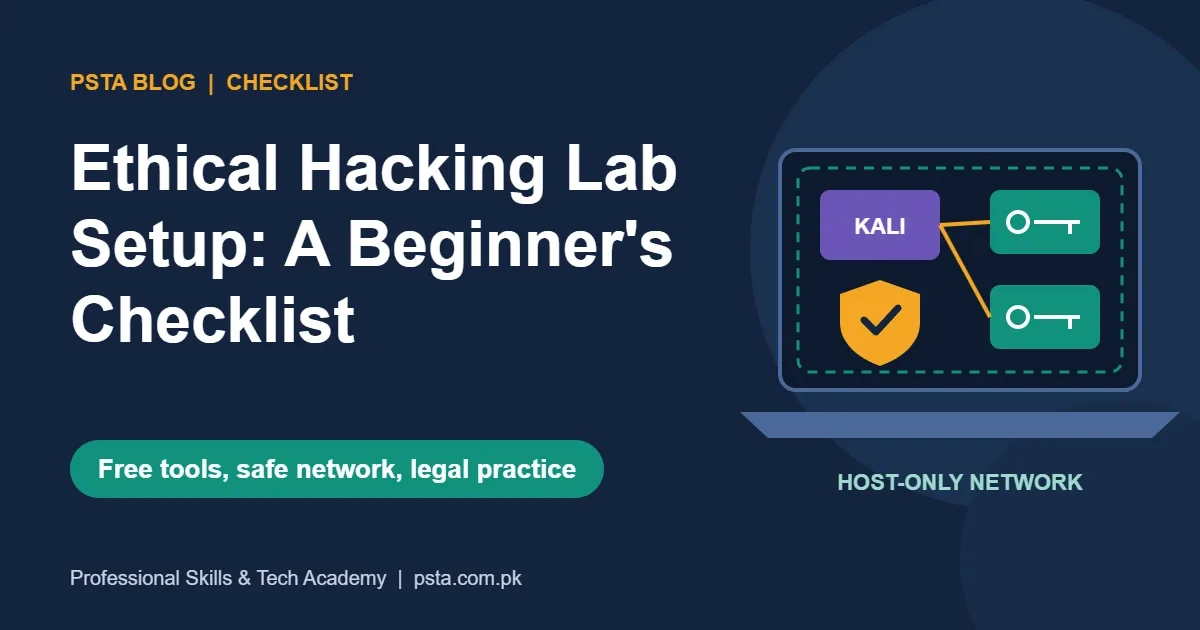
An ethical hacking lab needs a 64-bit laptop with virtualization enabled, ideally 8 GB of RAM or more and about 80 GB of free space. Install free VirtualBox or VMware Workstation, import the Kali Linux image, add targets such as Metasploitable 2, DVWA and Juice Shop, and keep them on a host-only network.
Key takeaways
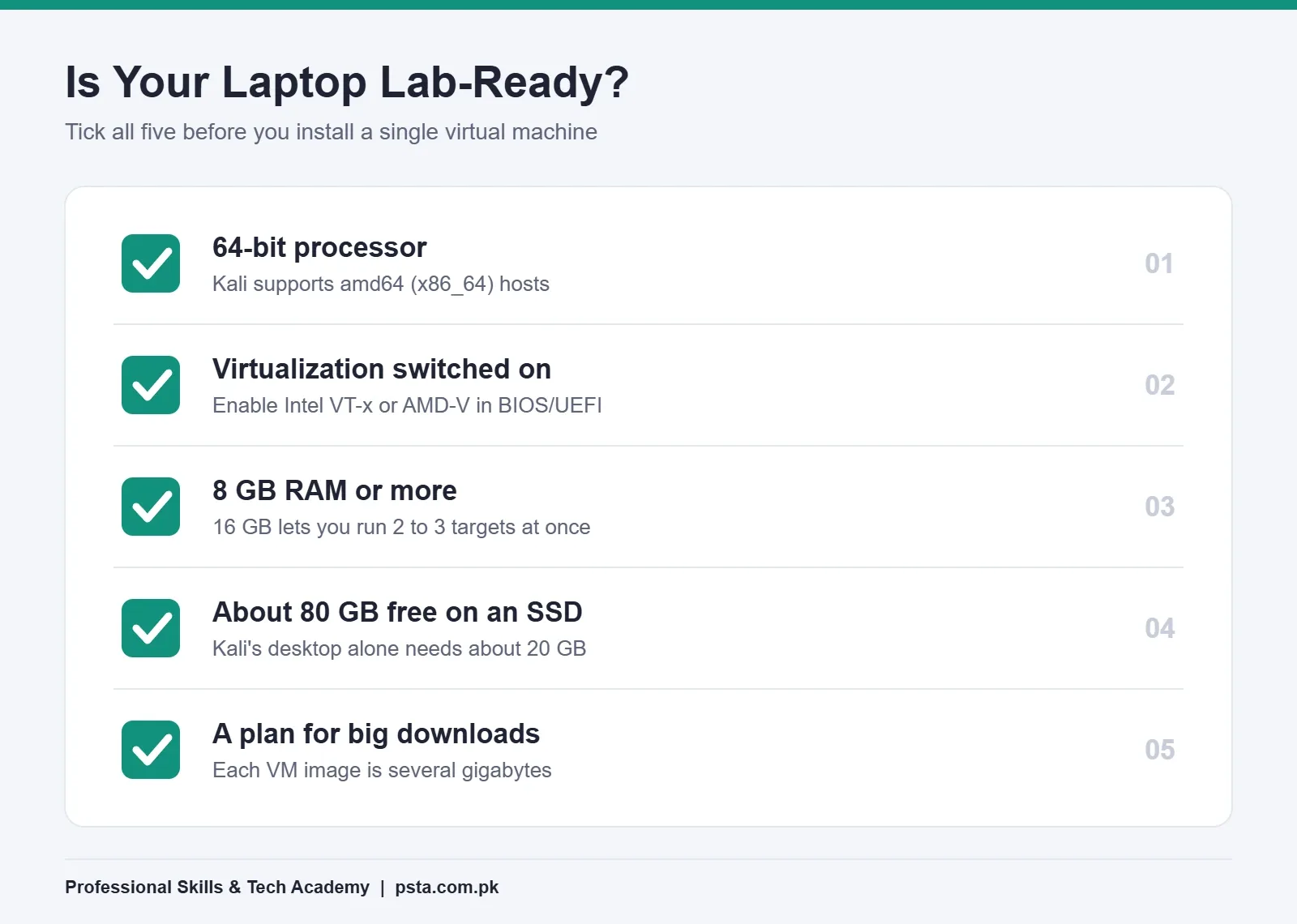
- • Check three things first: virtualization enabled, 8 GB of RAM or more, and about 80 GB of free disk space.
- • VirtualBox 7.2.20 and VMware Workstation are both free for learners, so pick one and move on.
- • Use the ready-made Kali Linux 2026.2 VM image and change the default kali/kali password at first login.
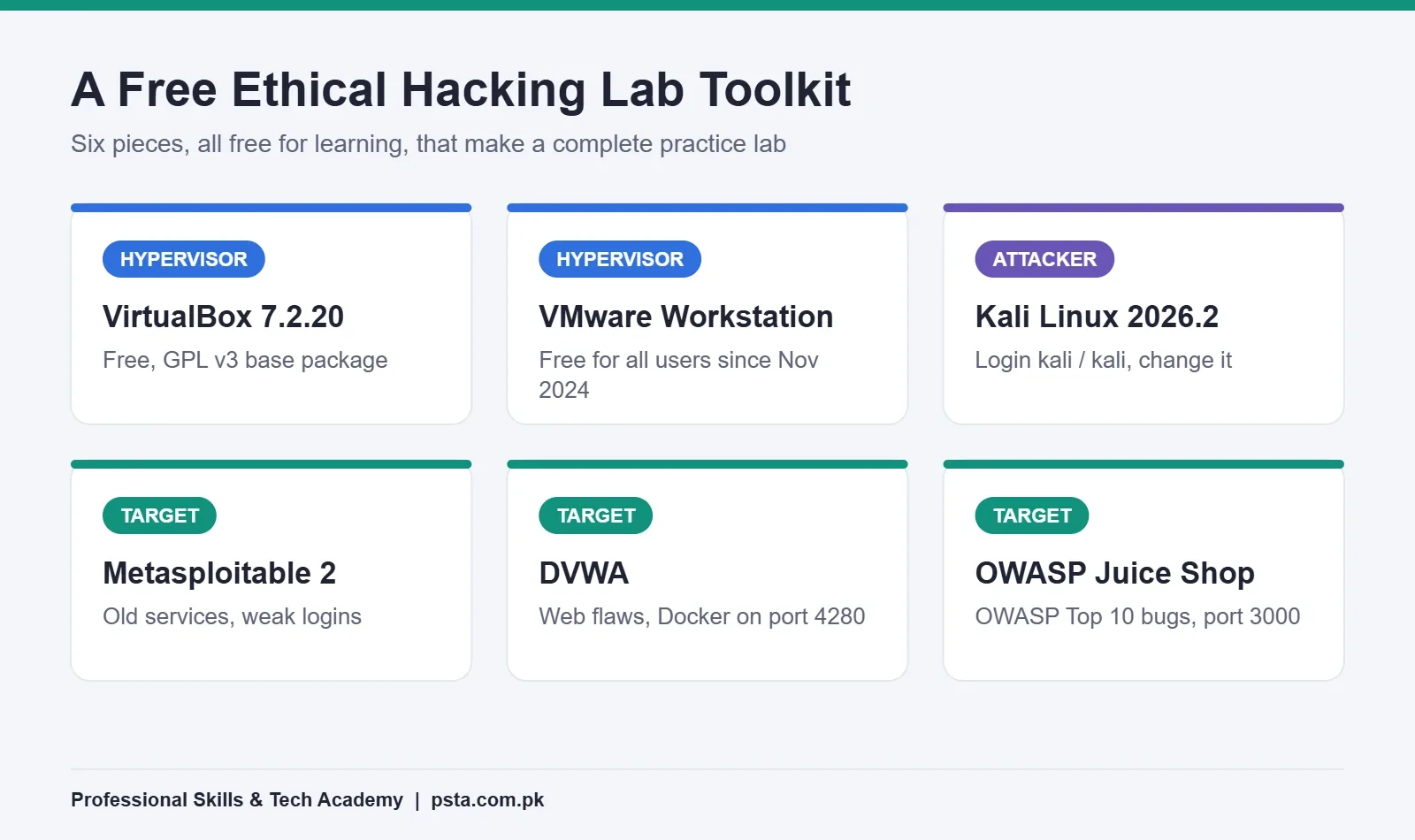
- • Practice only on deliberately vulnerable targets such as Metasploitable 2, DVWA and OWASP Juice Shop.
- • Put targets on a host-only network; PECA 2016 punishes unauthorized access to systems you don't own.
Table of contents 13 sections
- What Is an Ethical Hacking Lab, and Why Build One?
- Is It Legal to Practice Hacking in Pakistan?
- Checklist Part 1: Hardware and BIOS Settings
- Checklist Part 2: Pick a Hypervisor
- Checklist Part 3: Add Kali Linux as Your Attacker Machine
- Checklist Part 4: Choose Your Practice Targets
- Which Network Mode Keeps Your Ethical Hacking Lab Isolated?
- Setting Up a Host-Only Network in VirtualBox
- Checklist Part 5: Snapshots, Notes and Lab Hygiene
- What Should Your First Three Exercises Be?
- Common Setup Problems and Quick Fixes
- How Does PSTA Teach Ethical Hacking Lab Setup?
- Your Next Step: Run the Self-Test Tonight
Before you build an ethical hacking lab, try a 30-second self-test. Open Task Manager on your Windows laptop, click the Performance tab and look for a line that says "Virtualization: Enabled." Then check how much RAM and free disk space you have. If virtualization is on, you have 8 GB of RAM or more, and about 80 GB free, your laptop can almost certainly run a safe practice lab tonight.
If one of those checks failed, don't worry. Most of them can be fixed in a few minutes, and this checklist shows you how. Here's what you will have ticked off by the last section:
- The hardware and BIOS settings your laptop needs before anything else
- Which free hypervisor to install, and why the choice matters less than you think
- How to add Kali Linux and three deliberately vulnerable targets
- The one network setting that keeps your practice away from other people's devices
- What Pakistani law says about hacking, and why your lab keeps you on the right side of it
What Is an Ethical Hacking Lab, and Why Build One?
An ethical hacking lab is a small, private network of virtual machines that you own and are allowed to attack. One machine is the attacker, usually Kali Linux. The others are targets that were built on purpose to be insecure. Everything runs inside your own laptop, so no real business, website or neighbor is touched.
In my classes, the lab is where theory finally makes sense. Reading about an open port is one thing. Watching Nmap find that port on a machine you set up yourself, then using it to log in, is what makes the lesson stick. A home lab also lets you repeat an exercise ten times until the commands feel normal, and repetition is how practical security skill is built.
The good news is cost. Every tool in this checklist is free for learning. Your only real investment is a reasonable laptop and a few evenings of setup.
Is It Legal to Practice Hacking in Pakistan?
Practicing on systems you own, or on systems built for training, is the safe route. Testing anything else without written permission is not. Pakistan's Prevention of Electronic Crimes Act 2016 makes it an offense to gain unauthorized access to any information system or data with dishonest intention. Section 3 allows up to three months in prison, a fine of up to Rs. 50,000, or both. Section 4, on copying or transmitting data without authorization, goes up to six months and Rs. 100,000.
That's exactly why the lab exists. Your college Wi-Fi, a friend's phone or a shop's website are not practice targets, even if you "only look." Keep every scan and exploit inside your own virtual network, and you never have to wonder whether a test crossed a line.
Checklist Part 1: Hardware and BIOS Settings
Start with the machine itself. An ethical hacking lab runs three or four operating systems at the same time, so the host laptop carries the weight.
- Confirm a 64-bit processor. Kali's installation documentation says it is supported on amd64 (64-bit) platforms. Almost every laptop sold in the last decade qualifies.
- Turn on hardware virtualization. If Task Manager shows it disabled, restart, enter the BIOS or UEFI setup (often F2, F10 or Del) and enable Intel VT-x or AMD-V. The option is sometimes called "SVM Mode" on AMD laptops.
- Check your RAM. Kali recommends at least 2 GB for its desktop, and the same page notes that heavier tools such as Burp Suite want at least 8 GB. In practice, a host with 8 GB can run Kali plus one small target. With 16 GB, you can run two or three targets side by side without the laptop crawling.
- Free up disk space. Kali's desktop install needs about 20 GB. Add room for targets and snapshots, and 80 GB of free space on an SSD is a comfortable starting point.
- Plan for downloads. VM images are several gigabytes each. If your home internet is slow, download them overnight or at the campus lab.
Checklist Part 2: Pick a Hypervisor
A hypervisor is the program that runs virtual machines on your laptop. Beginners usually choose between two free options, and both work well for an ethical hacking lab.
| Point | Oracle VirtualBox | VMware Workstation |
|---|---|---|
| Price for learners | Free (base package under GPL version 3) | Free for personal, educational and commercial use since November 11, 2024 |
| Current version (October 2026) | 7.2.20 on the official download page | Check Broadcom's VMware site before downloading |
| Host systems | Windows, macOS, Linux, Solaris | Windows and Linux (Fusion is the Mac version) |
| Ready-made Kali image | Yes | Yes |
| Good choice if | You want the simplest download and lots of beginner tutorials | You already use VMware at work or want its snapshot manager |
The VirtualBox download page lists version 7.2.20 at the time of writing. One detail to know: the optional Extension Pack uses a separate license that covers personal and educational use only, so read it before using the pack in a company. On the VMware side, Broadcom announced in its November 2024 post that Workstation and Fusion became free for everyone, with the Pro features included.
My advice: pick one and stop comparing. The skills you build in the lab transfer between both. Students who switch hypervisors three times usually lose a week and learn nothing new about security.
Checklist Part 3: Add Kali Linux as Your Attacker Machine
Kali Linux is the attacker workstation in almost every ethical hacking lab. It comes with Nmap, Metasploit, Burp Suite Community, Wireshark and hundreds of other tools already installed.
According to the official Kali releases page, the newest version is Kali 2026.2, released on June 29, 2026. Kali has been releasing a new version roughly every quarter, so check the page before you download.
You have two ways to set it up:
- Pre-built VM image (recommended for beginners). The Get Kali page offers ready images for VMware, VirtualBox, Hyper-V and QEMU. You import the file and boot it. The default username and password are both "kali," and you should change the password on first login.
- Installer ISO. You create a new VM and run the installer yourself. It takes longer, but you learn how disk partitions and users are set up.
Whichever route you take, give Kali 2 CPU cores and 4 GB of RAM if your host has 8 GB or more. Then run a system update before you start any exercise, so your tools match current tutorials.
Checklist Part 4: Choose Your Practice Targets
A target is a machine that is meant to be broken. Never practice on a normal Windows or Linux install from your home network; use systems designed for penetration testing practice instead. These three free targets cover most of what a beginner needs in a first ethical hacking lab.
| Target | What it teaches | How it runs | Default access |
|---|---|---|---|
| Metasploitable 2 | Network services, weak passwords, old vulnerable software | Ubuntu-based VM you import | msfadmin / msfadmin |
| DVWA | Web flaws such as SQL injection and XSS, at adjustable difficulty | Docker Compose or inside a Linux VM | http://localhost:4280 with Docker |
| OWASP Juice Shop | Modern web app bugs from the whole OWASP Top 10, with a score board | Docker container or Node.js | http://localhost:3000 |
Rapid7 describes Metasploitable 2 as an intentionally vulnerable Ubuntu Linux virtual machine. After you log in, its documentation tells you to run ifconfig and note the address on eth0, which becomes your first scan target.
The DVWA project starts with a clear warning: do not upload it to a hosting provider's public folder or any internet-facing server. Its Docker setup starts with one command, docker compose up -d, from the project folder.
The Juice Shop repository binds its Docker example to 127.0.0.1, which keeps the app reachable only from the same computer. That's a sensible habit to copy for every target you run in Docker.
Which Network Mode Keeps Your Ethical Hacking Lab Isolated?
This is the setting beginners skip, and it's the one that matters most. Your targets are full of holes. If they sit on the same network as your family's phones or a hostel's shared Wi-Fi, anyone on that network can attack them, and your scans can spill onto devices you have no right to touch.
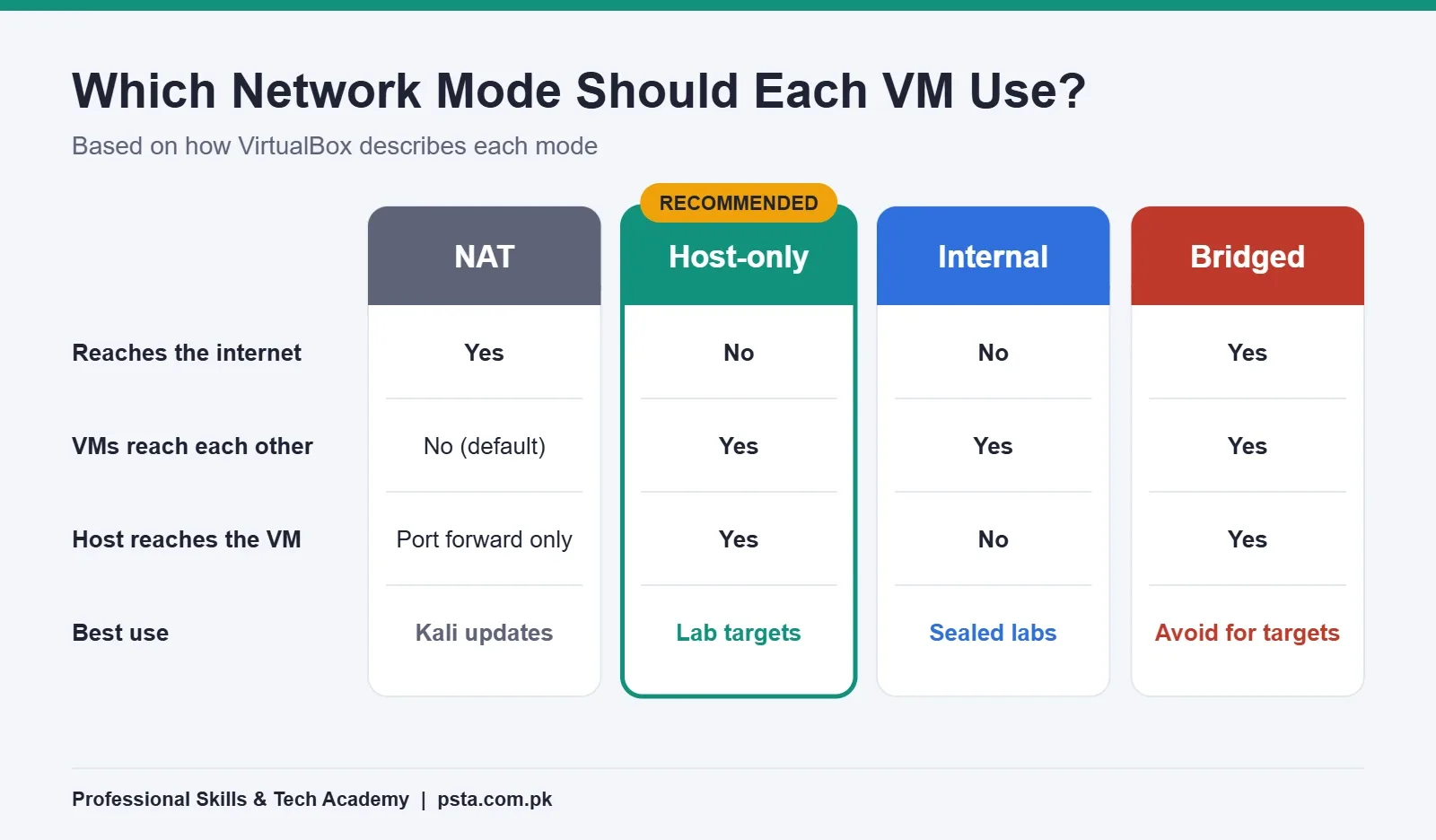
The VirtualBox networking manual explains the main modes:
- NAT: the VM can reach the internet but stays unreachable from outside. Other VMs can't reach it by default either, so it's poor for attack practice.
- Host-only: VMs can reach each other and the host, but not the outside world. This is the usual choice for targets.
- Internal network: only VMs on the same internal network can talk. Even the host can't reach them.
- Bridged: the VM joins your real network like a separate device. Avoid this for vulnerable targets.
Setting Up a Host-Only Network in VirtualBox
- Open VirtualBox, go to the Network tool and create a host-only network if none exists.
- Open each target VM's settings, choose Network, and attach Adapter 1 to "Host-only Adapter."
- Give Kali two adapters: Adapter 1 on host-only for the lab, and Adapter 2 on NAT for updates.
- Boot everything and run
ip aon Kali to note its lab address. - Ping a target's address from Kali. If it replies, the lab network works.
When you finish updating Kali, you can disconnect its NAT adapter during exercises. That way, a mistyped IP address in a scan can't leave your laptop.
Checklist Part 5: Snapshots, Notes and Lab Hygiene
You will break things. That's the point. Snapshots make breaking things cheap. VirtualBox can save snapshots of a VM's state and revert to them later, as its introduction chapter explains, and VMware offers the same idea.
Use this short routine for every machine in your ethical hacking lab:
- Take a snapshot called "clean" right after the first successful boot.
- Take another before any exercise that changes the system, such as privilege escalation.
- Keep a plain text or Markdown notes file with each target's IP address, the commands you ran and what worked.
- Shut down targets you're not using, so your laptop has memory for the ones you are.
- Never store personal files, passwords or banking apps inside lab VMs.
The notes file is underrated. A penetration tester's real product is a report, and the habit of writing down each step starts here.
What Should Your First Three Exercises Be?
A finished lab with no plan tends to sit unused. These three exercises take one evening each and test that every part of your setup works.
- Find everything on the network. From Kali, run an Nmap scan against your host-only range. List every live host and open port in your notes. Compare what you found with what you expected.
- Log in with a default password. Use the service list from Exercise 1 to find a login service on Metasploitable 2, then try its documented default credentials. Write one paragraph on why default passwords are dangerous for real businesses.
- Try one web flaw at low difficulty. Open DVWA, set the security level to low and work through the SQL injection page. If you already know basic SQL, the SQL interview questions guide on our blog is a good refresher on how queries are built.
After these three, you have proof that your ethical hacking lab works end to end: networking, an exploitable service and a web target.
Common Setup Problems and Quick Fixes
Most ethical hacking lab problems on a Windows laptop come from a handful of causes. Check this table before you reinstall anything.
| Problem | Likely cause | Fix |
|---|---|---|
| VM won't start, error mentions VT-x or AMD-V | Virtualization disabled in BIOS | Enable it in BIOS or UEFI setup, then cold boot |
| Only 32-bit options in the "new VM" menu | Virtualization off, or another hypervisor holding it | Enable it in BIOS; check Windows features such as Hyper-V |
| Kali can't ping the target | Machines on different adapters or networks | Put both on the same host-only network and recheck with ip a |
| Laptop freezes during scans | Too many VMs for the RAM | Run one target at a time; lower Kali to 2 GB if needed |
| Kali tools look different from a tutorial | Old image or tutorial | Update Kali and check the tutorial's date |
How Does PSTA Teach Ethical Hacking Lab Setup?
At PSTA, lab setup is part of Module 1 of the Advanced Ethical Hacking and Penetration Testing course, alongside the CIA triad and Pakistan's cyber crime law (PECA 2016). We install VirtualBox and Kali Linux in class, so you start the course with a working environment instead of a list of downloads.
Here are the course details from the course page:
- Duration: 12 weeks
- Level: Intermediate
- Fee: Rs. 30,000 (listed down from Rs. 37,000 at the time of writing)
- Modules: 11, from reconnaissance and Nmap scanning to web testing with Burp Suite, wireless security and report writing
- Study mode: live online classes for students in other cities, plus in-person batches in Abbottabad
If you're newer to IT and want the defensive side first, the Cyber Security and Ethical Hacking course focuses on blue-team work such as firewalls and monitoring. Our earlier guide to cyber security certifications for beginners can help you decide which exam to aim for after your lab practice. You can also browse all PSTA courses.
Your Next Step: Run the Self-Test Tonight
Go back to the three checks at the top: virtualization, RAM and free disk space. Write the results down. If all three pass, your ethical hacking lab is one download away. Install your hypervisor and import the Kali image this week. If one fails, fix that single item first.
Want a second opinion on your laptop specs before you start? The PSTA team answers lab questions on WhatsApp (+92 314 5424399). If you prefer to talk in person, our campus sits opposite FIMS College in Mandian, Old College Road, Abbottabad. When you're ready to join a batch, the admission page has the next steps.
Frequently asked questions
Can I build an ethical hacking lab with 4 GB of RAM?
You can, but it will be tight. Kali's desktop needs at least 2 GB, which leaves very little for Windows and a target. Run Kali with 2 GB and one lightweight target at a time, close your browser while you practice, and use Docker targets such as DVWA where possible. If you plan to study seriously, upgrading to 8 GB or more makes every exercise smoother.
Should I install Kali Linux as my main operating system?
For beginners, no. Kali is built for security testing, not everyday use, and many of its tools assume you know what you are doing. Running it as a virtual machine keeps your normal Windows setup safe, lets you take snapshots before risky changes and means a broken install costs you a few minutes instead of a full reinstall.
Do my lab machines need internet access?
Only Kali needs it, and only for updates and installing tools. Your vulnerable targets should never touch the internet. Give Kali a second NAT adapter for updates, keep every target on the host-only network, and disconnect the NAT adapter during exercises so a mistyped scan range cannot reach outside your laptop.
Can I practice on real websites I find online?
Not without written permission. Scanning or exploiting a website you don't own can count as unauthorized access under PECA 2016 in Pakistan. The legal routes are your own lab, training platforms built for hacking practice, and bug bounty programs that publish a clear scope. Always read and follow that scope before you test anything.
Which is better for beginners, VirtualBox or VMware Workstation?
Both are free for learning and both run the official Kali images, so either works. VirtualBox is open source and has a large number of beginner tutorials. VMware Workstation became free for all users in November 2024 and is common in workplaces. Pick the one your teacher or tutorial uses and stick with it.
What is the difference between Metasploitable 2 and DVWA?
Metasploitable 2 is a complete Linux virtual machine packed with weak network services, so it is ideal for practicing scanning, enumeration and exploitation with tools such as Nmap and Metasploit. DVWA is a single web application for practicing web flaws such as SQL injection and cross-site scripting, with adjustable difficulty levels. Most learners use both.
How long does it take to set up a home hacking lab?
On a laptop that already has virtualization enabled, most students finish a basic lab in one or two evenings. Downloading the VM images usually takes the longest. Plan one session for the hypervisor and Kali, and a second for the targets, the host-only network and your first Nmap scan to confirm everything talks to each other.
Sources & references
- Kali Linux Releases kali.org
- Kali Linux Installation Requirements kali.org
- Oracle VirtualBox Downloads virtualbox.org
- VirtualBox Manual: Networking Modes virtualbox.org
- VMware Fusion and Workstation Are Now Free for All Users blogs.vmware.com
- Rapid7 Metasploitable 2 Documentation docs.rapid7.com
- DVWA on GitHub github.com
- Prevention of Electronic Crimes Act 2016 (Sindh Judicial Academy) sja.gos.pk
Last reviewed & updated on by Umar Qureshi. Written by the PSTA team in Abbottabad, Pakistan.

Umar Qureshi

Advanced Ethical Hacking & Penetration Testing Course in Abbottabad
Turn this guide into a career: hands-on training with real projects, online across Pakistan or on-campus in Abbottabad · 12 Weeks.

Comments
No comments yet — ask a question or share your experience.