Quick answer
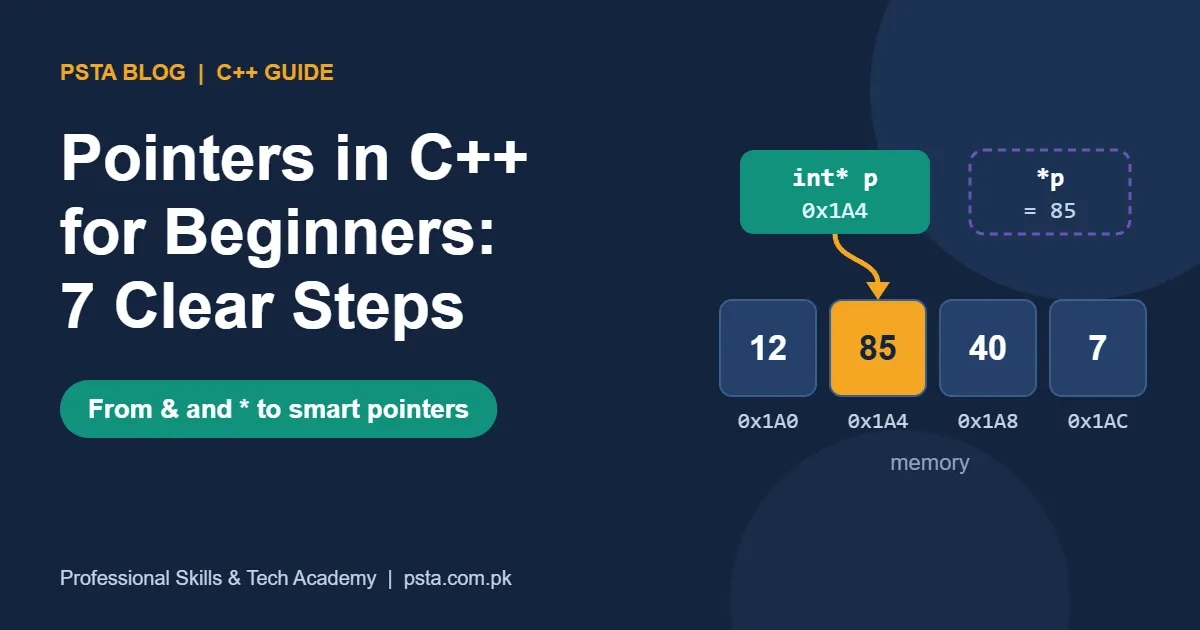
A pointer in C++ is a variable that stores another variable's address. Use & to get an address and * to reach the value. Start pointers at nullptr, move through arrays with pointer arithmetic, pass addresses to functions to change originals, and prefer unique_ptr over raw new and delete.
Key takeaways
- • A pointer stores an address; & gives the address and * reaches the value.
- • Initialize every pointer to nullptr or a real address before using it.
- • Adding 1 to a pointer moves it by one whole element, not one byte.
- • const before the * locks the value; const after the * locks the pointer.
- • Match new with delete and new[] with delete[], then prefer unique_ptr.
- • Use references when a value must exist, and raw pointers only for non-owning access.
Table of contents 13 sections
- What Are Pointers in C++, in Plain Terms?
- Step 1: Declare a Pointer and Store an Address
- Step 2: Read and Change a Value Through the Pointer
- Step 3: Start Every Pointer at nullptr
- Step 4: Walk Through an Array With Pointer Arithmetic
- Step 5: Pass a Pointer So a Function Can Change Your Variable
- Step 6: Read const With Pointers From Right to Left
- Step 7: Use new and delete Once, Then Move to Smart Pointers
- Pointer, Reference or Smart Pointer: Which Should You Use?
- Which Pointer Bugs Will You Hit First?
- How Should You Practise Pointers So They Stick?
- Building Your C++ Foundations at PSTA
- Tonight: Draw the Boxes for One Program
A question students commonly ask in their first pointer class is simple: why use a pointer at all when you can use the variable directly? The short answer is that pointers in C++ let one part of your program reach a value that lives somewhere else, whether that is a variable in another function, the next item in an array or memory you asked for while the program runs. Once you see a pointer as "a variable that stores an address", most of the fear goes away.
This guide builds that idea in seven small steps, each with code you can paste into your compiler and test. Here is what you will be able to do when you finish:
- Declare a pointer, store an address in it and read or change the value it points to.
- Use
nullptr, pointer arithmetic andconstwithout guessing. - Pass a pointer to a function so it can change your original variable.
- Spot the five or six pointer bugs that cause most crashes in student code.
- Decide when a reference or a smart pointer is a better choice than a raw pointer.
What Are Pointers in C++, in Plain Terms?
Think of your computer's memory as a long row of numbered lockers. Every variable you create sits in one or more lockers, and each locker has a number, which we call its address. A normal variable such as int marks = 85; holds a value. A pointer holds the locker number of some other variable.
Microsoft's C++ reference puts it the same way: a pointer is a type of variable that stores the address of an object in memory and is used to access that object. The same documentation lists three classic jobs for pointers: creating objects on the heap, passing functions to other functions and walking through arrays or other data structures (Microsoft Learn, Pointers (C++)).
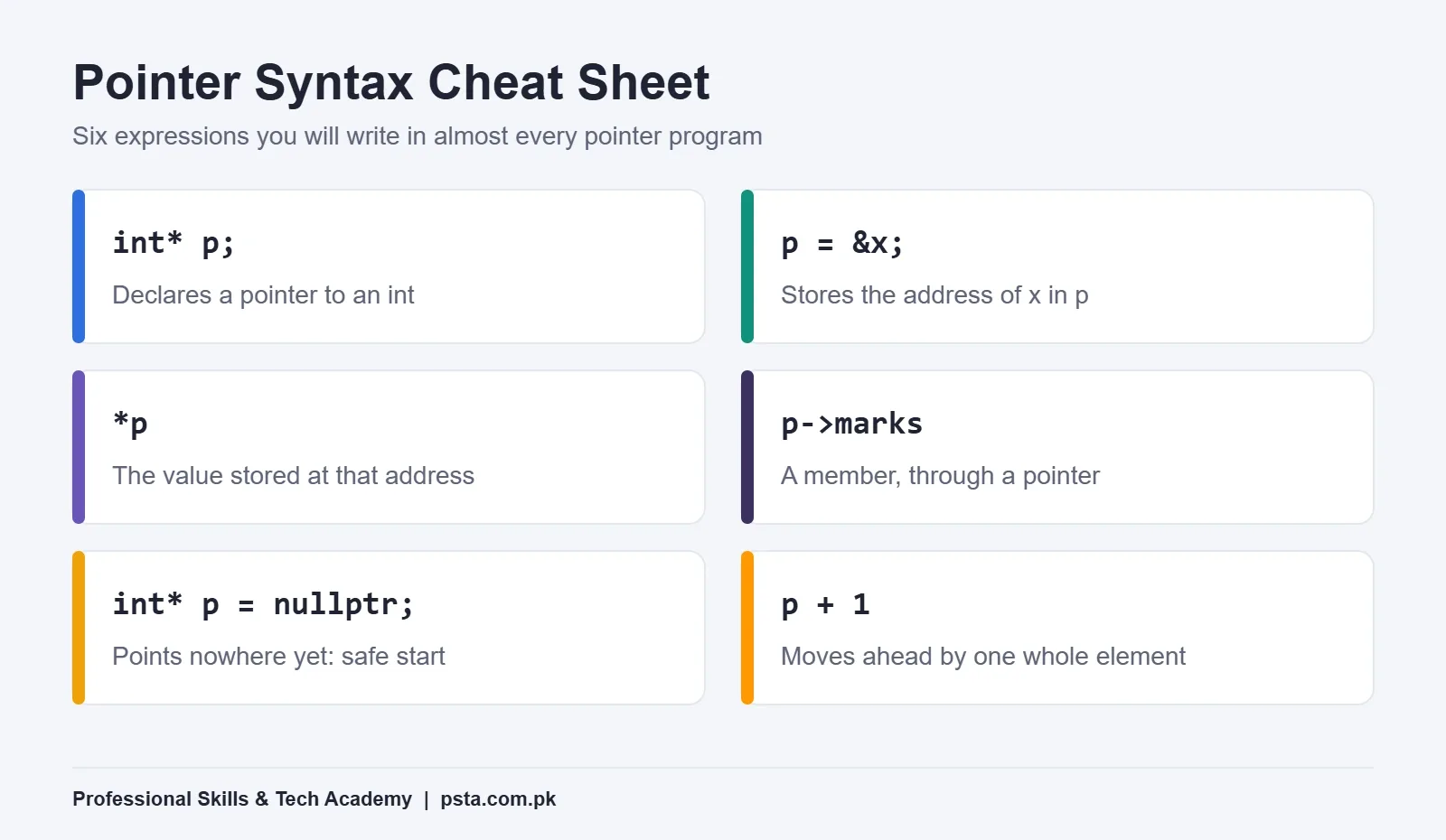
When you work with pointers in C++, you'll meet two symbols over and over. The ampersand & in front of a variable means "give me its address". The star * in front of a pointer means "go to that address and use the value there". Keep those two meanings separate in your head and the rest of this guide will feel much easier.
Step 1: Declare a Pointer and Store an Address
Declaring pointers in C++ takes one extra symbol. Every pointer has a type, and the type must match what it points to. An int* points to an int, a double* points to a double, and so on.
#include <iostream>

int main() {
    int marks = 85;
    int* p = &marks;          // p now holds the address of marks

    std::cout << p  << "\n";   // an address, different on every run
    std::cout << *p << "\n";   // 85
    return 0;
}
Run it twice and the first line will usually print a different hexadecimal number each time. That's normal. The operating system decides where your variables live, so you should never hard-code an address or expect it to stay the same.
A small style note: int* p, int *p and int * p all compile to the same thing. Pick one style and stay with it. Be careful with lines like int* a, b;, though. Only a is a pointer there, and b is a plain int. Declaring one pointer per line avoids that trap.
Step 2: Read and Change a Value Through the Pointer
Putting * in front of a pointer is called dereferencing. It works for reading and for writing:
int marks = 85;
int* p = &marks;

*p = 90;                      // writes through the pointer
std::cout << marks;           // 90, the original variable changed
When a pointer points to a struct or class object, use the arrow operator -> to reach a member. It is a shorter way to write "dereference, then use the dot".
struct Student {
    std::string name;
    int marks;
};

Student s{"Ayesha", 78};
Student* ps = &s;

ps->marks = 81;               // same as (*ps).marks = 81
The reference page on cppreference.com confirms that dereferencing gives you the object itself, so anything you do through *p or p-> happens to the real variable, not a copy. Keep the cheat sheet below open while you practise your first few programs with pointers in C++.
Step 3: Start Every Pointer at nullptr
Among all the habits around pointers in C++, this one prevents the most crashes. A pointer you declare without a value is dangerous. Microsoft's documentation warns that an unassigned pointer simply contains random data. If you dereference it, your program reads or writes some unknown spot in memory.
The fix is a habit: if you don't have an address yet, give the pointer nullptr. This keyword was added in C++11 as the pointer literal, and it converts to the null value of any pointer type (cppreference, nullptr).
int* result = nullptr;        // "points nowhere yet"

if (result != nullptr) {
    std::cout << *result;     // only runs when there is a real address
}
Why not write NULL or 0 like older textbooks do? NULL is a macro whose exact definition depends on the compiler, while nullptr has its own type, std::nullptr_t. That difference matters when you pass it through templates or overloaded functions. Checking for null doesn't make dereferencing a null pointer safe, by the way. Doing that is undefined behavior, so the check has to come first.
Step 4: Walk Through an Array With Pointer Arithmetic
Arrays and pointers in C++ are closely linked. When you use an array's name in most expressions, it turns into a pointer to its first element. From there, adding 1 to the pointer moves it to the next element.
int sales[5] = {120, 95, 140, 80, 110};
int* p = sales;               // points to sales[0]

std::cout << *(p + 2);        // 140, same as sales[2]

int total = 0;
for (int* it = sales; it != sales + 5; ++it) {
    total += *it;
}
std::cout << total;           // 545
"Adding 1" doesn't mean one byte. A typed pointer moves by the size of the type it points to, as Microsoft explains. On common compilers an int is 4 bytes, so p + 1 jumps 4 bytes ahead. The compiler does the multiplication for you.
Notice sales + 5 in the loop. That pointer sits one place past the last element. You're allowed to create it and compare against it, but cppreference is clear that dereferencing a past-the-end pointer is undefined behavior. Use it as a finish line and never read from it.
One more surprise: when you pass an array to a function, it arrives as a plain pointer. Inside that function, sizeof(arr) gives the size of the pointer (8 bytes on 64-bit Windows), not the size of the array. That's why most functions that take arrays also take a length.
Step 5: Pass a Pointer So a Function Can Change Your Variable
Passing addresses into functions is one of the most practical uses of pointers in C++. By default, C++ copies arguments into a function. Change the copy and the original stays the same. Pass the address instead, and the function can reach back and change the original.
void addBonus(int* m, int bonus) {
    if (m != nullptr) {
        *m += bonus;
    }
}

void swapValues(int* a, int* b) {
    int temp = *a;
    *a = *b;
    *b = temp;
}

int main() {
    int marks = 72;
    addBonus(&marks, 5);       // marks is now 77

    int x = 3, y = 9;
    swapValues(&x, &y);        // x is 9, y is 3
}
The swapValues function is a classic lab exercise for a good reason. If you can explain why a version that takes plain int values fails to swap, you understand pass by pointer.
In real projects you will often see references (int&) used for the same job. Microsoft's guidance is that const references are generally the preferred way to pass objects into functions, unless the value could legitimately be nullptr. We'll come back to that choice in a later section.
Step 6: Read const With Pointers From Right to Left
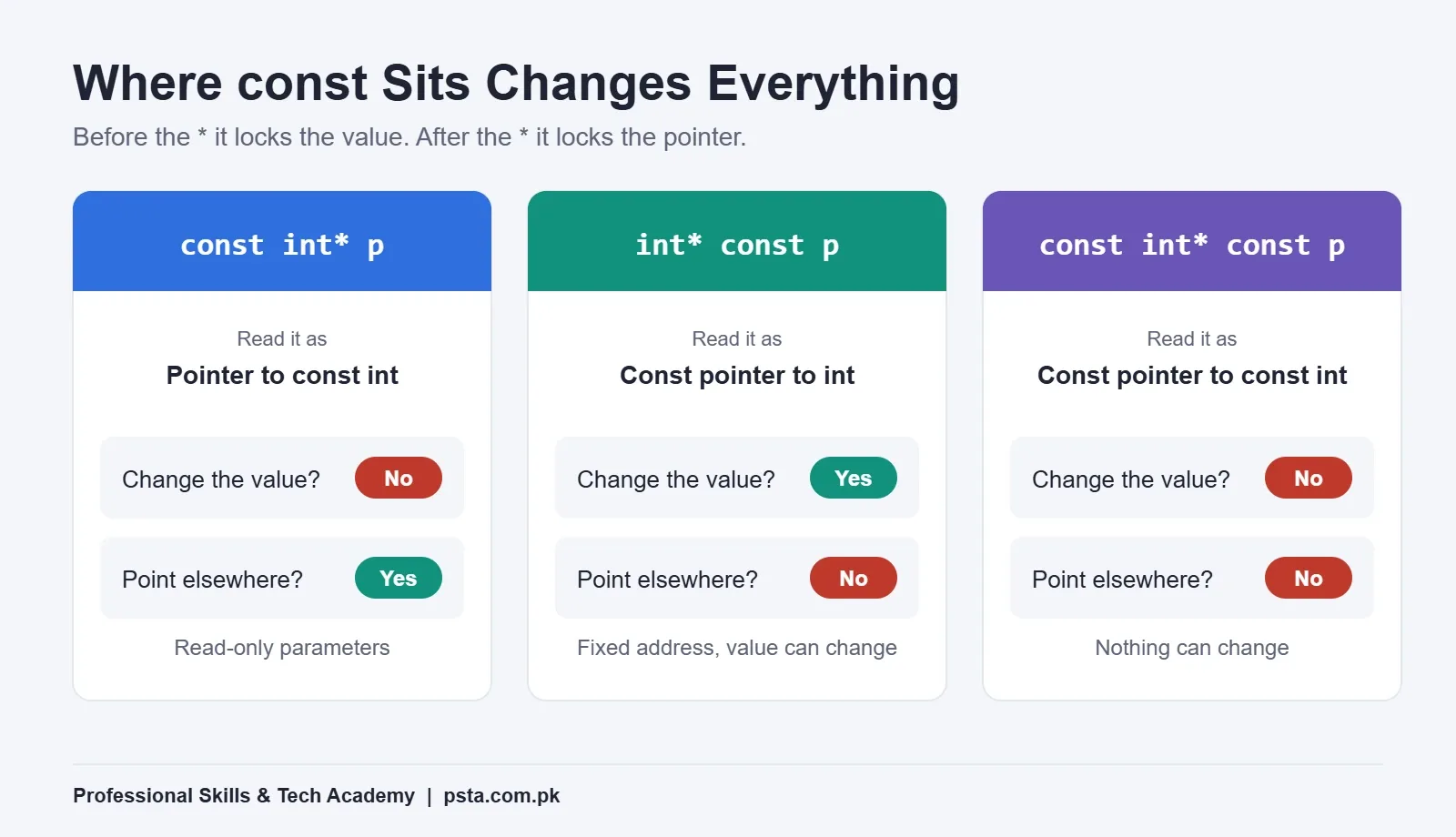
This is the part of pointers in C++ that trips up most students in written exams. With pointers, const can protect the value, the pointer or both. The rule from cppreference is easy to remember: const before the * applies to the value pointed to, and const after the * applies to the pointer itself.
| Declaration | Read it as | Can you change the value? | Can you point elsewhere? |
|---|---|---|---|
int* p |
pointer to int | Yes | Yes |
const int* p |
pointer to const int | No | Yes |
int const* p |
pointer to const int (same as above) | No | Yes |
int* const p |
const pointer to int | Yes | No |
const int* const p |
const pointer to const int | No | No |
A trick that works well in class: read the declaration from right to left. int* const p becomes "p is a const pointer to int". const int* p becomes "p is a pointer to an int that is const".
In practice, you'll use const int* (or const references) most, for function parameters that should only read data. Microsoft recommends marking pointer parameters const unless the function really needs to modify the object.
Step 7: Use new and delete Once, Then Move to Smart Pointers
So far every pointer has pointed to an ordinary variable. Pointers also let you ask for memory while the program runs, which is handy when you don't know a size until the user types it.
int n;
std::cin >> n;

int* scores = new int[n];     // memory from the heap
// ... fill and use scores ...
delete[] scores;              // give it back
scores = nullptr;             // the old address is no longer valid
Two rules come straight from Microsoft's documentation: memory from new must be freed with delete, and memory from new[] must be freed with delete[]. Forget to free it and you have a memory leak.
The last line matters too. After delete[], the variable scores still holds the old address. That's a dangling pointer. Reading through it, or deleting it a second time, is undefined behavior and a common cause of random crashes.
Write this by hand once so you understand how pointers in C++ manage memory. After that, modern C++ gives you a safer tool. Microsoft's code analyzer raises warning C26409 whenever it sees new or delete, following the C++ Core Guidelines rule "Avoid calling new and delete explicitly". The suggested replacement looks like this:
#include <memory>

auto scores = std::make_unique<int[]>(n);
scores[0] = 88;               // use it like an array
// no delete needed: memory is freed when scores goes out of scope
Microsoft's smart pointers guide recommends unique_ptr as the default choice. It has exactly one owner and cleans up automatically. Reach for shared_ptr only when several parts of the program truly need to own the same object, and use weak_ptr to observe a shared object without keeping it alive.
Pointer, Reference or Smart Pointer: Which Should You Use?
Once you know all three, the real skill is choosing. Good code uses pointers in C++ only where nothing simpler works. Microsoft's guidance is blunt: raw owning pointers are strongly discouraged unless they give a real performance benefit and it is clear which pointer is responsible for deleting the object. That doesn't mean raw pointers disappear. A raw pointer that only looks at something it doesn't own is still common and fine.
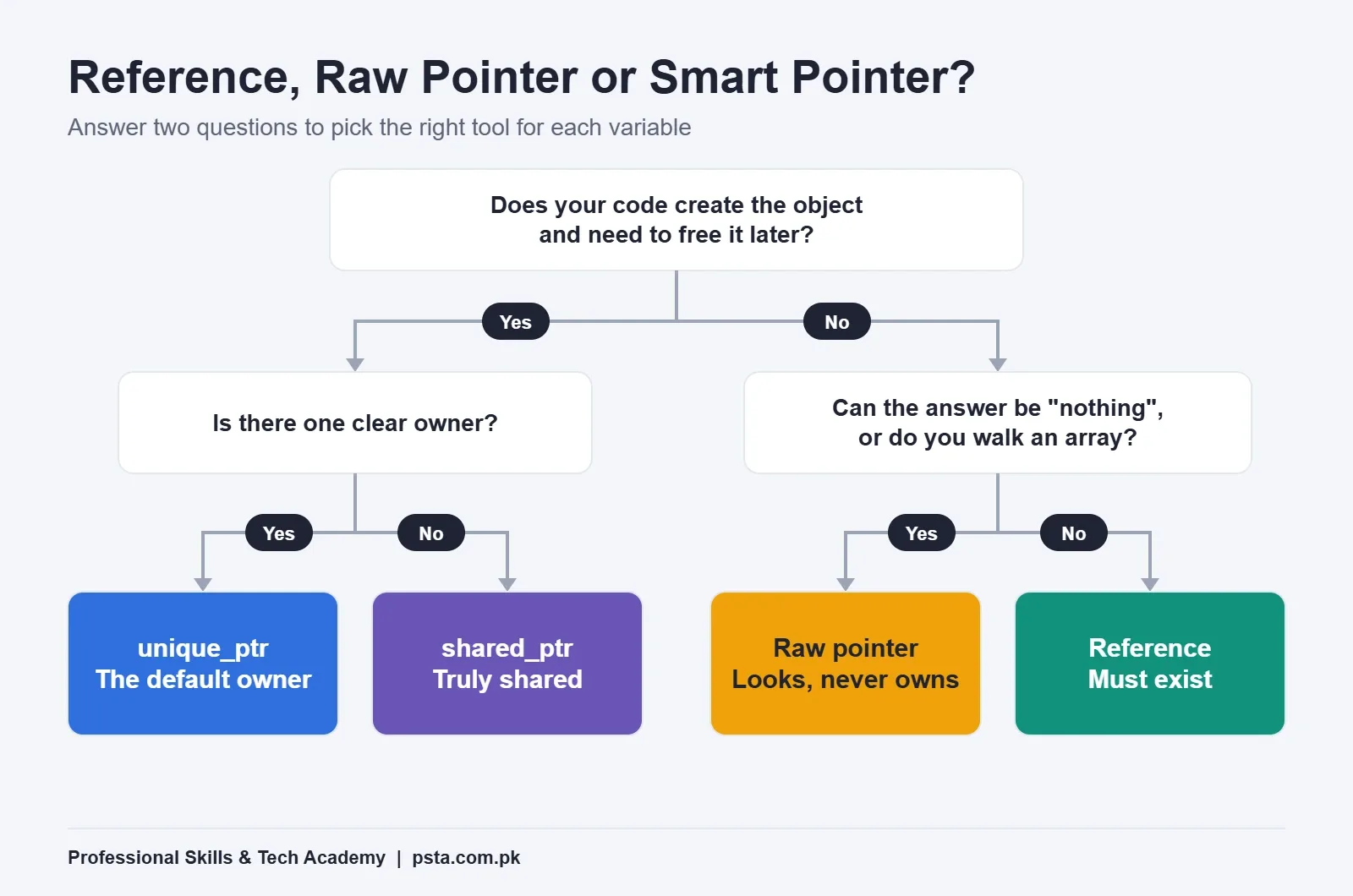
A simple way to make the choice:
- Use a reference when the thing must exist and the function just needs to read or change it. References can't be null and can't be pointed somewhere else later.
- Use a raw pointer when "nothing" is a valid answer (it may be
nullptr), or when you need to move along an array, and the pointer doesn't own the memory. - Use
unique_ptrwhen your code creates an object on the heap and one part of the program owns it. - Use
shared_ptronly when ownership is truly shared and you can't name a single owner.
Which Pointer Bugs Will You Hit First?
Most beginners run into the same handful of mistakes. The compiler won't catch most of them, so it helps to know the symptom before you see it on your own screen.
| Bug | What you usually see | How to prevent it |
|---|---|---|
| Uninitialized pointer | Random values or a crash on the first use | Start every pointer at nullptr or a real address |
| Null dereference | Crash with an access violation | Check for nullptr before using * or -> |
| Reading past the end of an array | One strange extra value, or no symptom until later | Loop until the end pointer, never through it |
| Dangling pointer after delete | Old data that changes "by itself", or a crash | Set the pointer to nullptr right after delete, or use unique_ptr |
| Double delete | Crash when the program exits or frees memory | Give each object one clear owner |
Mixing delete and delete[] |
Unpredictable behavior, often no warning | Match new with delete and new[] with delete[] |
| Returning the address of a local variable | Correct value once, garbage later | Return the value itself, or a smart pointer |
The last row deserves a note. A local variable stops existing when its function returns. cppreference shows that any pointer still holding its address becomes invalid, and using it is undefined behavior even if it seems to work on your laptop today.
How Should You Practise Pointers So They Stick?
Reading about pointers in C++ helps, but drawing them is what makes them click. For every small program, draw a box for each variable, write its value inside and a made-up address above it. Then draw an arrow from each pointer to the box it holds the address of. When your arrows match what the program prints, you understand the code.
Your debugger is the second tool. If you followed our guide to running C++ in VS Code, add a breakpoint and put p, *p and &marks in the Watch panel. Seeing the same address appear in two places is worth more than a page of theory.
Work through these exercises in order. Each one takes 15 to 30 minutes for most beginners:
- Print a variable's value and address, then change the value through a pointer.
- Write
swapValuestwice, once with pointers and once with references, and compare the calls. - Find the largest number in an array using only a pointer and the end pointer, with no
[]. - Reverse a string in place with two pointers that move towards each other.
- Ask the user for
n, storenmarks withnew[], print the average, then rewrite it withstd::make_unique. - Build a tiny linked list of three nodes with a
Node*next member and print it with a loop.
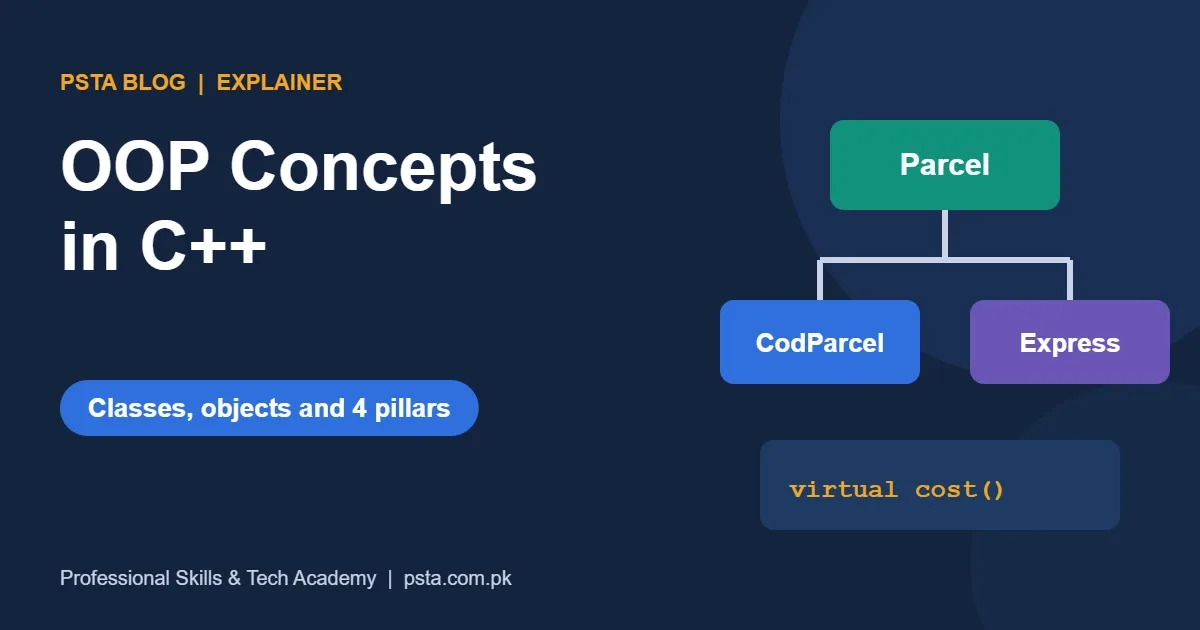
The last exercise links pointers to classes and objects. If that part feels shaky, our post on OOP concepts in C++ covers classes in one program. When you're ready for something bigger, pick one idea from our list of C++ projects for beginners and use pointers wherever they make sense.
Building Your C++ Foundations at PSTA
Pointers in C++ feel hard mainly when the basics underneath them are weak. At PSTA, the beginner C++ course spends its time on exactly that ground. It is a 12-week, beginner-level programme, priced on its course page at Rs. 12,000, down from a listed Rs. 16,000.
Its eight modules start with installing your tools and printing a first program, then cover variables with cin and cout, if/else logic, for and while loops, writing your own functions, arrays with strings, and a first look at classes before a closing project. Pointers don't appear as their own module, so think of this guide as the follow-up once functions and arrays stop feeling new.
Classes are offered at our Mandian campus (Old College Road, opposite FIMS College, Abbottabad), live online for students elsewhere in Pakistan, or as a hybrid of both. Fresh batches open each month, and sessions are scheduled Monday to Saturday between 9:00 AM and 9:30 PM. Not sure C++ is the right first language? Look at the Python course and the JavaScript course, or our C++ vs Python comparison, and browse every option on the courses page. The quickest way to ask about batch timings is WhatsApp (+92 314 5424399). You can apply through the online admission page whenever you're ready.
Tonight: Draw the Boxes for One Program
Take the Step 5 program, the one with addBonus and swapValues. On paper, draw a box for marks, x and y, then add an arrow for every pointer as each line runs. Check your drawing against the program's output. If every arrow lands where you expected, you understand the core of pointers in C++ and you're ready for arrays and smart pointers. If one doesn't, that's the exact line to study tomorrow.
Frequently asked questions
Are pointers in C++ hard to learn?
They feel hard for a week or two, mostly because & and * look similar. Draw each variable as a box and each pointer as an arrow, and type small programs instead of only reading. Most students who are comfortable with functions and arrays can handle basic pointers after a few focused practice sessions.
What is the difference between * and & in C++?
In an expression, & in front of a variable gives its address, and * in front of a pointer gives the value stored at that address. In a declaration, int* p makes p a pointer, while int& r makes r a reference, which is another name for an existing variable.
What is the size of a pointer in C++?
It depends on the platform, not on the type it points to. Microsoft documents pointers as 4 bytes on 32-bit x86 builds and 8 bytes on 64-bit x64 builds. An int*, a double* and a char* are all the same size on the same system.
What is a dangling pointer?
A dangling pointer still holds an address after the memory there has been freed or the variable has gone out of scope. Reading or deleting through it is undefined behavior. Set pointers to nullptr after delete, never return the address of a local variable, and prefer unique_ptr for heap memory.
Should beginners still learn raw pointers if smart pointers exist?
Yes. Smart pointers are built on raw pointers, and exams, interviews and older codebases still use them. Learn raw pointers first so you understand addresses, arrays and memory, then use unique_ptr in your own programs whenever your code owns heap memory.
What is the difference between NULL and nullptr?
NULL is an older macro whose exact definition depends on the compiler, often a plain zero. nullptr, added in C++11, has its own type, std::nullptr_t, and converts only to pointer types. That makes it safer with overloaded functions and templates, so modern code uses nullptr.
Sources & references
- Raw pointers (C++) - Microsoft Learn learn.microsoft.com
- Pointers (C++) - Microsoft Learn learn.microsoft.com
- Smart pointers (Modern C++) - Microsoft Learn learn.microsoft.com
- Warning C26409 (avoid new and delete) - Microsoft Learn learn.microsoft.com
- Pointer declaration - cppreference.com en.cppreference.com
- nullptr, the pointer literal - cppreference.com cppreference.com
Last reviewed & updated on by Umar Qureshi. Written by the PSTA team in Abbottabad, Pakistan.

Umar Qureshi

Best C++ Programming Course for Beginners in Pakistan
Turn this guide into a career: hands-on training with real projects, online across Pakistan or on-campus in Abbottabad · 12 Weeks.
Comments
No comments yet — ask a question or share your experience.