Quick answer
The KPBTE DIT syllabus (revised 2022) has 10 subjects over two parts: ICT, MS Office, networks, operating systems and Python, then databases, video editing, web development, graphics design and a capstone project. Each subject carries 100 marks and 120 contact hours, two-thirds of them lab work.
Key takeaways
- • The KPBTE DIT syllabus has 10 subjects worth 1,000 marks in total.
- • Each regular subject gives 80 hours to lab work and 40 to theory.
- • Part II ends with a 100-mark capstone project built with Python, a database, a website or design tools.
- • Windows 10 and MySQL 8.0 in the outline have reached end of support, so practise the newer versions too.
- • The 2-year DIT repeats these subjects in year one and adds academic subjects in year two.
Table of contents 20 sections
- What Does the DIT Syllabus Actually Contain?
- DIT Syllabus at a Glance: Hours, Marks and Parts
- Part I Subjects, One by One
- Introduction to ICT
- Introduction to MS Office
- Computer Networks
- Operating Systems
- Introduction to Programming
- Part II Subjects, One by One
- Database Systems
- Video Editing
- Web Development Essentials
- Graphics Design
- Capstone Project
- Which Parts of the 2022 Outline Have Aged?
- How Is the 2-Year DIT Different?
- How Should You Study a Subject That Is Two-Thirds Lab Work?
- What Makes a Good DIT Capstone Project?
- How PSTA's DIT Maps to the Board Outline
- Print the Outline and Mark Your Weak Topics
What will you actually study in a DIT, and is any of it out of date? The DIT syllabus used by KPBTE, the technical and commerce education board for Khyber Pakhtunkhwa, has 10 subjects split across two parts, each worth 100 marks, for 1,000 marks in total. The current outline was revised in 2022, so a few of the tools it names have aged since then, and you should know which ones before you start.
This guide walks through the board's own document subject by subject. You will see:
- how the year is divided into hours, marks and practical work
- what each of the 10 subjects covers in plain words
- which software versions in the outline have reached end of support
- how the 2-year DIT and Punjab's new version differ from the 1-year program
- a weekly routine that fits the outline's heavy practical load
What Does the DIT Syllabus Actually Contain?
The official KPBTE DIT course outline (revised 2022) describes a post-matric, one-year program. It is split into Part I and Part II, and each part has five subjects.
Part I builds the base: computer concepts, MS Office, networking, operating systems and Python. Part II moves into making things: databases, video, web pages, graphics, and a final project that pulls those skills together.
The DIT syllabus is practical by design. Every regular subject gives twice as many hours to lab work as to theory. If you expect a year of reading notes, adjust that picture now. Most of your time should be spent at a keyboard.
DIT Syllabus at a Glance: Hours, Marks and Parts
Here is how the DIT syllabus distributes marks and contact hours. All figures come from the 2022 outline.
| Part | Subject | Theory / Practical Marks | Contact Hours |
|---|---|---|---|
| Part I | Introduction to ICT | 75 / 25 | 40 theory + 80 lab |
| Part I | Introduction to MS Office | 75 / 25 | 40 theory + 80 lab |
| Part I | Computer Networks | 75 / 25 | 40 theory + 80 lab |
| Part I | Operating Systems | 75 / 25 | 40 theory + 80 lab |
| Part I | Introduction to Programming | 75 / 25 | 40 theory + 80 lab |
| Part II | Database Systems | 75 / 25 | 40 theory + 80 lab |
| Part II | Video Editing | 75 / 25 | 40 theory + 80 lab |
| Part II | Web Development Essentials | 75 / 25 | 40 theory + 80 lab |
| Part II | Graphics Design | 75 / 25 | 40 theory + 80 lab |
| Part II | Capstone Project | 100 project marks | 120 hours of supervised work |
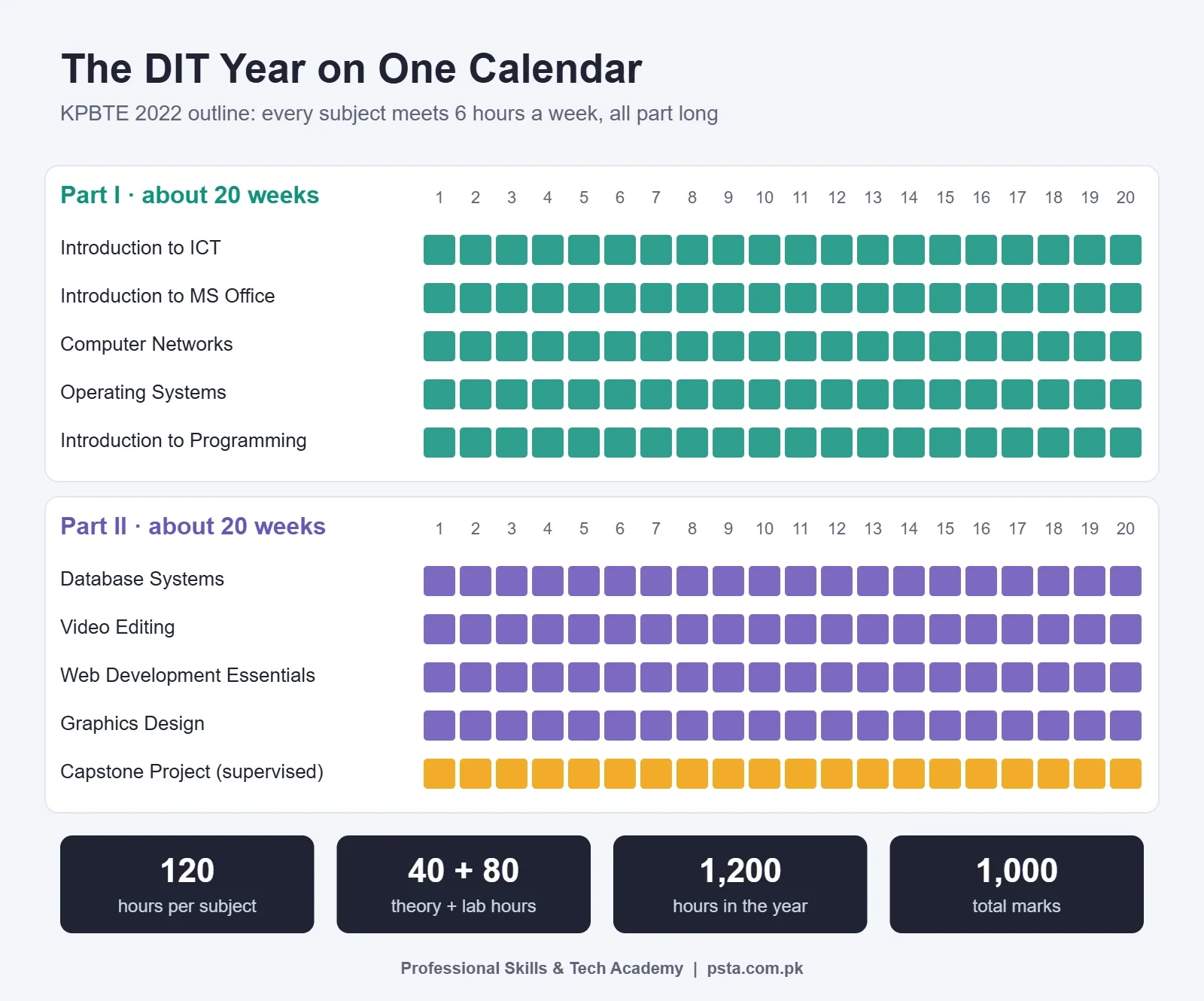
Each part runs for about 20 weeks, with six contact hours a week per subject. That adds up to 120 hours per subject, 600 per part and 1,200 for the year. Part I carries 375 theory and 125 practical marks. Part II carries 300 theory and 200 practical marks, because the project counts entirely as practical work.
One small detail: the Video Editing section heading in the PDF lists the hours the other way round (80 theory, 40 practical). The summary table for Part II uses the standard 40/80 split, so treat the heading as a typing slip unless your institute tells you otherwise.
Part I Subjects, One by One
Part I assumes you know nothing about computers. That is helpful if you are starting fresh, and slightly slow if you already use a laptop daily. Either way, the practical marks reward people who can do the task, not just describe it.
Introduction to ICT
This is the "how computers work" subject. It covers the history of computing, hardware, the system unit, input and output devices, storage, operating system basics, application software, the internet and web, security and computer ethics. Our guide to the parts of a computer lines up well with the hardware half.
Introduction to MS Office
You learn Word, Excel, PowerPoint and Access. Two details stand out in the outline. Urdu typing is taught inside the Word unit, and the Excel unit goes past formulas and charts into macros. Access gets less attention in most offices today, but it shows up again in Part II as a database front end, so don't skip it.
Computer Networks
Expect the communication model, LAN, MAN and WAN, topologies, devices such as switches and routers, cabling, the OSI and TCP/IP models, IPv4 and IPv6 addressing, and common protocols. The outline asks you to simulate networks in Cisco Packet Tracer. Packet Tracer is free, but Cisco distributes it through a free Networking Academy account, as this download guide from NetPilot explains. Create that account in your first week.
Operating Systems
Theory covers OS types, functions and processes. The lab half covers installing and configuring Windows 10, network sharing, and the roles of Windows Server 2019 and 2016. Installing Windows from a USB is a task you will repeat constantly in IT support work, so practise it until you can do it without notes.
Introduction to Programming
The DIT syllabus uses Python as the first language. Topics run from variables, operators and strings to lists, conditions, loops and functions, then Turtle graphics and a first look at pandas and other libraries. That is a sensible starter path. If you want small programs to practise on, try a few from our list of Python projects for beginners.
Part II Subjects, One by One
Part II is where you start producing work you can show someone: a database, a web page, a poster, an edited clip. Keep copies of everything you make. Those files become the start of your portfolio.
Database Systems
You learn database concepts, the relational model, ER diagrams and normalization, then SQL on MySQL 8.0: creating tables (DDL), changing data (DML), permissions (DCL), joins and views. The unit ends by connecting an MS Access front end to MySQL through ODBC. If normalization feels abstract, our worked example on database normalization uses a single enrollment table you can follow line by line.
Video Editing
For video, the DIT syllabus teaches Adobe Premiere Pro: footage and formats, cutting techniques, transitions and effects, audio, titles and captions, color grading, green screen and export. Premiere Pro is a paid subscription, so ask your institute which lab machines have it, and plan home practice around that.
Web Development Essentials
This covers internet and web concepts, HTML5, CSS and JavaScript basics: variables, conditions, loops, functions and form validation. It stops before frameworks and server-side code. By the end, you should be able to build and style a small multi-page site that checks a form before it is submitted.
Graphics Design
Software named in the DIT syllabus is Adobe Photoshop 2016, CorelDRAW 2016 and Urdu InPage. Practical work includes logos, banners, brochures and ID cards. If you plan to take Urdu composing work later, give InPage proper practice time rather than treating it as an extra.
Capstone Project
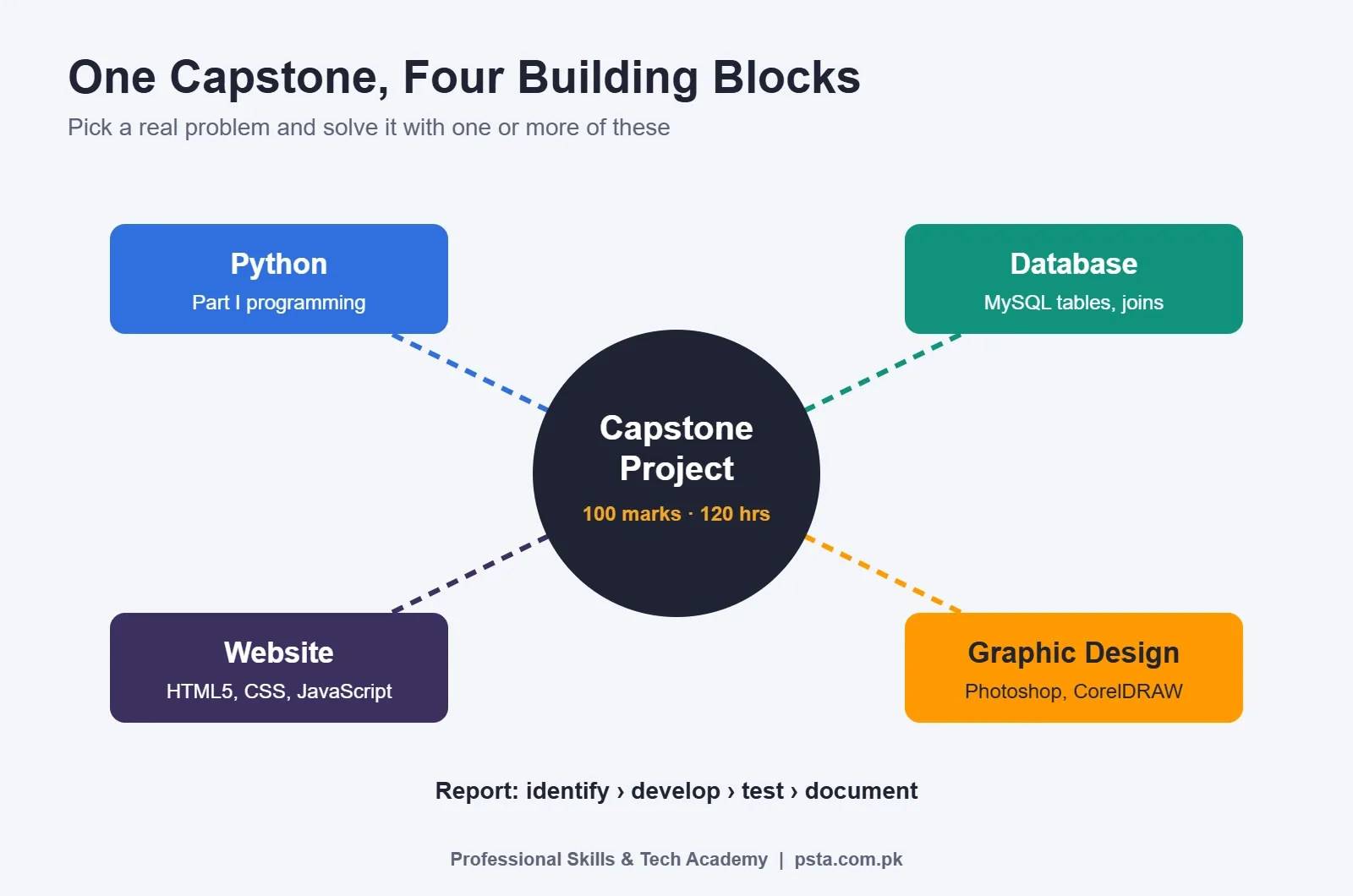
The project carries 100 marks on its own and 120 hours of supervised work. You identify a problem that can be solved with Python, a database, a website or graphic design, then build, test and document the solution in a written report. More on picking a good one below.
Which Parts of the 2022 Outline Have Aged?
A curriculum written in 2022 can't predict every software release. Three items in the DIT syllabus now need a note in the margin. You still study what the board lists, because that is what the exam follows. You just add the current version to your practice time.
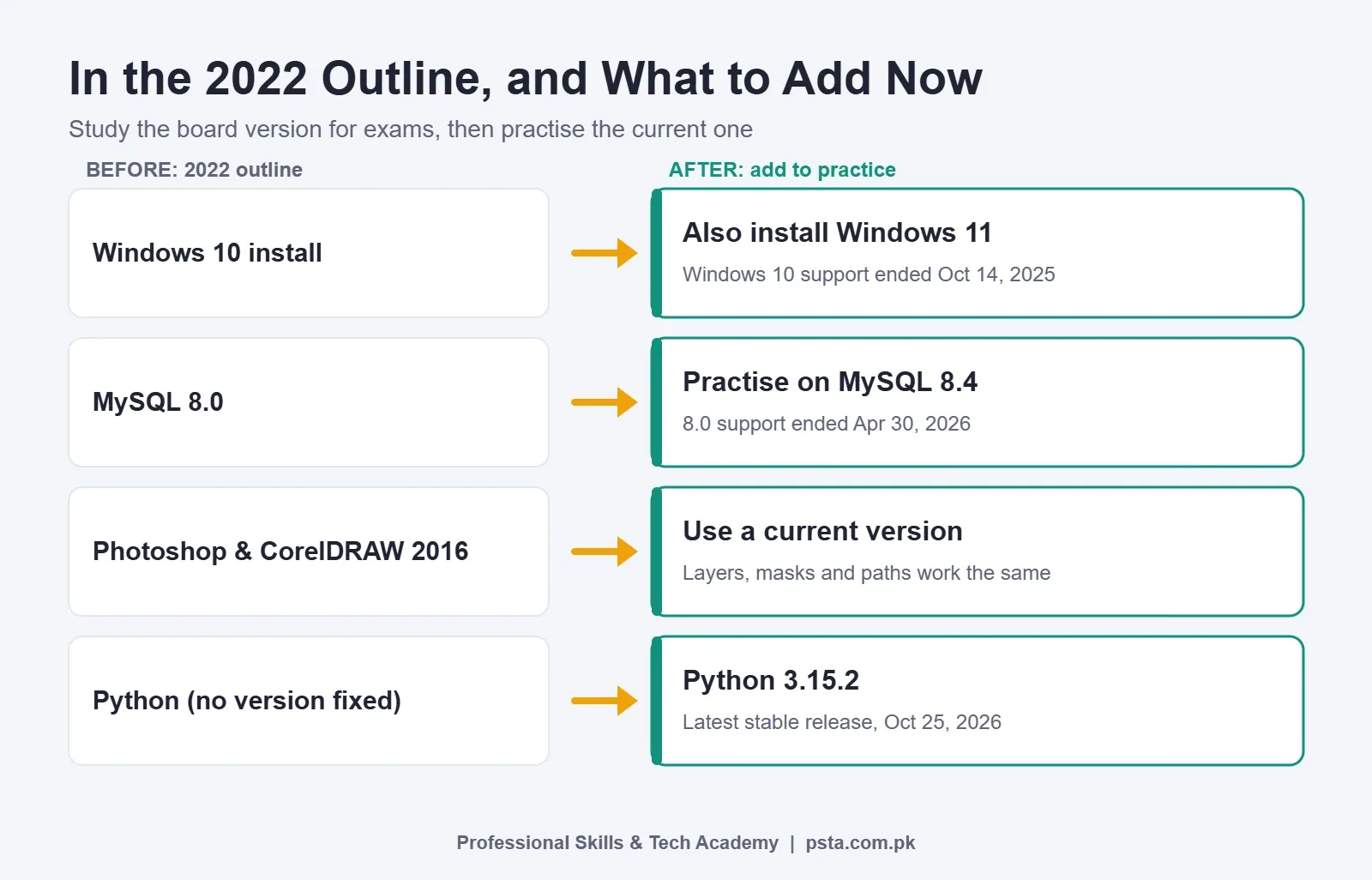
- Windows 10. Microsoft says Windows 10 support ended on October 14, 2025. There are no more free security updates, though a paid Extended Security Updates program covers devices until October 12, 2027. Learn the Windows 10 install for the exam, then install Windows 11 at least once, because Microsoft now directs Windows 10 users to upgrade to it.
- MySQL 8.0. The Register reported that MySQL 8.0 support ended on April 30, 2026, and pointed to 8.4 as the easier upgrade path. The SQL you write for the exam works the same on both for beginner tasks, so install 8.4 at home if your lab still uses 8.0.
- Photoshop and CorelDRAW 2016. The interfaces have changed over the years, but layers, masks, selections and vector paths work the same way. If you learn the concepts rather than menu positions, moving to a newer version takes an afternoon.
Python is a different case. The DIT syllabus doesn't fix a version, which is a good thing. The Python downloads page lists 3.15.2 as the latest stable release (October 25, 2026), and every beginner topic in the outline works on it. Avoid tutorials built on Python 3.10 or older, since that branch has reached end of life.
How Is the 2-Year DIT Different?
KPBTE publishes a separate 2-year DIT outline. Its first year repeats the same 10 IT subjects as the 1-year DIT syllabus. The second year adds academic subjects: English, Urdu, Islamiyat (or Ethics), Mutalae Quran-e-Hakeem (or an alternative), Pakistan Studies, and an elective group (for example, Mathematics paired with Physics, Statistics or Economics) next to Computer Science.
Punjab has gone its own way. Dawn reported in January 2026 that the Punjab Board of Technical Education launched a two-year, four-semester DIT that includes subjects related to artificial intelligence. If you live in Punjab, check that board's scheme, not KPBTE's.
For a full side-by-side on which length suits you, read our comparison of the 1-year vs 2-year DIT.
How Should You Study a Subject That Is Two-Thirds Lab Work?
With 80 practical hours against 40 theory hours in each subject, your study routine should follow the same ratio. Here is a weekly pattern built around that ratio:
- Read the outline topic first. Before class, read the one or two lines the board wrote for that week's topic. That tells you exactly what the examiner expects.
- Do the task once with notes. Install, type, cable or code it in the lab while following your teacher's steps.
- Do it again without notes. Within two days, repeat the same task from memory. Write down every point where you got stuck.
- Explain it out loud. Practical exams can include oral questions (a viva), so say what you did and why in three or four sentences. Our list of DIT viva questions gives you prompts.
- Save the output. Keep the file, screenshot or code in a folder named by subject. By Part II, that folder is your portfolio and your revision pack.
- Write theory answers last. Once you have done the task, the theory reads like a description of something familiar, which makes it far easier to remember.
Aim for about two hours of practice for every hour of theory. If your home computer is weak, Python, HTML, CSS and Packet Tracer all run comfortably on modest hardware. Save the lab sessions for Premiere Pro and Photoshop.
What Makes a Good DIT Capstone Project?
The DIT syllabus lets you build your project with Python, a database, web pages or graphic design. The strongest projects usually combine two or three of these, because the examiner can see that you understood more than one subject.
Start with a real problem from someone you know. A tuition center that tracks fees on paper, a shop that wants a simple price list online, or a school that needs ID cards designed and printed are all good examples. Keep the scope small enough to finish and test properly. A working fee record system with five screens beats an unfinished online store with 20.
Your report should explain the problem, the design, the tools you used, how you tested it, and what you would add next. That structure mirrors what the outline asks for: identify, develop, test and document.
How PSTA's DIT Maps to the Board Outline
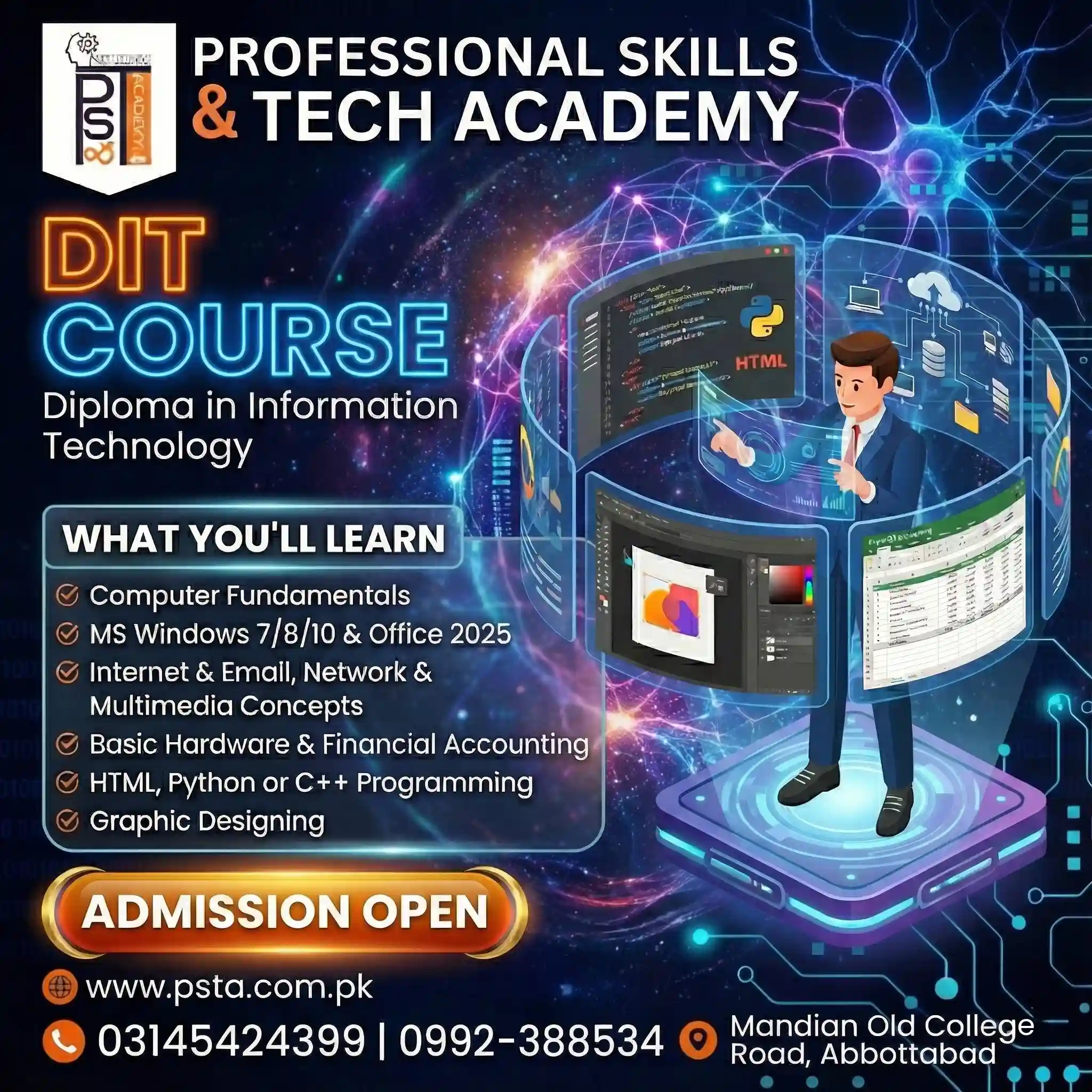
PSTA's Diploma in Information Technology follows the same two-semester shape and most of the same subjects, with a few modern swaps. The table compares them.
| KPBTE 2022 Outline | PSTA DIT Module |
|---|---|
| Introduction to ICT | ICT: basic IT and communication tools |
| Introduction to MS Office | Office Automation: Word, Excel, PowerPoint |
| Computer Networks | Computer Networking: cabling, IP, sharing, topologies |
| Operating Systems | Operating Systems: installation, maintenance, tools |
| Introduction to Programming | Python Programming: data types, functions, logic |
| Database Systems | Databases: MySQL basics, table design, forms |
| Video Editing | Video Editing: Adobe Premiere Pro essentials |
| Web Development Essentials | Web Development: HTML5, CSS3, JavaScript |
| Graphics Design (Photoshop, CorelDRAW, InPage) | Graphic Designing: Photoshop, Illustrator, Canva |
| Capstone Project | Projects in each module, plus an e-commerce module (Shopify, Daraz, Amazon) |
According to the course page, the program runs for one year at a beginner level, with no prior computer knowledge needed. You can join on campus in Abbottabad, live online from anywhere in Pakistan, or in a hybrid mix. Fees are paid month by month: Rs. 2,000 at present, down from the regular Rs. 2,500. A new batch starts every month.
Be clear about one point. PSTA awards its own diploma certificate, which you can verify online on our certificate page. Some government job ads ask specifically for a board-issued DIT, as we explain in our guide to jobs after DIT. Read the ad you are targeting before you decide which certificate you need. If you want a deeper skill after the diploma, the Office Automation course or the Advanced Python course are natural next steps.
Print the Outline and Mark Your Weak Topics
Download the KPBTE PDF tonight and print the DIT syllabus topic list for all 10 subjects. Put a tick next to every topic you could already do on a computer without help, and a circle next to the rest. The circles are your study plan for the first month.
If you would like a teacher to go through that list with you, you can see the admission steps, browse the full course list, or message us on WhatsApp at +92 314 5424399 with the subjects you circled. You will find the campus opposite FIMS College on Old College Road, Mandian, Abbottabad.
Frequently asked questions
How many subjects are in the DIT syllabus?
The KPBTE 1-year DIT syllabus has 10 subjects. Part I: Operating Systems, Computer Networks, Introduction to ICT, Introduction to MS Office and Introduction to Programming. Part II: Graphics Design, Web Development Essentials, Video Editing, Database Systems and the Capstone Project. Every subject carries 100 marks, which gives the diploma 1,000 marks in total.
Is Urdu typing included in the DIT course?
Yes. The 2022 KPBTE outline places Urdu typing inside the MS Word unit of Introduction to MS Office in Part I. Urdu InPage also appears in the Graphics Design subject in Part II, where it is used for composing Urdu text in designs. Practise both if you expect to work in offices or print shops.
Which programming language does DIT teach?
The DIT outline teaches Python in the Introduction to Programming subject. It starts with variables, operators and strings, moves through lists, conditions, loops and functions, and ends with Turtle graphics and an introduction to libraries such as pandas. Install the current stable Python release from python.org for home practice.
What software should I install at home for DIT practice?
Start with free tools: Python from python.org, a code editor, a web browser for HTML, CSS and JavaScript, MySQL Community Server, and Cisco Packet Tracer through a free Networking Academy account. Paid tools such as Premiere Pro, Photoshop and CorelDRAW are better practised in your institute's lab unless you already have a licence.
Does the 1-year DIT include English, Urdu or Pakistan Studies?
No. The 1-year KPBTE DIT contains only the 10 IT subjects. English, Urdu, Islamiyat, Pakistan Studies and elective subjects appear in the second year of the separate 2-year DIT outline. If you stopped studying after Matric and want those academic subjects, compare both programs before you register.
How is the DIT capstone project marked?
The capstone carries 100 marks, all counted as project marks rather than split between theory and practical. The outline gives it 120 hours of supervised work. You choose a problem, build a solution with Python, a database, a website or graphic design, test it, and submit a written report that documents each stage.
Is the DIT syllabus the same in every province?
No. This guide follows the KPBTE outline used in Khyber Pakhtunkhwa. Punjab's board launched its own two-year, four-semester DIT in 2026 with subjects related to artificial intelligence, according to Dawn. Always download the scheme of studies from the board that will conduct your exams.
Sources & references
- KPBTE DIT Course Outline, Revised 2022 kpbte.edu.pk
- KPBTE 2-Year DIT Curriculum kpbte.edu.pk
- Microsoft: Windows 10 Support Has Ended support.microsoft.com
- The Register: MySQL 8.0 End of Life theregister.com
- Python.org: Active Python Releases python.org
- Dawn: Two-Year Diploma in IT dawn.com
- NetPilot: Is Packet Tracer Free? netpilot.io
Last reviewed & updated on by Umar Qureshi. Written by the PSTA team in Abbottabad, Pakistan.
Umar Qureshi
Diploma in Information Technology (DIT) – 1 Year Certified Program
Turn this guide into a career: hands-on training with real projects, online across Pakistan or on-campus in Abbottabad · 1 Year.
Comments
No comments yet — ask a question or share your experience.