Quick answer
A small UPS for CCTV usually gives under an hour of backup. Add the maximum watts of every camera, the DVR and the hard drive, multiply by your longest outage, and size the battery from that energy. For outages of several hours, a 12 V DC battery supply or an inverter with a small UPS works better.
Key takeaways
- • Use datasheet maximum watts: eight 3 W cameras, a 60 W DVR and a 9 W drive total 93 W.
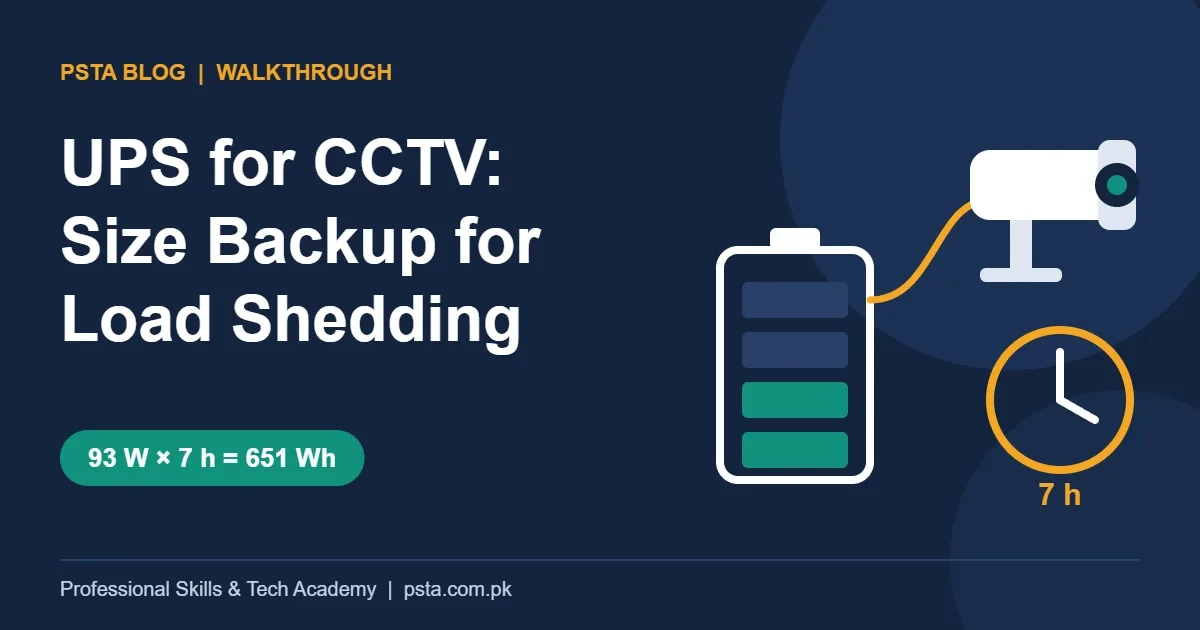
- • Multiply watts by your longest outage: 93 W for 7 hours needs 651 Wh.
- • Trust the UPS runtime table over formulas; a 9 Ah UPS gave about 60 minutes at 60 W.
- • A standard UPS bridges short gaps; long load shedding needs a bigger battery.
- • A 12 V DC supply suits analog systems; PoC DVRs need 48 VDC.
- • Keep the monitor off backup and allow 4 to 6 hours to recharge.
Table of contents 14 sections
- The Example: An Eight-Camera Shop With Daily Outages
- How Much Power Does a CCTV System Draw?
- How Long Does Load Shedding Last Where You Are?
- UPS for CCTV: What a Runtime Table Really Tells You
- Working Out Backup Time in Five Steps
- Which Backup Option Fits a CCTV System?
- A Standard UPS
- A 12 V DC Battery Supply
- An Inverter With a Large Battery, or Solar
- Running the Numbers for a Seven-Hour Outage
- Wiring and Placement Habits That Protect Your Backup
- What Changes for IP Cameras and NVRs?
- Power Budgets in PSTA's CCTV Technician Course
- Measure One System Before You Buy a Battery
Hikvision's own datasheet for its 1000 VA UPS gives about 60 minutes of backup at a 60 W load, and only 15 minutes at 150 W. That one line explains most failed CCTV backup setups in Pakistan. A UPS for CCTV is easy to buy, but the backup time you get depends on what your cameras and recorder draw, how long your feeder stays off, and what kind of battery sits behind the system.
This post works through one example from start to finish: an eight-camera shop that loses power for several hours a day. You can copy the same method for a home, a school or a warehouse. Here is what you will be able to do after reading it:
- Add up the real power draw of cameras, a DVR and its hard drive from their datasheets.
- Turn an outage length into watt-hours and amp-hours of battery.
- Read a UPS runtime table and see why simple formulas overpromise.
- Choose between a UPS, a 12 V DC battery supply and an inverter.
- Avoid the wiring and placement habits that drain backup early.
The Example: An Eight-Camera Shop With Daily Outages
This is an illustrative scenario, not a real client. A mobile accessories shop on a busy Abbottabad road has eight 2 MP analog bullet cameras, one 8-channel DVR and one hard drive. The owner bought a small UPS for CCTV when the system was installed. During long load shedding, the DVR goes dark long before the electricity returns, and the recording he needs after a late-evening theft is missing.
He wants to know how big a UPS for CCTV he should buy. The honest reply is that the UPS size is rarely the problem. Battery energy is. A UPS rated at hundreds of watts can carry a 90 W CCTV load without strain, yet it still runs flat in under an hour if its battery is small. So we size the battery first and pick the box around it.
To keep the numbers honest, we use real model datasheets: the Hikvision DS-2CE16D0T-IRPE camera, the DS-7208HQI-K2 DVR and the DS-UPS1000 UPS. Your models may differ, but the method stays the same.
How Much Power Does a CCTV System Draw?
Sizing a UPS for CCTV starts with a power audit. Every camera, recorder and hard drive datasheet lists a maximum power figure. Use the maximum, not a typical value, because the maximum covers the heaviest moment of the day, such as night recording with infrared lit.
| Device | Datasheet figure | Quantity | Worst-case watts |
|---|---|---|---|
| 2 MP analog bullet camera (DS-2CE16D0T-IRPE) | Max 3 W at 12 VDC | 8 | 24 W |
| 8-channel DVR (DS-7208HQI-K2) | 60 W or less, without hard drive | 1 | 60 W |
| 3.5-inch hard drive | Up to about 9 W reading and writing | 1 | 9 W |
| Total | 93 W |
The camera figure comes from Hikvision's DS-2CE16D0T-IRPE datasheet, which lists 12 VDC ±30% or power over coax and a 3 W maximum. The DVR figure comes from the DS-72xxHQI-K series datasheet, which rates the 8-channel model at 60 W or less without a drive. For the drive, a Western Digital specification sheet lists read/write draw between 3.3 W and 9 W across capacities, so 9 W is a safe ceiling.
This table is your DVR power consumption budget plus the cameras. Notice what is missing from it: the monitor. A screen at the counter is useful during the day, but it does not need backup. Keep it on ordinary mains so it never eats into the battery.
How Long Does Load Shedding Last Where You Are?
The second number you need is outage length, and it varies a lot by feeder. In April 2026, Dawn reported that the power minister confirmed six to seven hours of daily load management, with a shortfall of about 3,400 MW at the time. Earlier, in February 2026, The News reported a written reply to the National Assembly: more than 2,000 of 12,665 feeders faced over 10 hours of daily outages.
That second report matters for the Hazara region. It listed 37 of Hazara Electric's 286 feeders in the over-10-hours group. So two shops a few kilometers apart in the same district can need very different backup.
Don't size a UPS for CCTV from the national average. Ask the owner how many hours his feeder actually goes off, and note the longest single gap, not the total for the day. A system that survives one long evening outage will survive two short ones, provided the battery has time to recharge in between.
UPS for CCTV: What a Runtime Table Really Tells You
Most people estimate UPS backup time with a textbook formula. 4Cabling's runtime guide gives it clearly: runtime in hours equals battery watt-hours times efficiency, divided by the load in watts. Its example uses 90% efficiency and calls the result a rough estimate.
Now test that against a real product. The DS-UPS1000 datasheet lists a 1000 VA / 600 W rating with one 12 V, 9 Ah lead-acid battery. That battery is labeled 108 Wh (12 × 9). The formula predicts 108 × 0.9 ÷ 60 = 1.6 hours at 60 W. Hikvision's own table says about 60 minutes at 60 W, 15 minutes at 150 W and 2 minutes at 300 W.
So the real runtime at 60 W is roughly 40% shorter than the formula suggests, and the gap widens as the load rises. Small lead-acid batteries give up less of their label capacity when you pull current from them quickly. The lesson for any UPS for CCTV is simple: trust the maker's runtime table first, and use the formula only to compare options.
For our shop, 93 W sits between the 60 W and 150 W rows. Expect well under an hour from a single 9 Ah battery. Against a seven-hour outage, that is close to useless.
Working Out Backup Time in Five Steps
Here is the UPS for CCTV sizing method we teach, applied to the shop. Write each number down; skipping one is how backup estimates go wrong.
- List every powered device. Cameras, DVR or NVR, hard drive, and the router if remote viewing must work during outages.
- Add the worst-case watts. Use datasheet maximums. For the shop, that is 93 W.
- Pick the outage you must survive. Use the longest single gap on that feeder. Here we plan for seven hours.
- Convert to energy. Multiply watts by hours: 93 W × 7 h = 651 Wh.
- Convert to battery size. Divide by battery voltage, then allow for losses and battery health. At 12 V, 651 Wh is about 54 Ah actually drawn.
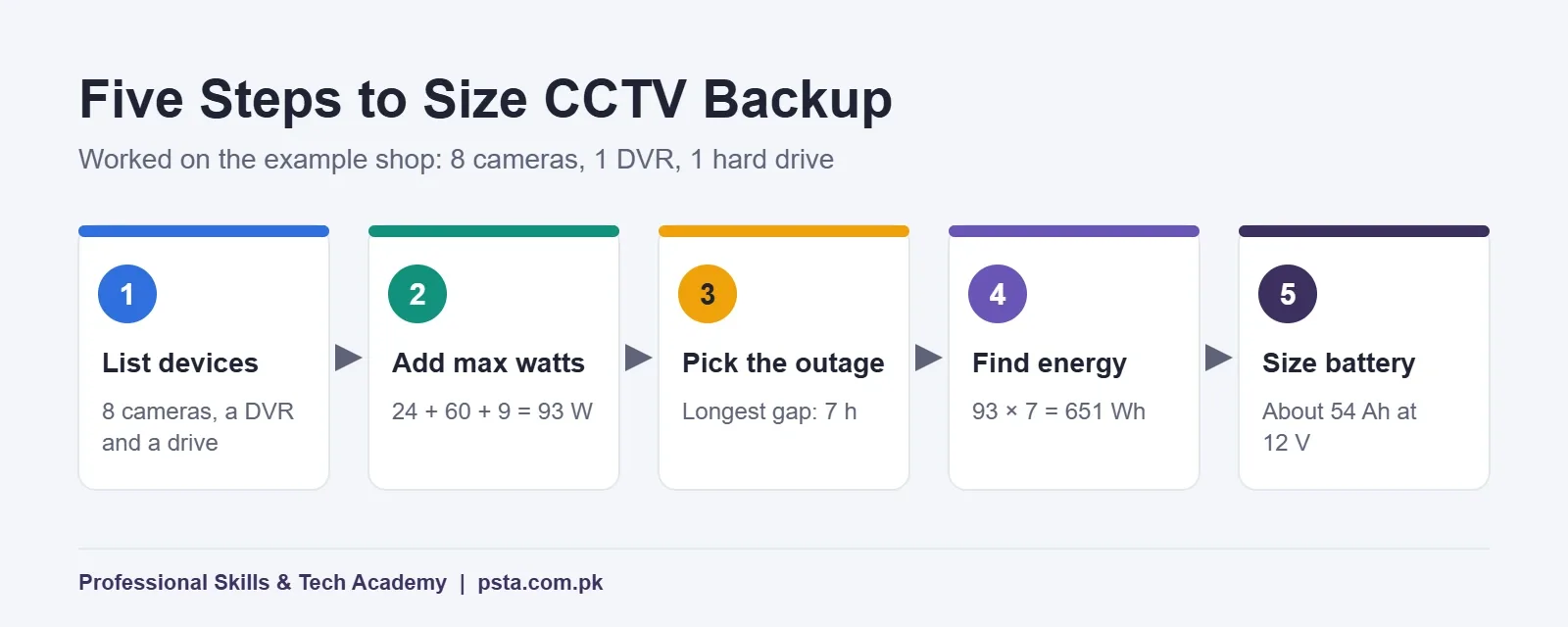
The fifth step needs judgment. If power passes through an inverter or UPS, apply the 90% efficiency from the 4Cabling formula: 651 ÷ 0.9 is about 723 Wh, or 60 Ah at 12 V. Then decide how deep you are willing to drain the battery. My advice for lead-acid is to size it so a normal outage uses about half the rated capacity. Daily deep drains shorten its life, and the Hikvision table already shows that small batteries deliver less than their label.
Here is how the energy target grows with outage length for the same 93 W load:
| Longest outage | Energy needed (93 W) | Amp-hours drawn at 12 V |
|---|---|---|
| 2 hours | 186 Wh | About 16 Ah |
| 4 hours | 372 Wh | About 31 Ah |
| 7 hours | 651 Wh | About 54 Ah |
| 10 hours | 930 Wh | About 78 Ah |
These are amp-hours used, before losses and before the half-capacity margin. They give you a floor, not a shopping list.
Which Backup Option Fits a CCTV System?
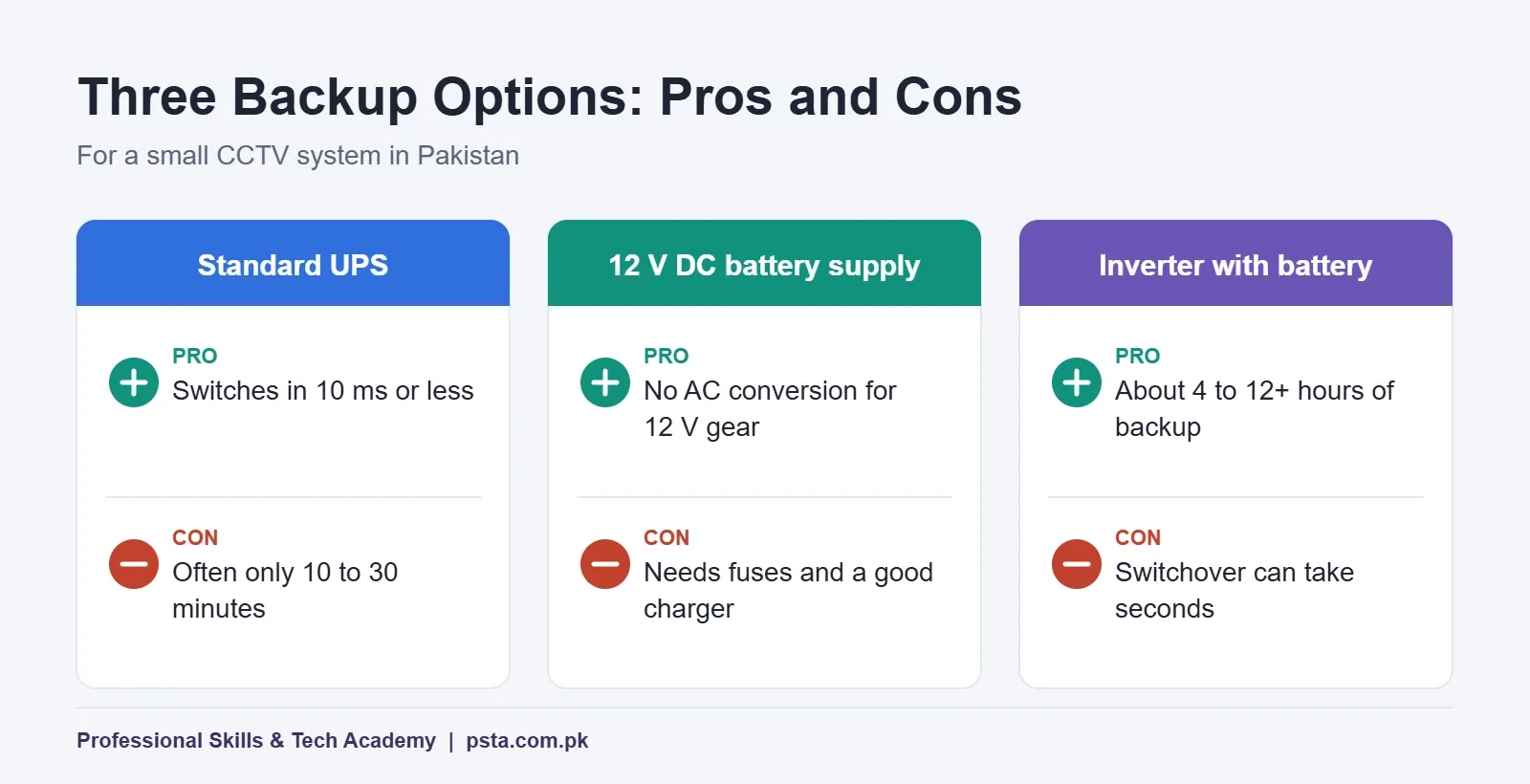
CCTV battery backup comes in three setups that cover almost every small installation in Pakistan, and only one of them is a UPS for CCTV in the strict sense. Each one trades cost, runtime and switchover behavior differently.
A Standard UPS
A standard UPS for CCTV sits between the socket and the DVR and switches to battery almost instantly. The DS-UPS1000 lists a transfer time of 10 ms or less, which is short enough that a DVR keeps recording. The weakness is battery size. Clopal's UPS vs inverter guide for Pakistan puts typical UPS backup at about 10 to 30 minutes and prices at roughly Rs. 8,000 to Rs. 50,000. On the retail side, a Pakistani CCTV dealer lists the Hikvision DS-UPS650 (650 VA / 360 W) with 10 to 20 minutes of backup depending on load.
A 12 V DC Battery Supply
Both the analog camera and the DVR in our example run on 12 VDC. That opens a more efficient route: a charger, a battery and a 12 V distribution box feeding the equipment directly. You skip the step where a UPS turns battery DC into AC, only for the DVR adapter to turn it back into DC. This route suits long outages, but it needs careful fusing and voltage checks, because a 12 V battery reads higher while charging and lower near empty. The camera tolerates 12 VDC ±30%, according to its datasheet. Check your DVR's input range before you connect it.
An Inverter With a Large Battery, or Solar
An inverter for CCTV runs from a big battery and can power the whole shop, cameras included. Clopal's guide gives inverter backup of roughly 4 to 12 hours or more and prices of about Rs. 25,000 to Rs. 250,000 or more with a battery. It also notes switchover times of up to a few seconds and that some inverters can work as grid-plus-solar hybrids. A gap of a second or two can reboot a DVR, so I recommend a small UPS between the inverter and the recorder.
| Option | Typical backup (from sources) | Switchover | Best fit |
|---|---|---|---|
| Standard UPS | About 10 to 30 minutes | 10 ms or less (DS-UPS1000) | Short gaps, clean shutdowns |
| 12 V DC battery supply | Depends on battery size | No AC transfer for 12 V devices | Long outages, 12 V analog systems |
| Inverter with battery | About 4 to 12 hours or more | Up to a few seconds | Whole-shop backup, solar add-on |
Running the Numbers for a Seven-Hour Outage
Back to the shop. The owner's feeder goes off for up to seven hours at a stretch, and he wants recording to continue the whole time. Here is how the three options compare for that one requirement.
Standard UPS alone. A typical UPS for CCTV with a single 9 Ah battery gives well under an hour at 93 W, based on Hikvision's runtime table. Even several of them in parallel would be an awkward and costly way to reach 651 Wh. This option fails the requirement.
12 V DC supply. The load draws about 54 Ah over seven hours. Following the half-capacity advice for lead-acid, you would look at a battery in the region of 110 Ah or more, plus a proper charger that can refill it before the next outage. No inverter loss applies to the 12 V devices. This is usually the neatest answer for a pure analog system.
Inverter the owner already has. If the shop already runs lights and a fan on an inverter, CCTV can share it. Add the 93 W to the inverter's existing load, then recheck whether its battery still lasts seven hours. Put a small UPS on the DVR so the switchover gap does not reboot it.
The owner chose the 12 V route for the cameras and DVR and kept his small UPS to bridge the router. Whatever you choose, test it: switch off the mains at the breaker and time how long recording continues, then compare it with your calculation.
Wiring and Placement Habits That Protect Your Backup
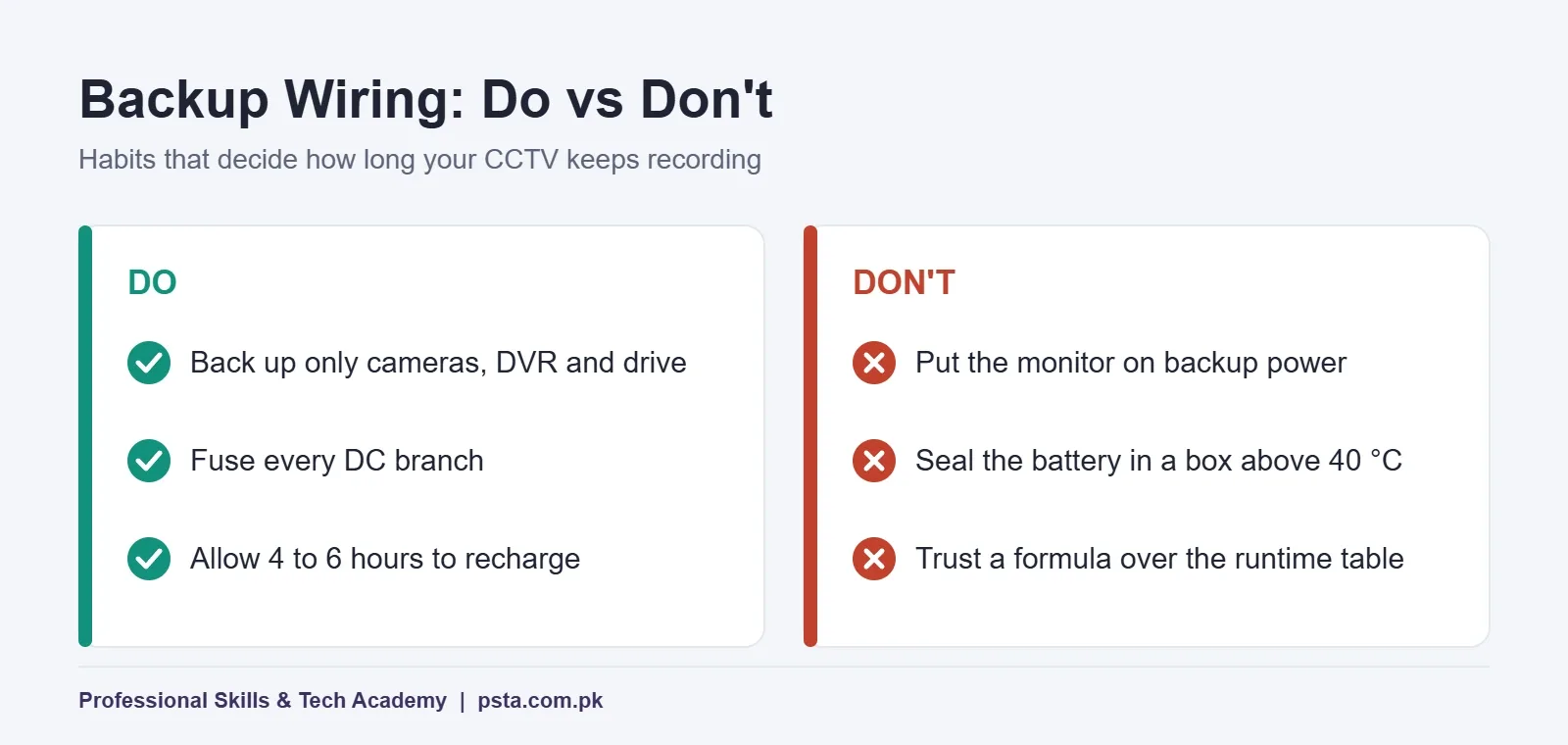
A well-sized UPS for CCTV or battery bank can still fail early if the installation is sloppy. Good CCTV power backup is as much about wiring as about battery size. These habits make the biggest difference on site:
- Back up only what records. Cameras, recorder, drive and, if needed, the router. Leave the monitor, printer and phone chargers off the backed-up outlets.
- Keep cable runs to cameras sensible. Long thin DC cables drop voltage, and the camera end may fall below its working range late in an outage.
- Fuse every DC branch. A shorted camera cable on an unfused battery line is a fire risk.
- Give the battery air and shade. Hikvision lists 0 to 40 °C as the UPS operating range. A closed metal cabinet in a shop window in June can go well past that.
- Leave time to recharge. The DS-UPS1000 datasheet gives 4 to 6 hours to recharge to 90%. Back-to-back outages with short gaps between them will start each cycle on a part-charged battery.
For more site-level errors that cause video loss, read our list of CCTV installation mistakes. If you are still choosing a recorder, the CCTV storage calculation guide helps you pick a drive size, which also feeds your power audit.
What Changes for IP Cameras and NVRs?
Choosing a UPS for CCTV follows the same method in an IP system: list devices, add maximum watts, multiply by hours. The parts change. IP cameras usually take power from a PoE switch or a PoE NVR, so the switch or NVR becomes the single device you back up, and its datasheet power figure includes the cameras it feeds.
Power over coax changes things too. In the same Hikvision DVR datasheet, the PoC versions (the /P models) run from 48 VDC instead of 12 VDC. A simple 12 V battery box will not run them directly, so a UPS or inverter is the practical route there. If you are deciding between technologies, our comparison of IP camera vs analog camera systems covers cost and cabling, and the guide to reading CCTV camera specifications shows where the power line sits on a datasheet.
Power Budgets in PSTA's CCTV Technician Course
Power planning is part of the CPCST CCTV and AI security technician course at PSTA. One of its modules covers analog system architecture with DVR configuration and power management, and the course outcomes include designing a full surveillance plan with storage and power budgets for a commercial building. Later modules move into IP networking, PoE switching, NVRs and remote access, then site surveys and quotations.
It is a 12-week program pitched at beginners. The current listed fee is Rs. 22,000, shown against a regular Rs. 25,000. You can study at the Abbottabad campus in Mandian, on Old College Road opposite FIMS College, join live from anywhere in Pakistan, or mix both. If panel wiring and electrical work interest you as well, the industrial automation course goes deeper into wiring and protection devices.
Browse every program on the courses page, or see how enrollment works on the admission page. For batch timings, message the team on WhatsApp at +92 314 5424399.
Measure One System Before You Buy a Battery
Pick one CCTV system you can reach this week, at home, at a relative's shop or at your workplace. Photograph the label on every camera adapter, the DVR and the drive, and look up each model's maximum power. Add them up, ask how long the local feeder stays off, and run the five steps. You will know within an hour whether the existing UPS for CCTV can do the job, and you will have a quotation-ready number if it can't.
Frequently asked questions
How long will a 1000VA UPS run a CCTV system?
It depends on the battery inside, not the VA rating. Hikvision rates its DS-UPS1000, which has one 12 V 9 Ah battery, at about 60 minutes with a 60 W load and about 15 minutes at 150 W. An eight-camera system with a DVR can draw around 90 W, so expect well under an hour from that size of UPS.
Is a UPS or an inverter better for CCTV in Pakistan?
A UPS switches over in milliseconds, so the DVR keeps recording, but small units only last minutes. An inverter with a large battery lasts hours, but its switchover can take a second or more and may restart the recorder. For long load shedding, a practical setup is an inverter or 12 V battery supply, plus a small UPS on the DVR.
Can I run CCTV cameras directly from a 12V battery?
Analog cameras and many DVRs run on 12 VDC, so a battery with a proper charger and a fused distribution box can power them without an inverter. Check each device input range first. The Hikvision camera in this guide accepts 12 VDC plus or minus 30%. PoC recorders run on 48 VDC, so they cannot use a plain 12 V battery.
What size battery do I need for 8 CCTV cameras?
Add the maximum watts of all eight cameras, the DVR and the hard drive, then multiply by your longest outage. In our example, 93 W for seven hours is 651 Wh, or about 54 Ah drawn at 12 V. For lead-acid, size the battery so a normal outage uses about half its rated capacity, which points to roughly 110 Ah.
Why does my DVR restart when the electricity goes?
The most common reason is a gap during switchover. Inverters can take from a fraction of a second to a few seconds to take over, and a DVR adapter may not ride through that gap. Placing a small UPS with a transfer time of about 10 ms between the inverter and the DVR usually stops the restart.
Should the CCTV monitor be on the UPS?
Usually not. The monitor is only for live viewing, and recording continues without it. Keeping it on normal mains saves battery energy for the cameras, DVR and hard drive. If you need to view footage during an outage, use the mobile app over a backed-up router instead of powering a large screen.
How long does a UPS battery take to recharge after load shedding?
Hikvision lists 4 to 6 hours for the DS-UPS1000 to recharge to 90%. If your feeder goes off again before that, the next outage starts with a part-charged battery and backup time drops. In areas with several outages a day, size the battery and charger with that recharge gap in mind.
Sources & references
- Hikvision DS-UPS1000-x Datasheet assets.hikvision.com
- Hikvision DS-2CE16D0T-IRPE Camera Datasheet assets.hikvision.com
- Hikvision DS-72xxHQI-K Series DVR Datasheet us-legacy.hikvision.com
- Dawn: Govt admits up to seven hours of power outages dawn.com
- The News: More than 2,000 feeders face over 10 hours of daily loadshedding thenews.pk
- 4Cabling: How to Calculate UPS Runtime 4cabling.com.au
- Clopal: UPS vs Inverter in Pakistan clopal.com
- Western Digital Drive Specification Sheet pdf.megekko.nl
Last reviewed & updated on by Umar Qureshi. Written by the PSTA team in Abbottabad, Pakistan.

Umar Qureshi

Certified Professional CCTV Surveillance & AI Security Technician (CPCST)
Turn this guide into a career: hands-on training with real projects, online across Pakistan or on-campus in Abbottabad · 12 Weeks.


Comments
No comments yet — ask a question or share your experience.