Quick answer
For most beginners in Pakistan, the best graphic design software to start with is the free Affinity app plus Canva for social posts. Add Photoshop and Illustrator ($22.99 a month each on an annual plan) once client work pays for them. Learn CorelDRAW for print shop work and Figma for app and web screens.
Key takeaways
- • Affinity is now free for individuals and combines vector, photo and layout tools in one app.
- • Photoshop and Illustrator cost $22.99 a month each on an annual plan; students get Creative Cloud Pro at $19.99 a month in year one.
- • Canva Free covers most social posts; Pro costs $144 a year.
- • CorelDRAW Graphics Suite 2026 has a 15-day free trial and suits local print work.
- • Choose your first tool by the work you want to be paid for, and stick with it for six weeks.
Table of contents 14 sections
- Graphic Design Software Compared at a Glance
- Adobe Photoshop and Illustrator: The Industry Standard
- Who Should Pay for Adobe Now?
- Affinity: The Free Professional Option
- Canva: Fastest for Social Media Work
- CorelDRAW: A Familiar Choice for Print Work
- GIMP and Inkscape: Free and Open Source
- Figma: When Your Work Moves to Screens
- What About Urdu Design?
- Which Software Should You Learn First?
- File Formats Clients Will Ask For
- How Much Does a Beginner Setup Cost?
- Learn Graphic Design With PSTA
- Your First Practice Task
Before you pick any graphic design software, try this quick self-test. Answer yes or no to three questions: Will most of your work be social media posts? Do you need to print logos, banners or visiting cards? Can you pay a monthly subscription in US dollars?
If you answered yes, yes and no, start with Canva for speed and the free Affinity app for print-ready vector work. If all three were yes, Adobe Photoshop and Illustrator are worth the cost. Every other mix has a sensible answer too, and this review walks through them tool by tool.
In this review, you'll find:
- Seven design tools beginners in Pakistan actually use, with verified 2026 prices
- What each one does well, and where it will slow you down
- A simple way to choose your first tool based on the work you want
- How Urdu design fits in, since Urdu text needs extra care in many design tools
- What a realistic beginner setup costs
Graphic Design Software Compared at a Glance
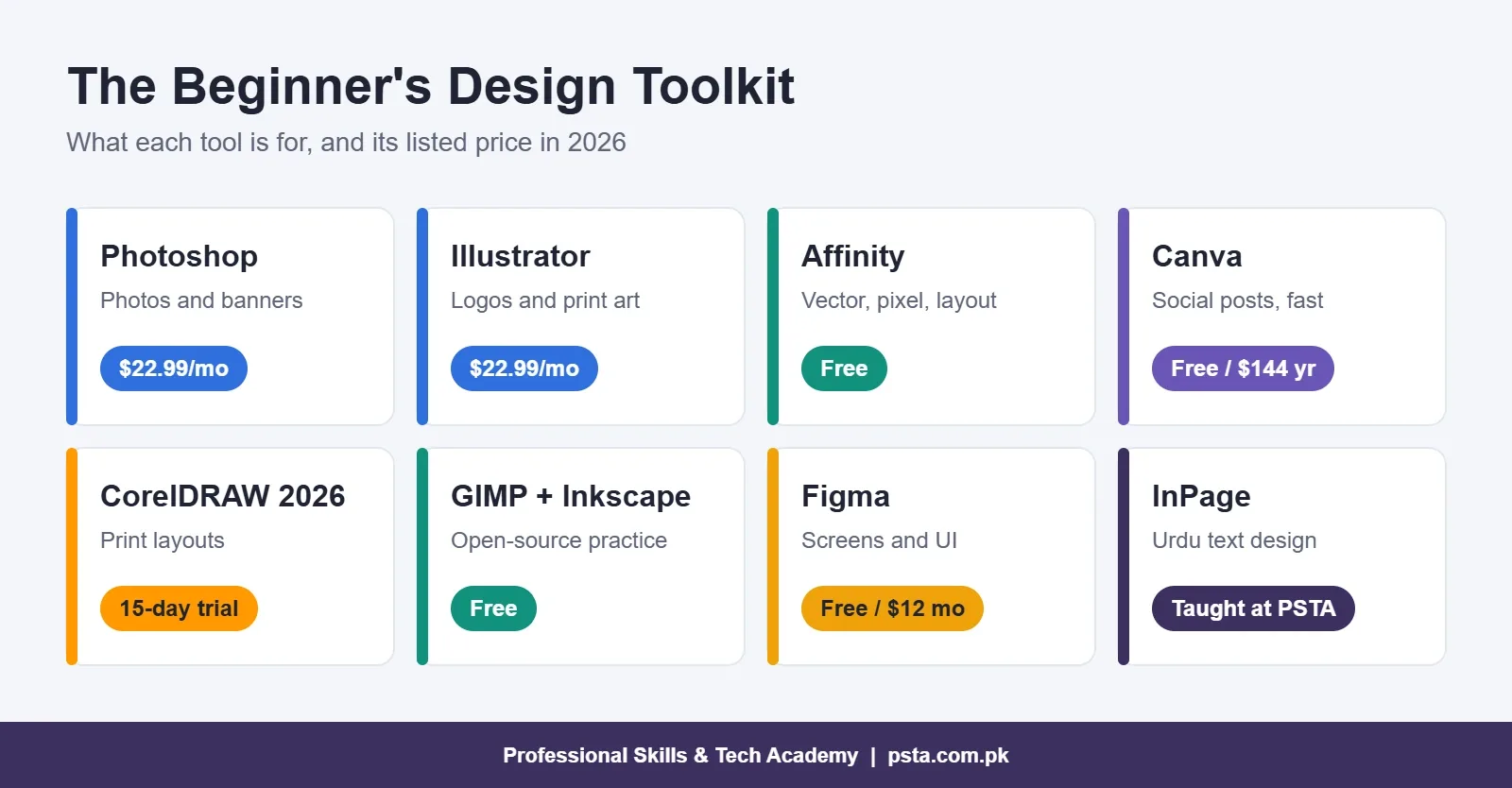
Here are the seven tools, with the prices their official pages listed when we checked them for this review. Adobe and Canva charge in US dollars, which means your real cost in rupees changes with the dollar rate and any card fees your bank adds.
We judged each tool on four things that matter to a beginner here: what it costs, whether clients can open your files, how much real design skill it teaches, and whether it runs on an ordinary laptop. No single piece of graphic design software wins on all four, which is why most working designers use two or three.
| Tool | Type | Price | Best for |
|---|---|---|---|
| Adobe Photoshop | Photo editing (pixel) | $22.99/month, annual plan | Photo retouching, banners, ad creatives |
| Adobe Illustrator | Vector illustration | $22.99/month, annual plan | Logos, icons, print-ready artwork |
| Affinity | Vector, pixel and layout in one app | Free for individuals | Learning pro-level design without a subscription |
| Canva | Template-based, browser and app | Free; Pro $144/year | Social posts, quick flyers, presentations |
| CorelDRAW Graphics Suite 2026 | Vector and layout | Paid; 15-day free trial | Print layouts and local print shop files |
| GIMP and Inkscape | Open-source pixel and vector | Free | Practice on older or low-cost computers |
| Figma | Screen and interface design | Free Starter; Professional $12/month (annual) | App screens, website mockups, shared files |
Adobe Photoshop and Illustrator: The Industry Standard
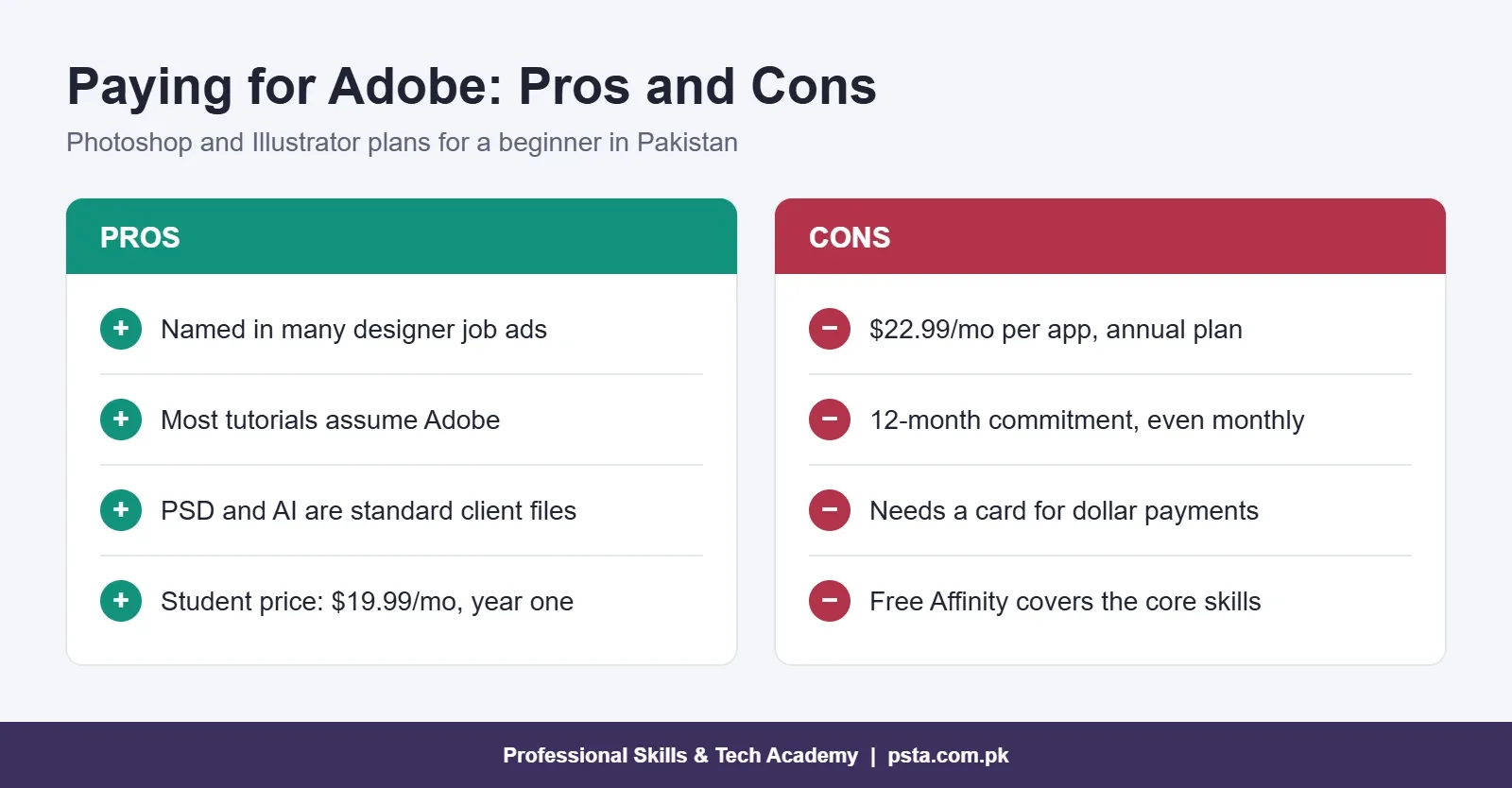
Many designer job ads name Adobe tools, and many tutorials assume you have them. That alone makes them worth learning at some point. Photoshop handles pixels: photos, retouching and social media banners. Illustrator handles vectors: shapes that stay sharp at any size, which is what logos and print artwork need.
The catch is cost. Adobe's plans page lists Photoshop and Illustrator at $22.99 a month each on an annual plan billed monthly. Creative Cloud Pro, which includes both and many more apps, is $69.99 a month after an introductory price. Students and teachers can get Creative Cloud Pro at $19.99 a month for the first year, then $39.99.
An annual plan is a 12-month commitment, even when you pay monthly. Read the cancellation terms before you sign up, and check that your card works for international payments.
Who Should Pay for Adobe Now?
Pay for Adobe now if you already have clients or a job offer that requires PSD or AI files, or if you qualify for the student price. Everyone else can build skills first on free design software and subscribe later. You'll waste less money on months when you're still learning the basics.
Affinity: The Free Professional Option
This is one of the biggest changes for beginners in recent years. Affinity is now free for individuals, and it combines three studios in one app: Vector for logos and illustration, Pixel for photo editing, and Layout for brochures and multi-page documents. It runs on Windows and Mac, with an iPad version in development.
The only paid part is optional. Some AI features inside Affinity turn on only with a Canva premium plan, but you don't need them to learn design. For a student who can't commit to a dollar subscription, Affinity removes the main excuse for using cracked software, which can carry malware and breaks license terms.
The trade-off is that fewer Pakistani job ads ask for Affinity by name. The skills transfer, though. Layers, pen tool, color modes and export settings work in much the same way, so moving to Adobe later is much quicker than starting from zero.
One tip for print work: set your document to CMYK color and export a print-ready PDF. Ask the print shop for its preferred settings first, because a file that looks bright on screen can print dull if the color mode is wrong.
Canva: Fastest for Social Media Work
Many small businesses make their own posts in Canva, so clients often ask for it by name. Canva's free plan includes more than 1.6 million templates and 5GB of storage. Pro costs $144 a year for one person and adds AI tools such as background removal and resize, plus 100GB of storage.
Canva is excellent for speed. It's weaker for learning design itself, because templates make many decisions for you. Use it alongside a real design tool, not instead of one. A designer who understands spacing and type in Affinity or Illustrator will also make better Canva posts.
CorelDRAW: A Familiar Choice for Print Work
CorelDRAW is a long-standing vector and layout tool for banners, wedding cards and visiting cards. If you plan to work with a print shop, ask which file format it uses before you choose. The current version is CorelDRAW Graphics Suite 2026, which includes CorelDRAW for vectors and layout, Corel PHOTO-PAINT for images, and a 15-day free trial with no card required.
If your goal is local print work, learn CorelDRAW basics after you understand vectors in any other tool. The concepts are the same, so it goes quickly.
GIMP and Inkscape: Free and Open Source
If your computer is older or you want to stay entirely free, GIMP and Inkscape are solid choices. GIMP 3.2.6, released on September 10, 2026, is a free, open-source photo editor for Windows, macOS and Linux. Inkscape is a free vector tool, and its current major release, version 1.4, can even import Affinity Designer files.
Their menus and shortcuts differ from Adobe's more than Affinity's do. That's fine for practice, but expect some relearning if you move to an agency job.
Figma: When Your Work Moves to Screens
Figma isn't a poster tool. It's built for app screens, website layouts and design files that several people edit together. Figma's free Starter plan includes unlimited file storage and three projects. The Professional plan costs $12 per editor a month when paid annually.
Add Figma once you can design a clean social post. It's the natural next step if you want to move toward UI design or work with web developers. Freelance clients who run online stores or startups often share Figma files for feedback, so knowing how to comment and export from it is useful even if you never design an app yourself.
What About Urdu Design?
A lot of local work is in Urdu: shop banners, school notices, election and event posters, and newspaper ads. Getting clean Nastaliq-style Urdu text, which most local clients expect, can be tricky in tools built mainly for English. That's why our course teaches InPage alongside Adobe and CorelDRAW, so students can produce Urdu posters and flyers that look right.
A practical workflow is to set the Urdu text where it looks correct, then bring it into your main design file for layout and color. Always proofread with a native reader before printing. A single misplaced dot changes a word in Urdu.
Which Software Should You Learn First?
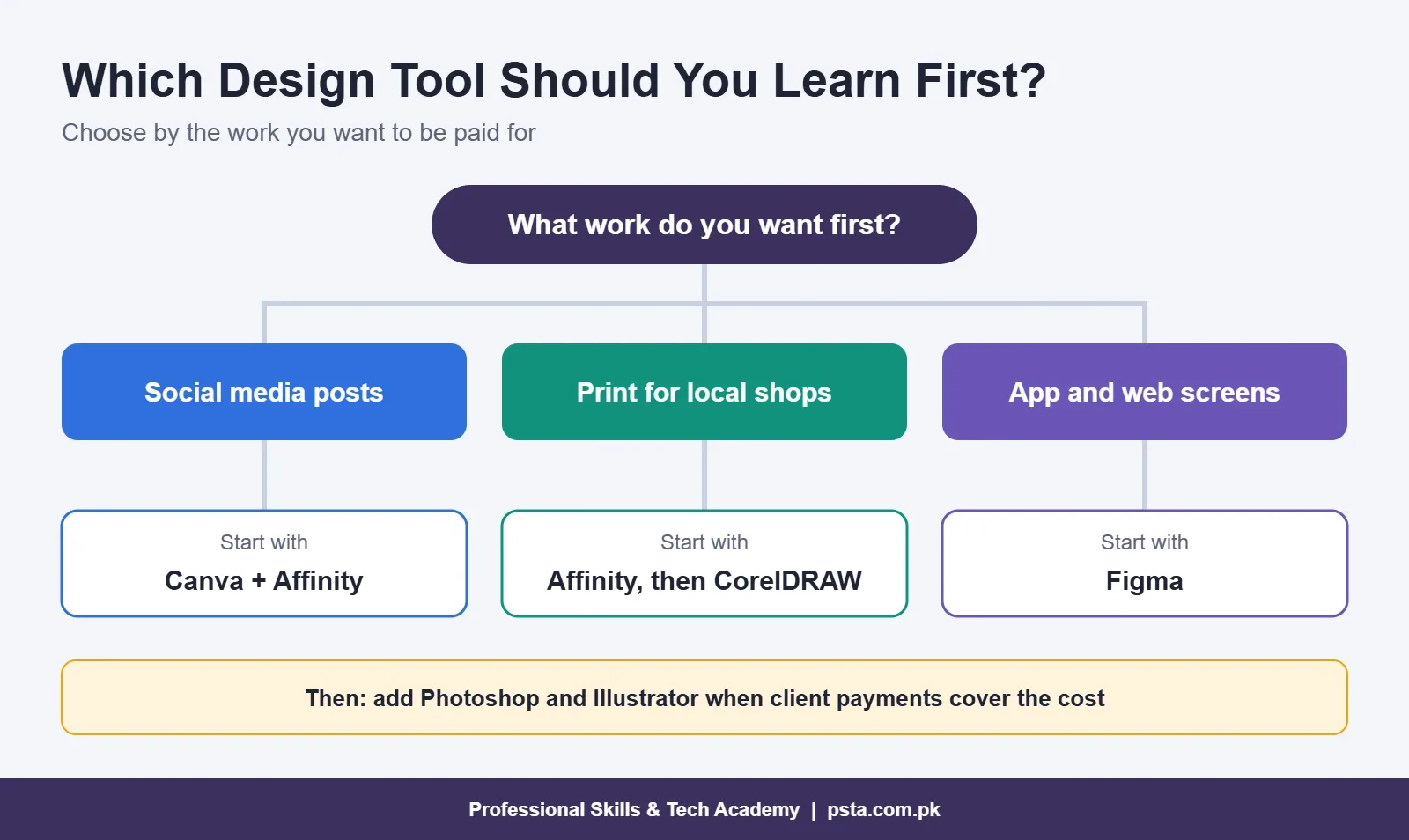
The right graphic design software for you depends on the work you want to get paid for, not on what's popular online. Use these steps:
- Decide your first type of work. Social media posts, print work for local shops, or screens for apps and websites.
- Check your budget. If you can't pay a dollar subscription yet, start with free tools.
- Pick one main tool. Social work: Canva plus Affinity. Print work: Affinity or Illustrator, then CorelDRAW. Screens: Figma.
- Commit for six weeks. Switching tools every week is a common reason beginners stall.
- Add Adobe when work pays for it. A sensible time to subscribe to Photoshop and Illustrator is when client payments can cover the cost.
File Formats Clients Will Ask For
Whatever graphic design software you choose, learn to export these formats cleanly:
- PNG and JPG for social media posts and website images
- PDF for anything that will be printed
- SVG for logos and icons that need to scale
- PSD, AI or CDR when a client or print shop wants the editable source file
How Much Does a Beginner Setup Cost?
You can start with no software cost at all. Here are three realistic setups based on the prices above:
- Free setup: Affinity, Canva Free and Figma Starter. Cost: $0.
- Social media setup: Affinity plus Canva Pro at $144 a year.
- Agency-standard setup: Photoshop and Illustrator at $22.99 a month each, or Creative Cloud Pro at the student price if you qualify.
The computer matters more than the software at first. Affinity says its Windows app runs efficiently on mid-range machines, and Canva runs in a browser. For printing, also budget for a few test prints, because colors on screen rarely match paper exactly.
Spend your first money on learning, not tools. A good mouse, a second-hand graphics tablet if you enjoy drawing, and a few paid fonts with proper licenses will improve your work more than an expensive plan in your first months.
Learn Graphic Design With PSTA
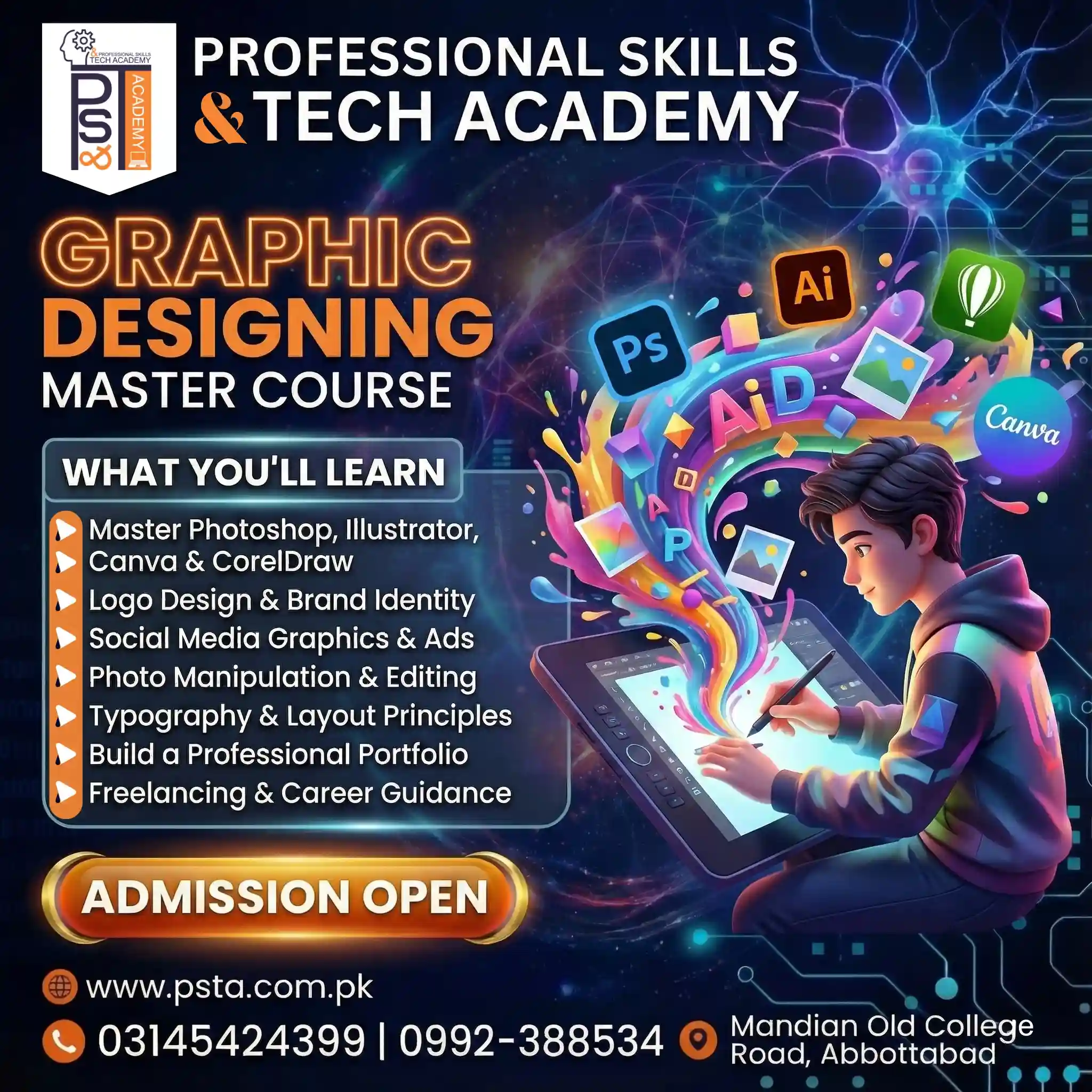
Our Ultimate Graphic Designing course is a 12-week program for beginners, available online or at our Abbottabad campus. Week by week, it covers Photoshop, Illustrator, CorelDRAW, Canva, Urdu design in InPage, and AI design tools such as Canva AI and Adobe Firefly. The last weeks focus on branding projects, building your portfolio and getting started on Fiverr and Behance. When we checked today, the fee shown on the course page was Rs. 18,000, down from Rs. 20,000.
If you're comparing any graphic designing course in Pakistan, check whether it teaches the tools your target clients use and whether you leave with a portfolio. If you want to go further, design pairs well with our Social Media Marketing & Meta Ads course and our Video Editing & VFX course. Once you have samples, our Upwork guide for beginners explains how to turn them into a profile. You can browse everything on our courses page.
Your First Practice Task
Install Affinity tonight and recreate one poster you saw in your city this week: same size, same layout, your own text and colors. Then make the same poster in Canva and compare which was faster and which looked cleaner. That one exercise teaches you more about graphic design software than any review can.
When you're ready for structured practice and feedback, you can apply for admission online or ask us about the next batch on WhatsApp (+92 314 5424399).
Frequently asked questions
Which graphic design software is best for a complete beginner?
For most beginners, start with Affinity, which is now free for individuals and covers vector design, photo editing and page layout in one app. Pair it with Canva for quick social media posts. Once clients start asking for PSD or AI files, or a job requires them, add Adobe Photoshop and Illustrator to your toolkit.
Is Affinity really free to use for client work?
Affinity's official site says the app is free for individuals, and it includes its Vector, Pixel and Layout studios. The only paid part is a set of optional AI features that need a Canva premium plan. Read the current license terms on the Affinity website before using it for business work, since terms can change.
How much does Adobe Photoshop cost per month?
Adobe's plans page lists Photoshop at $22.99 a month on an annual plan billed monthly, and Illustrator costs the same. Creative Cloud Pro, which bundles many apps, is $69.99 a month after an introductory offer. Eligible students and teachers can get Creative Cloud Pro for $19.99 a month in the first year.
Can I become a graphic designer using only Canva?
Canva is useful for fast social media work, and many small businesses use it. On its own, though, it teaches less about layout, type and color because templates make many choices for you. Learn the basics in a full design tool such as Affinity or Illustrator, then use Canva when speed matters.
Do I still need CorelDRAW if I learn Illustrator?
Only if your work involves print shops that send or expect CorelDRAW files. Both are vector tools, so the core skills carry over and learning CorelDRAW after Illustrator or Affinity is fairly quick. CorelDRAW Graphics Suite 2026 offers a 15-day free trial, which is enough to practice the basics before you decide.
Which software is best for Urdu poster design?
Urdu text in the Nastaliq style can be tricky in tools built mainly for English, which is why our course teaches InPage for the Urdu lines and then finish the layout in their main design tool. Always have a native reader check the text before printing, since a small dot can change a word.
What kind of computer do I need for design software?
A mid-range laptop is enough to start. Affinity says its Windows app runs efficiently on mid-range machines, and Canva runs in a web browser. Heavier work in Photoshop with large files benefits from more memory. A good mouse and, later, a graphics tablet often help more than a costly upgrade.
Sources & references
- Adobe Creative Cloud plans and pricing adobe.com
- Affinity: free for individuals affinity.studio
- Canva pricing canva.com
- CorelDRAW Graphics Suite 2026 coreldraw.com
- GIMP: GNU Image Manipulation Program gimp.org
- Figma pricing figma.com
Last reviewed & updated on by Umar Qureshi. Written by the PSTA team in Abbottabad, Pakistan.

Umar Qureshi
Ultimate Graphic Designing Course in Pakistan: Master Photoshop, Illustrator, CorelDRAW & AI Tools (Practical & Beginner Friendly)
Turn this guide into a career: hands-on training with real projects, online across Pakistan or on-campus in Abbottabad · 12 Weeks.
Comments
No comments yet — ask a question or share your experience.