Quick answer
Ladder logic for beginners rests on three ideas: contacts test memory bits, coils write them, and the PLC solves rungs top to bottom in a repeating scan. Practice eight rungs in order: lamp, inverted lamp, AND/OR, seal-in, set/reset, on-delay timer, counter and a forward/reverse interlock. A free editor such as OpenPLC is enough to start.
Key takeaways
- • A contact checks a memory bit, not the physical button, so a normally open contact passes when the bit is 1.
- • The PLC reads inputs, solves rungs top to bottom, then updates outputs, so the lowest rung writing a coil wins.
- • Write the stop button as a normally open contact when it is wired normally closed on the panel.
- • Practice eight rungs in order, from a single lamp to a forward/reverse interlock, testing each in a simulator.
- • OpenPLC Editor is free and open source for Windows, macOS and Linux, so you can start without buying a PLC.
Table of contents 19 sections
- What Is Ladder Logic, in Plain Terms?
- How Does a PLC Read Your Rungs?
- The Symbols to Learn Before Rung One
- Ladder Logic for Beginners: 8 Rungs to Write in Order
- Rung 1: One Button, One Lamp
- Rung 2: The Inverted Lamp
- Rung 3: Series and Parallel (AND and OR)
- Rung 4: Start/Stop With a Seal-In
- Rung 5: Set and Reset Coils
- Rung 6: An On-Delay Timer
- Rung 7: An Up Counter With Reset
- Rung 8: Forward/Reverse With an Interlock
- Why Is the Stop Button Wired Normally Closed?
- Relay Panel vs PLC Rung: What Actually Changes?
- Free Software for Practicing Ladder Logic
- Beginner Mistakes That Break Rungs
- Where Ladder Logic Fits in Pakistani Training and Jobs
- Where PSTA's Industrial Automation Course Comes In
- Your First Practice Session: 30 Minutes in a Simulator
Ladder logic for beginners comes down to three things: contacts that check a condition, coils that switch an output, and a scan that repeats your rungs from top to bottom. Get those clear, then write eight small rungs in a fixed order, and most of the programs a junior technician opens on a factory floor will start to make sense. Pakistan's own training plans treat it as core material: NAVTTC's 26-week industrial automation lesson plan gives weeks 10 to 12 to PLC languages, latching, timers and counters.
This guide to ladder logic for beginners is written for DAE students, electricians and engineering students who can wire a contactor but have never programmed a PLC. Here's what you'll come away with:
- What a rung, a contact and a coil actually do inside the PLC
- Why rung order matters, and how the scan cycle causes "my output won't turn on" problems
- Eight practice rungs, from a single lamp to a forward/reverse interlock
- The beginner mistakes I correct most often in the lab
- A free way to practice on your own laptop tonight
What Is Ladder Logic, in Plain Terms?
Ladder logic is a way of drawing a control program so it looks like an electrical drawing. Two vertical lines run down the sides, called rails. Horizontal lines between them, called rungs, each hold one rule. The ladder logic article on Wikipedia traces the style back to the drawings used for relay racks, which is why it was chosen: technicians who already read relay schematics could pick up PLC programming without learning a language like FORTRAN.
A rung is true when there's an unbroken path of closed contacts from the left rail to the output on the right. When that happens, the output bit becomes 1. When the path breaks, the bit goes back to 0.
Ladder Diagram is also an international standard, not a vendor habit. PLCopen's summary of IEC 61131-3 (edition 3.0, 2013) lists it as one of two graphical PLC languages, next to Function Block Diagram. The text languages are Structured Text and Instruction List. So the rung you learn in one software package carries over, with small symbol changes, to Siemens, Allen-Bradley, Delta or any other brand.
How Does a PLC Read Your Rungs?
A relay panel does everything at once. Current flows through every circuit at the same moment. A PLC can't do that. It works in a loop called the scan, and Crouzet's explanation of the PLC scan cycle breaks it into four stages:
- Input scan. The PLC reads every button, sensor and switch and stores the values in memory.
- Program execution. It solves your rungs one by one, top to bottom, using those stored values.
- Output scan. It sends the results to contactors, lamps, valves and relays.
- Housekeeping. It handles communication and diagnostics, then starts again.
According to the same article, a PLC repeats this loop hundreds of times a second, sometimes thousands, which is why the machine looks instant. Two practical lessons follow. First, an input that flickers on and off between two scans may never be seen. Second, if two rungs write to the same coil, the lower rung wins, because the outputs only update after the whole program has been solved. We'll come back to that second point in the mistakes section.
The Symbols to Learn Before Rung One
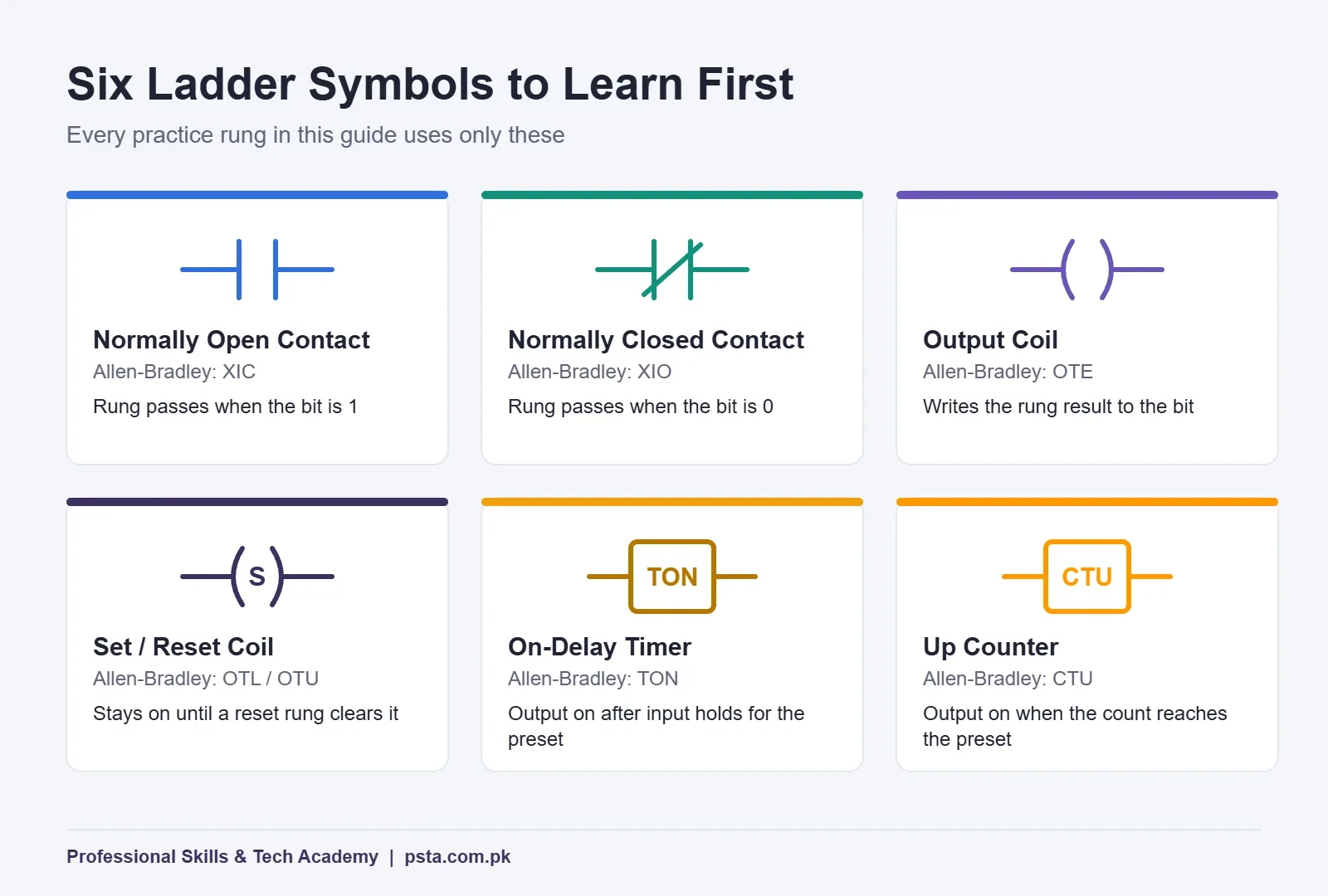
You don't need the full instruction set to start ladder logic for beginners. Six symbols cover every rung in this guide. The names differ slightly between brands, so the table shows the generic name and the Allen-Bradley mnemonic you'll see in Studio 5000 and many forum posts.
| Symbol | Generic Name | Allen-Bradley Name | Rung Passes When |
|---|---|---|---|
| -| |- | Normally open contact | XIC (Examine If Closed) | The bit is 1 |
| -|/|- | Normally closed contact | XIO (Examine If Open) | The bit is 0 |
| -( )- | Output coil | OTE (Output Energize) | Writes 1 while the rung is true, 0 when false |
| -(S)- / -(R)- | Set and reset coils | OTL / OTU (Latch / Unlatch) | Set stays 1 until a reset rung clears it |
| TON box | On-delay timer | TON | Output turns on after the input has stayed on for the preset time |
| CTU box | Up counter | CTU | Output switches on once the count hits the preset |
The contact names trip up nearly every beginner. Rockwell's documentation for Examine If Open (XIO) spells it out: when the rung is enabled, XIO passes power only if the bit is 0. A contact symbol is a question about a memory bit. It isn't a picture of the physical button you wired.
Ladder Logic for Beginners: 8 Rungs to Write in Order
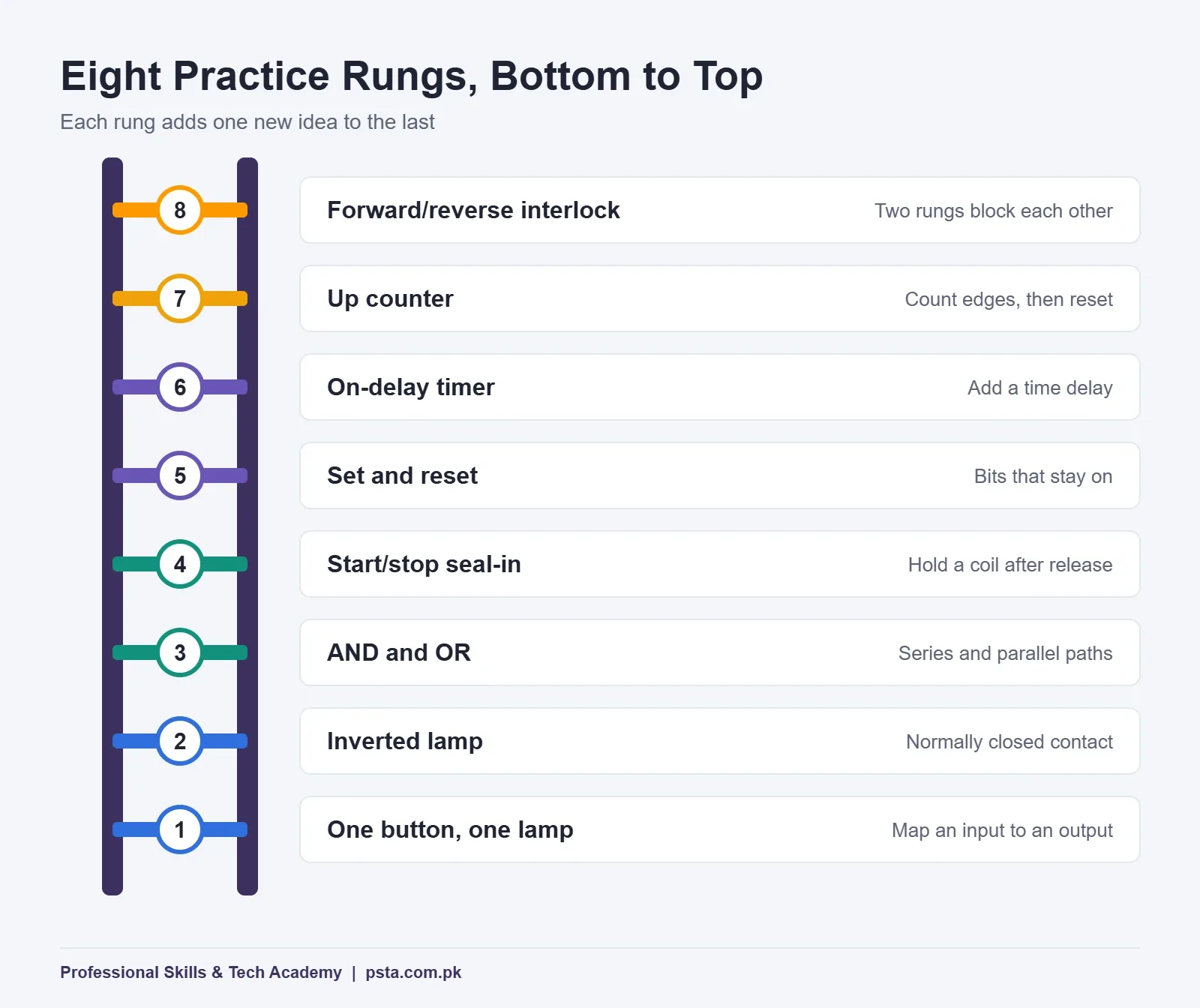
Each rung below adds exactly one new idea to the one before it. Type them yourself rather than copying a finished file, and test every rung by toggling inputs in a simulator before moving on. The rung sketches use a simple text layout: [ ] for a normally open contact, [/] for normally closed and ( ) for a coil.
Rung 1: One Button, One Lamp
|--[ PB1 ]-----------------( LAMP )--|
Press PB1, the lamp lights. Release it, the lamp goes out. It looks too simple to bother with, but it teaches you to map a physical input address to a tag name and to watch a bit change state in the software. Spend five minutes here getting your addressing right.
Rung 2: The Inverted Lamp
|--[/ PB1 ]----------------( LAMP )--|
Same button, normally closed contact. Now the lamp is on while nothing is pressed, and goes off when you press. This rung proves the point from the symbol table: the contact type decides how the program reads the bit, not how the button is built.
Rung 3: Series and Parallel (AND and OR)
|--[ GUARD ]--[ PB1 ]------( PRESS )--|
|--[ PB2 ]--+--------------( ALARM )--|
|--[ PB3 ]--+
Contacts in series form an AND: the press runs only when the guard is closed and the button is held. Contacts in parallel form an OR: either button sounds the alarm. Almost every rung you'll ever read is built from these two shapes.
Rung 4: Start/Stop With a Seal-In
|--[ START ]--+--[ STOP ]--[/ OL_TRIP ]--( MOTOR )--|
|--[ MOTOR ]--+
This seal-in circuit is the rung every panel wireman already knows from hardwired DOL starters. Pressing START energizes MOTOR, and the MOTOR contact in parallel keeps the rung true after you let go. Pressing STOP, or an overload trip, breaks the path and the motor drops out. Notice STOP is written as a normally open contact. The next big section explains why.
Rung 5: Set and Reset Coils
|--[ START ]---------------( S PUMP )--|
|--[ STOP ]----------------( R PUMP )--|
A set coil turns the bit on and leaves it on, even after the rung goes false. Only a reset coil clears it. That's handy for alarms that must stay visible until an operator acknowledges them. For motors, many instructors prefer the seal-in from Rung 4, because a set bit can stay on after a power cycle depending on how the PLC handles retentive memory.
Rung 6: An On-Delay Timer
|--[ MOTOR ]------------[ TON  FAN_T  PT 10s ]--|
|--[ FAN_T.Q ]---------------------( FAN )------|
Ten seconds after the motor starts, a TON timer brings in the cooling fan. Phoenix Contact's TON reference describes the behavior you must test: Q turns true only once the input has stayed on and the elapsed time has reached the preset. If the input drops before then, the elapsed time goes back to 0 and the full delay starts again next time.
Rung 7: An Up Counter With Reset
|--[ BOTTLE_EYE ]--------[ CTU  BOX_C  PV 12 ]--|
|--[ BOX_C.Q ]---------------------( BOX_FULL )-|
|--[ RESET_PB ]--------------------( R BOX_C )--|
A photo sensor counts bottles into a carton. Unitronics' list of IEC function blocks gives the standard behavior: each rising edge on the count input adds 1, the output goes true when the count reaches the preset, and the reset input clears both. At 12 the BOX_FULL lamp lights. Forget the reset rung and the counter never starts the next carton.
Rung 8: Forward/Reverse With an Interlock
|--[ FWD_PB ]--+--[ STOP ]--[/ REV ]--( FWD )--|
|--[ FWD ]-----+
|--[ REV_PB ]--+--[ STOP ]--[/ FWD ]--( REV )--|
|--[ REV ]-----+
Two seal-in rungs, each blocked by the other's coil. If FWD is on, the normally closed FWD contact in the reverse rung is open, so REV can't energize. This mirrors the electrical interlock in a reversing starter, and it's the same exercise NAVTTC lists as a practical task: a forward-reverse motor circuit with limit switches. On a real panel you'd keep the hardwired auxiliary-contact interlock as well; the program interlock doesn't replace it.
| Rung | New Idea | Test It By |
|---|---|---|
| 1. One lamp | Input to output mapping | Toggling PB1 and watching the bit |
| 2. Inverted lamp | Normally closed contact | Checking the lamp is on at rest |
| 3. AND / OR | Series and parallel paths | Trying every input combination |
| 4. Seal-in | Holding a coil after release | Releasing START, then pressing STOP |
| 5. Set / reset | Bits that stay on | Removing power in the simulator |
| 6. TON | Time delay | Dropping the input at 5 seconds |
| 7. CTU | Counting edges | Holding the sensor on (it should count once) |
| 8. Interlock | Mutual blocking | Pressing both directions together |
Why Is the Stop Button Wired Normally Closed?
This question comes up in every batch. On the panel, the stop push-button uses its normally closed terminals. That way a cut wire, a loose terminal or a dead input card looks exactly like someone pressing STOP, and the motor stops. A broken wire on a normally open stop button would do the opposite: the motor would keep running and STOP would do nothing.
Because the healthy, unpressed button holds the input at 1, the program checks it with a normally open contact (XIC). Pressing STOP drops the input to 0, the contact opens and the rung breaks. If you also wrote it as a normally closed contact in software, the logic would be inverted twice and the motor wouldn't start at all. When a student's Rung 4 refuses to run, this is the first thing I check.
Relay Panel vs PLC Rung: What Actually Changes?
In a hardwired panel, the logic lives in copper. Changing a sequence means new wires, sometimes new relays, and an updated drawing. A physical relay also has a fixed number of auxiliary contacts. In a PLC, the field wiring stays put and the logic moves into memory. The Wikipedia article notes that a program can check the same bit as many times as it needs, which no relay can match.
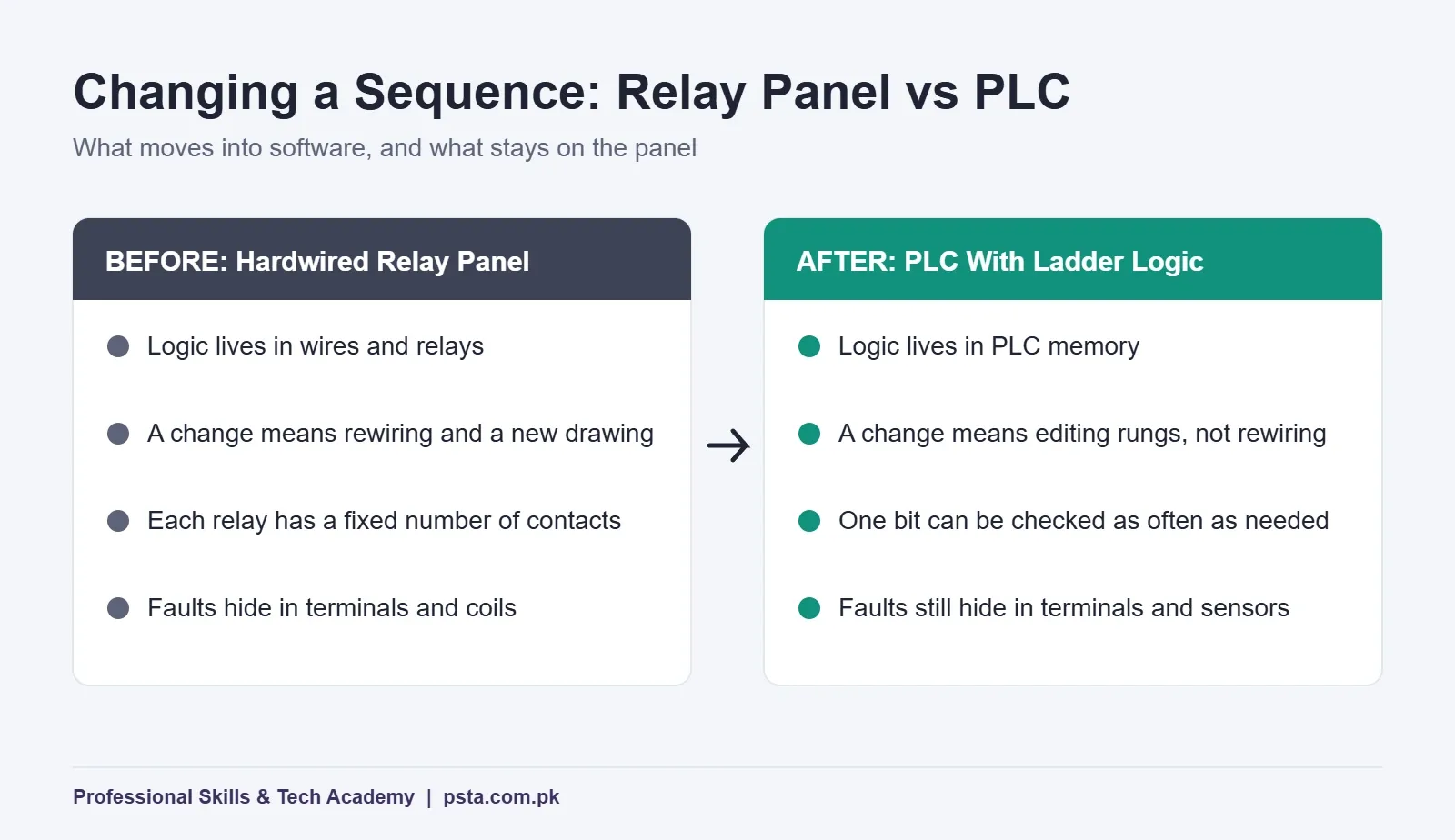
That doesn't make wiring skills less important. Every input and output still lands on a terminal, and most faults a maintenance technician finds are in the field: a sensor out of alignment, a burnt coil, a loose ferrule. Ladder logic sits on top of panel work. It doesn't replace it, which is why good courses teach hardwired starters first.
Free Software for Practicing Ladder Logic
Ladder logic for beginners doesn't require buying a PLC. You can learn the first eight rungs on a laptop. The most accessible option is OpenPLC Editor. Control.com's report on the OpenPLC Editor v4 beta describes it as free and open source, available for Windows, macOS and Linux, and built around IEC 61131-3. The v4 beta covers Ladder Diagram, Structured Text and Instruction List, with the other languages still to come. It can also download programs to Arduino and Raspberry Pi boards, which makes a cheap trainer for home practice.
Once your basics are solid, move to the software of the brand used where you want to work. Read a few local job ads and note which PLC brands they name, since each vendor publishes its own programming package and license terms. Check the vendor's official download page for the current version rather than downloading cracked copies from file-sharing sites, which often carry malware.
Beginner Mistakes That Break Rungs
- Writing the same coil twice. Two rungs both driving MOTOR means the lower rung decides the result every scan. Use one coil per output and combine the conditions in a single rung.
- Double-inverting the stop button. A normally closed field button plus a normally closed contact in software gives a motor that never starts.
- Using set/reset where a seal-in belongs. A latched motor bit can survive a power loss on some PLCs. Ask your trainer how retentive memory is set up before you rely on it.
- Feeding a counter with a level instead of an edge. Standard counters count rising edges, but some instruction sets need a one-shot. Test by holding the sensor on.
- Leaving out the overload contact. Rung 4 without the overload trip will happily restart a motor that has already overheated.
- Testing only the happy path. Press buttons in the wrong order, press two at once and pull a wire in the simulator. That's what operators will do.
Where Ladder Logic Fits in Pakistani Training and Jobs
Ladder logic for beginners is more than a hobby topic: government-backed programs treat it as a central technician skill. PSDF's Industrial Automation (PLC) trade page lists a six-month course with NAVTTC curriculum, taught in English and Urdu, with no entry requirements. It names PLC/SCADA technician roles in textiles, leather, pharmaceuticals, food processing, automotive and cement. The NAVTTC plan behind it runs 26 weeks at 24 contact hours a week, 600 hours in total, and its practical tasks include timed lamps, latching with a delay and two motors with interlocking.
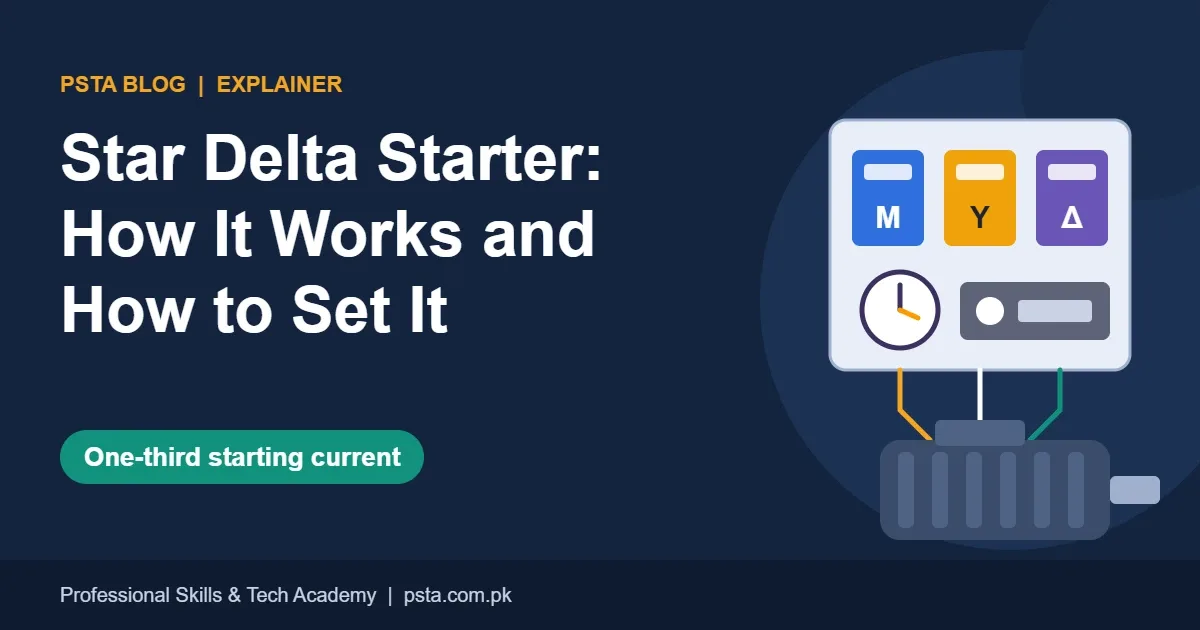
For job seekers around Abbottabad and Haripur, that list matches the kind of plants found in industrial estates such as Hattar. Expect a technical interview to ask you to draw a start/stop rung and explain it, then move to timers and interlocks. Our PLC interview questions guide covers that conversation, and the star delta starter walkthrough is a good next exercise once Rung 8 works.
Where PSTA's Industrial Automation Course Comes In
If you'd rather learn ladder logic next to real contactors and a trainer who checks every rung, PSTA's Industrial Automation course (panel wiring, PLC and VFD) is built for it. The course page lists:
- Duration and level: 3 months (12 weeks), beginner
- Fee: Rs. 28,000 (listed down from Rs. 35,000 at the time of writing)
- Modes: on campus in Abbottabad, live online across Pakistan, or hybrid, with a new batch every month
- Relevant modules: hardwired motor control, sensor and input device work, VFDs with soft starters, and an introduction to PLC and HMI integration
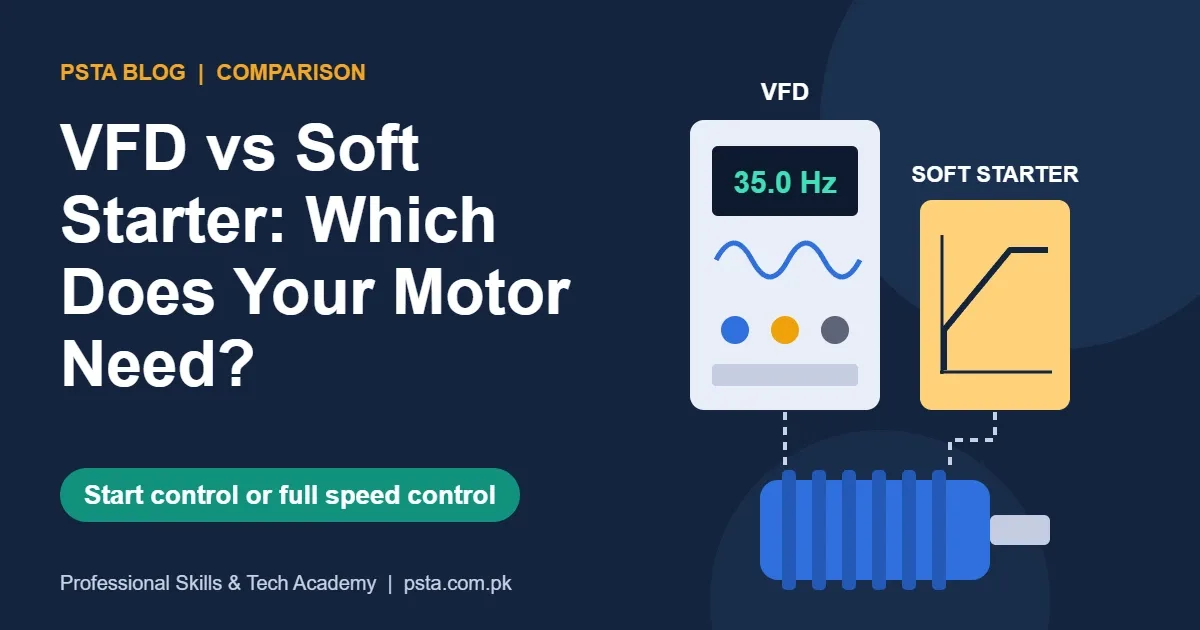
The order matters: you wire DOL, forward-reverse and star-delta starters by hand before translating them into rungs, so the program always maps to something you've built. For background on the wider field, read industrial automation explained or the VFD vs soft starter comparison. You can compare all programs on the courses page, and the admission page shows how to reserve a seat. For questions about batch timings, message the campus on WhatsApp at +92 314 5424399.
Your First Practice Session: 30 Minutes in a Simulator
Install a free editor, create a project with three inputs and two outputs, and write Rungs 1 to 4. Before you close the laptop, break Rung 4 on purpose: swap STOP to a normally closed contact and watch the motor refuse to start. Then fix it and write one sentence explaining why. That single exercise teaches more than an hour of watching tutorials.
Frequently asked questions
How long does it take to learn ladder logic as a beginner?
With an hour of practice most days, many students can write and test the eight rungs in this guide within two to three weeks. Reading real machine programs takes longer, because they mix timers, counters, comparisons and alarms. NAVTTC's six-month industrial automation plan spends weeks 10 to 12 on ladder programming, then keeps returning to it in later practical tasks.
Can I learn ladder logic without buying a PLC?
Yes. A free editor such as OpenPLC Editor runs on Windows, macOS and Linux and lets you write Ladder Diagram programs on a laptop. You can toggle inputs and watch outputs change while you test each rung. Move to real hardware or a training rig later, because wiring inputs and outputs teaches lessons that software alone cannot.
Do I need an electrical background to learn ladder logic?
It helps but isn't required. Ladder logic was designed to look like relay wiring diagrams, so electricians and DAE students usually find it familiar. If you've never wired a contactor, learn basic control circuits such as a DOL starter alongside the software. Otherwise you'll write rungs that work on screen but make little sense on a panel.
Are ladder logic and ladder diagram the same thing?
In everyday use, yes. Ladder Diagram (LD) is the formal name used in the IEC 61131-3 standard, which lists it as one of two graphical PLC languages. Ladder logic is the common name technicians and trainers use for programs written that way. Both refer to rails, rungs, contacts and coils solved by a PLC during its scan.
Is ladder logic different on Siemens and Allen-Bradley PLCs?
The core ideas are identical: contacts, coils, timers, counters and scan order. Symbols, instruction names and software screens differ. Allen-Bradley calls a normally open contact XIC and a normally closed contact XIO, while other brands use different labels. Once you understand one platform well, switching to another mostly means learning its software and addressing style.
Why won't my seal-in rung keep the motor running?
Check three things. First, the holding contact must use the motor coil's own bit and sit in parallel with the start button. Second, the stop contact type must match the field wiring; a normally closed button usually needs a normally open contact in the program. Third, make sure no lower rung writes the same coil and switches it off.
Should I learn other PLC languages after ladder logic?
Eventually. Structured Text is useful for calculations, loops and data handling, and Function Block Diagram is common in process control. Many maintenance jobs, however, mainly need you to read and troubleshoot ladder rungs. Get confident with ladder first, then add Structured Text once you start writing longer programs or working with recipes and data.
Sources & references
- IEC 61131-3: Programming Languages (PLCopen) plcopen.org
- Ladder logic (Wikipedia) en.wikipedia.org
- PLC scan cycle explained (Crouzet) blog.crouzet.com
- Examine If Open (XIO), Studio 5000 (Rockwell Automation) rockwellautomation.com
- TON on-delay timer (PLCnext Engineer help) engineer.plcnext.help
- OpenPLC Editor v4 beta (Control.com) control.com
- Industrial Automation 6-month lesson plan (NAVTTC) navttc.gov.pk
- Industrial Automation (PLC) trade (PSDF) psdf.org.pk
Last reviewed & updated on by Umar Qureshi. Written by the PSTA team in Abbottabad, Pakistan.

Umar Qureshi

Master Industrial Automation: Single & Three-Phase Panel Wiring, PLC & VFD Certification
Turn this guide into a career: hands-on training with real projects, online across Pakistan or on-campus in Abbottabad · 3 Months (12 Weeks).

Comments
No comments yet — ask a question or share your experience.