Quick answer
To self-host n8n, rent a Linux VPS with about 2 GB of RAM (DigitalOcean lists one at $12 a month), point a subdomain at it, install Docker from the official apt repository, and run n8n's Docker Compose setup with Traefik for HTTPS. Then back up the data volume and encryption key, and update monthly.
Key takeaways
- • The n8n Community edition is free; your costs are a server, a domain and your time.
- • A 2 GB RAM server suits most small businesses; plan 4 GB if you add the n8n Assistant sandbox.
- • Set GENERIC_TIMEZONE to Asia/Karachi so scheduled workflows run at the right local time.
- • Back up the n8n_data volume and keep the encryption key safe, or restored credentials won't decrypt.
- • You may run workflows for paying clients, but clients must not build or edit workflows on your instance.
Table of contents 17 sections
- What Does It Cost to Self-Host n8n?
- Cloud, Self-Hosted or Your Own Laptop: Which Setup Fits?
- Stay on n8n Cloud If
- Run It Locally If
- Self-Host on a VPS If
- What to Prepare Before Step 1
- Step 1: Rent and Lock Down a Small Server
- Step 2: Point a Subdomain at Your Server
- Step 3: Install Docker the Production Way
- Steps 4 and 5: Self-Host n8n With Docker Compose
- Create the Folder and Environment File
- Add the Compose File and Start
- Step 6: Back Up Data and the Encryption Key
- How Do You Keep a Self-Hosted Instance Healthy?
- Can You Use Self-Hosted n8n for Client Work?
- Practising Server Setups in PSTA's AI Automation Batches
- A Practice Run Before Real Clients
To self-host n8n for a small business, you need a Linux server with about 2 GB of RAM, a subdomain, and Docker. A 2 GB DigitalOcean Droplet is listed at $12 a month, and a .pk domain costs Rs. 2,100 a year from PKNIC. Setup takes an evening if you follow the steps in order.
A common question after a few weeks on n8n Cloud's trial is simple: can I run this on my own server and stop counting executions? You can. The work isn't hard, but it does make you the system administrator, and that part deserves an honest look before you rent anything.
In this guide, you'll learn:
- What a self-hosted setup costs each month in dollars and rupees
- When n8n Cloud or a local install is the smarter choice
- The six setup steps, from renting a server to your first HTTPS login
- How to back up workflows, credentials and the encryption key
- What n8n's license allows when you build automations for clients
What Does It Cost to Self-Host n8n?
The software you need to self-host n8n is free. Without a license key, n8n runs as the Community edition, according to n8n's hosting documentation. Your real costs are the server, the domain, and your own time.
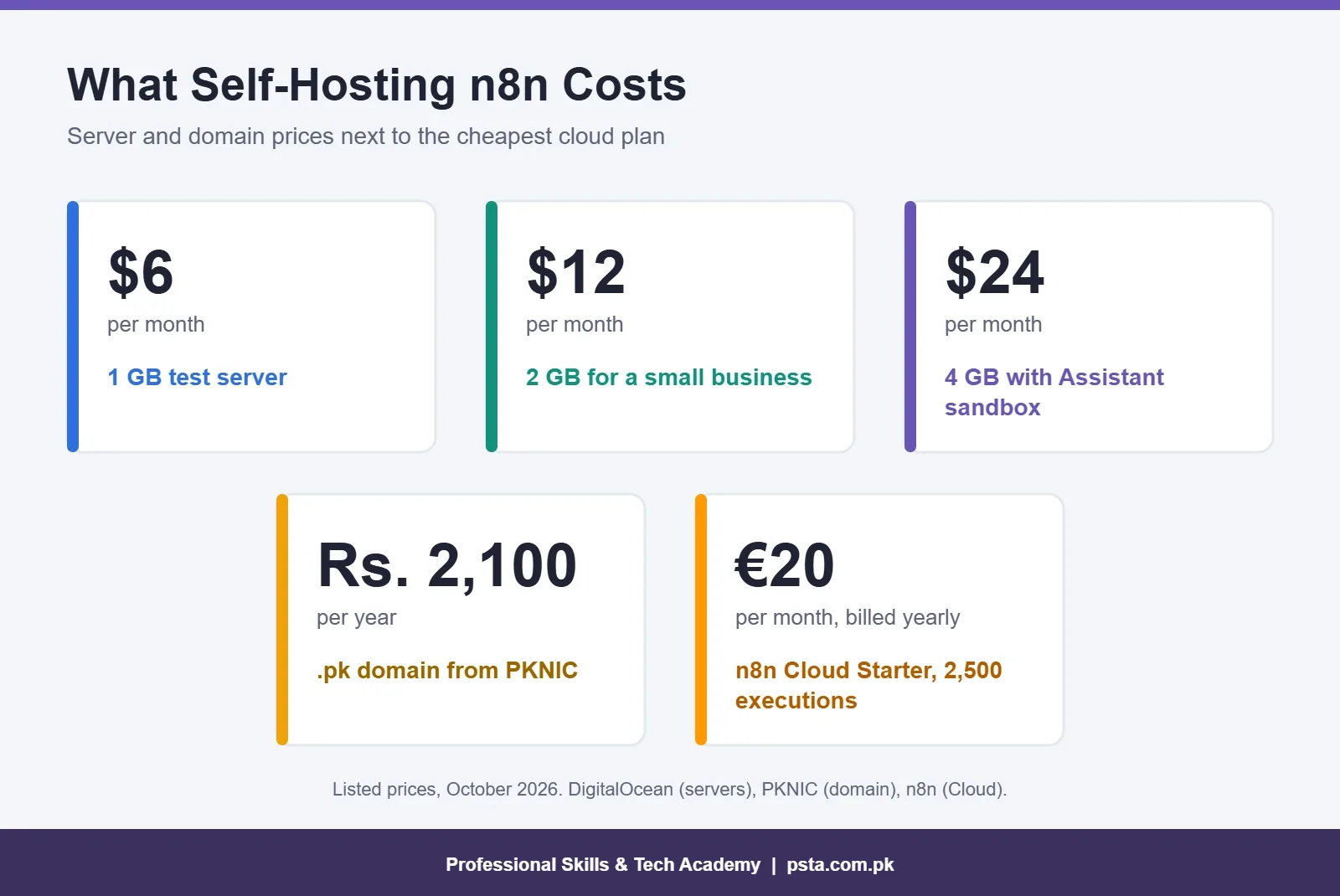
Here's how the numbers compare, using prices from the official pages:
| Item | Option | Listed price | Notes |
|---|---|---|---|
| Server | DigitalOcean Basic, 1 GB RAM, 1 vCPU | $6 per month | Fine for testing, tight for daily use |
| Server | DigitalOcean Basic, 2 GB RAM, 1 vCPU | $12 per month | A sensible start for one small business |
| Server | DigitalOcean Basic, 4 GB RAM, 2 vCPUs | $24 per month | Matches n8n's advice if you add the Assistant sandbox |
| Domain | .pk from PKNIC | Rs. 2,100 per year | Billed in two-year blocks |
| Hosted alternative | n8n Cloud Starter | €20 per month (annual billing) | 2,500 executions a month, no server work |
DigitalOcean's Droplet pricing page lists data centers in Bangalore and Singapore, which are the closest regions to Pakistan. PKNIC raised the local .pk fee from Rs. 1,800 to Rs. 2,100 from August 1, 2026, and charges it two years at a time. If you already own a .com, a subdomain on it works just as well.
You'll also need a card that works for international online payments, since VPS providers bill in dollars. Check your bank's limits before you sign up, not halfway through checkout.
Cloud, Self-Hosted or Your Own Laptop: Which Setup Fits?
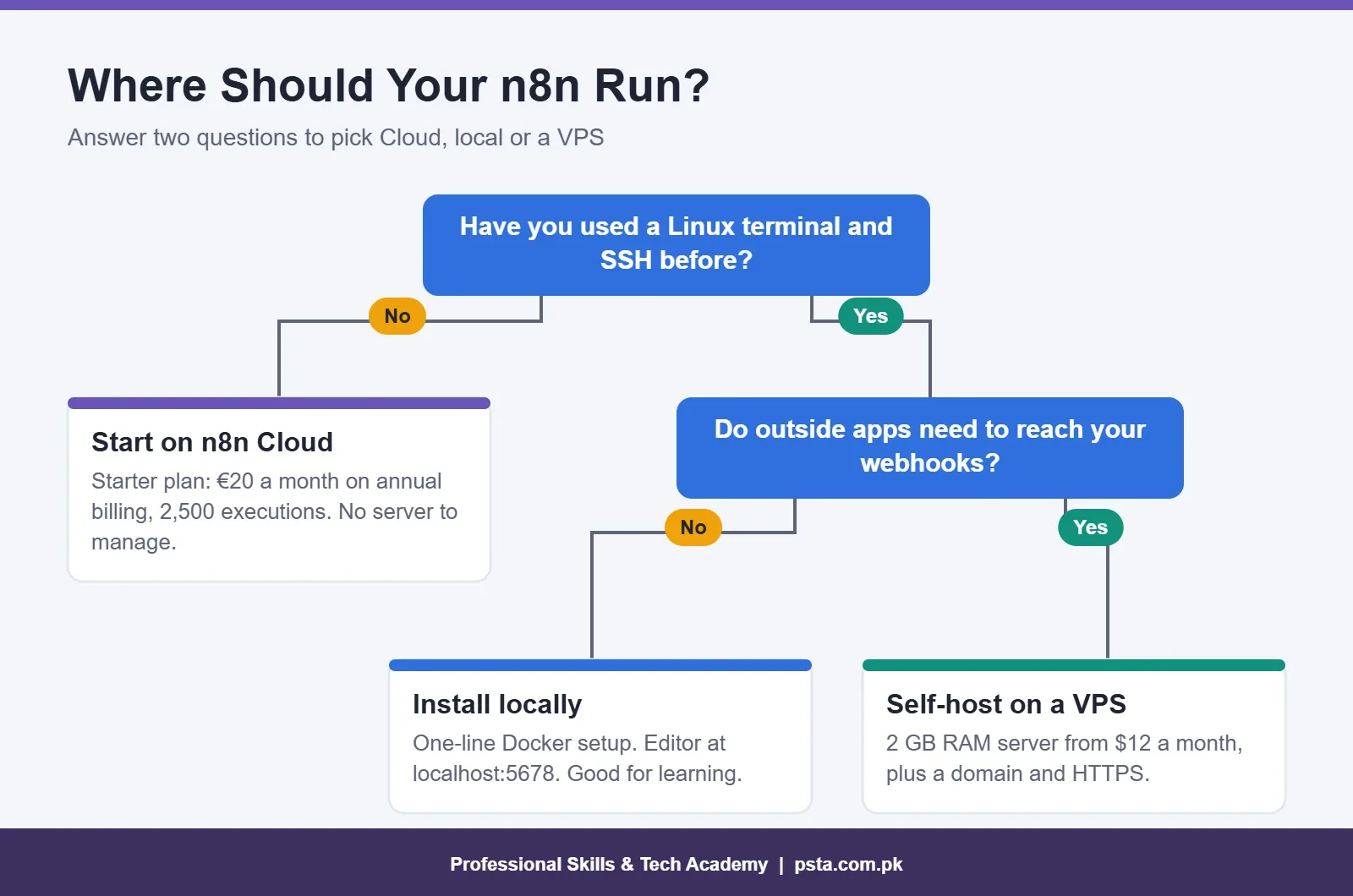
Choosing to self-host n8n is the right call for some people and a distraction for others. Use this simple test.
Stay on n8n Cloud If
You've never used a Linux terminal, or your client needs the workflows running next week. The n8n pricing page lists Starter at €20 a month and Pro at €50 a month on annual billing, with 2,500 and 10,000 executions. n8n handles updates, uptime and certificates for you.
Run It Locally If
You only want to learn. n8n's one-line setup needs Docker with the Compose v2 plugin and gives you an editor at localhost:5678. On Windows it has to run inside WSL with Docker Desktop's WSL2 integration. Nothing is exposed to the internet, so webhooks from Facebook or a website form won't reach it.
Self-Host on a VPS If
You're comfortable with SSH, you need public webhooks, and your workflow count is growing. It also keeps client data on a server you control, which matters to clients who handle customer data.
What to Prepare Before Step 1
Gather these before you self-host n8n. Missing one of them is the usual reason a setup stalls at midnight.
- A VPS provider account with your payment method verified
- A domain you control, with access to its DNS settings
- An SSH key pair on your computer, created with ssh-keygen
- A password manager entry ready for the n8n owner account
- About two quiet hours, preferably not during a client deadline
You don't need to be a programmer to self-host n8n. You do need to read error messages calmly and copy commands exactly.
Step 1: Rent and Lock Down a Small Server
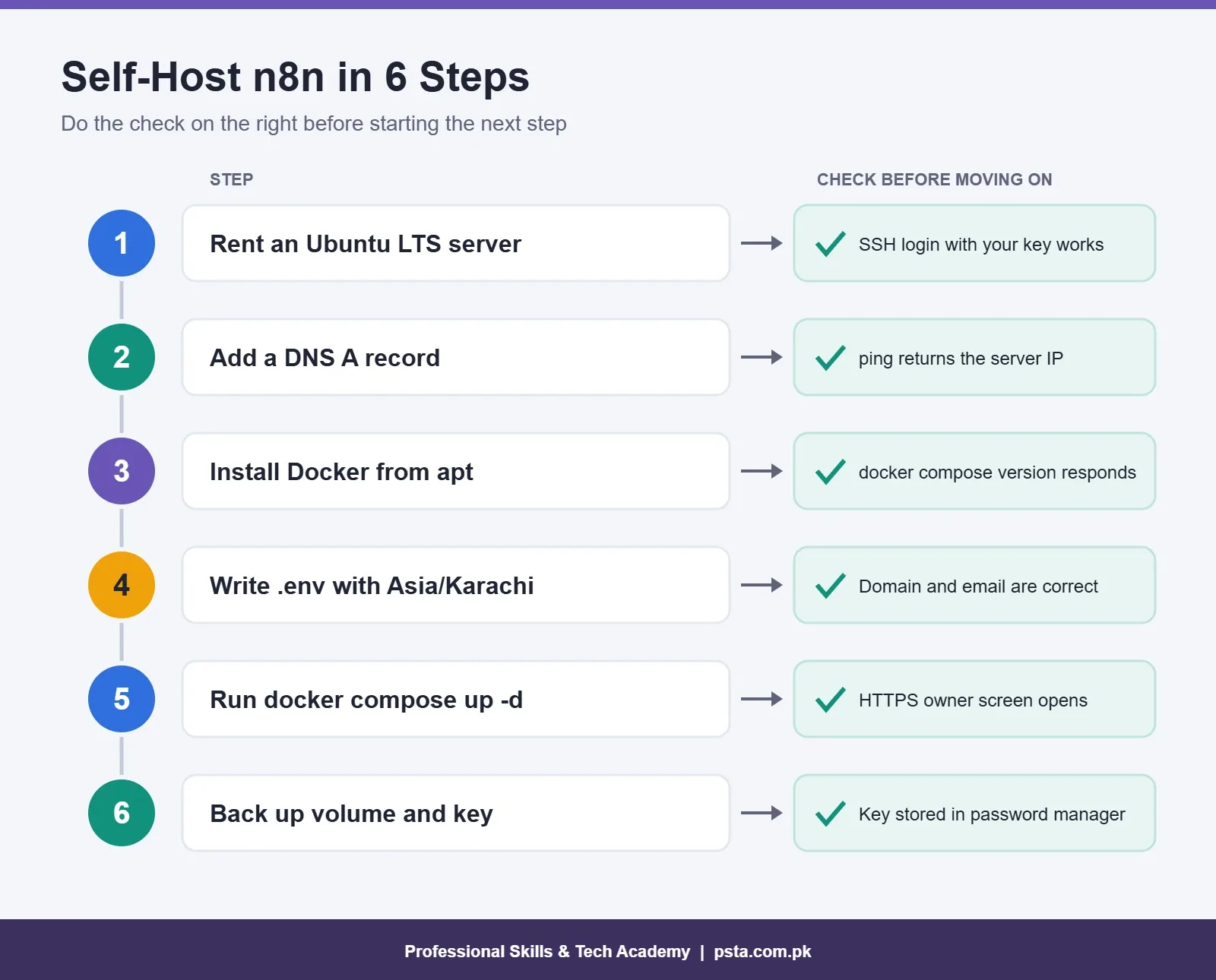
- Create an Ubuntu server. Docker's Ubuntu install guide supports the 22.04, 24.04 and 26.04 LTS releases, so pick one of those.
- Choose the Bangalore or Singapore region for lower latency from Pakistan.
- Add your SSH public key during creation instead of setting a root password.
- Log in with
ssh root@your_server_ip, create a normal user with sudo rights, and use that user from now on. - Open only the ports you need. n8n's guides ask for 80 and 443; keep SSH open too, or you'll lock yourself out.
sudo ufw allow OpenSSH
sudo ufw allow 80/tcp
sudo ufw allow 443/tcp
sudo ufw enable
n8n's Hetzner guide suggests a 2 vCPU, 2 GB server for most usage and at least 4 GB with 2 vCPUs once you add the n8n Assistant sandbox. I use the same rule of thumb on any provider.
Step 2: Point a Subdomain at Your Server
In your domain's DNS panel, add one record:
- Type: A
- Name: n8n (or any subdomain you like)
- Value: your server's public IP address
DNS changes can take a while to spread. Test with ping n8n.yourdomain.pk from your laptop and wait until it returns your server's IP. If you start n8n before this works, the reverse proxy can't get an HTTPS certificate, and the browser will show a security warning.
Step 3: Install Docker the Production Way
Docker publishes two routes for Ubuntu: its apt repository and a convenience script. The docs describe the script as only recommended for testing and development. For a server that runs client workflows, follow the apt repository steps on the official page.
When you're done, confirm both tools respond:
docker --version
docker compose version
The second command matters. n8n needs the Compose v2 plugin, which is called with a space (docker compose). The old standalone docker-compose binary won't work with the current setup files.
Steps 4 and 5: Self-Host n8n With Docker Compose
n8n's Docker Compose guide runs two containers. Traefik receives web traffic on ports 80 and 443 and fetches the TLS certificate. n8n runs behind it and stores its data in a Docker volume.
Create the Folder and Environment File
mkdir n8n-compose
cd n8n-compose
mkdir local-files
nano .env
Put your own values in the .env file, including a real email address for the certificate notices. The official sample uses a Berlin time zone, so change it, or your scheduled workflows will fire hours off:
DOMAIN_NAME=yourdomain.pk
SUBDOMAIN=n8n
GENERIC_TIMEZONE=Asia/Karachi
SSL_EMAIL=your_email_address
Add the Compose File and Start
Copy the complete compose.yaml from the official guide rather than a shortened version from a forum. The full file includes security header settings meant for production. The guide also warns that the Traefik --api.insecure=true flag exposes the dashboard without a login, so remove that line on a public server.
sudo docker compose up -dGive it a minute, then open https://n8n.yourdomain.pk. You'll see the owner setup screen. Create the owner account with a long, unique password from your password manager. The instance only answers over HTTPS, so if the page won't load, recheck the firewall and the DNS record.
Step 6: Back Up Data and the Encryption Key
This is the step people skip, and it's the one that hurts later. n8n stores credentials encrypted. According to n8n's backup and restore guide, the key lives in the config file inside the .n8n folder, and without it you can't decrypt credentials after a restore.
In the Docker setup, that folder sits in the n8n_data volume. The default SQLite database lives there too. Two habits cover most risks:
- Volume backup: stop n8n, copy the volume, then start it again. The docs say SQLite should be stopped before copying, or captured with a consistent snapshot.
- CLI export: export workflows and credentials to a folder that's mounted on the host, so the files survive outside the container.
n8n export:workflow --backup --output=backups/workflows/
n8n export:credentials --backup --output=backups/credentials/
Keep in mind that the CLI export skips users, execution history and the encryption key itself. Store a copy of the key in your password manager on day one. Also check whether your provider offers automatic server backups as a paid add-on; for client work, it usually earns its cost.
How Do You Keep a Self-Hosted Instance Healthy?
n8n's update guide recommends updating at least once a month and reading the release notes first. Small, regular updates are easier to roll back than a jump across several versions. From your compose folder, the update is four commands:
cd ~/n8n-compose
docker compose pull
docker compose down
docker compose up -d
When you self-host n8n, nobody else takes backups for you, so take a full one before every update. Stick to the stable release channel on any server that runs paid work; the beta channel is for testing.
A few more habits I teach in class:
- Set a monthly calendar reminder named "n8n update and backup check".
- Restore a backup to a test server once, so you know the process works before you need it.
- Move from SQLite to Postgres when a team shares the instance. n8n recommends Postgres for teams and production.
- Watch disk space. Execution history grows quietly on a 25 GB disk.
Can You Use Self-Hosted n8n for Client Work?
Yes, within limits. If you self-host n8n as a freelancer, read this part twice. n8n's license FAQ allows you to build and run workflows for clients on your own instance and charge for setup, maintenance, training and consulting. You may also install n8n on a client's own server for a fee.
The limits are just as clear. Clients should only receive outputs, such as a WhatsApp reply or a filled Google Sheet. You can't host n8n as a service where clients build their own workflows, and you can't remove the branding and resell it. The FAQ's test is simple: can the end user create or change workflow logic? If yes, you need a commercial license.
A practical example: a Mansehra clinic wants appointment reminders. You build the workflow on your server and bill a monthly maintenance fee. That fits the license. Giving the clinic's staff their own editor login to build flows on your instance does not.
Also note what the free Community edition leaves out. Projects, workflow sharing, SSO, Git version control and log streaming are paid features. Registering the Community edition for free adds folders, debug in editor and custom execution data.
Practising Server Setups in PSTA's AI Automation Batches
At PSTA, the AI Automation course is a beginner-level program lasting 8 weeks. Students build workflows in n8n, Make and Zapier, then move on to WhatsApp chatbots, OCR document readers, OpenAI API integrations and a final multi-step AI agent project. You pay Rs. 22,000 against a regular price of Rs. 28,000, and it can be split into 2 installments.
You can join at the Abbottabad campus in Mandian, Old College Road, opposite FIMS College, or attend live online, or mix the two. Online sessions are recorded, which helps when a server command needs a second look. A new batch starts every month.
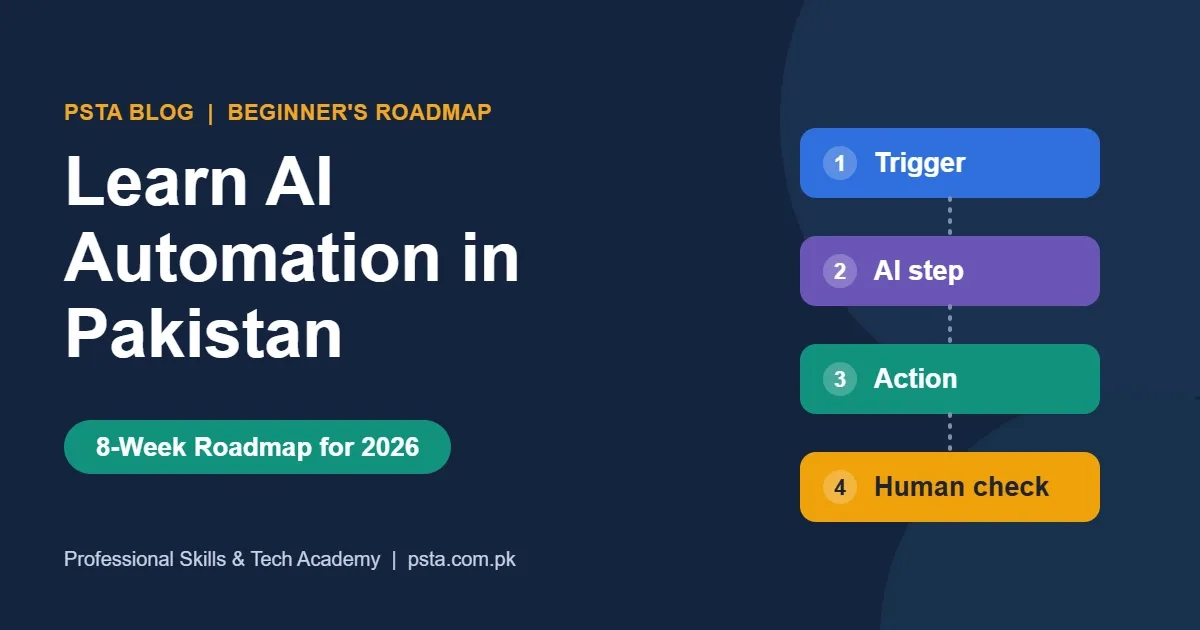
If the terminal work in this guide felt unfamiliar, the Python course builds comfort with scripts, and the Cyber Security course suits you if server security is the part that worries you. For tool choice, read n8n vs Zapier vs Make, and for practice ideas, see n8n projects for beginners. The 8-week AI automation roadmap shows where hosting fits in the bigger picture.
You can compare all programs on the courses page, and when you're ready, the admission form takes a few minutes. Questions about timings are answered on WhatsApp at +92 314 5424399.
A Practice Run Before Real Clients
The safest way to learn to self-host n8n is a throwaway server. Don't start with a client's live workflows. Rent the cheapest Droplet in Bangalore, point a test subdomain at it, and run through Steps 1 to 5. Then build one tiny workflow, such as a webhook that writes a row to Google Sheets. Export it, delete the server, rebuild it from your notes and import the backup. If that round trip works, you're ready to host something that matters.
Frequently asked questions
Is n8n free to self-host?
Yes. Without a license key, n8n runs as the free Community edition, and you can use it for your own business, learning and client workflows within the license rules. You still pay for the server and domain. Some team features, such as projects, workflow sharing, SSO and Git version control, need a paid Business or Enterprise license.
How much RAM does a self-hosted n8n server need?
For most small setups, a server with 2 vCPUs and 2 GB of RAM is a sensible starting point, which matches n8n's own Hetzner guide. If you add the n8n Assistant sandbox, choose at least 4 GB of RAM and 2 vCPUs. A 1 GB server works for testing but leaves little headroom.
Can I self-host n8n on my Windows laptop?
You can run it locally for learning. n8n's one-line setup on Windows needs WSL with Docker Desktop's WSL2 integration; Command Prompt and PowerShell aren't supported. A laptop install isn't reachable from the internet, so webhooks from forms or Meta apps won't arrive. Use a VPS when you need public webhooks.
Which server region should I choose from Pakistan?
Pick a region close to your users. DigitalOcean lists data centers in Bangalore and Singapore, and Hetzner has a Singapore location. Both are nearer to Pakistan than Europe or the US, which usually means faster response in the editor. Confirm the plan you want is available in that region before paying.
What happens if I lose the n8n encryption key?
n8n stores credentials encrypted, and the key sits in the config file inside the .n8n folder, or in N8N_ENCRYPTION_KEY if you set one. Without that key, restored credentials can't be decrypted, so you'd have to reconnect every account by hand. Save a copy of the key in a password manager on the first day.
Can I sell n8n automation services from my own server?
Yes, within limits. n8n's license FAQ allows you to build, run and maintain workflows for clients on your instance and charge for setup, maintenance and consulting. Clients should only receive outputs. Letting clients build or edit their own workflows on your instance, or white-labeling n8n, needs a commercial license.
How often should I update a self-hosted n8n instance?
n8n recommends updating at least once a month and reading the release notes before each update. Take a full backup first, then run docker compose pull, down and up -d from your compose folder. Stay on the stable channel for client work, and try beta releases only on a test server.
Sources & references
- n8n Docs: Install n8n with Docker Compose docs.n8n.io
- n8n Docs: Deploy to Hetzner docs.n8n.io
- n8n Docs: Back up and restore docs.n8n.io
- n8n Docs: Community license FAQ docs.n8n.io
- n8n Pricing n8n.io
- DigitalOcean Droplet Pricing digitalocean.com
- PKNIC: .pk domain fees pknic.net.pk
- Docker Docs: Install Docker Engine on Ubuntu docs.docker.com
Last reviewed & updated on by Umar Qureshi. Written by the PSTA team in Abbottabad, Pakistan.

Umar Qureshi

AI Automation Course: Beginner to Pro (Dominate Workflows)
Turn this guide into a career: hands-on training with real projects, online across Pakistan or on-campus in Abbottabad · 8 Weeks.
Comments
No comments yet — ask a question or share your experience.