Quick answer
The five types of SQL commands are DDL (CREATE, ALTER, DROP), DML (INSERT, UPDATE, DELETE), DQL (SELECT), DCL (GRANT, REVOKE) and TCL (COMMIT, ROLLBACK, SAVEPOINT). Oracle uses six official categories instead, files SELECT under DML and GRANT under DDL, and commits automatically before and after every DDL statement.
Key takeaways
- • DDL changes structure, DML changes rows, and SELECT only reads data.
- • Oracle commits before and after every DDL statement, so CREATE, DROP and TRUNCATE can't be rolled back.
- • DML changes stay private to your session until you run COMMIT.
- • ROLLBACK TO SAVEPOINT undoes only the work done after that savepoint.
- • In Oracle, GRANT and REVOKE count as DDL, so they also commit any open work.
Table of contents 13 sections
- What Are the Types of SQL Commands?
- The Example: A Fee Desk Database for a Small Academy
- Step 1: Build the Tables With DDL Commands
- Step 2: Add and Change Fee Records With DML
- Step 3: Ask the Data a Question With SELECT
- Step 4: How Do COMMIT, ROLLBACK and SAVEPOINT Protect Your Work?
- Step 5: Give the Accountant Read-Only Access With GRANT and REVOKE
- Why Can't You Roll Back a DROP or TRUNCATE?
- Textbook Groups vs Oracle's Official Categories
- Mistakes That Cost Students Marks and Data
- Where Can You Practice These Commands for Free?
- Practicing SQL Commands in PSTA's Oracle Course
- Tonight's Exercise: Rebuild the Fee Desk From Memory
The types of SQL commands most teachers list are five groups: DDL, DML, DQL, DCL and TCL. Oracle's own SQL Language Reference sorts statements into six categories instead, and it files SELECT under DML and GRANT under DDL. Both views are useful, and you'll meet both in exams and interviews.
Memorizing the groups is easy. Knowing which command can be undone, and which one quietly commits your work, is what separates a careful developer from a risky one. So this guide builds one small database from scratch and puts all the types of SQL commands to work along the way.
Here's what you'll be able to do after working through it:
- Name each group of SQL commands and the statements that belong to it
- Write DDL and DML commands for a real table in Oracle
- Use COMMIT, ROLLBACK and SAVEPOINT without losing data
- Explain TRUNCATE vs DELETE in one clear sentence
- Map the textbook groups onto Oracle's official categories
What Are the Types of SQL Commands?
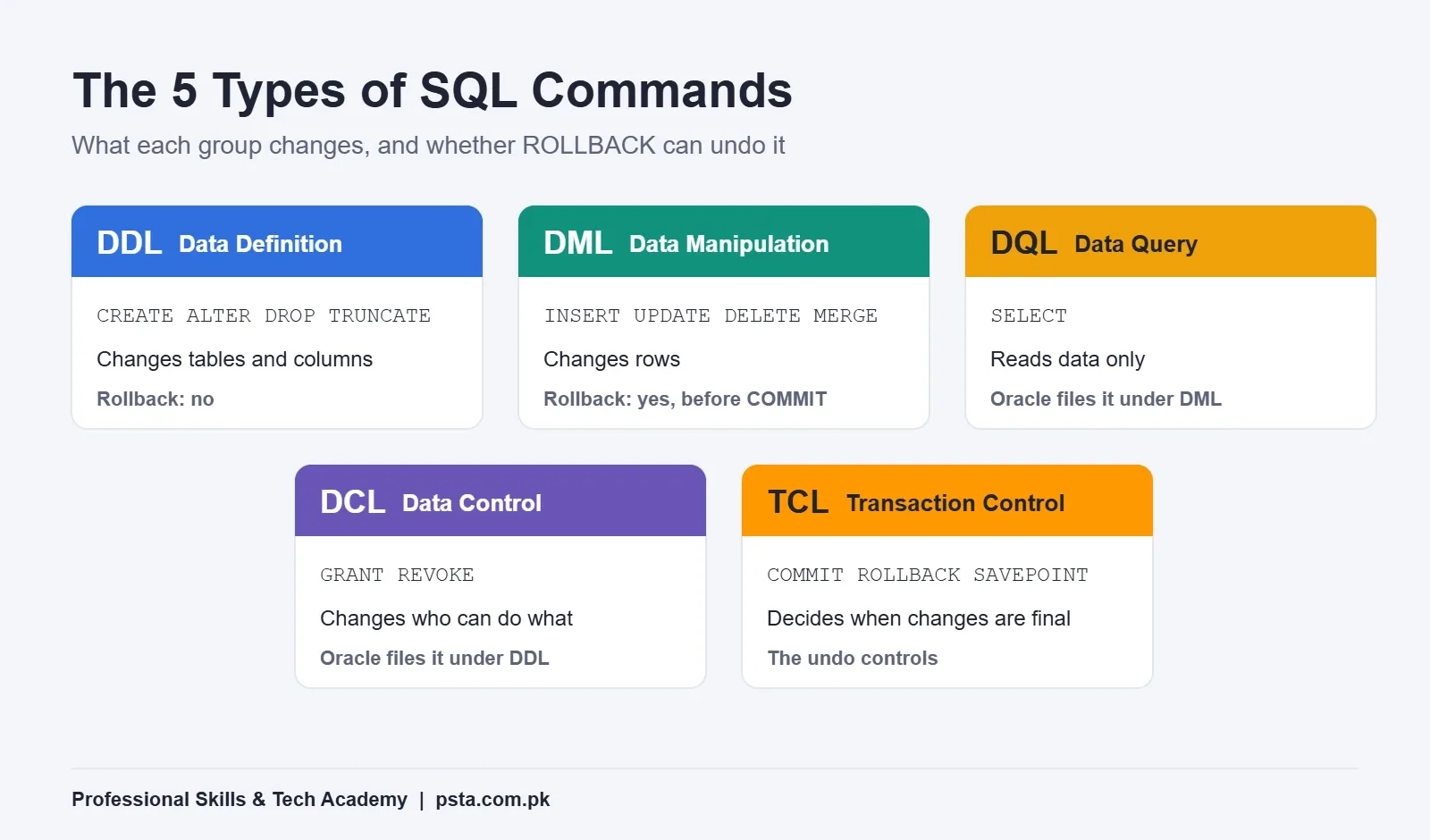
The types of SQL commands are grouped by the kind of change they make. Some change the structure of the database. Some change the rows inside it. Others control who can see the data, or decide when changes become permanent. The table below is the version you'll see in most university slides and interview prep notes.
| Group | Full name | Main commands | What it changes | Can ROLLBACK undo it? |
|---|---|---|---|---|
| DDL | Data Definition Language | CREATE, ALTER, DROP, TRUNCATE, RENAME | Tables, columns and other objects | No (Oracle commits before and after) |
| DML | Data Manipulation Language | INSERT, UPDATE, DELETE, MERGE | Rows inside tables | Yes, until you commit |
| DQL | Data Query Language | SELECT | Nothing; it only reads | Not needed |
| DCL | Data Control Language | GRANT, REVOKE | Who may do what | No in Oracle (treated as DDL) |
| TCL | Transaction Control Language | COMMIT, ROLLBACK, SAVEPOINT | When changes become permanent | These are the undo controls |
Why spend time on this? SQL is one of the most used languages in the industry. In Stack Overflow's 2026 Developer Survey results, SQL sat at 58%, tied for second place behind JavaScript. Data analysts, backend developers and DBAs all write it daily, so the basics show up in almost every technical interview.
The Example: A Fee Desk Database for a Small Academy
This is an example scenario, not a real client. Picture a small computer academy in Mansehra that tracks student fees in a paper register. The owner wants three things. She wants a digital record of every payment, a quick total per student, and read-only access for the part-time accountant.
That brief needs all five types of SQL commands. You'll create tables (DDL), enter payments (DML), ask for totals (DQL), protect half-finished work (TCL) and limit the accountant's access (DCL). Run the code below in order, in SQL Developer or a browser tool, and you'll see each group do its job.
Step 1: Build the Tables With DDL Commands
All the SQL commands with examples below run in Oracle 19c and newer. DDL commands describe the shape of your data. You decide the columns, their data types and the rules every row must follow. Start with two tables: one for students and one for payments.
CREATE TABLE students (
  student_id  NUMBER PRIMARY KEY,
  full_name   VARCHAR2(60) NOT NULL,
  course      VARCHAR2(40)
);

CREATE TABLE fee_payments (
  payment_id  NUMBER GENERATED ALWAYS AS IDENTITY PRIMARY KEY,
  student_id  NUMBER REFERENCES students(student_id),
  amount      NUMBER(8,2) NOT NULL,
  paid_on     DATE DEFAULT SYSDATE
);
A week later, the owner asks you to record whether a payment came in cash or by bank transfer. You don't rebuild the table. You change it:
ALTER TABLE fee_payments ADD (method VARCHAR2(15));One rule matters more than any syntax here. Oracle's 19c developer guide says the database issues an implicit COMMIT before and after every DDL statement. That means a DDL command can't be rolled back. It also means any unsaved row changes sitting in your session get committed the moment you run CREATE, ALTER or DROP.
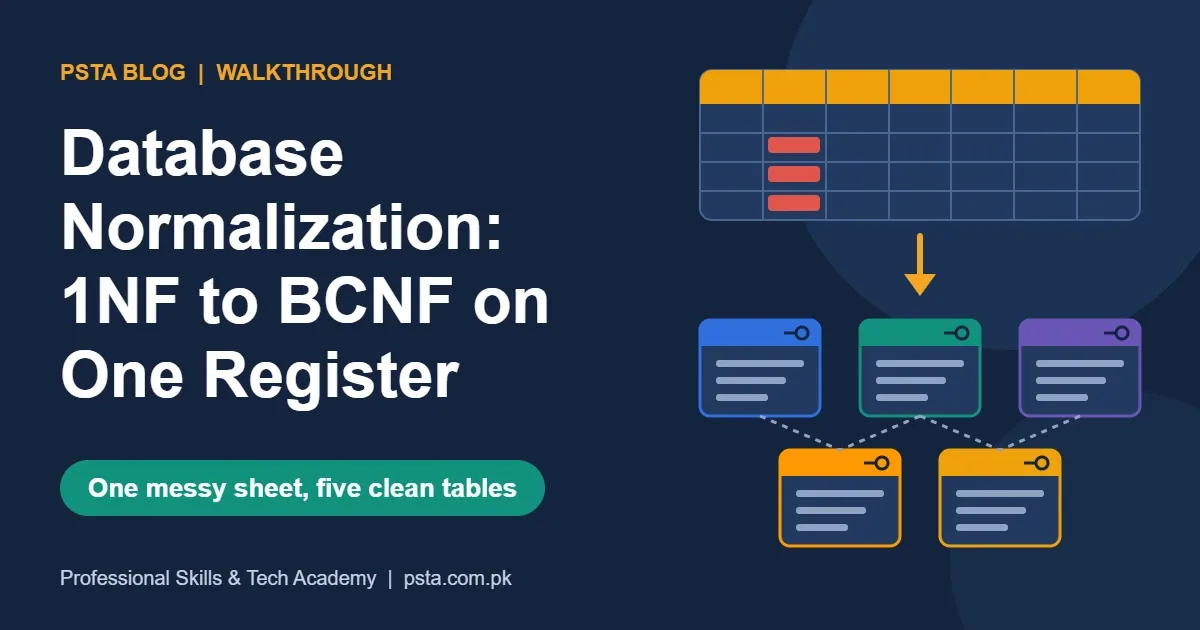
If you're still unsure how to split data into tables like these, our walkthrough on database normalization covers that design step in detail.
Step 2: Add and Change Fee Records With DML
DML commands work on rows, not on structure. These are the statements you'll run most often in a real job. Add two students and three payments:
INSERT INTO students VALUES (101, 'Ayesha Khan', 'Oracle');
INSERT INTO students VALUES (102, 'Bilal Shah', 'Python');

INSERT INTO fee_payments (student_id, amount, method) VALUES (101, 11000, 'Cash');
INSERT INTO fee_payments (student_id, amount, method) VALUES (102, 9000, 'Cash');
INSERT INTO fee_payments (student_id, amount, method) VALUES (101, 11000, 'Cash');
Now the accountant spots two mistakes. Bilal actually paid by bank transfer, and the third row is a duplicate entry. Fix both with UPDATE and DELETE:
UPDATE fee_payments SET method = 'Bank' WHERE student_id = 102;
DELETE FROM fee_payments WHERE payment_id = 3;
Always write the WHERE clause first, then the rest of the statement. An UPDATE or DELETE without WHERE touches every row in the table. The good news is that DML changes stay private to your session until you commit, so you still have a way back. When both fixes look right, run COMMIT; to save them. Step 4 explains exactly what that does.
Oracle also lists MERGE, CALL, LOCK TABLE and EXPLAIN PLAN as DML. You'll use MERGE later for "insert this row, or update it if it already exists" jobs, such as loading a monthly fee sheet.
Step 3: Ask the Data a Question With SELECT
The owner's second request was a total per student. That's a query, and queries use SELECT:
SELECT s.full_name, SUM(f.amount) AS total_paid
FROM students s
JOIN fee_payments f ON f.student_id = s.student_id
GROUP BY s.full_name
ORDER BY total_paid DESC;
Many courses give SELECT its own group, called DQL. Oracle doesn't. Its reference lists SELECT under DML and describes it as a limited form of DML, because it can read data but can't change what's stored. In an exam, write the answer your syllabus expects. In an interview, mentioning both views shows you've read beyond the slides.
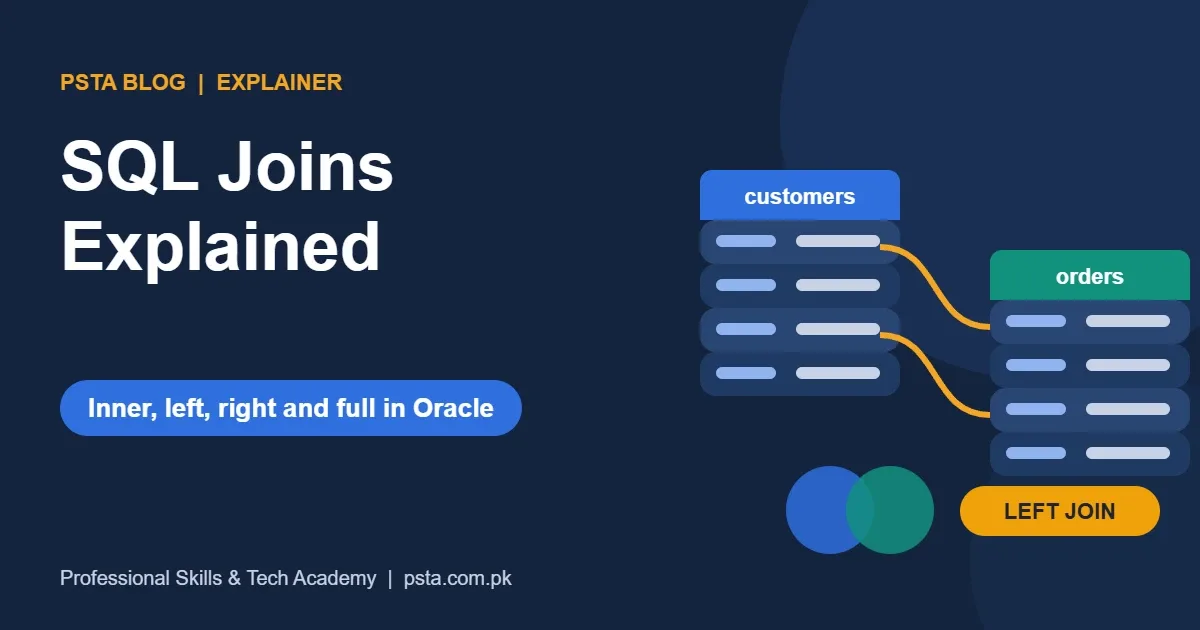
The query above uses an inner join. If joins still feel shaky, the SQL joins guide works through each type with Oracle examples.
Step 4: How Do COMMIT, ROLLBACK and SAVEPOINT Protect Your Work?
Transaction control decides when your DML changes become permanent, and using COMMIT and ROLLBACK in Oracle well starts with knowing where a transaction begins. According to Oracle's transactions chapter in the 19c Concepts guide, a transaction begins with the first executable SQL statement. It ends with a COMMIT, a ROLLBACK, a DDL statement or the end of the session.
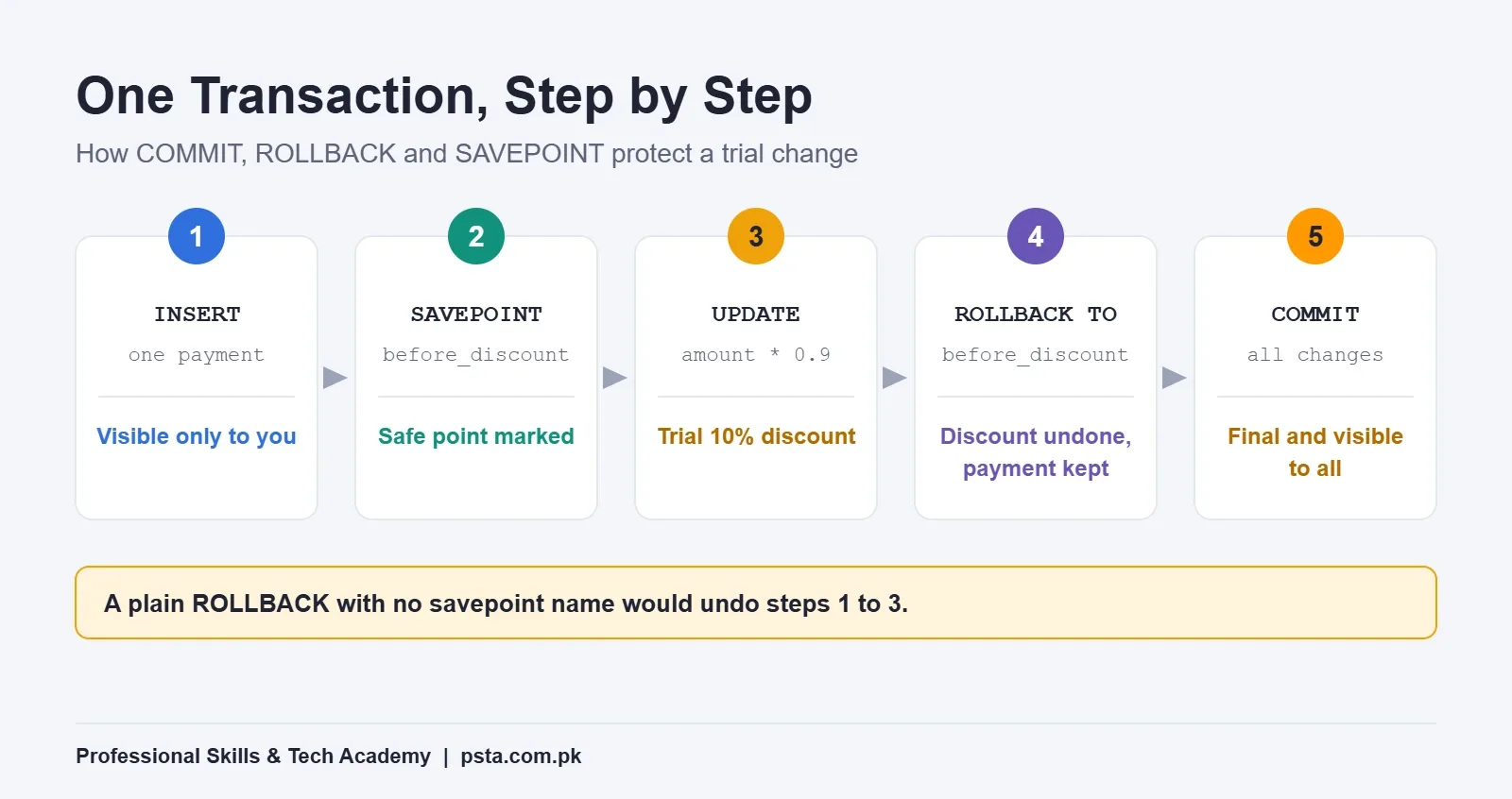
Suppose the owner wants to test a 10% sibling discount for one student, but she isn't sure yet. Here's how you'd try it safely:
- Record a new payment with INSERT. The change is visible to you, but not to anyone else.
- Mark a safe point with
SAVEPOINT before_discount; - Apply the trial discount:
UPDATE fee_payments SET amount = amount * 0.9 WHERE student_id = 102; - The owner says no. Run
ROLLBACK TO SAVEPOINT before_discount;and only the discount disappears. The new payment stays. - Run
COMMIT;to make the payment permanent and visible to other users.
Two details from Oracle's documentation are worth remembering. A plain ROLLBACK, with no savepoint name, undoes the whole transaction and erases every savepoint. And as the guide on committing transactions puts it, after a commit your changes are final and ROLLBACK can't touch them.
There's one more trap. If a client program crashes or disconnects abnormally, Oracle rolls back the open transaction. A normal exit from most tools commits it instead. Don't rely on either. Commit or roll back on purpose before you close anything.
Step 5: Give the Accountant Read-Only Access With GRANT and REVOKE
The third request was read-only access for the accountant. That's the job of GRANT and REVOKE, usually taught as DCL. Assume your DBA has already created a database user named ACCOUNTS_CLERK. You'd then run:
GRANT CREATE SESSION TO accounts_clerk;
GRANT SELECT ON fee_payments TO accounts_clerk;
CREATE SESSION is a system privilege. It lets the user log in. SELECT on one table is an object privilege. The clerk can now read payments but can't insert, update or delete them. When the contract ends, you take the access back:
REVOKE SELECT ON fee_payments FROM accounts_clerk;Oracle's GRANT reference also describes WITH GRANT OPTION, which lets the receiver pass an object privilege on to others. Avoid it for staff accounts unless there's a clear reason. The safest habit is to give each person only the privileges their work needs, and nothing more.
Why Can't You Roll Back a DROP or TRUNCATE?
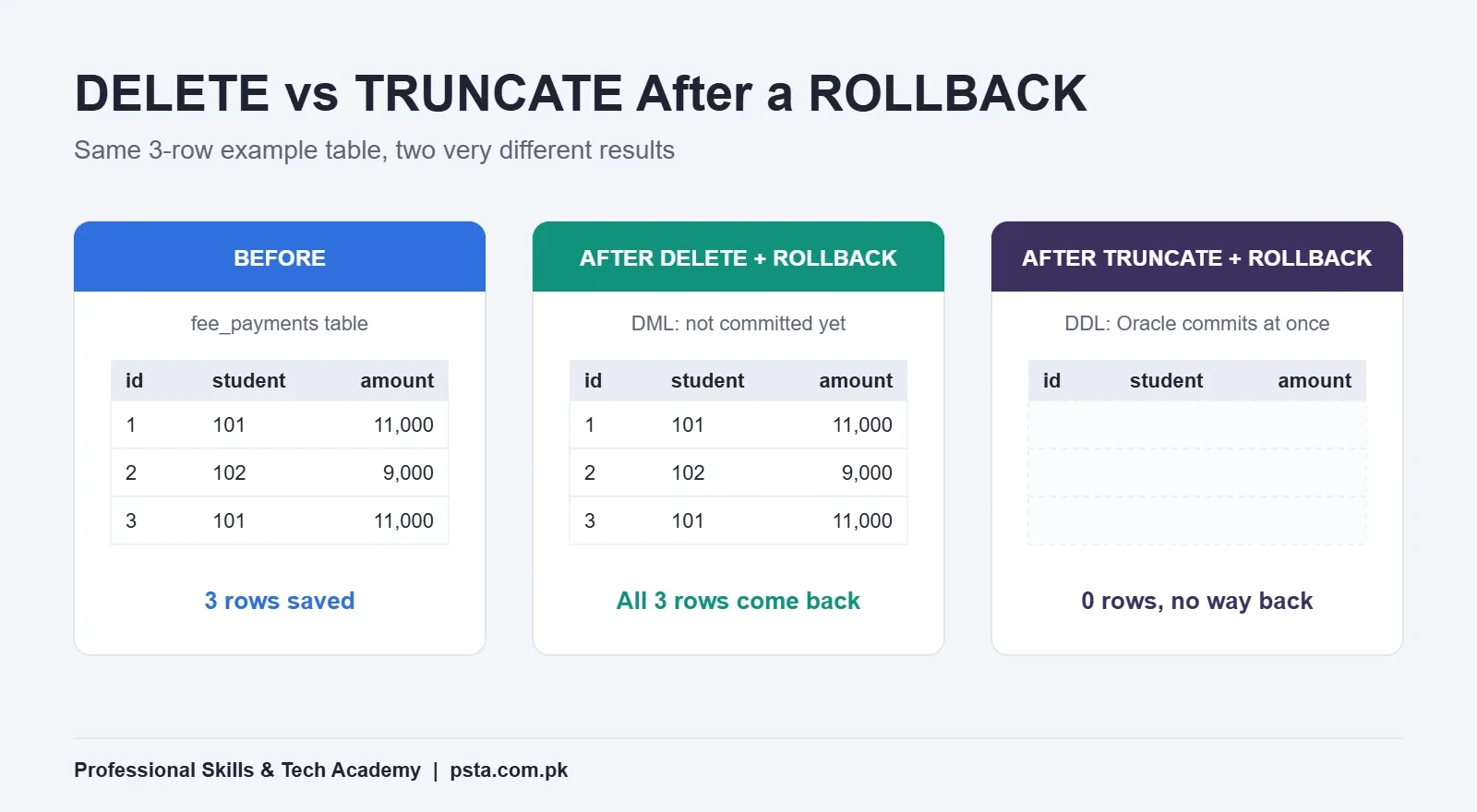
Both are DDL, so Oracle commits before and after them. Students often treat TRUNCATE as a faster DELETE. It can be faster, but it behaves very differently. Oracle's TRUNCATE TABLE reference says you can't roll it back, and you can't use FLASHBACK TABLE to recover the rows either.
| Command | Group | What disappears | Undo with ROLLBACK? |
|---|---|---|---|
| DELETE FROM fee_payments; | DML | All rows (or the rows in WHERE) | Yes, before COMMIT |
| TRUNCATE TABLE fee_payments; | DDL | All rows; the empty table stays | No |
| DROP TABLE fee_payments; | DDL | The table itself | No |
So here's the one-sentence rule for TRUNCATE vs DELETE: DELETE removes rows inside a transaction you can still cancel, while TRUNCATE empties the table and commits on the spot. On a live database, that difference can decide whether a slip costs you a minute or a full day of re-entering records.
Textbook Groups vs Oracle's Official Categories
When you open the Oracle documentation, you won't find DQL or DCL among its types of SQL commands at all. Oracle uses six categories. This table shows where each textbook command really lives:
| Oracle category | Examples | Textbook group |
|---|---|---|
| Data Definition Language | CREATE, ALTER, DROP, TRUNCATE, GRANT, REVOKE | DDL and DCL |
| Data Manipulation Language | INSERT, UPDATE, DELETE, MERGE, SELECT | DML and DQL |
| Transaction Control | COMMIT, ROLLBACK, SAVEPOINT, SET TRANSACTION | TCL |
| Session Control | ALTER SESSION, SET ROLE | Usually skipped |
| System Control | ALTER SYSTEM | Usually skipped |
| Embedded SQL | SQL inside programs written in C or COBOL | Usually skipped |
The practical takeaway is simple. Because Oracle files GRANT and REVOKE under DDL, they also commit any open transaction. Run a GRANT in the middle of unsaved fee entries and those entries are committed too.
Mistakes That Cost Students Marks and Data
- Calling TRUNCATE a DML command. Among Oracle's types of SQL commands, it's DDL.
- Running ALTER TABLE between INSERTs and expecting ROLLBACK to undo the inserts.
- Writing DELETE without WHERE while testing on a shared database.
- Forgetting COMMIT, then wondering why a colleague can't see your new rows.
- Granting ALL PRIVILEGES to a reporting user who only needs SELECT.
Where Can You Practice These Commands for Free?
You don't need a powerful laptop to start. Oracle FreeSQL runs SQL on a real Oracle database inside your browser, and you can run scripts without an account. A free account adds a personal schema and saved work, which is enough for every example in this guide.
When you're ready for a local install, Oracle AI Database 26ai Free costs nothing and runs on Windows x64 and Linux. Its caps are 2 CPU threads, 2 GB of database RAM and 12 GB of user data. A student practice schema won't come close to those limits. If your university lab or employer still works on 19c, our guide to installing Oracle 19c on Windows walks you through that version instead.
Practicing SQL Commands in PSTA's Oracle Course
The Oracle Database 19c Masterclass at PSTA is a 12-week, beginner-level course. Module 1 covers SELECT, sorting, single-row functions, grouping, joins, subqueries, data manipulation and DDL with schema objects, so you practice the main types of SQL commands in the very first module. Later modules move into PL/SQL, user administration with roles and profiles, RMAN backup and recovery, and performance tuning.
Classes run at the Abbottabad campus, live online, or as a hybrid of the two, with a fresh batch opening each month. The fee listed on the course page right now is Rs. 33,000. If you're comparing options, the full course list shows related programs, such as the Power BI course for students who want to turn SQL results into dashboards. When you're ready, the admission page explains the steps, or you can message us on WhatsApp at +92 314 5424399 with your questions first.
Once these command groups feel natural, the next step is learning where plain SQL stops and procedural code begins. The SQL vs PL/SQL comparison picks up from there, and the SQL interview questions for freshers help you test yourself.
Tonight's Exercise: Rebuild the Fee Desk From Memory
Close this page and open FreeSQL. Try to write the two CREATE TABLE statements, three INSERTs, one UPDATE, one SAVEPOINT with a ROLLBACK TO, and a final COMMIT without looking back. Then label each line with its group. If you can do that in 20 minutes, you understand the types of SQL commands better than most people who only memorized the list.
Frequently asked questions
Is SELECT a DML or a DQL command?
Most courses and exam papers call SELECT a DQL command, because it only reads data. Oracle's SQL Language Reference lists it under DML and describes it as a limited form of DML that can access data but not change what is stored. In an exam, use your syllabus label. In an interview, mention both views briefly.
Is TRUNCATE a DDL or DML command?
TRUNCATE is DDL in Oracle. It empties a table but keeps its structure, and Oracle commits before and after it like any other DDL statement. That's why you can't roll it back or bring the rows back with FLASHBACK TABLE. If you might need the rows again, use DELETE inside a transaction instead.
Why does Oracle treat GRANT and REVOKE as DDL?
Oracle's own list of statement types places GRANT and REVOKE under data definition language, alongside CREATE and ALTER. The textbook DCL label is still fine for exams. The practical effect is important, though: a GRANT or REVOKE commits any open transaction in your session, so save or cancel your pending changes first.
Does Oracle commit INSERT and UPDATE statements automatically?
No. Oracle doesn't implicitly commit DML statements. Your inserted or updated rows stay visible only to your session until you run COMMIT, and you can undo them with ROLLBACK before that. Some client tools offer an autocommit setting, so check your tool's options. A DDL statement in the same session will also commit them.
What happens to uncommitted changes if my connection drops?
According to Oracle's Concepts guide, an abnormal end of the client session rolls back the open transaction. A normal exit from most tools commits it instead, although this depends on the tool and its settings. The safe habit is to finish every piece of work with an explicit COMMIT or ROLLBACK before you disconnect.
Which type of SQL commands should a beginner learn first?
Start with SELECT, because reading data is most of what analysts and developers do. Then learn CREATE TABLE and INSERT so you can build practice data, followed by UPDATE and DELETE with WHERE clauses. Add COMMIT, ROLLBACK and SAVEPOINT next, and learn GRANT and REVOKE once you work on shared databases.
Are SQL command types the same in MySQL and SQL Server?
The five textbook groups are used to teach SQL on every major database, so the core idea carries over. The details differ by product, such as which statements commit automatically or how privileges are named. When you switch databases, read that product's official documentation on transactions before running DDL on real data.
Sources & references
- Oracle SQL Language Reference: Types of SQL Statements docs.oracle.com
- Oracle Database 19c Developer's Guide: About DDL Statements docs.oracle.com
- Oracle Database 19c Concepts: Transactions docs.oracle.com
- Oracle Database 19c Developer's Guide: Committing Transactions docs.oracle.com
- Oracle SQL Language Reference: TRUNCATE TABLE docs.oracle.com
- Oracle SQL Language Reference: GRANT docs.oracle.com
- Oracle FreeSQL oracle.com
- Stack Overflow Blog: The Results of the 2026 Developer Survey stackoverflow.blog
Last reviewed & updated on by Umar Qureshi. Written by the PSTA team in Abbottabad, Pakistan.

Umar Qureshi
Oracle Database 19c Masterclass: SQL, PL/SQL & Administration
Turn this guide into a career: hands-on training with real projects, online across Pakistan or on-campus in Abbottabad · 12 Weeks.
Comments
No comments yet — ask a question or share your experience.