Quick answer
The AI skills for jobs that employers value form a ladder: AI literacy, clear briefing, verification, AI inside your field's tools, data basics and simple automation. Spend about an hour a day for 90 days, finish one visible output each month, and prove your skills with measured results rather than a list of tool names.
Key takeaways
- • The WEF expects 39% of workers' core skills to change by 2030, with AI and big data the fastest-growing skill.
- • In a 2024 Microsoft and LinkedIn survey, 66% of leaders said they wouldn't hire someone without AI skills.
- • Learn six skills in order: literacy, briefing, verification, AI in your field, data basics and automation.
- • End each month with something you can show, such as tested requests, work samples or a working automation.
- • Prove skills with measured results, a case study and a live demo.
- • Free courses such as Elements of AI cover the first month at no cost.
Table of contents 19 sections
- Why Do Employers Now Ask for AI Skills?
- The Six AI Skills That Matter Most
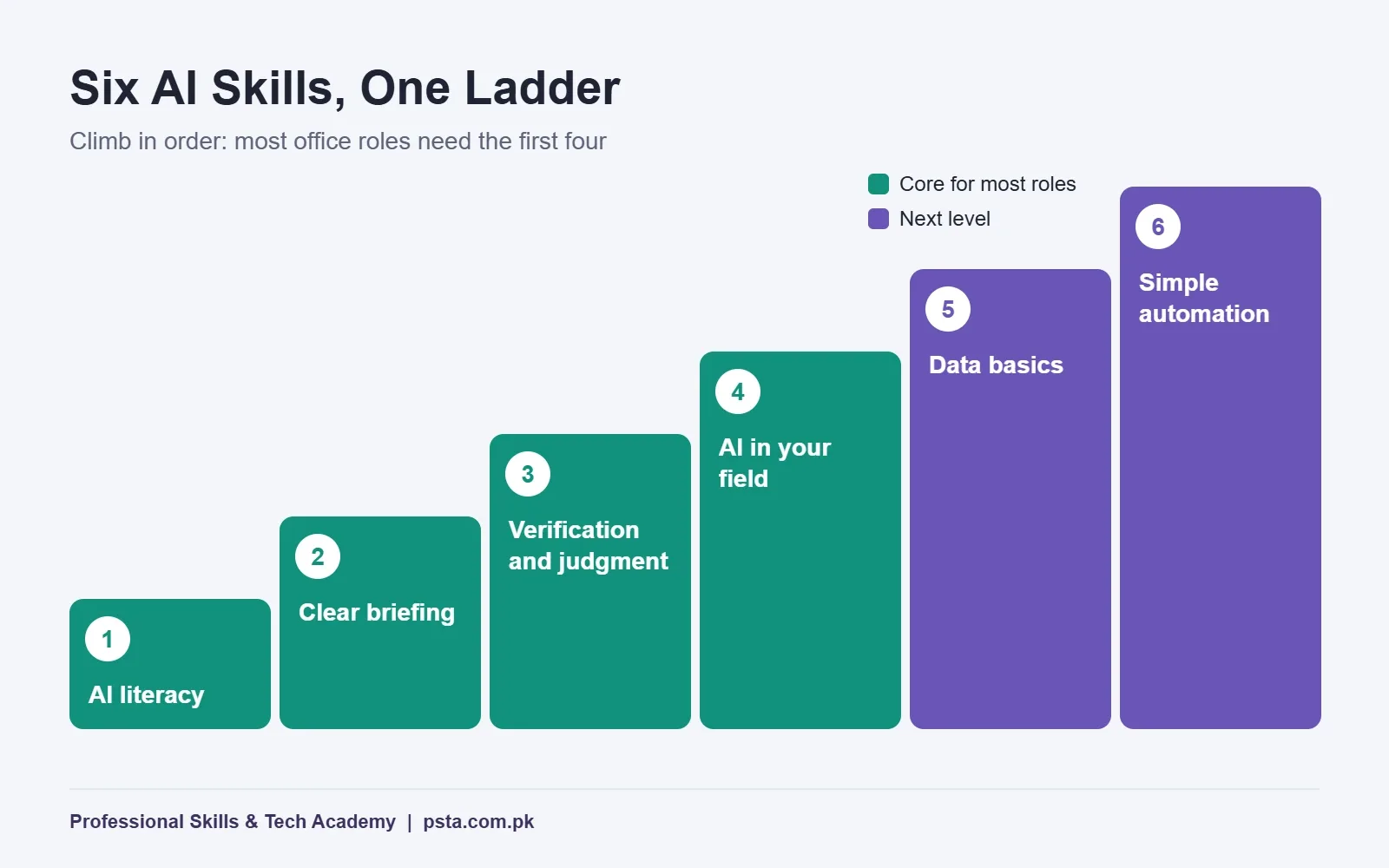
- 1. AI Literacy
- 2. Clear Briefing
- 3. Verification and Judgment
- 4. AI Inside Your Own Field
- 5. Data Basics
- 6. Simple Automation
- Your 90-Day AI Skills Roadmap
- Days 1–30: Build the Foundation
- Days 31–60: Apply AI to Your Own Work
- Days 61–90: Automate and Prove It
- Which AI Skills for Jobs Fit Your Field?
- How Do You Prove AI Skills to an Employer?
- Free Places to Start Learning
- What If You Have Less Than an Hour a Day?
- Mistakes That Waste Your 90 Days
- Where PSTA Fits in Your 90 Days
- Block Three Hours on Your Calendar This Week
Before you choose which AI skills for jobs to learn, take this one-minute self-test. Give yourself one point for each honest yes:
- Can you explain in two sentences why a chatbot sometimes invents facts?
- Have you written a request that produced a usable first draft without three rounds of fixes?
- Do you check AI output against a real source before you send it to anyone?
- Have you used an AI feature inside a tool you already use at work, such as Excel, Canva or Gmail?
- Have you built anything that runs on its own, like a form that fills a spreadsheet and sends a reply?
A score of 0 or 1 means you should start this roadmap on day 1. With 2 or 3, skim the first month and slow down in the second. A score of 4 or 5 means your gap is proof, not knowledge, so jump to the final month.
In this roadmap you'll find:
- Why employers in Pakistan and abroad now list AI skills in job ads
- The six skills that matter, from basic literacy to simple automation
- A 90-day plan with a clear output at the end of each month
- How to show these skills on a CV and in an interview
- Free places to start, and the mistakes that waste your time
Why Do Employers Now Ask for AI Skills?
The shift shows up in employer surveys. The World Economic Forum's skills outlook says employers expect 39% of workers' core skills to change by 2030. AI and big data top its list of fastest-growing skills, ahead of networks and cybersecurity and then technological literacy.
Hiring managers say the same thing more bluntly. In the 2024 Work Trend Index from Microsoft and LinkedIn, 66% of leaders said they wouldn't hire someone without AI skills. The same study found 75% of knowledge workers already use AI at work, yet only 39% of users had received AI training from their company.
That last gap is your opening. Most people are handling their own upskilling by trial and error. A structured plan puts you ahead of colleagues who only use a chatbot now and then.
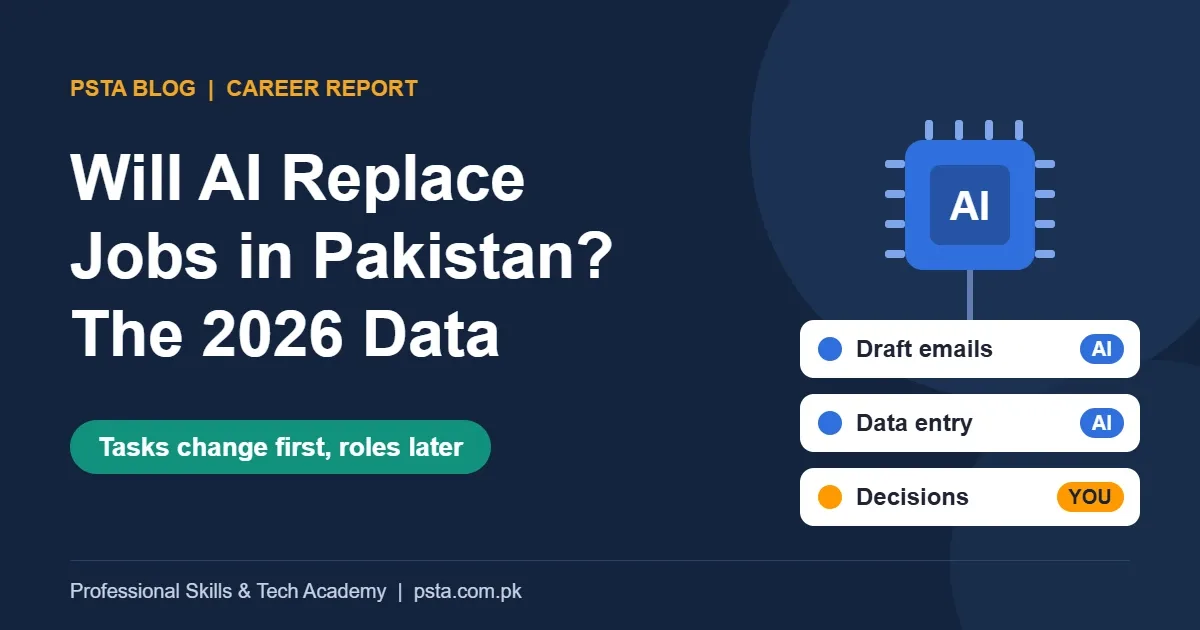
Pakistan's government is pushing in the same direction. According to The Express Tribune, the federal cabinet approved the National AI Policy 2025 on July 30, 2025. It aims to train 1 million AI professionals by 2030 and offer 3,000 scholarships a year. For a data-led look at the roles under most pressure, see the Will AI Replace Jobs report on our blog.
The Six AI Skills That Matter Most
"AI skills" can sound like one big subject. In practice, the AI skills for jobs that employers mean form a ladder of six. Each rung makes the next one easier, and most office roles need the first four.
1. AI Literacy
Know what these tools are good and bad at. Large language models predict likely text, so they can sound right while being wrong. Understanding that single fact changes how you use every tool.
2. Clear Briefing
Often called prompting, this is the skill of giving a tool the task, the audience, the format and an example. It is closer to writing a good instruction for a new colleague than to learning a secret code.
3. Verification and Judgment
Check names, numbers, dates and legal points against original sources. Decide what should never go into a tool, such as client records or CNIC numbers. Employers trust people who catch mistakes, not people who produce more of them faster.
4. AI Inside Your Own Field
An accountant needs AI in Excel and reporting. A marketer needs it for ad copy and audience research. A designer needs it for mockups and edits. This is where general skill turns into job value.
5. Data Basics
Clean a table, build a simple chart and read what it says. AI tools work better when you can hand them tidy data and question their summaries.
6. Simple Automation
Connect tools so routine work runs without you. A form entry can land in a sheet, an AI can sort it, and a reply can go out. No-code automation platforms like n8n, Make and Zapier make this possible without heavy programming.
Your 90-Day AI Skills Roadmap
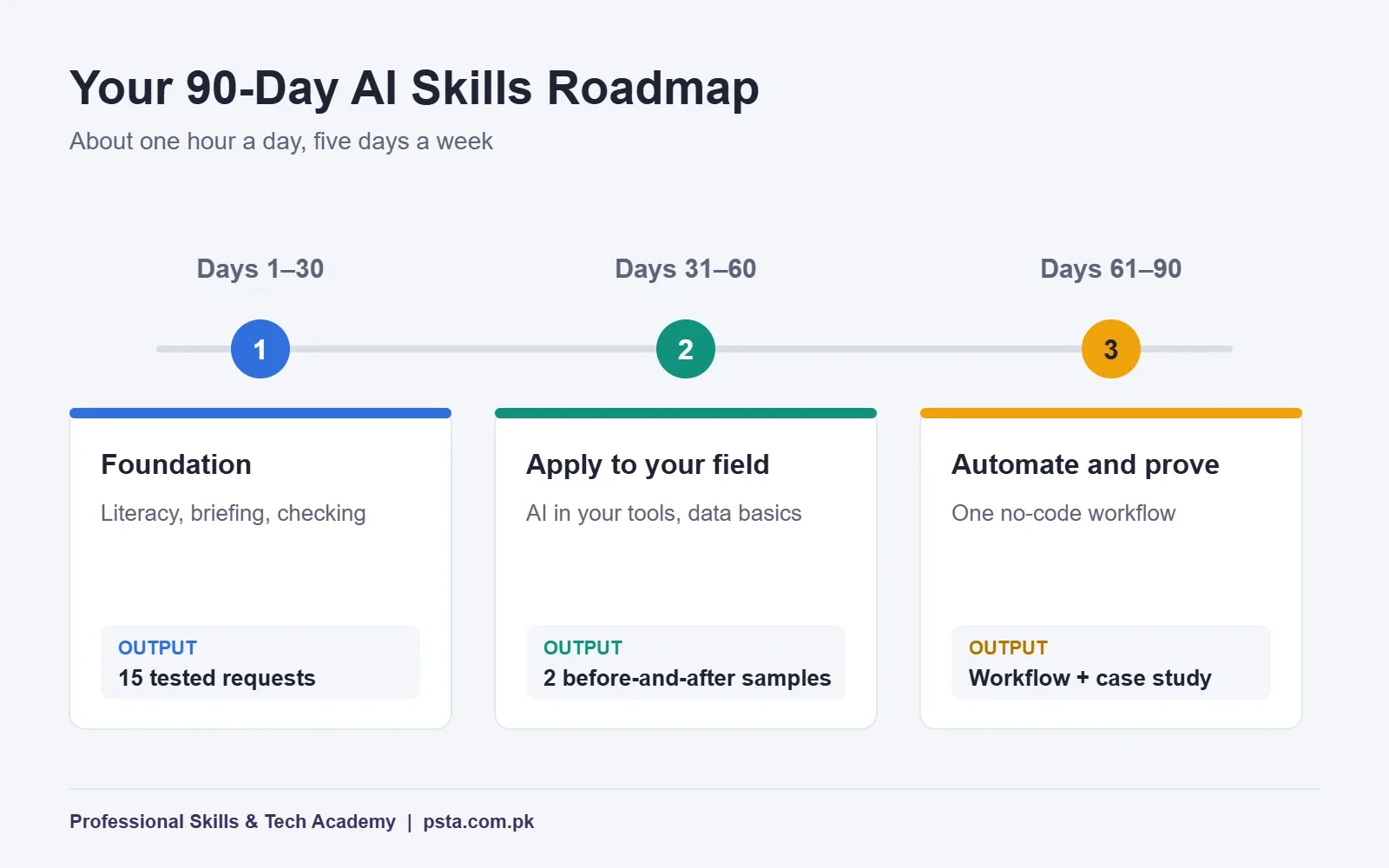
To learn AI skills alongside a job or degree, plan for about one hour a day, five days a week. Each month ends with something you can show, because a finished output is worth more than a pile of half-watched videos.
| Phase | Focus skills | Output by the end |
|---|---|---|
| Days 1–30 | Literacy, briefing, verification | A personal prompt library of 15 tested requests |
| Days 31–60 | AI in your field, data basics | Two before-and-after work samples |
| Days 61–90 | Simple automation, proof | One working automation and a one-page case study |
Days 1–30: Build the Foundation
- Week 1: Take a short beginner course on how AI works. Write a half-page summary in your own words.
- Week 2: Pick three tasks you repeat often. Write a detailed request for each and save the best versions.
- Week 3: Practice checking. Ask a chatbot five factual questions from your field and verify every answer against an official source. Note where it went wrong.
- Week 4: Grow your saved requests to 15. Add a line under each explaining when it works and when it fails.
If you need help choosing tools for this phase, our review of free AI tools and their limits compares the main assistants.
Days 31–60: Apply AI to Your Own Work
- Weeks 5 and 6: Learn the AI features in the main software of your field. For office roles, that means Excel and Word. For marketing, an ads platform and a design tool.
- Week 7: Learn basic data cleaning. Remove duplicates, fix date formats and build one chart from a messy sheet.
- Week 8: Produce two before-and-after samples. Record how long the task took by hand and with AI help, and what you had to correct.
Days 61–90: Automate and Prove It
- Weeks 9 and 10: Build one no-code workflow. A good first project is a contact form that saves leads to Google Sheets and drafts a reply.
- Week 11: Test it with real-looking data, then add error handling for blank fields and wrong formats.
- Week 12: Write a one-page case study covering the problem, your solution, the time saved and the limits you found. Retake the self-test at the top of this page and compare scores.
Which AI Skills for Jobs Fit Your Field?
The ladder stays the same, but rung four changes with your work. Use these pairings as a starting point.
- Accounts and admin: AI in Excel, invoice reading with OCR, and report summaries. Our Office Automation course covers the Office base this builds on.
- Data and reporting: dashboard building with AI-assisted questions. The Power BI course fits here.
- Marketing and sales: ad copy testing, audience research and lead follow-up workflows.
- Design and video: AI image editing, background removal and quick variations for client review.
- Customer support: chatbot answers for common questions, with clear handover rules to a person.
How Do You Prove AI Skills to an Employer?
Writing "ChatGPT" in the skills section of a CV says very little. Employers want to see what changed because you used AI. Before you apply, make sure you can tick every item on this checklist.
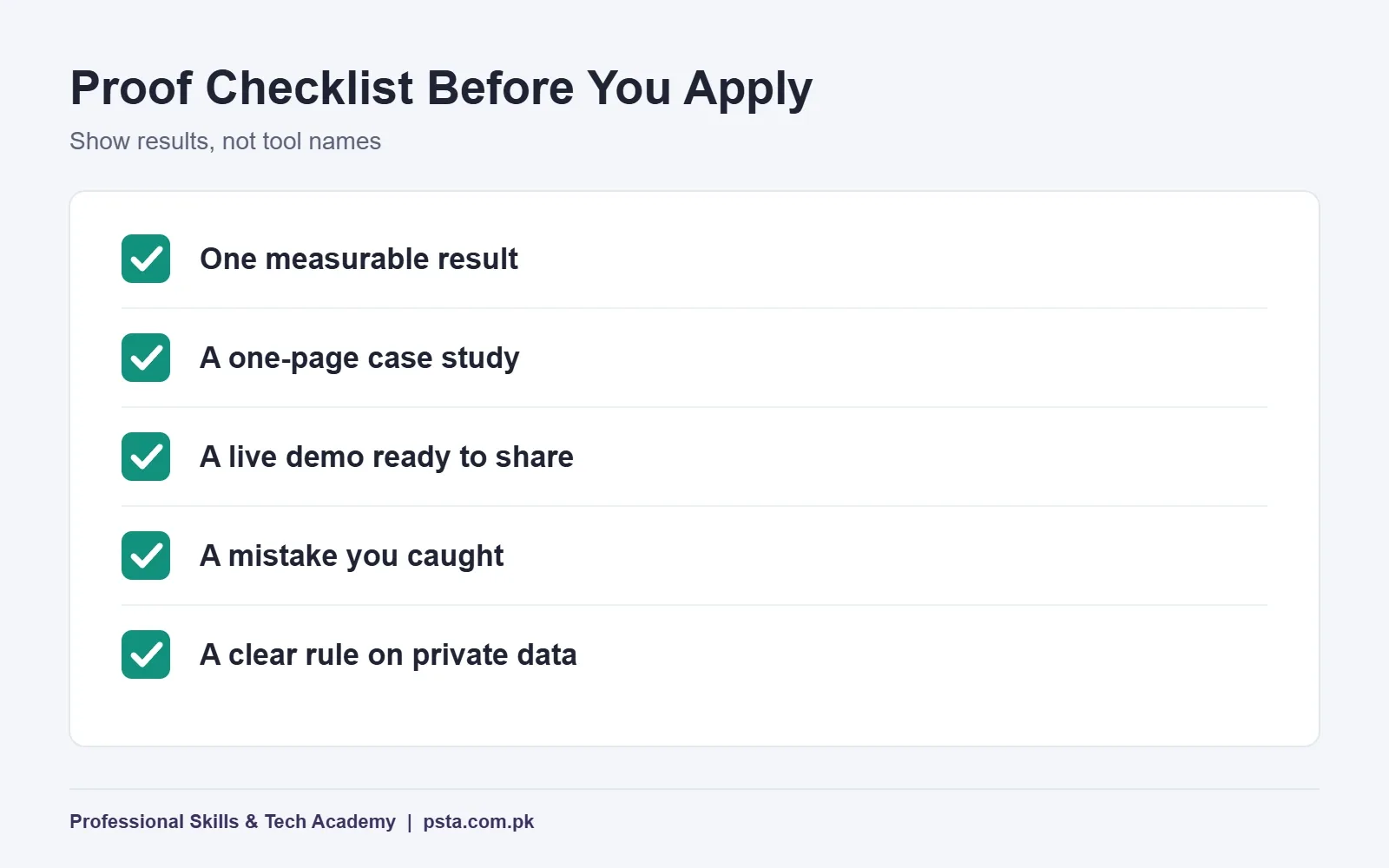
- One measurable result. A line such as "cut weekly report time from four hours to one" reads far stronger than a list of tool names.
- A short case study. One page with screenshots shows how you think, not just what you clicked.
- A live demo. Be ready to share your screen in an interview and run your workflow.
- A mistake you caught. Interviewers may ask about AI errors. A real example of a wrong answer you spotted proves judgment.
- A clear data rule. Explain what information you never put into an AI tool and why.
Free Places to Start Learning
You don't need to spend money in the first month of building AI skills for jobs. Elements of AI, created by MinnaLearn and the University of Helsinki, is a series of free online courses for non-experts that you can take at your own pace. Its site says more than 2 million students have signed up.
For wider digital skills, the government-backed DigiSkills.pk program offers 24 free online courses with a government-recognized e-certificate on completion. It runs under the Ministry of IT and Telecom and is executed by Virtual University. Check the current course list on its site, since the line-up changes between batches.
The ILO's 2025 brief on generative AI and jobs is also worth reading once. It explains in plain terms why most jobs are expected to change rather than disappear, which helps you decide where to focus.
What If You Have Less Than an Hour a Day?
Many learners work long shifts, commute or study full time. The roadmap still works at a slower pace, as long as you keep the outputs.
- Twenty minutes a day: stretch each month to two months. The full plan then takes about six months, which is fine.
- Weekends only: do two weeks of tasks across one Saturday and Sunday, and keep weekday time for a 10-minute check of one AI answer.
- Exam season or a busy month: pause new learning but keep using your saved requests at work, so the habit stays alive.
What matters is the order. Don't jump to automation before you can brief a tool clearly and check its answers, because every later skill depends on those two.
Mistakes That Waste Your 90 Days
- Collecting courses instead of finishing outputs. Three completed samples beat 20 saved playlists.
- Chasing every new tool. The skills on the ladder transfer between tools. Stick with two or three until month three.
- Skipping verification. One confident error in a client report can undo months of good work.
- Practicing on fake tasks only. Use real work from your job, studies or a family business, with private details removed.
- Learning alone with no feedback. Show your samples to a teacher, manager or classmate every two weeks.
Where PSTA Fits in Your 90 Days
Month three is where most self-learners get stuck, because automation is easier with someone checking your work. PSTA's AI Automation course covers that stage in a guided format. It runs for 8 weeks at beginner level and costs Rs. 22,000, down from a regular Rs. 28,000, with the option of 2 installments.
The syllabus moves from AI and machine learning basics to no-code platforms such as n8n, Make and Zapier, then on to OCR document reading, LLM chatbots, OpenAI API connections and a final agent project built around a problem from your own work. Study on campus in Abbottabad, join live online or combine both, with a fresh batch starting monthly.
For a week-by-week view of that course path, see our guide to learning AI automation in Pakistan. You can browse every program on the courses page and start your application from admission. For batch timings, a WhatsApp message to +92 314 5424399 is the quickest route. Our campus is on Old College Road in Mandian, Abbottabad, opposite FIMS College.
Block Three Hours on Your Calendar This Week
Open your calendar now and reserve three one-hour slots for the next seven days. In the first, finish week 1 of the roadmap. In the second and third, write and test your first three saved requests. Small, booked time is what turns a 90-day plan into AI skills for jobs you can actually show.
Frequently asked questions
What are the most important AI skills for jobs in 2026?
Start with AI literacy, clear briefing and verification, because every role uses them. Then add AI inside the main software of your field, basic data handling and simple no-code automation. The World Economic Forum lists AI and big data as the fastest-growing skill group, but employers judge you on how well you apply it to real work.
Can I learn AI skills in 90 days with no technical background?
Yes, if you study about an hour a day and focus on practical outputs. The first two months need no coding at all. The final month introduces no-code automation tools, which use visual blocks instead of programming. Progress depends on practice with real tasks from your work or studies, not on hours of videos.
How should I show AI skills on my CV?
Replace tool names with results. Write a line such as "cut weekly reporting time from four hours to one using AI-assisted Excel," and link a one-page case study. In interviews, offer to share your screen and run a small workflow. Mention one AI error you caught, since that shows judgment.
Are there free AI courses for people in Pakistan?
Yes. Elements of AI, from MinnaLearn and the University of Helsinki, is free and self-paced. DigiSkills.pk runs 24 free online courses with a government-recognized e-certificate, though you should check its current list for AI topics. Free courses suit the first month; guided practice helps most with automation.
Do I need to learn Python to get AI skills for jobs?
Not at the start. Most office, marketing and admin roles need literacy, briefing, verification and AI features inside existing tools. Python becomes useful when you want custom scripts or deeper data work. Many learners add it after finishing a no-code automation project, once they know what they want to build.
How many hours a week should I spend learning AI skills?
About five hours a week, spread as one hour on five days, is enough for the 90-day plan. If you only have 20 minutes a day, stretch each month to two. Keep the order of skills the same and finish each month's output before moving on.
Sources & references
- World Economic Forum: Future of Jobs Report 2025, Skills Outlook weforum.org
- Microsoft and LinkedIn: 2024 Work Trend Index news.microsoft.com
- The Express Tribune: Cabinet approves national AI policy tribune.com.pk
- Elements of AI: Free online courses elementsofai.com
- DigiSkills.pk: News and Events digiskills.pk
- ILO: Generative AI and Jobs, 2025 Update ilo.org
Last reviewed & updated on by Umar Qureshi. Written by the PSTA team in Abbottabad, Pakistan.

Umar Qureshi

AI Automation Course: Beginner to Pro (Dominate Workflows)
Turn this guide into a career: hands-on training with real projects, online across Pakistan or on-campus in Abbottabad · 8 Weeks.
Comments
No comments yet — ask a question or share your experience.