Quick answer
Free AI tools now cover most daily office and study tasks. Start with one chat assistant such as ChatGPT, Gemini or Claude, add Perplexity or Gemini Notebook for research, and use Canva or Grammarly for design and English checks. Every free plan has caps, so verify facts and keep a backup tool ready.
Key takeaways
- • The free plans of ChatGPT, Gemini and Claude include web search, file uploads and image or file creation, with usage caps.
- • Perplexity and Gemini Notebook are better for research because they show sources or stick to your files.
- • Canva's free plan allows up to 20 AI uses a month, and Grammarly's free plan includes 100 AI prompts.
- • Copilot inside Word and Excel needs a paid Microsoft 365 plan.
- • Never paste CNIC numbers, bank details or client data into a chat tool.
- • Pay for a plan only when free limits block real, paid work.
Table of contents 21 sections
- How These Tools Were Chosen
- Free AI Tools Compared at a Glance
- Chat Assistants: The Four You Will Use Most
- ChatGPT
- Gemini
- Claude
- Microsoft Copilot
- Which Free AI Tool Is Best for Research?
- Perplexity
- Gemini Notebook (Formerly NotebookLM)
- Design and Writing Helpers
- Canva
- Grammarly
- What Free Plans Don't Tell You
- Should You Pay for an AI Plan? A Five-Step Check
- How Should You Combine These Tools?
- A Starter Kit by Role
- Safe-Use Rules for Office and Client Data
- When Free Tools Stop Being Enough
- Learning to Build With AI at PSTA
- Try Two Tools on One Real Task Tomorrow
Many people assume free AI tools are toys and that real work only starts once you pay $20 a month. That belief costs students and small offices money they don't need to spend. The free plans of the major assistants now include web search, file uploads and image generation, and several design and research tools give you enough monthly use to finish real tasks.
The catch is that every free plan has limits, and those limits are rarely shown on the home page. This review pulls them from each company's own pricing or help page, so you know what you get before you build a habit around a tool.
Here's what you'll find below:
- A comparison table of eight tools, with free limits and upgrade prices
- Which chat assistant suits which kind of office work
- Two research tools that show their sources
- Design and writing helpers with monthly AI allowances
- Safe-use rules for client and personal data
How These Tools Were Chosen
No single list of the best AI tools suits everyone, so three tests decided this one. First, the free plan must be useful on its own, not just a short trial. Second, the company must publish its limits on an official page, so the numbers here can be checked. Third, each tool must handle a task that shows up in Pakistani offices, classrooms or freelance work, such as drafting emails, summarizing PDFs, making social posts or checking English.
Coding assistants are left out on purpose. If you write code, the AI coding tools for students post on our blog handles that topic.
Free AI Tools Compared at a Glance
Prices below are in US dollars as listed by each company. Some services charge a local price in certain countries, so check the checkout page before you pay.
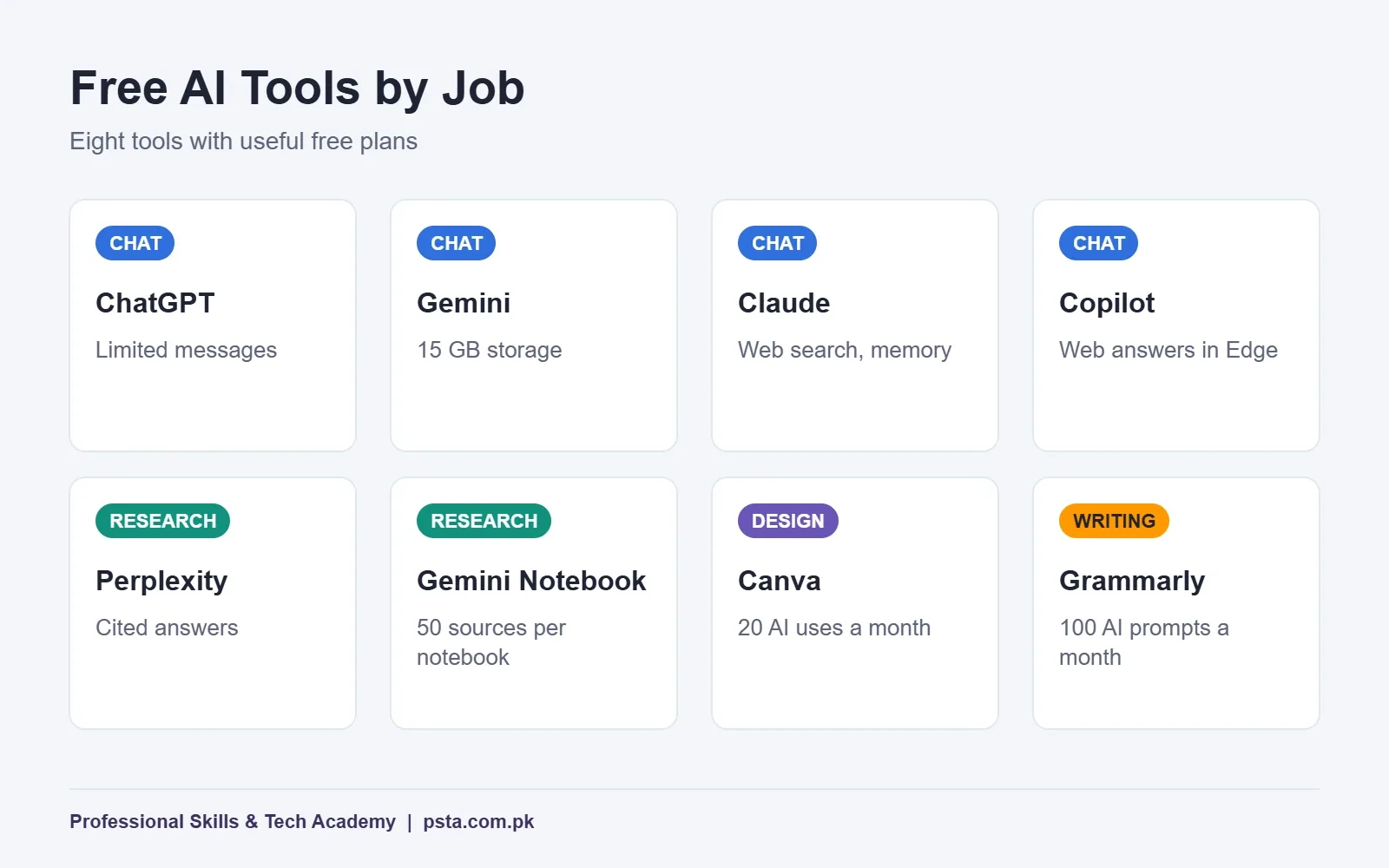
| Tool | Best for | Free plan in brief | Paid upgrade |
|---|---|---|---|
| ChatGPT | Drafting, explaining, quick analysis | Limited messages, uploads and image generation | Plus at $20 a month |
| Gemini | Google Drive and Gmail users | Flash-Lite model, Deep Research, 15 GB storage | AI Plus $4.99, AI Pro $19.99 |
| Claude | Long documents and careful writing | Web search, file creation, memory | Pro $20 monthly or $17 yearly |
| Microsoft Copilot | Quick web answers in Edge | Chat and web answers; images when signed in | Microsoft 365 plans for Word and Excel |
| Perplexity | Research with citations | Cited answers, limited usage | Pro $17 a month, billed yearly |
| Gemini Notebook | Studying your own files | 100 notebooks, 50 sources each | Higher limits with Google AI plans |
| Canva | Social posts, flyers, slides | Up to 20 AI uses a month | Pro with 200 premium AI uses |
| Grammarly | Checking English before you send | Grammar checks, 100 AI prompts a month | Pro listed at $12 |
Chat Assistants: The Four You Will Use Most
A chat assistant is the general-purpose tool. You type a request, attach a file if needed, and get a draft, summary or explanation. All four below have free plans worth trying before you pay for anything.
Whichever assistant you choose, a clear request saves editing time. Name the task, the reader and the format in one go. For example: "Write a polite three-line WhatsApp reply to a customer asking whether we deliver to Mardan. Use simple English." Compare that with typing "reply to customer," and you'll see why the first draft improves so much. Short, specific requests also use fewer of your free messages.
ChatGPT
According to the ChatGPT pricing page, the free plan gives limited access to GPT-5.5 Instant, limited messages and uploads, and slower image generation. Deep research and memory are also limited. For many users that is enough for daily email drafts and quick explanations. A lower-cost Go plan sits between Free and ChatGPT Plus, which OpenAI prices at $20 a month.
Gemini
Google's Gemini plans page lists a free tier with the Flash-Lite model, image generation and editing, Deep Research, Gemini Live and Gems. It also bundles 15 GB of storage across Gmail, Drive and Photos. If your office already runs on Google accounts, Gemini fits in with the least effort. US prices for the paid tiers are $4.99 for AI Plus and $19.99 for AI Pro.
Claude
The Claude pricing page shows a free plan with chat on web, desktop and mobile, plus web search, file creation, code execution and memory across conversations. It handles long reports and policy documents well, which makes it useful for summarizing tender papers or HR manuals. Pro costs $20 when billed monthly, or $17 a month on a yearly plan.
Microsoft Copilot
Microsoft's free Copilot covers chat, web-based answers and page summaries inside the Edge browser. Signing in with a personal Microsoft account adds chat history, image creation, longer conversations and voice. The part many office workers want, Copilot inside Word and Excel, requires a paid Microsoft 365 plan, so don't expect it in the free app.
Which Free AI Tool Is Best for Research?
Chat assistants can state wrong facts in a confident tone. For research, use a tool that shows where each claim came from, then open those sources yourself.
Perplexity
Perplexity's pricing page describes its free plan as search with citations in every answer, using basic models and limited usage. It works well for questions like current visa rules or new tax announcements, where you need the original link. Pro is listed at $17 a month on yearly billing.
Gemini Notebook (Formerly NotebookLM)
This tool answers questions using only the files you upload. Google's plan help page lists free limits of 100 notebooks per user and 50 sources per notebook. Upload your course notes, a client's brochure or a set of policy PDFs, and ask questions in plain English. Because it sticks to your sources, it is a strong pick among AI research tools and one of the safer AI tools for students preparing for exams.
Design and Writing Helpers
Canva
Canva's AI usage help page says free users get up to 20 uses a month of its standard or premium AI tools. The allowance resets on the first of each month. Pro raises premium AI use to 200 a month. For a shop that posts on Instagram a few times a week, the free allowance covers background removal, quick resizes and caption ideas.
Grammarly
The Grammarly plans page lists a free tier with spelling and grammar checks, tone visibility and 100 AI prompts a month. Full-sentence rewrites, plagiarism checks and AI-text detection need Pro, listed at $12. For job seekers writing English emails and cover letters, the free checks alone catch many common slips.
What Free Plans Don't Tell You
Free access is real, but it comes with trade-offs worth knowing before a deadline.
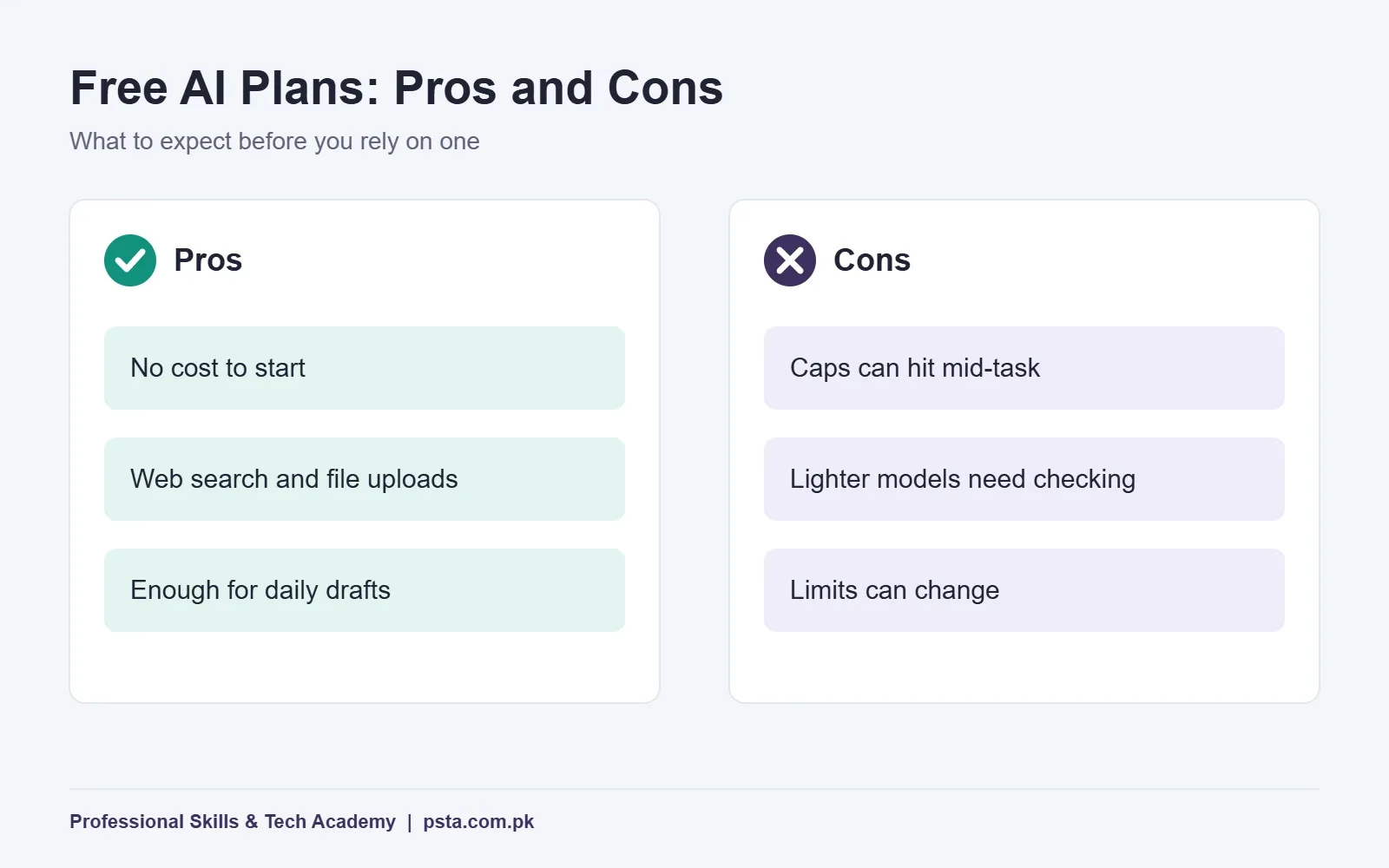
- Limits arrive mid-task. Message caps and monthly allowances can run out halfway through a report. Keep a second tool ready.
- Models differ. Free tiers often use lighter models. Check facts and figures more carefully than you would with a senior colleague's draft.
- Limits change. Google's notebook help page, for one, says its limits are subject to change. Recheck every few months.
- Privacy settings vary. Read each tool's data and privacy settings before you upload any work file.
Should You Pay for an AI Plan? A Five-Step Check
Upgrading makes sense only when a free limit blocks real work. Run this check before you spend dollars on a subscription.
- Count the blocks. Note each time a free limit stopped you in the last two weeks. One or two stops is not a reason to pay.
- Try a second free tool first. When ChatGPT hits a cap, Gemini or Claude can often finish the same draft.
- Price the time saved. If a paid plan saves you several hours of client work each month, the fee may pay for itself. If it saves a few minutes, stay on the free plan.
- Look at the cheaper tiers. Gemini's AI Plus at $4.99 and ChatGPT Go both cost less than the $20 plans and may be enough.
- Control renewals. International subscriptions renew on their own. Set a phone reminder a few days before each renewal date.
For most students, free AI tools are enough for coursework. Freelancers who bill clients for output are more likely to outgrow them, because each hour saved turns straight into income.
How Should You Combine These Tools?
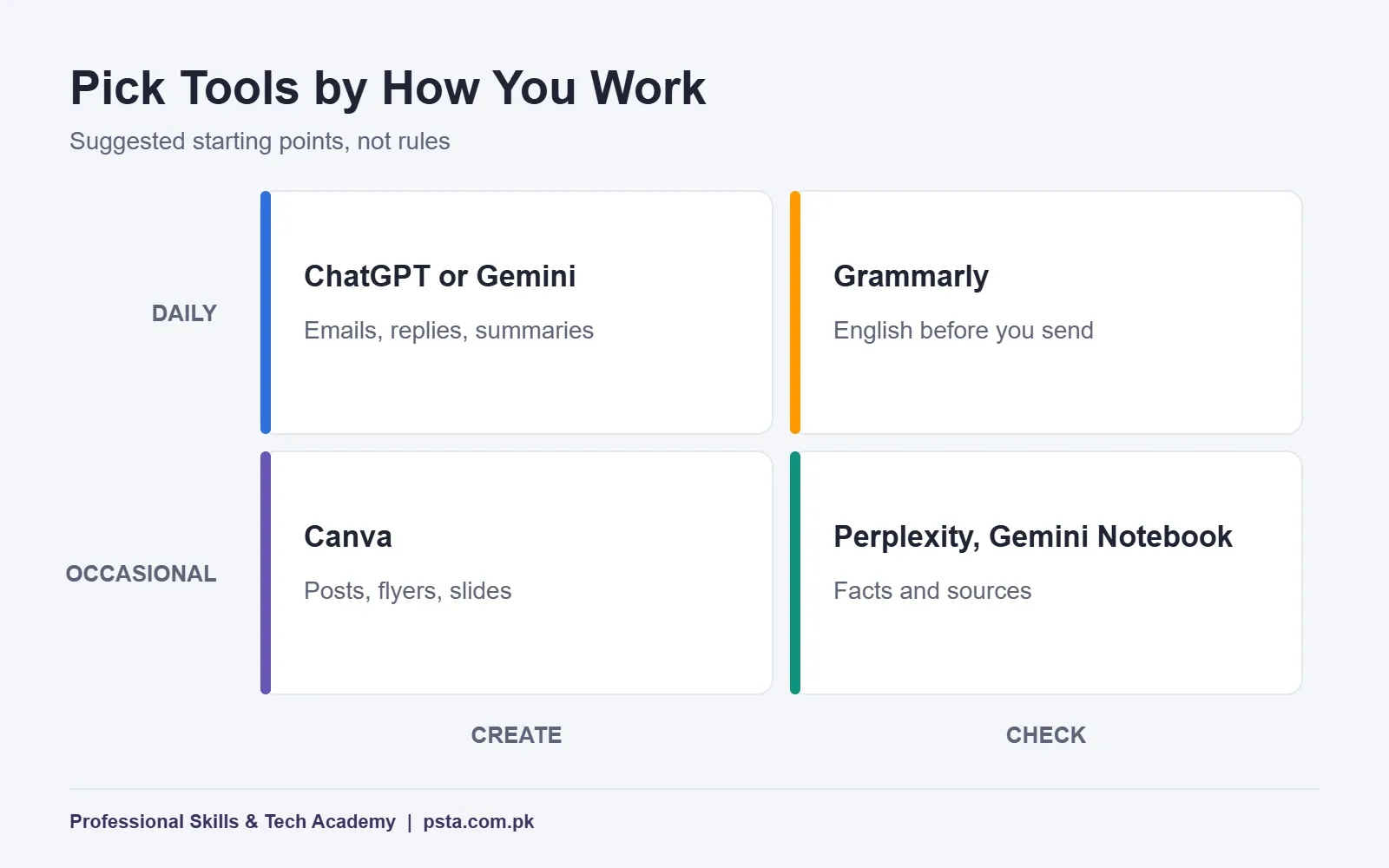
You don't need all eight free AI tools. Most people do well with one chat assistant, one research tool and one helper for design or writing. Use the grid below to pick a starting set based on what your work asks for most.
A Starter Kit by Role
- Office assistant: Copilot or Gemini for drafts, Grammarly for final checks
- University student: Gemini Notebook for course files, Perplexity for cited reading
- Shop owner: Canva for posts, ChatGPT for product descriptions and replies
- Freelancer: Claude for long client briefs, Grammarly for proposals
Safe-Use Rules for Office and Client Data
AI tools for office work are only helpful if they don't create a new risk. Follow these five rules from day one.
- Never paste CNIC numbers, bank details or passwords into any chat tool.
- Remove client names and phone numbers from documents before you upload them.
- Check every number, date and legal claim against the original source.
- Ask your manager whether company files may be uploaded at all.
- Keep the final decision with a person, especially for refunds, hiring and anything legal.
These habits matter more than which tool you choose. They also make you the trusted person on your team when AI questions come up, a theme we explore in our report on whether AI will replace jobs in Pakistan.
When Free Tools Stop Being Enough
Free tools save minutes on single tasks. The bigger gains come when tasks run on their own: a form entry lands in a sheet, an AI drafts the reply, and a WhatsApp message goes out without anyone copying and pasting. That is automation, and it uses platforms like n8n, Make and Zapier. Our comparison of those three platforms explains how they differ.
Learning to Build With AI at PSTA
PSTA's AI Automation course takes you from using these assistants to connecting them into workflows. It is an 8-week beginner program, and no coding background is required. The current fee is Rs. 22,000 against a regular Rs. 28,000, and you can pay in 2 installments.
Course projects include an automated lead follow-up, an OCR invoice scanner, a WhatsApp support bot and a final multi-step AI agent, built with n8n, Make, Zapier and the OpenAI API. Classes run on campus in Abbottabad, live online or in a hybrid mix, and a new batch opens every month.
If design is your main interest, the Graphic Designing course covers AI tools alongside Photoshop and Illustrator. Office staff can start with the Office Automation course. Every program is listed on the courses page, and enrollment steps are on the admission page. To ask about batch slots, message us on WhatsApp: +92 314 5424399. Campus learners will find us in Mandian, near FIMS College on Old College Road.
Try Two Tools on One Real Task Tomorrow
Pick a task you have to do anyway, such as a weekly report or a reply to a supplier. Run it through two free AI tools from the table and compare the drafts side by side. Note which one needed fewer fixes. After a week of this, you will know which tool deserves your time, and whether any of them is worth paying for.
Frequently asked questions
Which free AI tool should a student in Pakistan start with?
Start with one general assistant, such as Gemini if you already use Google Drive, or ChatGPT if you want quick explanations. Add Gemini Notebook for your course files, since it answers only from what you upload. That pair covers notes, revision and assignments. Always write the final answer in your own words and follow your institution's rules on AI use.
Is the free version of ChatGPT enough for daily office work?
For most people, yes. The free plan offers limited access to GPT-5.5 Instant, plus limited uploads, image generation and deep research. That covers emails, summaries and short reports. If you hit the message cap often during paid work, compare the cheaper Go plan with Plus, which OpenAI lists at $20 a month.
Can I use Copilot inside Word and Excel for free?
No. The free Microsoft Copilot app gives chat, web answers and page summaries in Edge. Copilot inside Word, Excel, PowerPoint and Outlook needs a paid Microsoft 365 plan such as Personal, Family or Premium. You can still paste text from Word into the free app and copy the answer back.
Is it safe to upload office documents to free AI tools?
Only after you remove sensitive details. Strip names, phone numbers, CNIC numbers and bank details first, and ask your manager whether company files may be shared with outside tools at all. Read each tool's privacy settings before uploading. For confidential material, keep the work offline or use a tool your company has approved.
Should I use Perplexity or ChatGPT for research?
Use Perplexity when you need sources, because every answer includes citations you can open and check. Use ChatGPT or another assistant to explain, summarize or draft once you have trusted material. A good habit is to research in Perplexity, verify the original pages yourself, and then write with a chat assistant.
Will these free plans stay free?
Free plans have existed for years, but their limits change. Google's help page for Gemini Notebook, for example, says its limits are subject to change, and Canva describes its AI allowance as an estimate. Check each tool's pricing page every few months so a new cap doesn't surprise you before a deadline.
Sources & references
- ChatGPT: Plans and Pricing chatgpt.com
- OpenAI Help Center: What is ChatGPT Plus? help.openai.com
- Google: Gemini subscriptions gemini.google
- Claude: Plans and pricing claude.com
- Perplexity: Pricing perplexity.ai
- Gemini Notebook Help: Learn about plans support.google.com
- Canva Help Center: Understanding your AI usage canva.com
- Grammarly: Prices and plans grammarly.com
Last reviewed & updated on by Umar Qureshi. Written by the PSTA team in Abbottabad, Pakistan.

Umar Qureshi

AI Automation Course: Beginner to Pro (Dominate Workflows)
Turn this guide into a career: hands-on training with real projects, online across Pakistan or on-campus in Abbottabad · 8 Weeks.

Comments
No comments yet — ask a question or share your experience.