
Quick answer
Start keyword research with the words your customers already use, then expand them with Google suggestions. Check demand in Keyword Planner with Pakistan selected, compare timing in Google Trends and label each phrase by intent. Study the results page before writing, give each keyword one page and track it in Search Console.
Key takeaways
- • Collect 15 to 25 seed words from real customer chats, including Roman Urdu phrases.
- • Set Keyword Planner's location to Pakistan or your city before reading any numbers.
- • Google Trends shows relative interest from 0 to 100, not search counts.
- • Label every phrase by intent so it lands on the right type of page.
- • Check the live results page to judge whether a new site can compete.
- • Give each main keyword one page and review Search Console every month.
Table of contents 13 sections
- What Is Keyword Research, and Why Does It Matter in Pakistan?
- Keyword Research for Beginners: The Seven Steps
- Step 1: Collect Seed Words From Real Customers
- Step 2: Expand the List With Google's Own Suggestions
- Step 3: Check Demand in Google Keyword Planner
- Step 4: Compare Seasons and Cities in Google Trends
- Step 5: Sort Every Keyword by Search Intent
- Step 6: Can a New Site Compete? Check the Results Page
- Step 7: Give Each Keyword One Page and Track It
- How Many Keywords Should One Page Target?
- Free Tools That Cover Your First Year
- Practice on Live Projects in PSTA's Digital Marketing Course
- Start a Ten-Row Keyword Sheet
Which keywords should a brand-new website go after first? Keyword research for beginners starts with that question, and the answer is rarely the phrase with the biggest number in a tool. A new site wins by choosing specific phrases that a real customer types just before they call, visit or buy, then giving each phrase one well-made page.
This guide walks you through the whole process with free tools and examples from Pakistani businesses. By the end, you will be able to:
- Build a seed list from the words your customers already use, in English, Urdu and Roman Urdu
- Check demand for Pakistan in Google Keyword Planner and Google Trends
- Sort phrases by search intent so each one lands on the right type of page
- Judge whether a new site can realistically rank before you spend a week writing
- Track results in Search Console and adjust after the first three months
What Is Keyword Research, and Why Does It Matter in Pakistan?
Keyword research is the work of finding the exact words people type into a search box and measuring how often they search. It also means deciding which of those searches your site can serve best. It sits at the start of SEO, blog planning and Google Ads, because every page and every ad needs a clear search to answer. That is why it comes first in almost any plan for SEO for beginners.
In Pakistan, that search box is almost always Google. StatCounter's September 2026 figures give Google 95.1% of the country's search engine market across desktop and mobile, with Bing at 3.75%. The audience is also large: DataReportal's Digital 2026 Pakistan report counts 117 million internet users at the end of 2025, or 45.6% of the population.
So the practical question for a shop, a tutor or a freelancer is simple. Out of the searches those users make every day, which ones match what you sell?
Keyword Research for Beginners: The Seven Steps
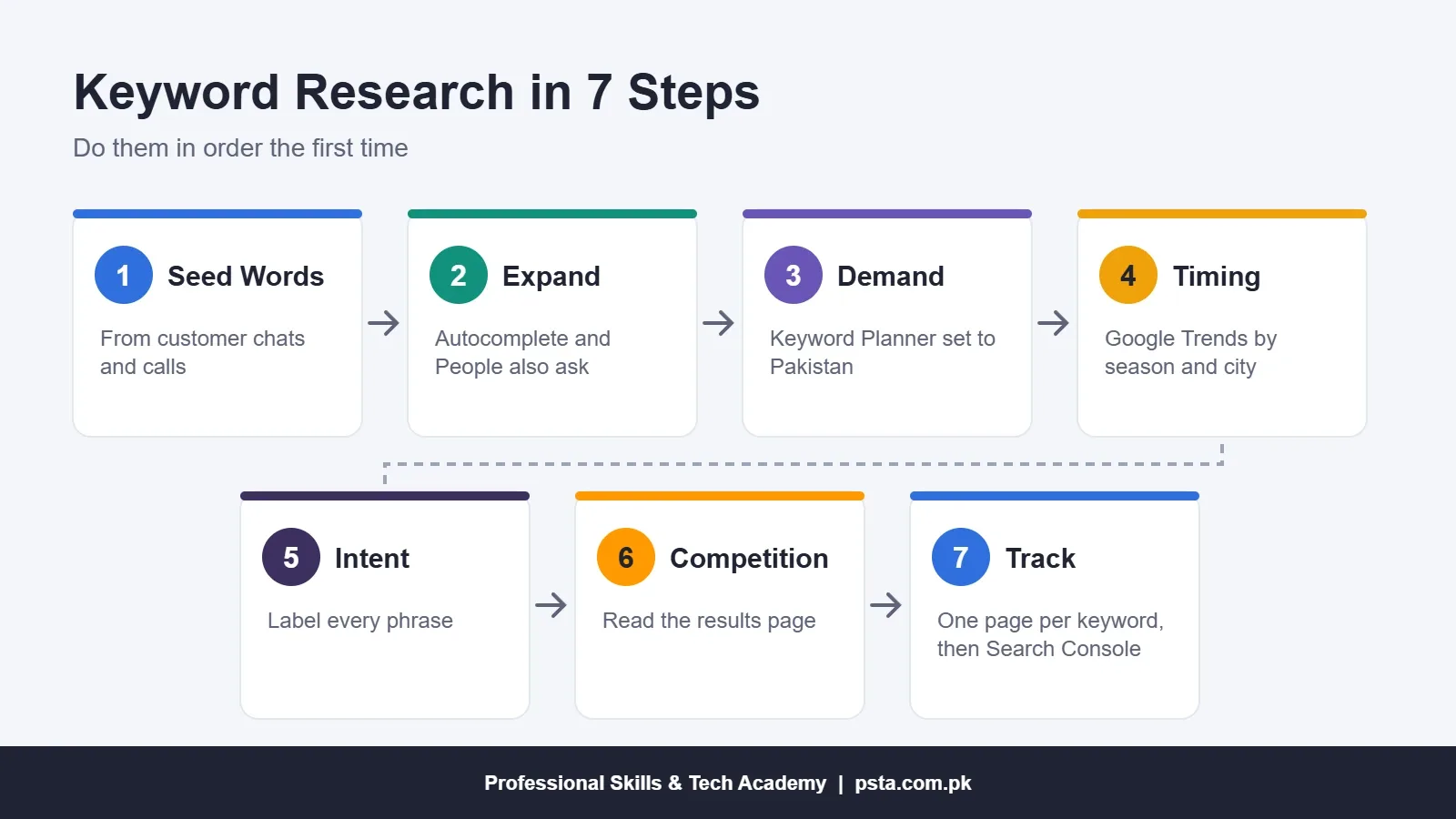
The method below works for a local business site, a blog or a client project. Each step feeds the next, so do them in order the first time. Later, you will repeat steps 2 to 7 whenever you plan a new page.
- Collect seed words from real customers.
- Expand the list with Google's own suggestions.
- Check demand in Google Keyword Planner.
- Compare seasons and cities in Google Trends.
- Sort every phrase by search intent.
- Look at the results page to judge competition.
- Give each keyword one page, then track it in Search Console.
Step 1: Collect Seed Words From Real Customers
Seed words are the short starting phrases you expand later. The best ones come from people, not tools. Open your WhatsApp Business chats, your Facebook page inbox and your phone call notes. Write down the words customers use when they first ask about your product.
Google's SEO Starter Guide makes the same point: experts and newcomers often describe one thing with different words, so write in your readers' vocabulary. A dentist may say "dental implant", while a patient in Peshawar searches "fixed teeth price".
Collect three kinds of seed words:
- English phrases such as "AC repair service" or "school uniform shop".
- Roman Urdu phrases such as "AC ki service" or "bachon ke kapray online", which many Pakistani users type on mobile.
- Urdu script phrases, if your customers write in Urdu on social media.
Aim for 15 to 25 seeds. Add your city and nearby areas where location matters, because "tailor in Abbottabad" and "tailor near me" behave very differently from "tailor". Many problems in keyword research for beginners start right here, with seeds copied from a tool instead of from a customer.
Step 2: Expand the List With Google's Own Suggestions
Next, turn each seed into a longer list. You can do much of this without any paid tool by reading what Google itself shows you.
- Type a seed into Google slowly and note the autocomplete suggestions.
- Add letters after the seed ("AC repair a", "AC repair b") to reveal more suggestions.
- Open the results page and copy the questions in the "People also ask" box.
- Scroll to the bottom and note the related searches.
- Repeat on YouTube if video is part of your plan.
Use a private browser window so your own history does not shape the suggestions. Paste everything into a spreadsheet with one phrase per row. Do not judge the phrases yet. At this stage, a long, messy list is a good sign.
Step 3: Check Demand in Google Keyword Planner
Keyword Planner is free inside Google Ads. According to Google's Keyword Planner help page, you open it from the Tools menu. You need to finish account setup, including billing information, before you can use it. You do not have to run a campaign.
The tool gives you two starting points:
- Discover new keywords: enter phrases or a website and get related ideas.
- Get search volume and forecasts: paste or upload the list you built in Step 2.
Before reading any numbers, change the location to Pakistan, or to your province or city. The default location may not match your market, and that single setting changes the whole picture. Then use the filters and the "Refine keywords" panel to remove brands and topics you do not serve.
Expect ranges rather than exact figures if your account does not spend on ads. Search Engine Land reported in 2016 that low-spending accounts see buckets such as 1K to 10K. That is still useful. You are comparing phrases with each other, not predicting traffic to the last visitor.
Step 4: Compare Seasons and Cities in Google Trends
Keyword Planner tells you roughly how many people search. Google Trends tells you when and where interest rises. The two tools answer different questions, so use both.
Read Trends carefully. Google News Initiative's Trends lesson explains that the data is scaled from 0 to 100, where 100 is the peak of the period you chose. A score of 50 means half as popular as that peak. It is not a count of searches.
Google's Trends guide for site owners adds three habits worth copying:
- Compare up to five terms at once and check the region card to see where each is strongest.
- Look at "Rising" related queries for newer searches that may face less competition.
- Use a long time range to spot seasonal peaks, then publish before the peak arrives.
For a Pakistani business, seasonality is often obvious once you look. Searches for uniforms, school bags and admissions follow the academic calendar. Searches for air conditioners and solar panels follow the heat. A page published a few weeks before demand rises has time to be crawled and settle in the results.
Step 5: Sort Every Keyword by Search Intent
Search intent is the reason behind a search. Two phrases can share most of their words and still need completely different pages. Add an "intent" column to your sheet and label every row with one of the four types below.
| Intent | What the Searcher Wants | Example From a Pakistani Business | Best Page Type |
|---|---|---|---|
| Informational | To learn or understand something | how to clean a split AC filter | Blog post or how-to guide |
| Commercial | To compare options before buying | inverter AC vs non-inverter AC | Comparison or buying guide |
| Transactional | To buy, book or order now | AC repair service Rawalpindi | Service or product page |
| Navigational | To reach a known brand or place | [brand name] contact number | Home, contact or branch page |
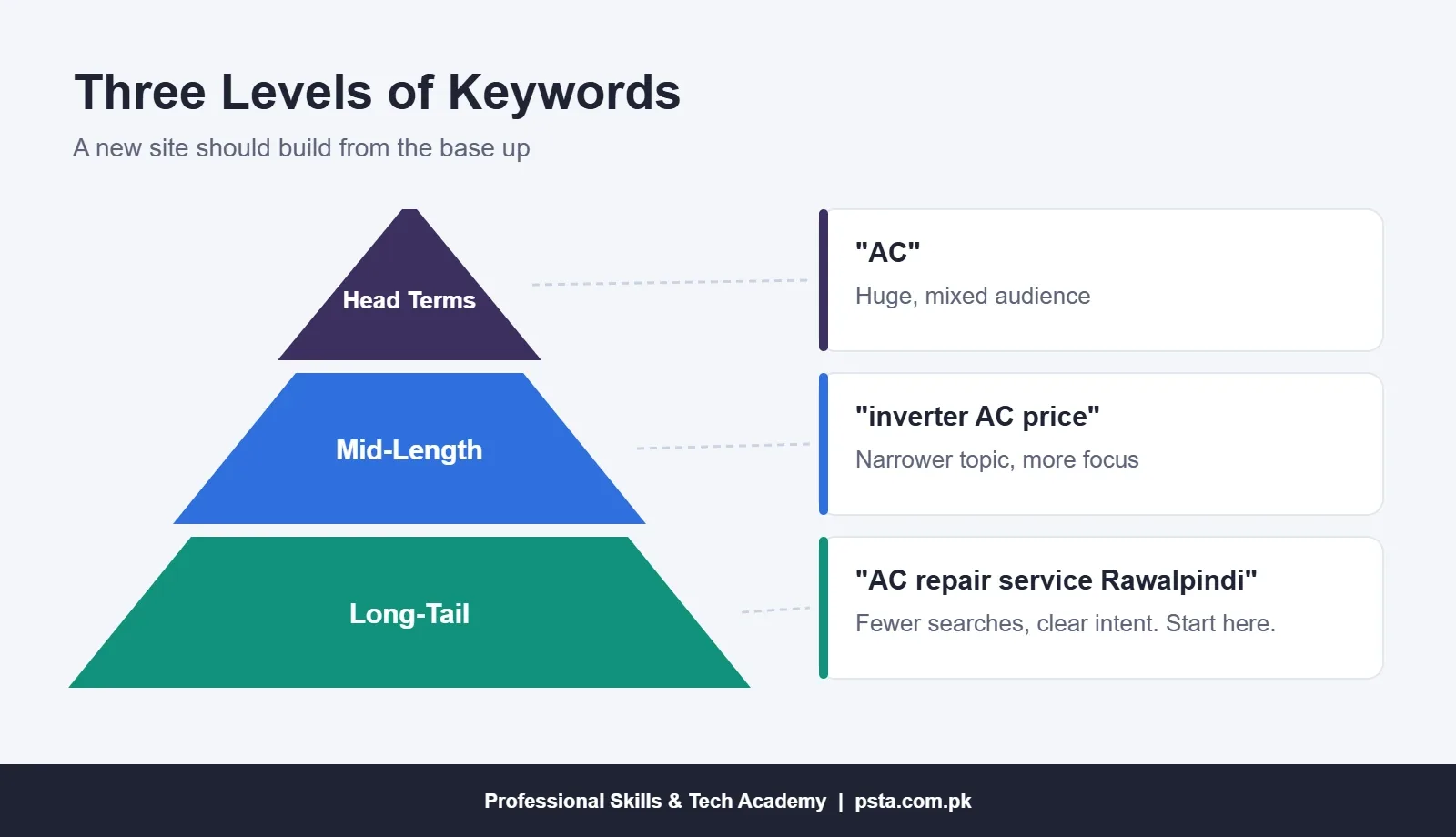
Then group phrases by length and specificity. Short phrases such as "AC" attract huge, mixed audiences. Mid-length phrases narrow the topic. Long-tail keywords, the long and specific phrases, bring fewer visitors, but those visitors know what they want. For a new site, the long phrases at the base are where results come first.
Step 6: Can a New Site Compete? Check the Results Page
Paid tools give a "difficulty" score. You can make a sound judgment without one by searching the phrase yourself and studying the first page of results. Ask these questions:
- Who ranks? If the top ten are national newspapers, Daraz listings and government sites, a new blog will struggle.
- Do the results match the intent you labeled? If Google shows shops and you planned a blog post, change the page type or pick another phrase.
- Are the top pages weak? Thin answers, outdated prices or pages written for another country are openings for you.
- Is there a map pack? If yes, your Google Business Profile matters as much as your website. Our Google Business Profile walkthrough covers that setup.
This manual check is the most underrated habit in keyword research for beginners. Mark each phrase as "go", "later" or "skip". Be strict. Twenty "go" phrases you can actually win are worth more than 200 you cannot.
Step 7: Give Each Keyword One Page and Track It
Now build a simple keyword map. Each row holds one main phrase, two or three close variations, the intent, the page type and the URL. One main phrase per page stops your own pages from competing with each other.
After publishing, track performance in Google Search Console. The Performance report shows clicks, impressions, click-through rate and average position, and its default view covers the past three months. The Queries tab lists the actual searches that showed your pages.
Check it monthly. When a page gets impressions for a phrase you did not plan, that is new research handed to you for free. Add a section answering that phrase, or plan a separate page if the intent is different.
How Many Keywords Should One Page Target?
Target one main phrase and let close variations follow naturally. Google's starter guide says its systems can connect a page to related searches without every exact wording, and that repeating terms excessively breaks its spam policies. The same guide confirms that Google Search does not use the keywords meta tag, so filling that field is wasted effort.
Free Tools That Cover Your First Year
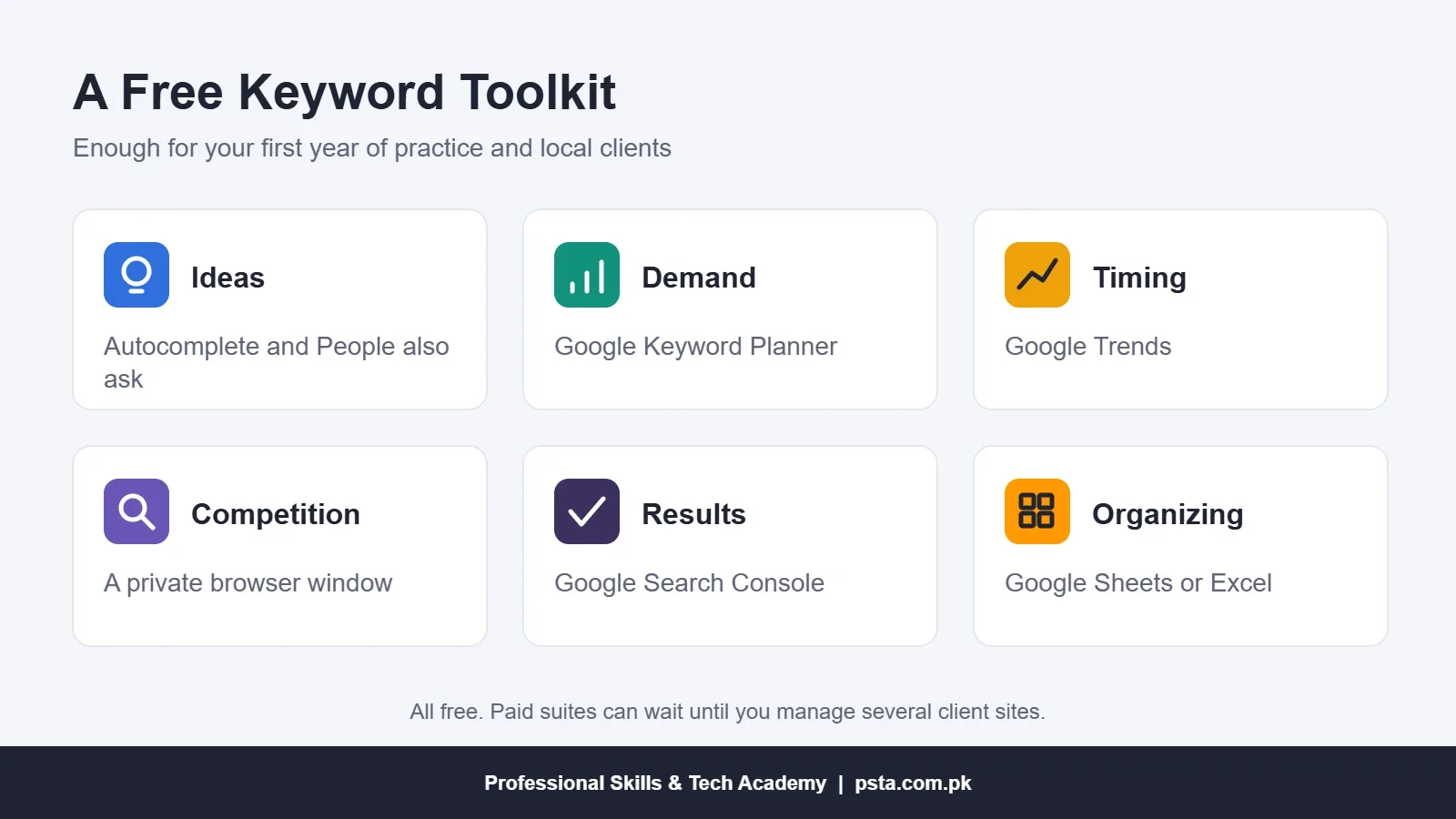
You do not need a paid subscription to learn keyword research or to serve your first local clients. This free set covers each step:
| Task | Free Tool | What It Gives You |
|---|---|---|
| Ideas | Google autocomplete and "People also ask" | Real phrases and questions |
| Demand | Google Keyword Planner | Monthly search ranges by location |
| Timing | Google Trends | Seasonal and regional interest from 0 to 100 |
| Competition | A private browser window | A clean look at who ranks now |
| Results | Google Search Console | Clicks, impressions and queries for your own site |
| Organizing | Google Sheets or Excel | Your keyword map in one place |
Every tool in this table costs nothing, which keeps keyword research for beginners within reach of students in any city. Paid suites become worth it once you manage several client sites and need competitor data at scale. Until then, the habit of checking intent and results pages matters more than any score.
Practice on Live Projects in PSTA's Digital Marketing Course
Reading the steps is the easy part. Choosing between two promising phrases, or explaining your choice to a client, takes practice with feedback. PSTA's Advanced Digital Marketing Course gives SEO its own module, from keyword research to on-page, technical and off-page work, plus local SEO and Google Business Profile.
- Length: 12 weeks, with a new batch every month.
- Fee: Rs. 30,000 (regular Rs. 35,000), payable in two installments.
- Where: on our Abbottabad campus at Mandian, Old College Road, opposite FIMS College, live online from any city, or a mix of both.
- Project: a WordPress or Wix business website with on-page SEO applied to its main pages, which becomes part of your portfolio.
The same course covers Google Search campaigns and match types, so you see how one keyword list serves both SEO and ads. If you prefer to build sites in depth, the WordPress course pairs well with it, and our Meta Ads and social media course covers the paid social side. Students without client work yet can follow our portfolio roadmap to turn practice projects into proof.
Browse all programs on the courses page, or check batch timings on WhatsApp at +92 314 5424399 before you apply through admission.
Start a Ten-Row Keyword Sheet
Pick one business you know well, perhaps your family's shop or a friend's service. Write ten phrases its customers would type, check them in Keyword Planner with the location set to Pakistan, and label each with its intent. Search the three most promising ones in a private window. By the end of that hour, you will have done real keyword research and found at least one page worth writing.
Frequently asked questions
Is Google Keyword Planner free to use in Pakistan?
Yes. Keyword Planner sits inside Google Ads and costs nothing to open. Google's help page says you must finish account setup, including billing details, before using it, but you do not have to run a campaign. Accounts that spend little on ads usually see search volume as ranges, which is still enough to compare phrases.
Should I research keywords in Roman Urdu or English?
Research both. Many Pakistani users type Roman Urdu on their phones, while others search in English or Urdu script. Start with the exact words customers use in your WhatsApp and Facebook chats. Then check each version in Keyword Planner and look at the results page, since the best language depends on your product and city.
How long does it take to rank for a new keyword?
There is no fixed timeline. A specific long-tail phrase with weak competition can start showing impressions within weeks of being indexed, while broad phrases may take many months or never move for a new site. Track impressions in Search Console rather than checking rankings by hand every day.
What is the difference between search volume and Google Trends data?
Search volume in Keyword Planner estimates how many searches a phrase gets each month. Google Trends shows relative interest on a scale from 0 to 100, where 100 is the busiest point in the period you chose. Use Keyword Planner for size and Trends for timing and regional differences.
How many keywords should one blog post target?
Choose one main keyword and two or three close variations. Write naturally and let Google connect the page to related searches. Repeating the same phrase many times reads badly and goes against Google's spam policies. If two phrases need different answers, give each its own page.
Do I need paid SEO tools to learn keyword research?
No. Google autocomplete, Keyword Planner, Google Trends, Search Console and a spreadsheet cover the full process for practice sites and small local clients. Paid tools add competitor data and difficulty scores, which become useful once you manage several client websites.
Can keyword research help with Google Ads too?
Yes. The same list feeds both SEO and paid search. Transactional phrases often become ad keywords, while informational phrases usually suit blog posts. Keyword Planner also shows estimated costs, so you can see which phrases are expensive to buy and might be better targeted with content.
Sources & references
- Google Search Central: SEO Starter Guide developers.google.com
- Google Ads Help: Use Keyword Planner support.google.com
- Google Search Central: Get Started With Google Trends developers.google.com
- Google News Initiative: Google Trends, Understanding the Data newsinitiative.withgoogle.com
- Search Console Help: Performance Report support.google.com
- StatCounter: Search Engine Market Share Pakistan gs.statcounter.com
- DataReportal: Digital 2026 Pakistan datareportal.com
- Search Engine Land: Keyword Planner Data for Low-Spending Accounts searchengineland.com
Last reviewed & updated on by Umar Qureshi. Written by the PSTA team in Abbottabad, Pakistan.

Umar Qureshi

Advanced Digital Marketing Course in Pakistan and Abbottabad
Turn this guide into a career: hands-on training with real projects, online across Pakistan or on-campus in Abbottabad · 12 Weeks.


Comments
No comments yet — ask a question or share your experience.