Quick answer
For most beginners, the best typing software for PC is TypingClub, which is free and teaches touch typing from the home row. Use keybr to fix slow keys, Monkeytype to test speed, and Rapid Typing Tutor on lab PCs. TypingMaster 12 is the paid option, with lifetime licences from $19.90.
Key takeaways
- • TypingClub says it is free for individuals and schools, and runs fully in the browser.
- • keybr builds each lesson around your weakest keys and adds letters as your speed improves.
- • Monkeytype is a speed test, not a teacher, so use it after you can touch type.
- • Rapid Typing Tutor is freeware that installs on Windows and can run across a lab network.
- • TypingMaster 12 gives one week of free use; lifetime licences cost $19.90 or $29.90.
Table of contents 17 sections
- What Should Typing Software for PC Do for You?
- The 7 Typing Tutors at a Glance
- Typing Software for PC: 7 Tools Reviewed
- 1. TypingClub: Best Structured Free Course
- 2. Typing.com: Best for Classes
- 3. Ratatype: Best for a Free Certificate
- 4. keybr: Best for Fixing Weak Keys
- 5. Monkeytype: Best for Testing Your Speed
- 6. Rapid Typing Tutor: Best Free Desktop Program
- 7. TypingMaster 12: Best Paid Option
- Which Typing Tutor Should You Pick?
- Is Paying for TypingMaster Worth It?
- How Do You Get Results From Any Typing Tutor?
- What About Urdu Typing Practice?
- Mistakes That Waste Your Practice Time
- Prefer a Teacher? PSTA's 30-Day Typing Course
- Start With 20 Minutes on One Tool
Try this before you install any typing software for PC. Open a one-minute typing test, type until the timer stops, and answer three questions:
- Did you look down at the keyboard more than twice?
- Did you use fewer than eight fingers?
- Was your accuracy below 95%?
A yes to any of these means you need a tutor that teaches technique, not another speed test. Three no answers mean your hands already work, and you need a tool that pushes speed and fixes weak keys. That one-minute check decides which of the seven tools below is right for you.
This review covers:
- Five free web tools and two installed programs, with what each one costs
- Which tool suits a total beginner and which suits a test candidate
- Options for a computer lab or a PC with unreliable internet
- Whether paying for TypingMaster is worth it
- How to use any tutor so the practice actually sticks
What Should Typing Software for PC Do for You?
A typing tutor has one job: build the habit of touch typing, where your fingers find keys without your eyes. Speed comes later, as a side effect of accuracy. When you compare tools, check four things:
- Structured lessons. Does it start at the home row and add keys in a set order?
- Error tracking. Does it show which keys you miss most and give you more practice on them?
- Cost and limits. Is it free, free with ads, a trial, or a one-time licence?
- Where it runs. Is it a website, or a program you install on Windows?
Also check how the tool reports progress. A good tutor shows accuracy next to speed, because a fast score full of errors means little in a real job test. Prefer tools that let you see results per key or per lesson, not just one big number at the end.
Games and badges are nice extras. They keep children interested, but adults usually progress faster with plain drills and honest statistics.
The 7 Typing Tutors at a Glance
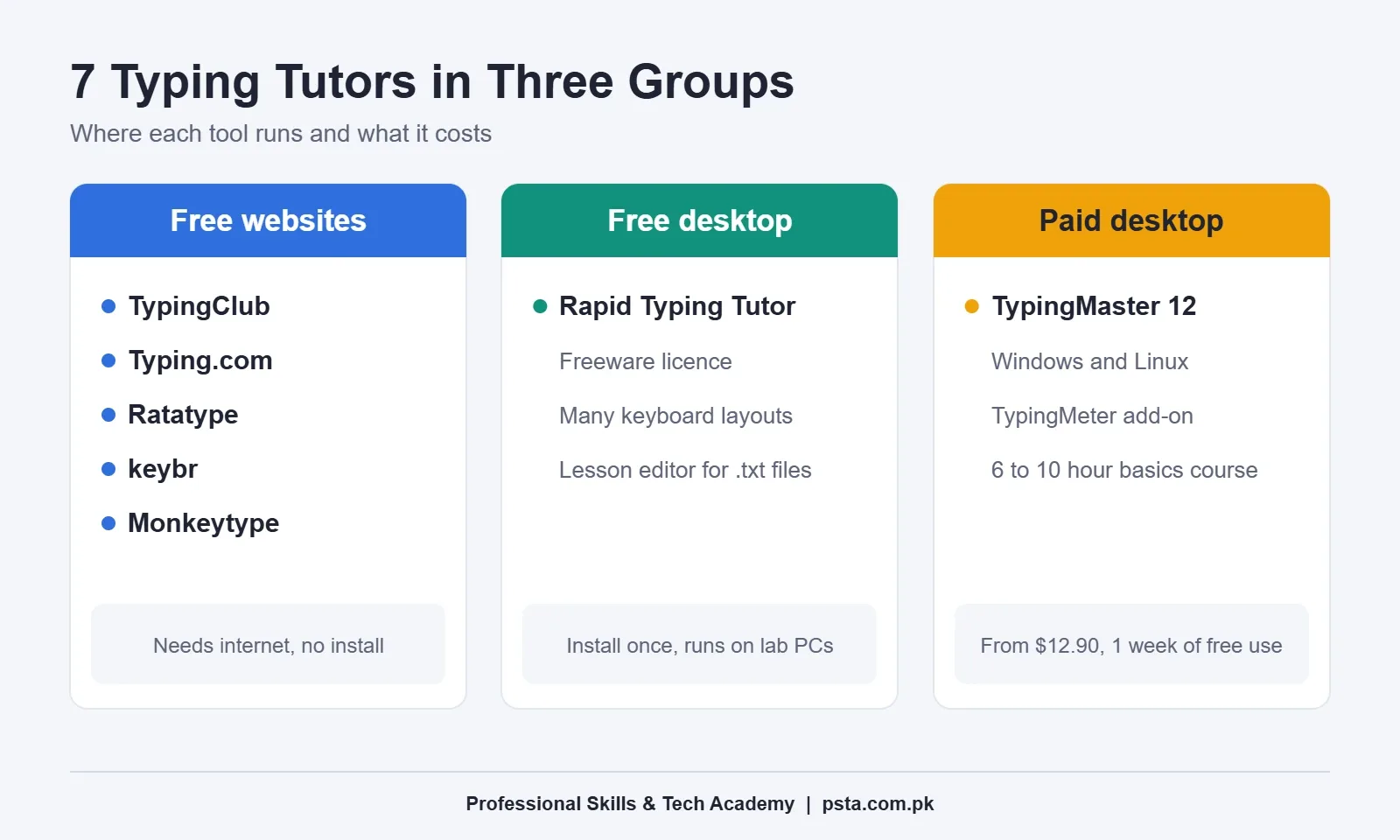
Here is the short version. Every price and feature below comes from each tool's own website or code repository, checked for this review.
| Tool | Type | Cost | Best for |
|---|---|---|---|
| TypingClub | Website | Free, optional premium | Complete beginners |
| Typing.com | Website | Free | Students and teachers |
| Ratatype | Website | Free, optional Plus plan | A free certificate |
| keybr | Website | Free, open source | Fixing weak keys |
| Monkeytype | Website | Free, open source | Testing speed |
| Rapid Typing Tutor | Installed program | Freeware | Computer labs |
| TypingMaster 12 | Installed program | From $12.90, 1-week free use | Structured paid course |
Typing Software for PC: 7 Tools Reviewed
Each review lists what the tool does well, where it falls short, and who should use it. The five web tools run in an ordinary desktop browser, so they work on any Windows PC with internet.
1. TypingClub: Best Structured Free Course
TypingClub says it "is (and will always be) free for both individuals and schools." It runs fully in the browser, so you need an internet connection, but no install. Lessons move from the home row outward in small steps, with short videos between drills.
You don't need an account to start, though a free profile saves your progress. The site also lists about 20 other language editions. A paid premium edition is optional.
Use it if you scored yes on the self-test and want a clear path from zero.
2. Typing.com: Best for Classes
Typing.com calls itself a free typing program and offers a free teacher portal. Beyond keyboarding, its curriculum includes coding, digital citizenship and AI literacy units. Students can earn certificates and take timed tests that a teacher assigns.
It suits schools and academies that want to track a whole class. For one adult learner, its extra subjects can feel like a detour.
Use it if you teach typing or study in a school that already uses it.
3. Ratatype: Best for a Free Certificate
Ratatype offers free typing practice and a typing test. Finish all the lessons of a course and you can get a certificate. It shows your name, the completion date, a certificate number and a verification link. You can add it to LinkedIn or print it.
Teachers can sync classes with Google Classroom. A paid Ratatype Plus plan exists, but the free practice covers what a beginner needs.
Use it if you want a verifiable record of your speed for a CV.
4. keybr: Best for Fixing Weak Keys
keybr works differently. According to its open-source code repository, it "tracks every single keystroke" and builds each lesson around your weakest keys. You start with a small set of common letters, and it adds new letters only after your speed on the current set improves.
The practice words are made-up letter patterns, not real sentences. That feels strange at first, but it stops you from leaning on familiar words.
Use it if you can already touch type but a few keys, such as Q, Z or the semicolon, keep slowing you down.
5. Monkeytype: Best for Testing Your Speed
Monkeytype's GitHub page describes it as "a minimalistic and customizable typing test." It offers several test lengths and languages, modes with punctuation and numbers, quotes, and live WPM and accuracy. A free account saves your speed history. Ads are optional.
It is a test, not a teacher. There are no lessons on finger placement, so it won't fix bad habits.
Use it if you already touch type and want daily speed checks before a job test.
6. Rapid Typing Tutor: Best Free Desktop Program
Rapid Typing Tutor is released under a freeware licence and installs on the computer like any other program. It supports common layouts such as QWERTY, Dvorak and Colemak, and its lesson editor can turn a .txt or .rtf file into practice lessons.
It also has classroom features. A teacher can install it once and run it on each workstation over a local network. From there, the teacher can watch student progress and export statistics as PDF, HTML, XML or CSV.
Use it if you run a computer lab or want a program that doesn't live in a browser tab.
7. TypingMaster 12: Best Paid Option
TypingMaster 12 runs on Windows, including Windows on ARM, and has a Linux version. Its site says the full basics course takes between 6 and 10 hours on average. It suggests sessions of about 15 to 45 minutes a day.
The optional TypingMeter add-on watches your everyday typing in Windows programs and builds exercises from the keys and letter pairs you struggle with. The Linux version doesn't include it.
You get one week of free use. After that, you need a licence. The order page lists Standard Lifetime at $19.90 for one device. Premium Lifetime costs $29.90 and covers up to three devices. Six-month licences cost $12.90 (Standard) and $17.90 (Premium).
Use it if you want one structured installed course and don't mind a small one-time payment.
Which Typing Tutor Should You Pick?
Go back to the self-test at the top of this page. Your answers point to a tool:
- You still look at the keys: start with TypingClub. If your internet is unreliable, use Rapid Typing Tutor instead.
- You touch type but a few keys are slow: switch to keybr for two weeks.
- You need proof of speed for a job: practice on Monkeytype, then take Ratatype's test for a certificate.
- You teach a class: use Typing.com online or Rapid Typing Tutor on lab PCs.
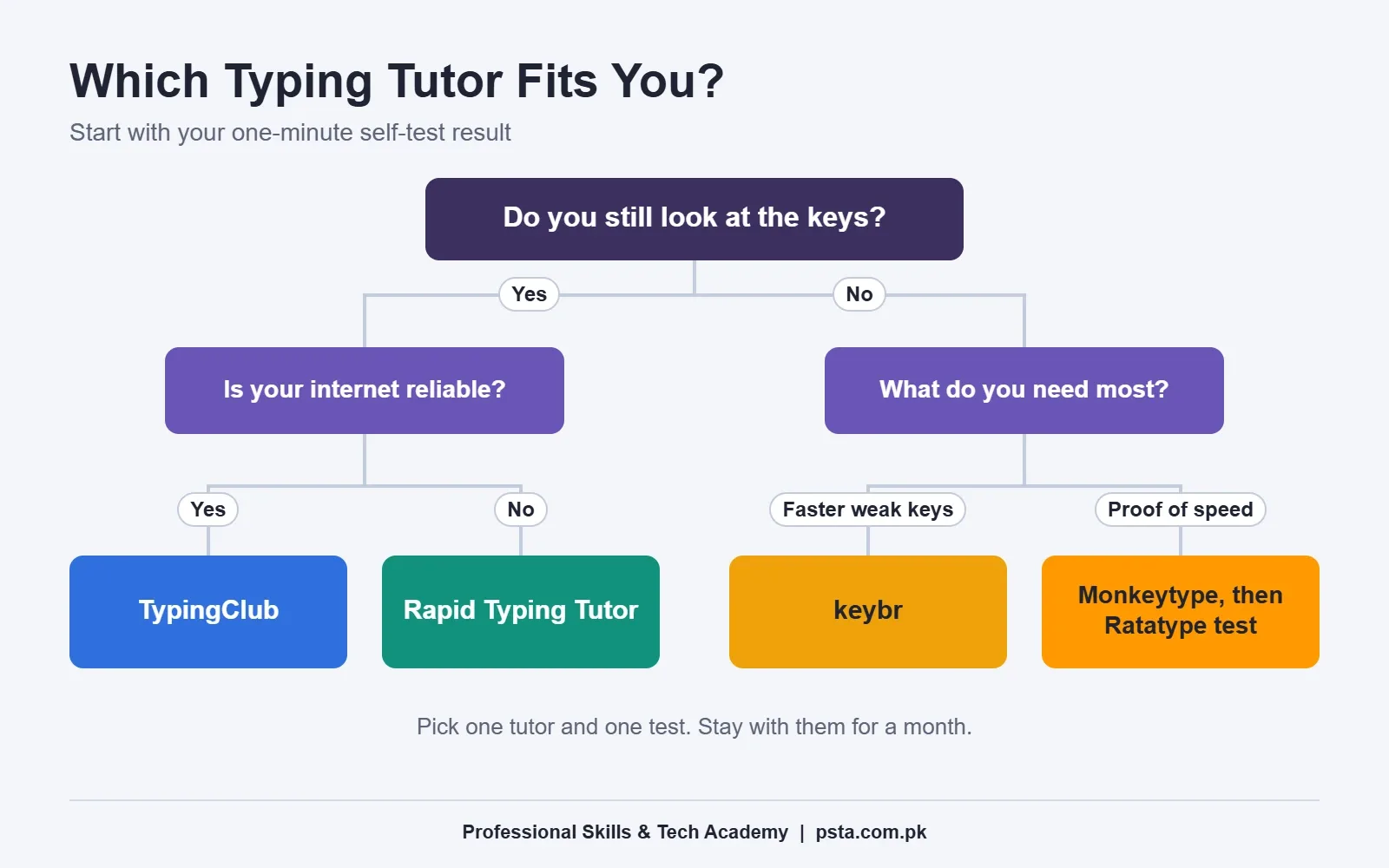
Don't run three tools at once. Pick one tutor and one test, and stay with them for at least a month.
Is Paying for TypingMaster Worth It?
For most learners in Pakistan, the free tools are enough. TypingClub teaches the full keyboard, and keybr handles weak keys. Paying makes sense in two cases: you want a single installed course with no ads, or you want TypingMeter to analyze the typing you do at work.
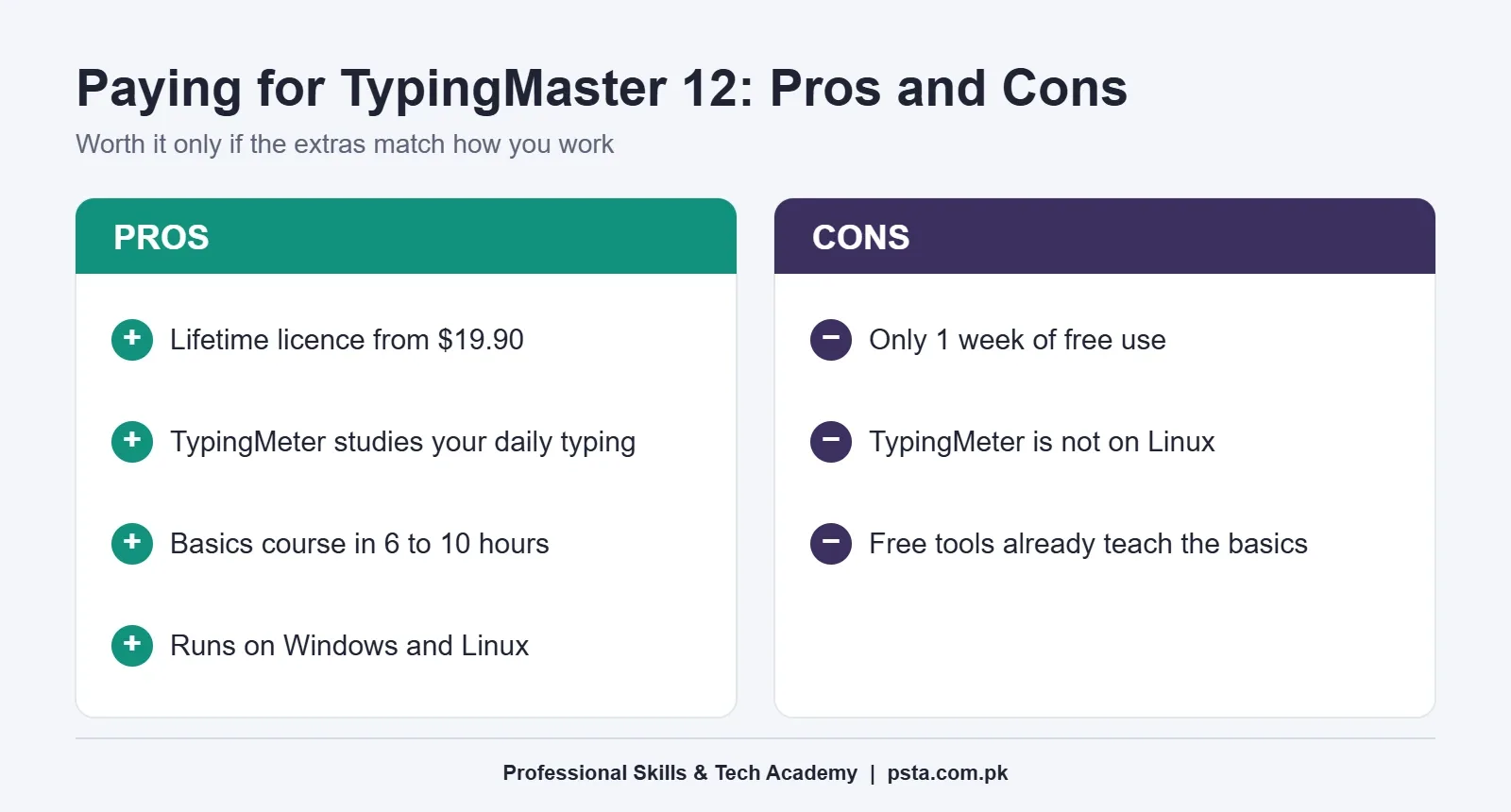
If you do buy, the Standard Lifetime licence is the simplest choice for one PC. The Premium licence only pays off if two or three people in the family will use it.
How Do You Get Results From Any Typing Tutor?
The software matters less than the routine. These steps work with every tool on this list:
- Set your chair so your elbows rest at about a right angle and your wrists stay level.
- Place your fingers on the home row: A, S, D, F and J, K, L, semicolon.
- Practice 20 to 30 minutes a day rather than two hours on Sunday.
- Keep accuracy at 95% or above. Slow down if it drops.
- Take one speed test a week, not every day, and write the result down.
Expect your speed to fall for the first week or two after switching from hunt-and-peck. That dip is normal. Our guide on habits that slow your typing explains how to push through it.
What About Urdu Typing Practice?
None of these tools teaches the InPage or Phonetic Urdu layouts used in Pakistani offices. For Urdu, set up the keyboard first, then practice by copying short paragraphs from a newspaper or textbook. Our step-by-step Urdu typing setup guide covers Windows keyboards and InPage.
If you are preparing for a clerk or data entry test, check the speed each advert asks for. Our article on typing speed for jobs in Pakistan lists common WPM requirements.
Mistakes That Waste Your Practice Time
The same few habits undo weeks of practice, whichever typing tutor you choose:
- Chasing speed too early. If you push WPM before your accuracy is steady, you lock in wrong finger movements that are hard to unlearn.
- Peeking at the keyboard. Cover your hands with a light cloth for a few sessions if you can't resist looking down.
- Skipping lessons that feel easy. Early home-row drills build the reflexes that later lessons rely on.
- Testing every day. Daily tests reward rushing. A weekly test shows the real trend.
- Using a broken or cramped keyboard. Sticky keys and a laptop squeezed onto a small desk will cap your speed no matter which software you use.
Prefer a Teacher? PSTA's 30-Day Typing Course
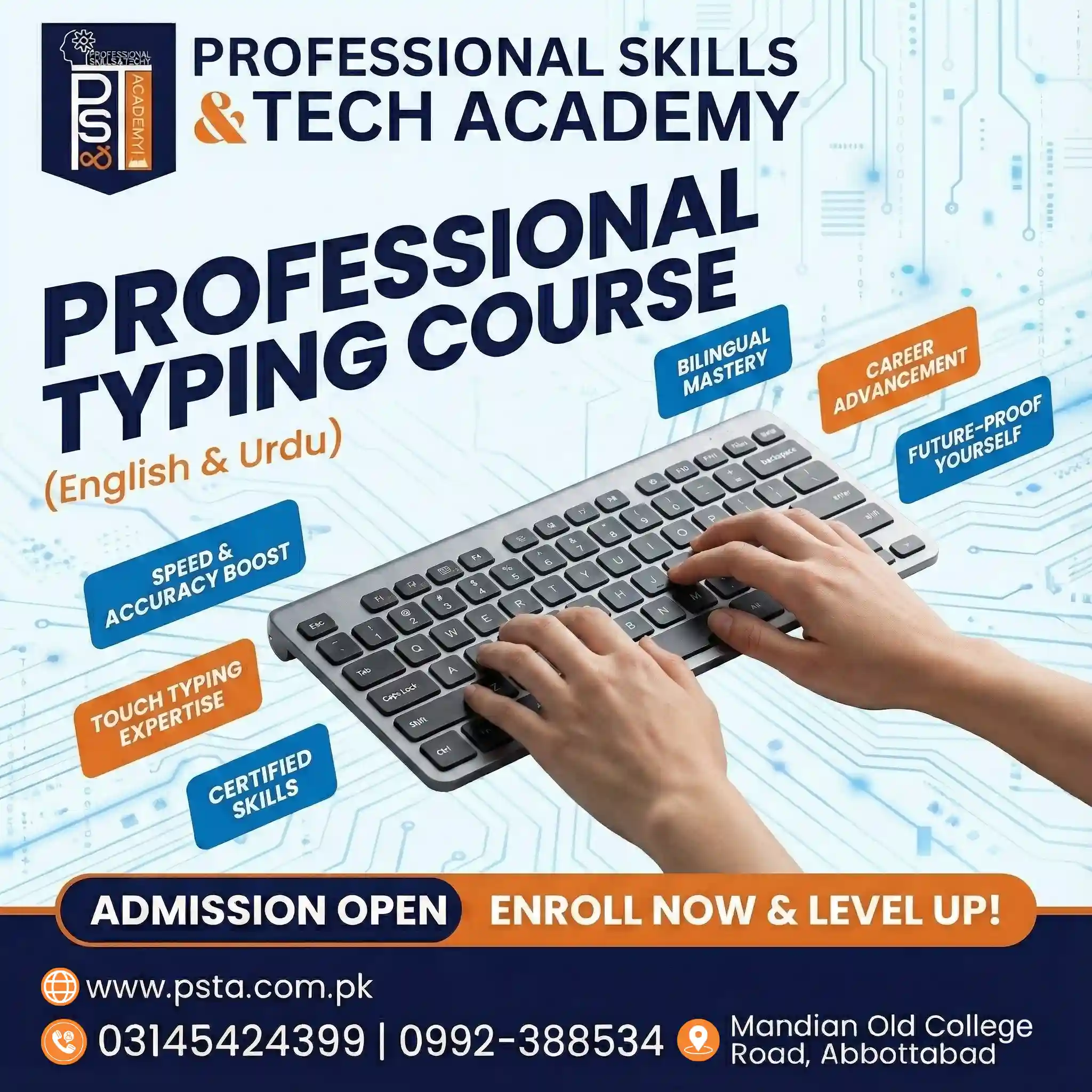
Software can show you the keys, but it can't watch your hands. In the Professional English and Urdu Typing course, an instructor corrects finger placement and posture while you drill.
The course runs for 30 days across 10 modules. It starts with ergonomics and the home row, then covers the top and bottom rows, numbers and symbols. Later modules build speed and accuracy and teach Urdu typing on Phonetic and InPage layouts. The course ends with typing test simulations and a final assessment. At the time of writing, the course page shows a fee of Rs. 3,000, reduced from Rs. 4,500.
Classes run at our Mandian campus on Old College Road, opposite FIMS College in Abbottabad, and online. You can pair typing with the Office Automation course, or choose the one-year DIT program for a broader IT diploma.
Browse fees on the all courses page or apply through the admission page. You can also ask about the next batch on WhatsApp at 0314 5424399.
Start With 20 Minutes on One Tool
Take the one-minute test tonight and write down your WPM and accuracy. Then open the tool your answers pointed to and do 20 minutes of lessons. Repeat for seven days before you test again. A written baseline is the only way to know your practice is working.
Frequently asked questions
What is the best free typing software for a beginner?
TypingClub is a strong first choice because it is free for individuals, needs no install, and builds lessons from the home row outward. Typing.com is a good alternative, especially if your school already uses it. Both run in a browser, so you need a steady internet connection while you practice.
Which typing tutor can I install on a Windows PC?
Rapid Typing Tutor and TypingMaster 12 both install on Windows. Rapid Typing Tutor is freeware and can run across a computer lab network. TypingMaster 12 offers one week of free use, then needs a paid licence, with lifetime options listed at $19.90 for one device and $29.90 for up to three.
Is TypingMaster free to use?
Not permanently. TypingMaster 12 gives you one week of free use, after which you buy a licence. Its order page lists six-month licences at $12.90 and $17.90 and lifetime licences at $19.90 and $29.90. If you only need the basics, free tools such as TypingClub and keybr cover the same ground.
How can I get a typing certificate online for free?
Ratatype offers a certificate once you finish all the lessons of a course, and its typing test also leads to a speed certificate. The certificate includes your name, the completion date, a number and a verification link, so an employer can check it. An employer may still give you its own typing test.
Is Monkeytype good for learning to type?
Monkeytype is excellent for measuring speed, but it doesn't teach finger placement. It has no lessons, only tests in different lengths, languages and modes. Learn touch typing first with a tutor like TypingClub, then use Monkeytype for weekly speed checks once your accuracy stays above 95%.
How long should I practice typing each day?
Short daily sessions work best. TypingMaster suggests about 15 to 45 minutes a day, and 20 to 30 minutes is a realistic daily target. Keep accuracy at 95% or above, take one speed test a week, and write down the result so you can see real progress over a month.
Can these tools teach Urdu typing?
No. None of the seven tools teaches the InPage or Phonetic Urdu layouts used in Pakistani offices. Set up an Urdu keyboard on Windows first, then practice by copying short Urdu paragraphs. A course with Urdu modules, like PSTA's typing course, adds guided practice and test simulations.
Sources & references
- TypingClub typingclub.com
- Typing.com typing.com
- Ratatype ratatype.com
- keybr.com source code on GitHub github.com
- Monkeytype source code on GitHub github.com
- Rapid Typing Tutor: Features rapidtyping.com
- TypingMaster 12 typingmaster.com
- TypingMaster 12: Order and licences typingmaster.com
Last reviewed & updated on by Umar Qureshi. Written by the PSTA team in Abbottabad, Pakistan.

Umar Qureshi
Professional English & Urdu Typing Course in Abbottabad
Turn this guide into a career: hands-on training with real projects, online across Pakistan or on-campus in Abbottabad · 4 Weeks.

Comments
No comments yet — ask a question or share your experience.