Quick answer
Burp Suite for beginners starts with the free Community Edition. Open Burp's browser, turn intercept on, read and forward a request, then send it to Repeater and change one value at a time. Practice only on free Web Security Academy labs, your own projects or sites you have written permission to test.
Key takeaways
- • Community Edition is free and has the manual tools beginners need: Proxy, Repeater, Decoder and Comparer.
- • PortSwigger lists 2 CPU cores and 4 GB of RAM as the minimum, with 16 GB recommended.
- • Work from HTTP history with a set scope, and change one value at a time in Repeater.
- • The Web Security Academy is free and lists 31 topics, with 16 SQL injection labs alone.
- • Under PECA 2016, access without authorization can mean up to three months in jail, a maximum Rs. 50,000 fine, or both.
Table of contents 17 sections
- What Is Burp Suite and What Can a Beginner Do With It?
- Community or Professional: Which Edition Do You Need?
- Where Is the Legal Line for Practice in Pakistan?
- Burp Suite for Beginners: Your First Session in 7 Steps
- Step 1: Install Burp and Check Your PC
- Step 2: Open Burp's Browser
- Step 3: Intercept Your First Request
- Step 4: Read the HTTP History
- Step 5: Set the Target Scope
- Step 6: Edit and Resend a Request in Repeater
- Step 7: Solve Your First Lab
- The Tools Inside Burp, Mapped Out
- Is Intruder Useful in the Free Edition?
- Myths That Slow Beginners Down
- A 14-Day Practice Plan
- Where Burp Fits in PSTA's Ethical Hacking Course
- Tonight: Capture One Request and Read It Line by Line
Ask a new class what Burp Suite for beginners looks like, and many picture a hacking button: point it at a website and it finds the flaws. That's a myth. The free edition finds nothing on its own. It lets you watch and edit the messages between a browser and a server, one request at a time, while you do the thinking.
That's good news. You can learn the core of it on a normal laptop, at no cost, using practice labs that are legal to attack. This guide walks you through your first session in seven steps. You will see:
- Which edition to download, and what the free one leaves out
- How to capture, read and forward a request with Burp Proxy
- How to change a request and send it again in Repeater
- The legal line in Pakistan you must not cross while practicing
- A 14-day plan that takes you from install to your first lab write-up
What Is Burp Suite and What Can a Beginner Do With It?
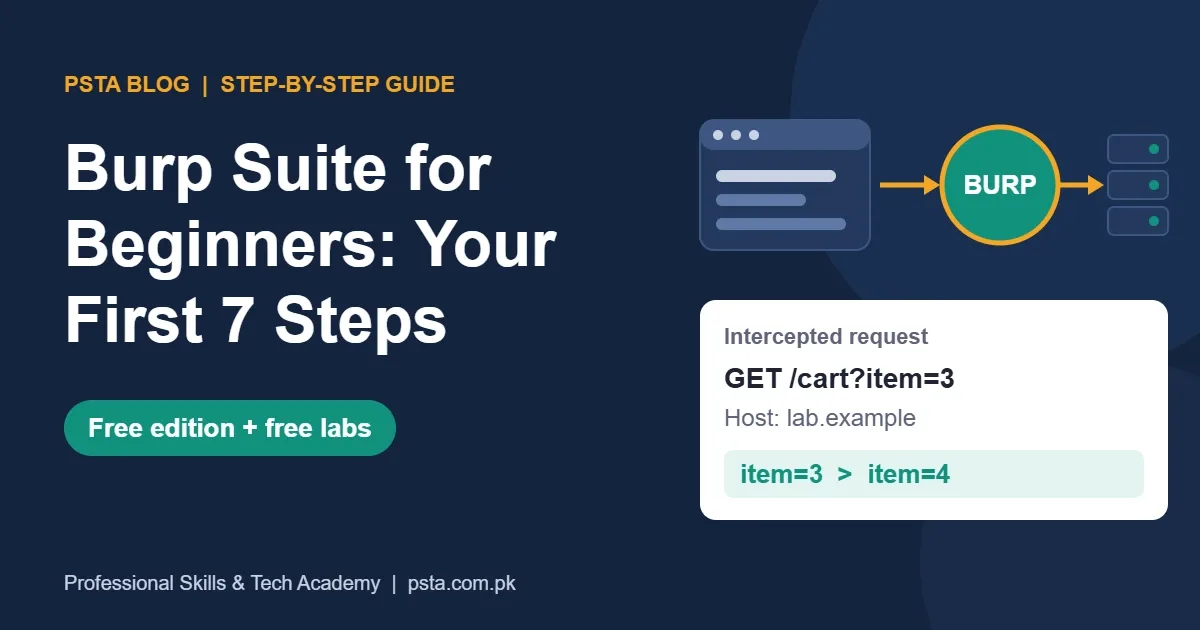
Burp Suite is a web security testing toolkit made by PortSwigger. It sits between your browser and a website as a proxy. Every request your browser sends passes through Burp first, so you can pause it, read it, change it and pass it on.
Why does that matter? Many website flaws come from a server trusting what the browser sends. A price field, a user ID or a hidden form value can all be edited once you can see the raw request. Burp gives you that view.
As a beginner, you will mainly use it to:
- See exactly which requests a page sends, including ones the screen never shows
- Change a parameter and watch how the server responds
- Repeat one request many times with small changes
- Decode values such as Base64 or URL-encoded text
It's a standard tool in web penetration testing training for that reason. Have you read our OWASP Top 10 2025 guide? Burp is the tool you would use to test many of those risks by hand.
Community or Professional: Which Edition Do You Need?
Start with Burp Suite Community Edition. It's free, and PortSwigger calls it "the best manual tools to start web security testing". Manual tools are what you need to learn first anyway. The paid edition adds automation that only pays off once you understand what it automates.
| Feature | Community Edition | Professional |
|---|---|---|
| Price | Free | $499 listed on PortSwigger's Professional page |
| Proxy, Repeater, Decoder, Comparer | Yes | Yes |
| Intruder | Yes, but throttled | Yes, full speed |
| Automated scanning | No | Yes |
| Reports | No | Yes |
| Collaborator | No | Yes |
The scanning, report and Collaborator rows come from PortSwigger's getting-started documentation, which marks those parts "Pro only". The Intruder note comes from the ZAP project's Burp-to-ZAP feature map. The price is from the Burp Suite Professional page when we checked, and PortSwigger sells Professional as an annual subscription for each user.
At current exchange rates, that fee is a large sum for a student in Pakistan. Don't buy it to learn. Community Edition plus free labs will carry you a long way.
Where Is the Legal Line for Practice in Pakistan?
Burp makes it easy to change requests to any website you can reach. That doesn't make it legal. Test only your own projects, deliberately vulnerable practice labs, or systems whose owner has given you written permission.
Pakistan's Prevention of Electronic Crimes Act 2016 (PECA) is clear on this. According to the Council of Europe's legal profile of Pakistan, Section 3 deals with gaining access to someone else's information system or data without authorization. The punishment can be up to three months in jail, a maximum fine of Rs. 50,000, or both together. Section 4, on copying or sending data without permission, allows up to six months or a fine of up to Rs. 100,000.
Bug bounty programs are the one place you can test live company sites, and only inside each program's published rules. Our bug bounty roadmap for beginners explains how those rules work.
Burp Suite for Beginners: Your First Session in 7 Steps
These steps follow the order of PortSwigger's own tutorial, trimmed to what the free edition can do. Set aside about an hour for the first run. If you only remember one part of Burp Suite for beginners, make it steps 3 and 6: intercept requests, then repeat them with one change.
Step 1: Install Burp and Check Your PC
Download Community Edition from PortSwigger's site and install it like any desktop program. It runs on 64-bit Windows, Linux and macOS.
PortSwigger's system requirements page lists a minimum of 2 CPU cores and 4 GB of RAM, which is enough for basic proxying. It recommends 16 GB of RAM for general use. Plan for 1 GB of disk space for the install and about 2 GB for each saved project. The same page warns that Burp's built-in browser doesn't work on older versions of Windows.
If your laptop has 8 GB of RAM, close other heavy programs while Burp runs. That is usually enough for lab work.
Step 2: Open Burp's Browser
Start Burp, choose a temporary project, and accept the default settings. Then go to the Proxy tab and click Open browser. This launches a Chromium browser that is already connected to Burp. You don't need to change proxy settings in your normal browser, and you avoid sending your personal browsing through Burp by accident.
Step 3: Intercept Your First Request
PortSwigger's intercept tutorial uses this sequence:
- Open Proxy > Intercept and switch the toggle to Intercept on.
- In Burp's browser, visit a page. It won't load yet, because Burp is holding the request.
- Read the held request in the Intercept tab.
- Click Forward to release it. Keep forwarding until the page loads.
- Switch the toggle back to Intercept off when you're done.
The first time you do this, look at three parts of the request: the first line (method and path), the headers such as Host and Cookie, and the body if there is one.
Step 4: Read the HTTP History
Leaving intercept on all the time gets tiring. Many testers keep it off and work from Proxy > HTTP history instead. This tab records every request that passed through Burp, even while interception was off.
Click through the list after loading one page. You may find a long list: scripts, images, fonts and background calls to an API. The API calls are usually the interesting ones, because they carry data the server acts on.
Step 5: Set the Target Scope
Your history fills quickly with traffic from analytics and font services. In the Target tab, add only the lab's address to the scope. Then filter the HTTP history to show in-scope items. This keeps your view clean and keeps you from poking at sites you have no permission to test.
Step 6: Edit and Resend a Request in Repeater
Repeater is where most beginner learning happens. PortSwigger's Repeater documentation describes it as a way to modify a message and send it "over and over".
- Right-click a request in HTTP history and send it to Repeater.
- Open the Repeater tab and click Send. Note the response.
- Change one thing, such as a product ID from 3 to 4, and send again.
- Compare the two responses. Did the status code, length or content change?
Change one value at a time. If you change three things and the response changes, you won't know which edit caused it.
Step 7: Solve Your First Lab
PortSwigger's Web Security Academy says it is "100% free" and lists 31 topics. The SQL injection topic alone has 16 labs, and cross-site scripting has 30. Make a free account, open the first SQL injection lab, and solve it using only Proxy and Repeater.
Write down what you sent, what came back and why it worked. That short note is the start of the reporting habit every tester needs.
The Tools Inside Burp, Mapped Out
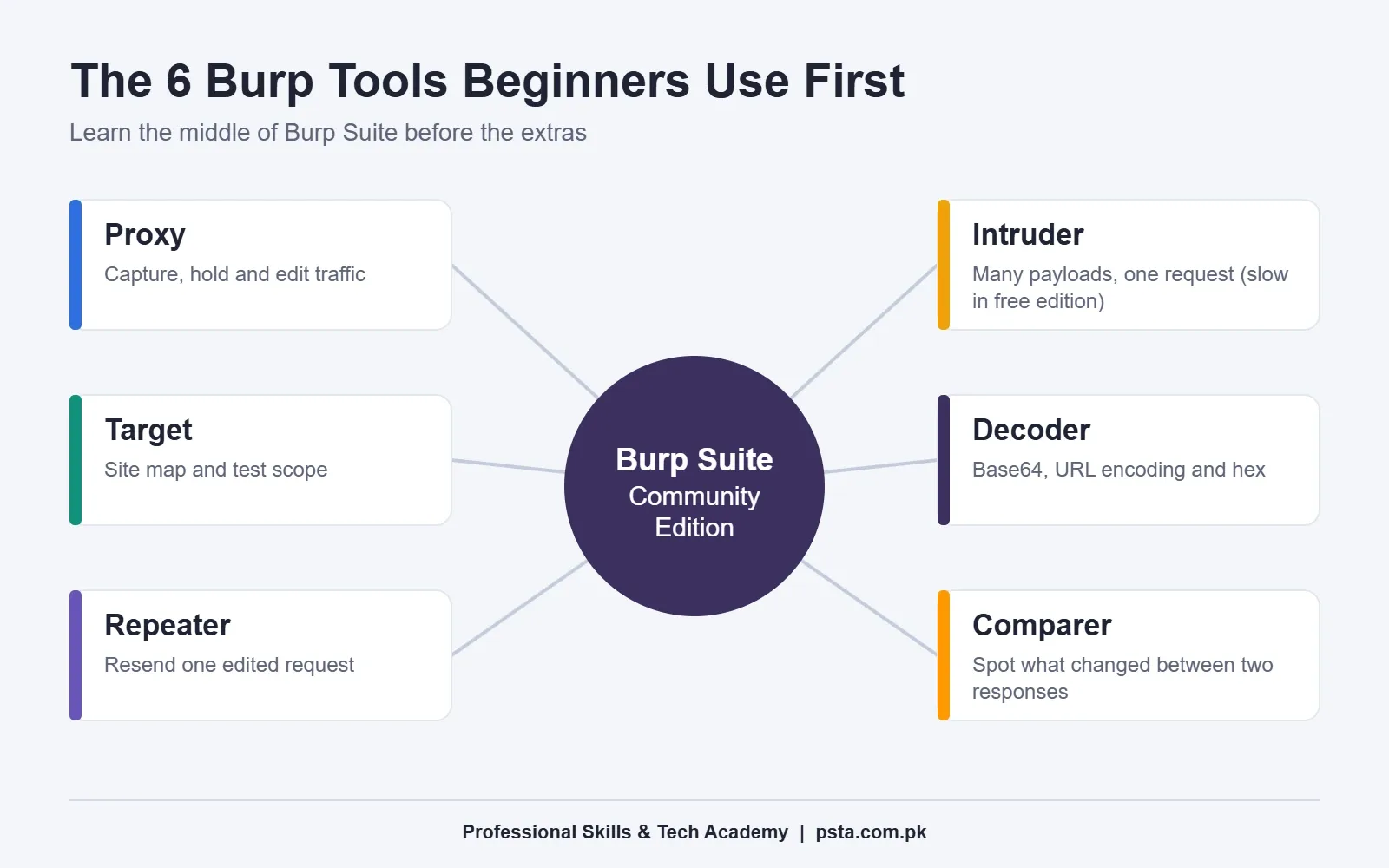
Burp's menu bar shows a long row of tabs, and beginners often try to learn them all at once. You don't need to. These six cover almost everything in your first month:
- Proxy: captures and holds traffic so you can read or edit it.
- Target: builds a site map and stores your scope.
- Repeater: resends one edited request as many times as you like.
- Intruder: sends the same request many times with different payloads.
- Decoder: converts text to and from Base64, URL encoding and hex.
- Comparer: highlights the differences between two requests or responses.
Leave Sequencer, Collaborator and the extensions store for later. They make sense once the basics are second nature.
Is Intruder Useful in the Free Edition?
PortSwigger's Intruder documentation describes it as "a tool for automating customized attacks". In practice, you mark a position in a request, give Burp a list of values, and it sends one request per value.
In Community Edition, Intruder runs slowly on purpose. For learning, that's fine. A list of 10 to 50 values, such as a few user IDs, finishes in reasonable time. It still teaches you how payload positions and result columns work.
If you later need fast fuzzing without paying, OWASP ZAP is a free, open-source alternative. The ZAP feature map links Burp's Intruder to ZAP's Fuzzer add-on and lists no such speed limit for it.
Myths That Slow Beginners Down
A few wrong ideas keep students stuck at the install screen. Here are the four we hear most in class, and what the facts say.
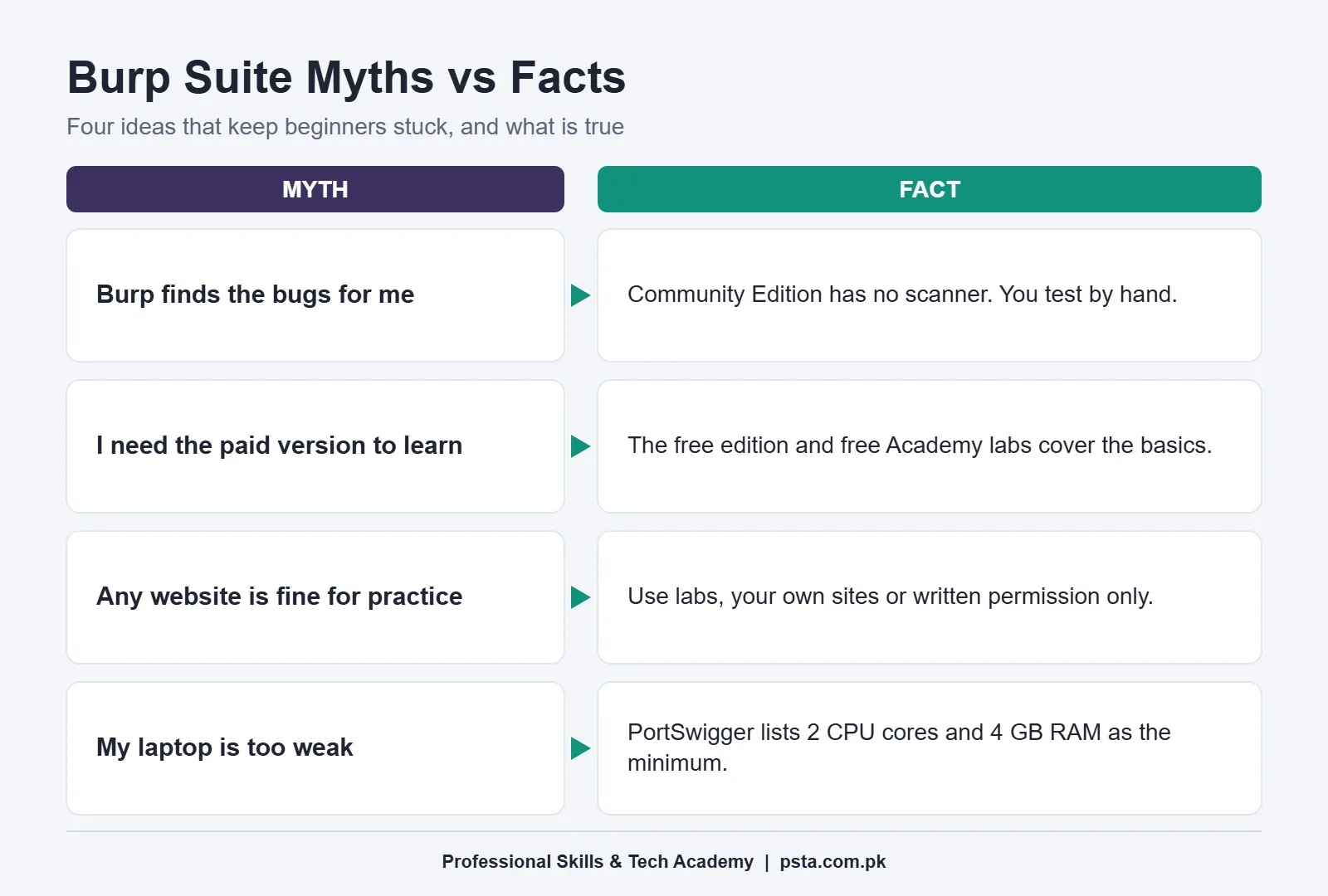
- "Burp finds the bugs for me." Community Edition has no scanner. You find issues by reading and editing requests yourself.
- "I need the paid version to learn." The free edition plus free Academy labs cover the core skills.
- "Any website is fine for practice." It isn't. Use labs, your own projects or written permission.
- "My laptop is too weak." PortSwigger's minimum is 2 cores and 4 GB of RAM.
A 14-Day Practice Plan
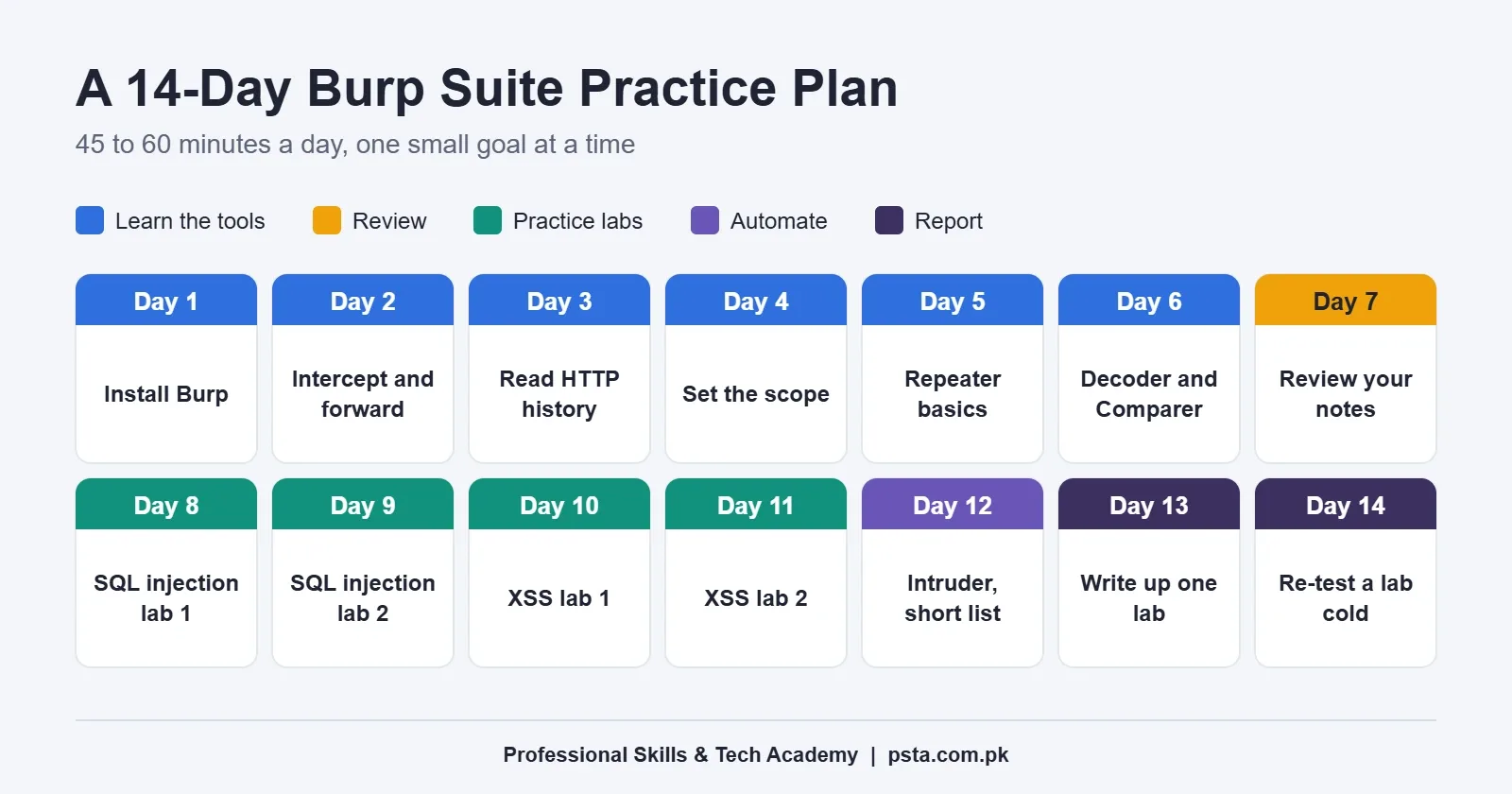
Short daily sessions work better than one long weekend, and this is the order we use when teaching Burp Suite for beginners. Each day below takes 45 to 60 minutes. Keep a plain text file of notes as you go.
| Days | Focus | Done when |
|---|---|---|
| 1 to 2 | Install, open Burp's browser, intercept and forward | You can explain each line of one request |
| 3 to 4 | HTTP history and target scope | Your history shows only lab traffic |
| 5 to 6 | Repeater, Decoder and Comparer | You changed one value and spotted the difference |
| 7 | Review | Your notes cover every tool you used |
| 8 to 9 | SQL injection labs | Two labs solved with Repeater only |
| 10 to 11 | Cross-site scripting labs | Two labs solved and explained |
| 12 | Intruder with a short list | One attack run and results sorted |
| 13 to 14 | Write and re-test | One-page write-up for a solved lab |
If a lab takes more than an hour, read the hint, finish it, and come back to it a week later without help. Repeating a lab cold is how the steps stick.
Before day 1, it helps to have a lab machine ready. Our ethical hacking lab setup checklist covers VirtualBox and Kali Linux, and the Nmap commands cheat sheet is the natural next tool after Burp.
Where Burp Fits in PSTA's Ethical Hacking Course
Burp Suite has its own place in the Advanced Ethical Hacking and Penetration Testing course at PSTA. Module 8 covers web application penetration testing. Its topics include the OWASP Top 10, SQL injection by hand and with SQLmap, three kinds of XSS, parameter tampering, and using Burp Suite for web app assessments.
The course starts with cyber laws, including PECA 2016, and a VirtualBox and Kali Linux lab. It later moves through reconnaissance, Nmap scanning, Metasploit, Wireshark, wireless testing and report writing. It runs for 12 weeks. The fee shown on the course page is Rs. 30,000, reduced from Rs. 37,000, at the time of writing.
You can attend classes at the Abbottabad campus on Old College Road in Mandian, opposite FIMS College, join live from another city, or combine both. If defense interests you more than attack, look at the Cyber Security and Ethical Hacking course. Python helps with both, and the Advanced Python course teaches it from the ground up.
See every option on the courses page, or reserve a seat through the admission form. For batch timings, a WhatsApp message to +92 314 5424399 gets a reply from the team.
Tonight: Capture One Request and Read It Line by Line
Install Community Edition, open Burp's browser, turn intercept on, and load the Web Security Academy home page. Before you click Forward, read the request out loud: the method, the path, the Host header and the cookies. That one exercise teaches you more about how the web talks than a week of videos.
Frequently asked questions
Is Burp Suite free to use?
Burp Suite Community Edition is free and includes the manual tools a beginner needs, such as Proxy, Repeater, Decoder and Comparer. Burp Suite Professional is paid and adds automated scanning, reports, Collaborator and a full-speed Intruder. Learn on Community Edition first, because the paid features only help once you understand what they automate.
Can I run Burp Suite on a laptop with 8 GB of RAM?
Yes, for lab practice. PortSwigger lists a minimum of 2 CPU cores and 4 GB of RAM for basic proxying and simple Intruder attacks, and recommends 16 GB for general use. On an 8 GB laptop, close heavy programs such as games or video editors while Burp runs, and keep one project open at a time.
Is it legal to use Burp Suite in Pakistan?
Owning and running Burp Suite is fine. What matters is the target. Testing a system without its owner's permission can fall under Section 3 of PECA 2016, which covers unauthorized access. Practice on free labs such as the Web Security Academy, your own projects, or bug bounty programs within their published rules.
Should beginners learn Burp Suite or OWASP ZAP?
PortSwigger, the company behind Burp, also runs the free Web Security Academy, so its labs and tutorials match Burp closely. That makes Burp the easier first choice. OWASP ZAP is free and open source, and its scanner and fuzzer are not limited the way Burp's free edition is. Many testers learn Burp first, then keep ZAP as a free option for automated tasks.
Do I need programming skills before learning Burp Suite?
You don't need to be a programmer, but you should understand how the web works. Learn what HTTP requests, responses, cookies and status codes are, and read basic HTML and JavaScript. A little Python helps later for writing small scripts, but you can solve your first labs with Proxy and Repeater alone.
Why won't Burp's browser open on my computer?
PortSwigger's system requirements page says the embedded browser doesn't work on older versions of Windows. It also doesn't work when the JAR file runs on Apple Silicon or ARM systems. Update Windows if you can, or install the regular Burp installer for your system instead of running the JAR file directly.
How many days do the Burp Suite basics take?
With 45 to 60 minutes a day, you can cover Proxy, Repeater, Decoder and the target scope in about two weeks by following the plan in this guide. Getting good at finding real flaws takes longer, because that depends on understanding web vulnerabilities, not just the tool.
Sources & references
- Burp Suite documentation: Getting started portswigger.net
- Burp Suite documentation: Intercepting HTTP traffic portswigger.net
- Burp Suite documentation: System requirements portswigger.net
- Burp Suite Professional portswigger.net
- PortSwigger Web Security Academy portswigger.net
- ZAP: Burp to ZAP feature map zaproxy.org
- Council of Europe: Octopus legal profile, Pakistan (PECA 2016) rm.coe.int
Last reviewed & updated on by Umar Qureshi. Written by the PSTA team in Abbottabad, Pakistan.

Umar Qureshi

Advanced Ethical Hacking & Penetration Testing Course in Abbottabad
Turn this guide into a career: hands-on training with real projects, online across Pakistan or on-campus in Abbottabad · 12 Weeks.
Comments
No comments yet — ask a question or share your experience.