
Quick answer
To learn AutoCAD in Pakistan, get it free through Autodesk's student plan or a 15-day trial, then master 2D drafting before 3D. Study six to eight hours a week, finish one complete, scaled drawing, and build a small portfolio. Full AutoCAD is $2,095 a year; AutoCAD LT is $540.
Key takeaways
- • Students and educators can get AutoCAD free for one year through Autodesk's education plan.
- • Learn 2D drafting first; every 3D model is still built from 2D profiles.
- • Full AutoCAD 2027 lists at $2,095/year; AutoCAD LT at $540/year; both have a 15-day trial.
- • The current release is AutoCAD 2027, with Geometry Cleanup and Connected References.
- • A finished, scaled drawing in your portfolio gets you hired faster than a certificate alone.
Table of contents 16 sections
- Why Learn AutoCAD in Pakistan Right Now?
- How Do You Get AutoCAD Legally in Pakistan?
- 1. The Free Student and Educator Plan
- 2. The Free 15-Day Trial
- 3. A Paid Subscription
- What Do AutoCAD and AutoCAD LT Cost in 2026?
- Should You Learn 2D or 3D First?
- What Should You Learn in Your First Eight Weeks?
- What's New in AutoCAD 2027?
- Do You Need to Learn BIM as Well?
- How Do You Build a Skill Level Employers Trust?
- Where Can AutoCAD Skills Take You in Pakistan?
- Common Beginner Mistakes to Avoid
- How Long Before You Can Take Paid Work?
- Learn AutoCAD With PSTA
- Your First Step This Week
Here's a myth worth clearing up before you spend a rupee: to learn AutoCAD in Pakistan, you do not need to buy the software first. If you're a student or teacher at a recognized institution, Autodesk gives free one-year access through its education plan. So the real question isn't "can I afford it?" It's "where do I begin, and in what order?"
That's what this guide answers. I train drafting students in Abbottabad, and the ones who get hired early are rarely the ones who memorized the most commands. They're the ones who learned the right things in the right sequence and finished a real drawing they could show. This guide gives you that sequence.
Here's what you'll walk away knowing:
- How to get AutoCAD legally, including the free student route
- Whether to learn 2D or 3D first, and why the order matters
- The exact skills to build in your first eight weeks
- What AutoCAD and AutoCAD LT cost in 2026, with current figures
- Which fields in Pakistan actually hire people with these skills
Why Learn AutoCAD in Pakistan Right Now?
AutoCAD is design software for drawing with precision. Instead of sketching a line that's "about" three meters, you type the exact length and the drawing stays accurate at any zoom. That precision is why it sits at the center of so much technical work.
In Pakistan, you'll find AutoCAD on the screens of civil engineers drawing floor plans, mechanical engineers detailing machine parts, electrical teams laying out schematics, and interior designers planning spaces. Surveyors and DAE students use it too. If a job involves a measured drawing, AutoCAD is usually nearby.
Construction, real estate and small fabrication workshops keep producing drawings every day, and much of that work is contracted out to people who can draft cleanly. That's the opening for a trained beginner: you don't need an engineering degree to prepare a 2D drawing to standard. You need the skill and something to show.
It's made by Autodesk, a US company, and the current release is AutoCAD 2027. You don't need the newest version to learn, but knowing which one you're on helps when you follow tutorials.
How Do You Get AutoCAD Legally in Pakistan?
You have three honest options. Pick based on whether you're a student and what you can spend.
1. The Free Student and Educator Plan
Autodesk's education plan gives eligible students and educators free, one-year, single-user access to its software for educational purposes, and it's renewable each year while you stay eligible. You have to verify your student or staff status first; a normal account won't do. This is the route most of our students take.
2. The Free 15-Day Trial
If you're not a student, both AutoCAD and AutoCAD LT offer a 15-day free trial. It's enough to work through the basics and decide whether this is for you before paying.
3. A Paid Subscription
For commercial work, you subscribe. Prices are covered in the next section. Whatever you do, download only from autodesk.com. Cracked copies are illegal, carry malware, and can't be used on a portfolio you show to a real client.
What Do AutoCAD and AutoCAD LT Cost in 2026?
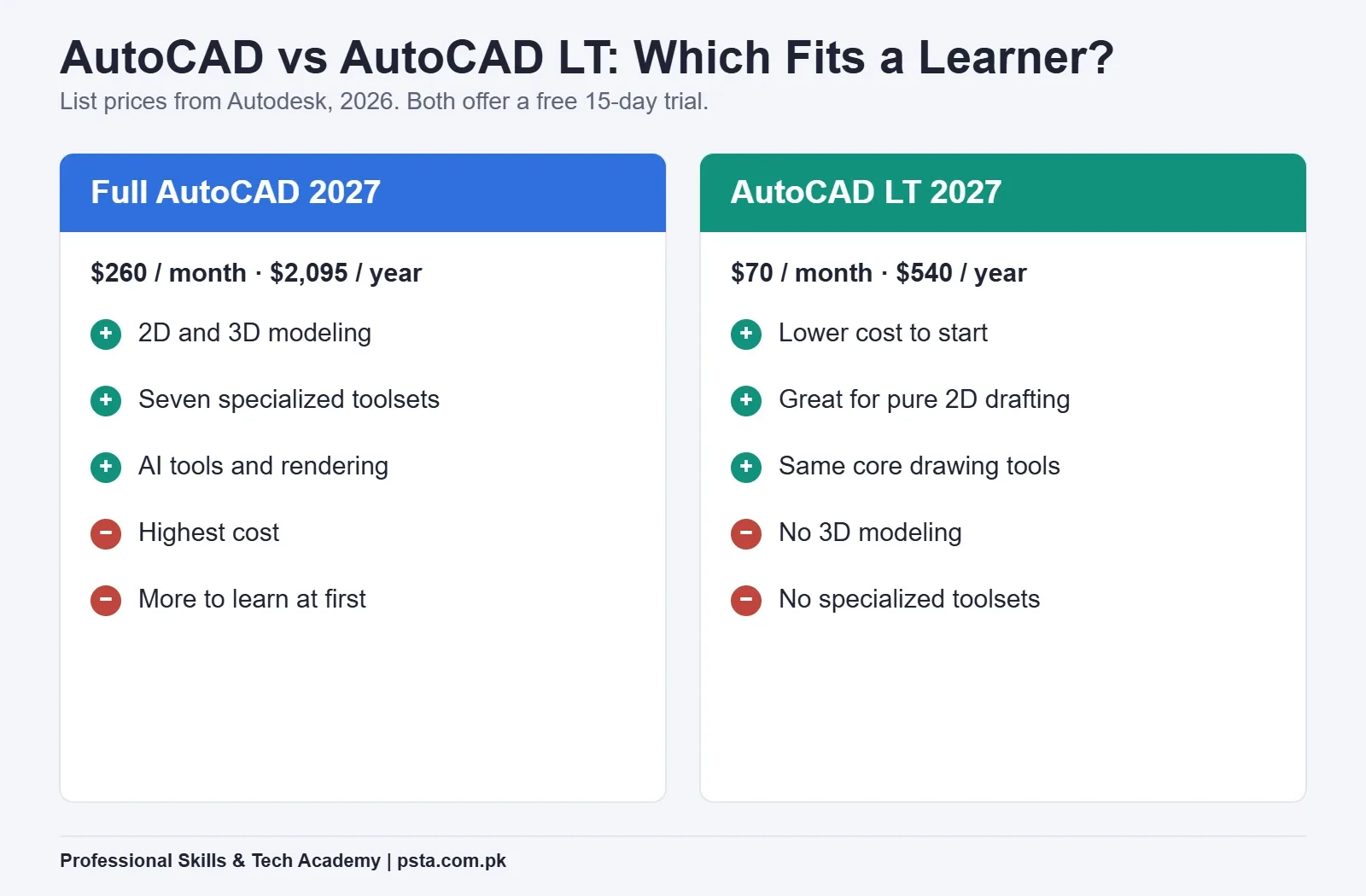
There are two products, and the difference is simple: full AutoCAD does 2D and 3D plus specialized toolsets, while AutoCAD LT does 2D drafting only. Here are the current list prices from Autodesk, in US dollars.
| Product | Monthly | Annual | What You Get |
|---|---|---|---|
| AutoCAD 2027 | $260 | $2,095 | Full 2D and 3D, seven toolsets, AI tools |
| AutoCAD LT 2027 | $70 | $540 | 2D drafting and documentation only |
| Education plan | Free | Free | Full access, one year, renewable, students and educators |
For learning, the education plan or the trial covers you. If you later go freelance and need to pay, LT is the cheaper entry point when your work is purely 2D drafting. Move up to full AutoCAD when you start taking 3D or toolset-specific jobs.
Should You Learn 2D or 3D First?
Learn 2D first. Every time. I've watched students jump straight to 3D because the models look impressive, and most of them stall within weeks because they skipped the foundation.
Here's why 2D comes first. A 3D model is still built from 2D profiles that you extrude, revolve or sweep. If you can't draw an accurate rectangle with proper layers and dimensions, you can't build a clean solid from it. The command habits you form in 2D, like typing exact coordinates and managing layers, carry straight into 3D work.
There's also a jobs reason. A large share of real drafting work in Pakistan, especially in construction and fabrication, is 2D: floor plans, elevations, sections and shop drawings. You can earn from 2D skills alone long before you touch 3D.
So when people ask how long it takes to learn AutoCAD in Pakistan well enough to be useful, the honest answer is a few focused months on 2D, not a week of video tutorials. Treat 3D as the second stage, not the starting line.
What Should You Learn in Your First Eight Weeks?
If you study six to eight hours a week, this pacing works for most beginners. Each block builds on the one before it.
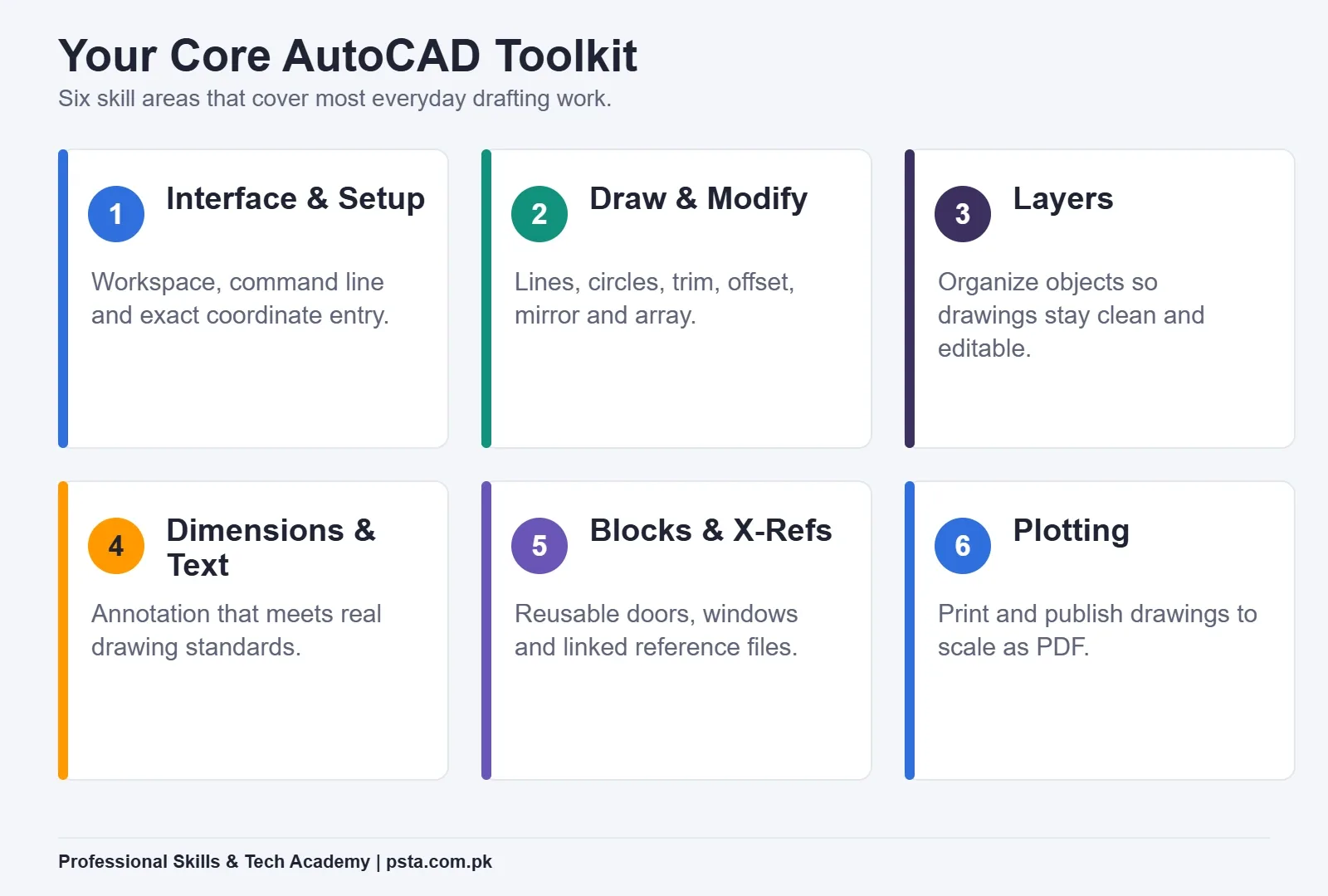
- Weeks 1–2: Interface and basic drawing. Learn the workspace, the command line and coordinate entry. Draw lines, circles and rectangles to exact sizes.
- Weeks 3–4: Modify and organize. Master trim, extend, offset, mirror and array. Set up layers properly so your drawings stay readable.
- Weeks 5–6: Dimensions, text and blocks. Add annotation that meets drawing standards. Create reusable blocks for doors, windows and symbols.
- Weeks 7–8: A full drawing and plotting. Produce one complete floor plan or part drawing, then plot it to scale as a PDF.
Notice there's no 3D here. That's deliberate. By week eight you'll have one finished, printable drawing, which is worth more than a half-learned grasp of twenty tools.
What's New in AutoCAD 2027?
You don't need these features to learn, but they show where the software is going. From Autodesk's AutoCAD 2027 announcement (March 2026), a few stand out for everyday users:
- Geometry Cleanup finds common problems like gaps, overshoots and misaligned angles, then helps fix them.
- Connected References detects and repairs broken external reference links when files are moved or renamed.
- Autodesk Assistant, in tech preview, gives in-context guidance powered by Autodesk's AI.
- A Checkout feature lets several people edit parts of the same DWG file at once.
The takeaway for a beginner: the fundamentals you learn now, layers, dimensions and clean geometry, are exactly what these newer tools build on.
Do You Need to Learn BIM as Well?
Not at the start. BIM, or Building Information Modeling, is a smarter way of drawing where a change in one view updates everywhere automatically. It matters for modern architecture and large projects, and it's worth understanding.
But chasing BIM before you can draft well is a common mistake. Build solid 2D skills, add 3D, then learn BIM concepts once you understand how drawings fit together. PSTA's course introduces BIM fundamentals in a later module for exactly this reason.
How Do You Build a Skill Level Employers Trust?
Think of your growth in four levels. Most beginners want to rush to the top; the ones who get hired move through each stage properly.
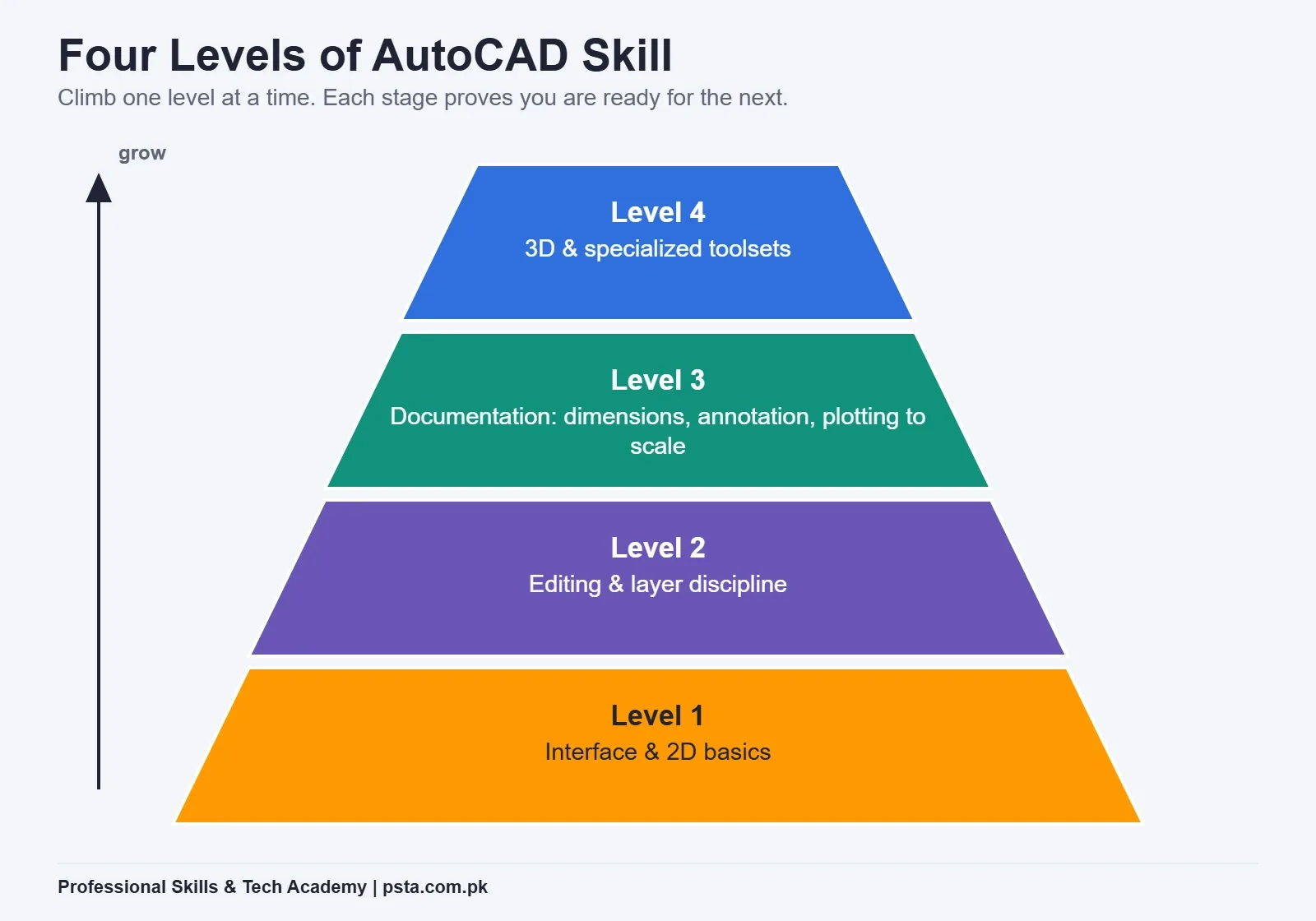
At the base you have interface and 2D basics. Next come editing and layer discipline, which separate a tidy drawing from a messy one. Above that sits documentation: dimensions, annotation and plotting to scale. At the top is 3D and specialized work. A portfolio with two or three clean drawings from the middle levels will open more doors than a single rushed 3D model.
Where Can AutoCAD Skills Take You in Pakistan?
AutoCAD isn't a job by itself; it's a skill that supports several careers. The common paths our students follow:
- CAD draftsman at construction, architecture or fabrication firms, preparing working drawings.
- Design support for civil, mechanical or electrical engineers who need their concepts drawn to standard.
- Freelancing on Upwork and Fiverr, offering 2D drafting, floor plans or drawing cleanup to clients abroad.
- Further study, where drafting skill strengthens a DAE, engineering or architecture path.
Pay varies widely by city, employer and your portfolio, so be cautious of anyone promising a fixed salary. What's reliable is this: a finished portfolio and the ability to plot clean, scaled drawings make you employable far faster than a certificate alone.
Common Beginner Mistakes to Avoid
A few habits trip up almost every new learner. Catch them early:
- Drawing without layers. It feels faster at first, then makes editing a nightmare. Set up layers from day one.
- Ignoring exact measurements. AutoCAD's whole value is precision. Type the dimension; don't eyeball it.
- Skipping to 3D. Covered above, but it bears repeating because it's the most common one.
- Never plotting. A drawing that's never been printed to scale hides problems. Plot early and often.
- Collecting courses instead of finishing drawings. One completed, scaled drawing teaches you more than three tutorials you only watched.
How Long Before You Can Take Paid Work?
With steady practice, most learners can handle simple 2D drafting jobs within two to three months and basic 3D a little after that. The limit is usually not talent; it's finishing things. Set a target of one complete drawing a week once you're past the basics, and your portfolio builds itself.
Learn AutoCAD With PSTA
PSTA's AutoCAD Mastery course follows the same order this guide recommends. It runs over 45 to 90 days at beginner level and covers ten modules, starting with interface setup and 2D drafting, moving through layers, dimensions, blocks and external references, then into 3D modeling, parametric design and BIM fundamentals, and finishing with a full project and portfolio building.
The fee listed on the course page is Rs. 28,000, reduced from Rs. 30,000, with classes available on campus in Abbottabad and online across Pakistan. Students who also want to script and automate their work often add Python later, and those moving toward data roles sometimes pair it with Power BI.
Your First Step This Week
Don't try to learn everything at once. This week, get AutoCAD through the free trial or the student plan, then draw one simple rectangle to an exact size and put it on its own layer. That small, correct drawing tells you more about whether you'll enjoy this work than any video can.
When you're ready for structured practice, browse all PSTA courses or start your online admission. For timings and batch details, send a WhatsApp message to +92 314 5424399, or drop by our Mandian campus on Old College Road (across from FIMS College) here in Abbottabad.
Frequently asked questions
Is AutoCAD free to learn in Pakistan?
Yes, if you qualify. Autodesk's education plan gives students and educators free, one-year access to AutoCAD, renewable while you stay eligible. You verify your status first. If you're not a student, a 15-day free trial lets you work through the basics before deciding whether to pay for a subscription.
Should I learn 2D or 3D AutoCAD first?
Learn 2D first. A 3D model is built from 2D profiles that you extrude or revolve, so clean 2D habits like exact coordinates and layer management carry straight into 3D. Most real drafting work in Pakistan is also 2D, so you can earn from those skills well before you move on to 3D.
How long does it take to learn AutoCAD?
With six to eight hours a week, most beginners handle simple 2D drafting within two to three months, and basic 3D a little after. The limit is usually finishing drawings, not talent. Aim for one complete, scaled drawing a week once you're past the basics, and your portfolio builds itself.
What is the difference between AutoCAD and AutoCAD LT?
Full AutoCAD does 2D and 3D plus seven specialized toolsets and AI tools. AutoCAD LT does 2D drafting and documentation only. LT is the cheaper entry point at $540 a year versus $2,095 for full AutoCAD. Choose LT for pure 2D work and upgrade when you start taking 3D or toolset-specific jobs.
Which version of AutoCAD should I learn in 2026?
The current release is AutoCAD 2027, so learn on that if you can. You don't strictly need the newest version to build skills, since the core drawing, editing and plotting tools change little year to year. Knowing which version you're on mainly helps when you follow tutorials written for a specific release.
Can I get an AutoCAD job in Pakistan after this course?
AutoCAD supports several roles: CAD draftsman, design support for engineers, and freelancing on Upwork or Fiverr. No honest trainer can promise a fixed salary or a guaranteed job, since pay depends on city, employer and your work. What helps most is a finished portfolio and the ability to plot clean, scaled drawings.
Sources & references
- AutoCAD overview and pricing autodesk.com
- AutoCAD LT overview and pricing autodesk.com
- Autodesk education plan autodesk.com
- What's new in AutoCAD 2027 autodesk.com
Last reviewed & updated on by Umar Qureshi. Written by the PSTA team in Abbottabad, Pakistan.

Umar Qureshi

AutoCAD Mastery: 2D, 3D Design & BIM (Complete Professional Course)
Turn this guide into a career: hands-on training with real projects, online across Pakistan or on-campus in Abbottabad · 45 - 90 Days.



Comments
No comments yet — ask a question or share your experience.