Quick answer
Most WordPress interview questions for fresher roles cover three layers: building a site, customizing themes and plugins safely, and keeping it secure and fast. Learn the official answers on child themes, the template hierarchy, actions versus filters, hook priority and nonces, then bring a small plugin and a demo site as proof.
Key takeaways
- • Job ads on Indeed Pakistan ask for page builders, WooCommerce, and hooks, actions and filters.
- • WordPress recommends PHP 8.3+, MySQL 8.0+ or MariaDB 10.11+, and HTTPS.
- • A child theme needs a Template field that matches the parent folder name exactly.
- • Actions return nothing; filters must return the changed value. Default hook priority is 10.
- • Nonces last 12 to 24 hours and are never a substitute for current_user_can().
- • Bring proof: a child theme, a tiny plugin and a demo WooCommerce shop.
Table of contents 32 sections
- What Do Pakistani Employers Test in a WordPress Interview?
- WordPress Interview Questions on Core Basics
- 1. What Is the Difference Between WordPress.org and WordPress.com?
- 2. What Does a Server Need to Run WordPress?
- 3. How Are Posts Different From Pages?
- 4. Which WordPress Version Is Current, and What Changed Recently?
- 5. What Lives in wp-config.php?
- Themes, Child Themes and the Template Hierarchy
- 6. Why Would You Use a Child Theme?
- 7. Explain the Template Hierarchy for a Static Page
- 8. And for a Single Blog Post?
- 9. How Should You Add CSS and JavaScript to a Theme?
- How Do WordPress Hooks Work?
- 10. What Is the Difference Between an Action and a Filter?
- 11. What Does the Priority Number Do?
- 12. What Is the Fourth Argument of add_action()?
- 13. Write a Filter That Shortens Excerpts
- Querying Content: WP_Query, get_posts and Custom Post Types
- 14. When Do You Use get_posts() Instead of WP_Query?
- 15. What Are Custom Post Types and Taxonomies?
- 16. What Is the Loop?
- Security and Performance Questions
- 17. What Is a Nonce, and What Does It Not Do?
- 18. How Do You Handle User Input Safely?
- 19. A Client Says the Site Is Slow. What Do You Check First?
- Page Builder and WooCommerce Interview Questions
- 20. Elementor or Gutenberg: Which Would You Use for a Client?
- What Proof Should You Bring to the Interview?
- A Seven-Day Revision Plan
- Mistakes Freshers Make in the Room
- Preparing With PSTA's 12-Week WordPress Course
- Answer Three Questions Out Loud Tonight
Example: a fresh graduate in Abbottabad prepares for WordPress interview questions by rehearsing Elementor layouts, then gets asked in the first round how a filter differs from an action. That question would not surprise anyone reading current job ads. On Indeed Pakistan, a Karachi WordPress developer listing asks for custom themes, custom plugins, and working knowledge of hooks, actions, filters and shortcodes. Page builders still matter, but they are only the first round.
This guide gives you 20 WordPress interview questions that come up for junior and fresher roles, with short model answers you can say in your own words. Here is what you will get:
- What employers in Lahore, Karachi and remote teams list in their job ads
- 20 questions grouped by topic, from server basics to security
- Code snippets small enough to write on a whiteboard
- A seven-day revision plan and a table of proof to bring to the interview
- The mistakes that make interviewers stop listening
What Do Pakistani Employers Test in a WordPress Interview?
Before you study any answer sheet, read current WordPress jobs in Pakistan. The listings on Indeed Pakistan fall into three rough groups. A Lahore agency wants three to four years with Elementor, Gutenberg and other page builders. A senior Lahore role prefers about three years of WooCommerce and fluent English. A remote role mixes WordPress with technical SEO, Google Analytics and Search Console.
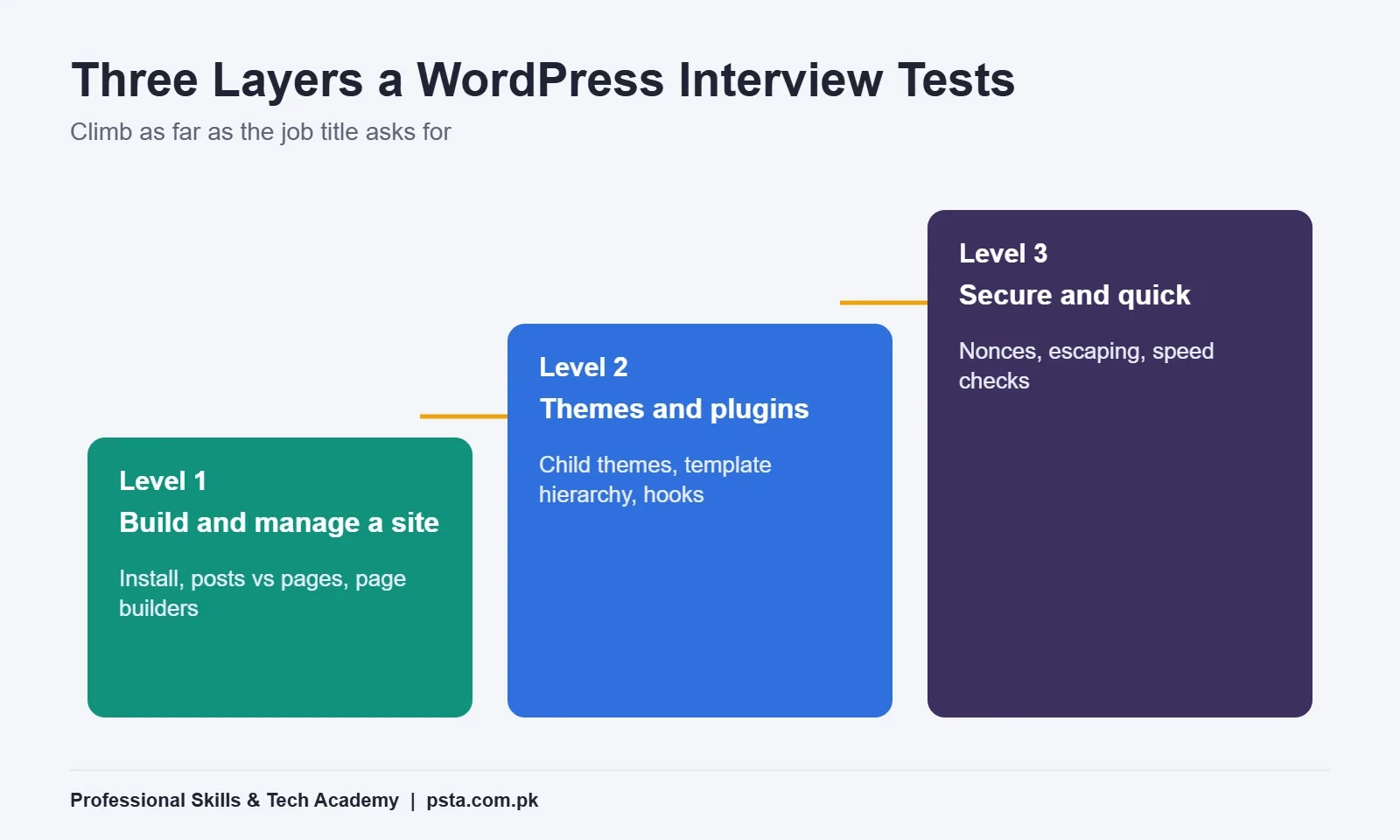
So a WordPress developer interview usually checks three layers. First, can you build and manage a site without breaking it? Second, do you understand how themes and plugins plug into core? Third, can you keep a client's site secure and quick? The questions below follow that order, and the level you need depends on the job title.
WordPress Interview Questions on Core Basics
Interviewers open with these to check that you have actually installed and run WordPress, not only watched videos about it.
1. What Is the Difference Between WordPress.org and WordPress.com?
WordPress.org is where you download the free, open-source software and host it yourself on any server you choose. WordPress.com is a hosted service built on that software, where the company manages the server for you. Expect self-hosted work whenever a client wants full control over plugins, themes and the database.
2. What Does a Server Need to Run WordPress?
Quote the official numbers. The WordPress requirements page recommends PHP 8.3 or greater, MySQL 8.0 or greater or MariaDB 10.11 or greater, and HTTPS support. Add that you check a host's PHP version before buying a plan, since an outdated version causes plugin errors later.
3. How Are Posts Different From Pages?
Posts are dated entries that appear in the blog feed and can be grouped with categories and tags. Pages are for content that does not belong to a timeline, such as About, Contact or Fee Structure, and they can have parent and child pages. A good answer gives one example of each from a real site you built.
4. Which WordPress Version Is Current, and What Changed Recently?
Version 7.1 shipped on August 19, 2026, according to GreenGeeks' release summary. It added per-device styling in Global Styles, a Tabs block and a Playlist block, and image compression that runs in Chrome-based browsers before upload. W3Techs reports that version 7 already runs on 68.3% of WordPress sites, so interviewers expect you to know it.
5. What Lives in wp-config.php?
This file holds the database name, user, password and host, the table prefix, the security keys and salts, and switches such as WP_DEBUG. Say that you never commit it to a public repository and that you change the default table prefix on new installs. That one sentence shows you think about security from the first day.
Themes, Child Themes and the Template Hierarchy
Expect at least one question here even for a page-builder role, because losing custom changes in a theme update is a problem every agency wants to avoid.
6. Why Would You Use a Child Theme?
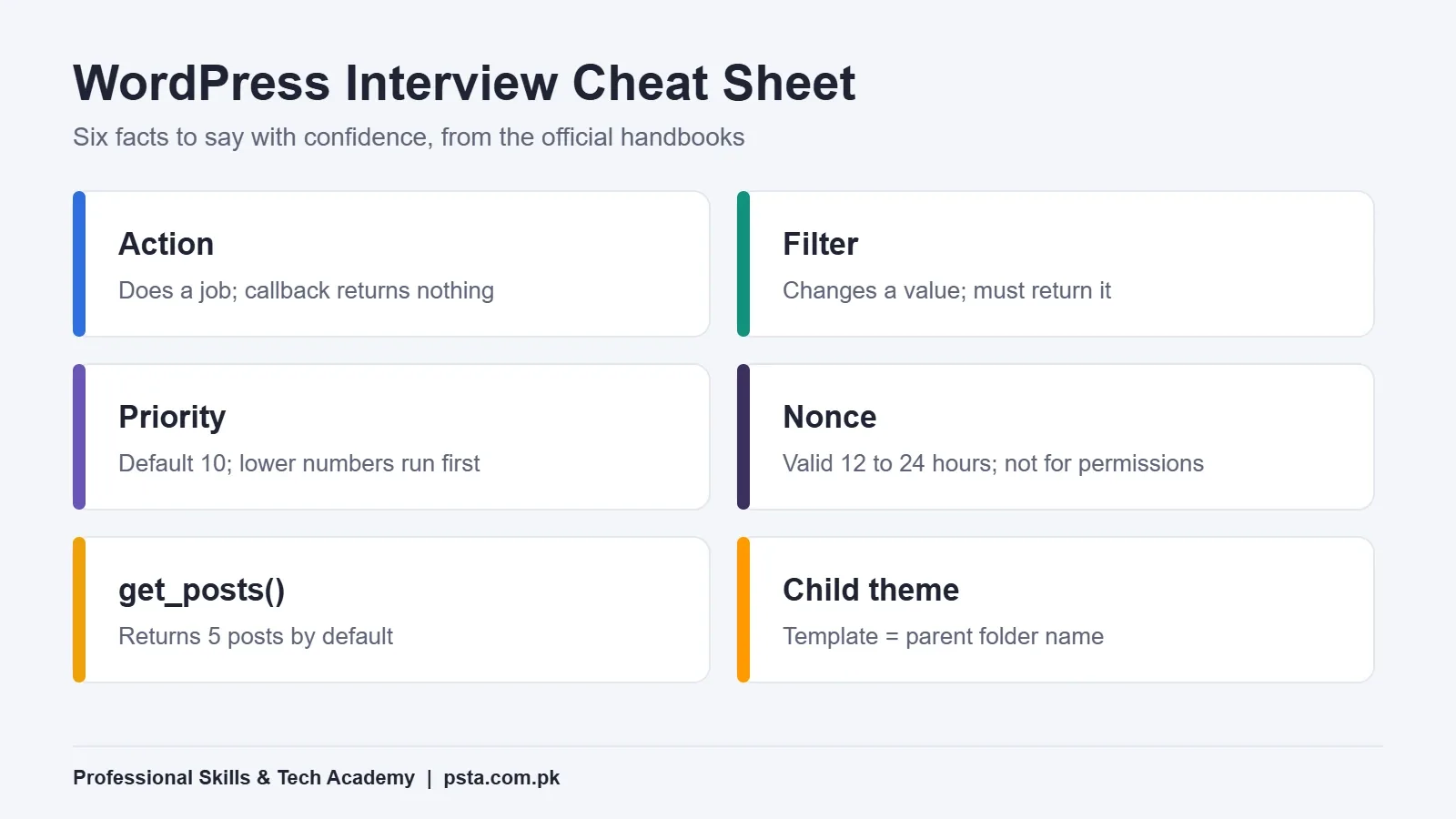
A child theme lets you change a theme's files without losing those changes when the parent theme updates. According to the theme handbook, Theme Name is the only header field a theme strictly needs. A child theme adds the Template field, which must match the parent theme's folder name exactly.
/*
Theme Name: Clinic Child
Template: twentytwentyfive
*/
7. Explain the Template Hierarchy for a Static Page
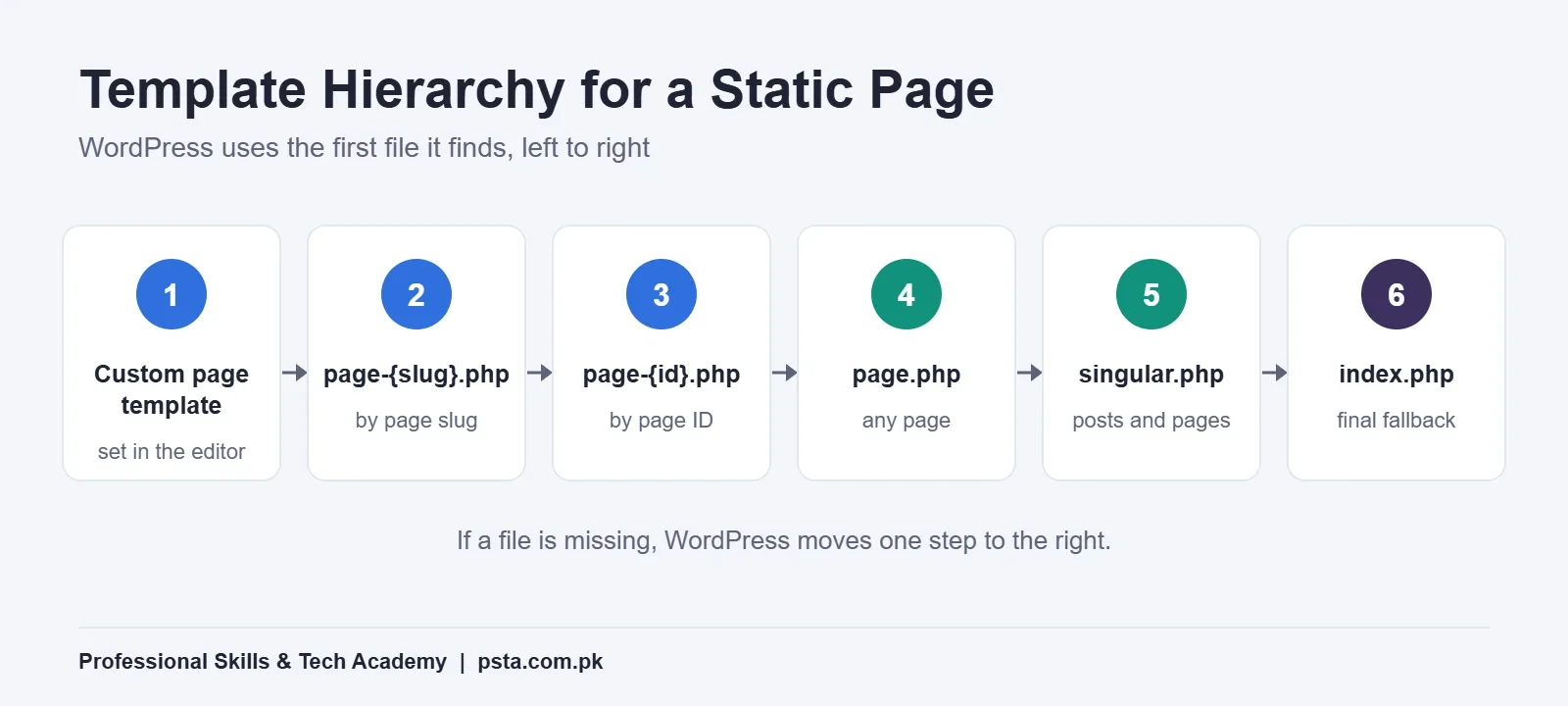
The template hierarchy is the order in which WordPress looks for a file to display a request. For a static page, the official hierarchy checks the custom template assigned to that page, then page-{slug}.php, page-{id}.php, page.php, singular.php and finally index.php. The first file it finds wins.
8. And for a Single Blog Post?
For a single post, WordPress tries single-{post-type}-{slug}.php, then single-{post-type}.php, single.php, singular.php and index.php. If an interviewer asks why a design change "is not showing," this is where you look first. A more specific file higher in the chain may be overriding the one you edited.
9. How Should You Add CSS and JavaScript to a Theme?
Load them with wp_enqueue_style() and wp_enqueue_script() inside a function attached to the wp_enqueue_scripts hook. Hard-coding script tags in header.php causes duplicate files and plugin conflicts. Mention that enqueueing also lets you declare dependencies, such as a script that needs another library to load first.
How Do WordPress Hooks Work?
Questions about WordPress hooks separate developers from site builders. If the ad mentions plugins or custom functionality, prepare this section twice.
10. What Is the Difference Between an Action and a Filter?
The plugin handbook draws the line clearly. An action runs at a set point to do something, such as print output or write to the database, and its callback returns nothing. A filter receives a value, changes it and must hand it back. Filters should avoid side effects like echoing output or changing globals.
11. What Does the Priority Number Do?
Priority decides the order in which callbacks on the same hook run. The default is 10, and the actions guide notes that a callback with priority 9 runs before one with priority 10. Raise the number when you need your code to run after a plugin's code.
12. What Is the Fourth Argument of add_action()?
It sets how many arguments your callback receives. The handbook's example is add_action('save_post', 'wporg_custom', 10, 2), which passes two values to the function instead of one. Forgetting this argument is a classic reason a callback "cannot see" the post object.
13. Write a Filter That Shortens Excerpts
Keep it short enough to write on paper:
add_filter( 'excerpt_length', function ( $length ) {
    return 30;
} );
Then explain that the callback returns a value, which is why this is a filter and not an action.
Querying Content: WP_Query, get_posts and Custom Post Types
14. When Do You Use get_posts() Instead of WP_Query?
The function reference explains that get_posts() is a wrapper that creates a WP_Query object and returns the results as an array. It returns 5 posts by default, sets suppress_filters to true, and leaves the main loop alone. Use it for a small sidebar list. Use WP_Query when you need pagination or full loop control, and avoid query_posts().
15. What Are Custom Post Types and Taxonomies?
A custom post type stores content that is neither a post nor a page, such as Courses, Properties or Doctors. A taxonomy groups that content, such as City or Specialty. You register both in a plugin on the init hook, so the content survives a theme change. Interviewers like candidates who say "plugin, not theme" without being asked.
16. What Is the Loop?
The Loop is the code that walks through the posts WordPress has fetched for the current page. In a classic theme it uses have_posts() and the_post() inside a while statement, then template tags such as the_title() print each post. Being able to sketch it from memory is a quick confidence check.
Security and Performance Questions
17. What Is a Nonce, and What Does It Not Do?
A nonce is a hashed token that protects forms and URLs from misuse. The security handbook says its default lifetime is one day, and that in practice it stays valid for 12 to 24 hours. It is not truly single-use, so it does not stop replay attacks. Never use it for permission checks: use current_user_can() for that.
18. How Do You Handle User Input Safely?
Sanitize on the way in and escape on the way out. Use functions such as sanitize_text_field() before saving, then esc_html(), esc_attr() or esc_url() when printing. Pair that with a nonce check and a capability check on every form you build. If you have studied our WordPress security checklist, mention the plugin and login steps too.
19. A Client Says the Site Is Slow. What Do You Check First?
Measure before you change anything. Check hosting and PHP version, page caching, image sizes, and any heavy plugins loading on every page. Version 7.1 can now compress images in the browser before upload and accepts AVIF and HEIC files, which helps media-heavy sites. Walk through your own process, like the one in our speed optimization checklist.
Page Builder and WooCommerce Interview Questions
20. Elementor or Gutenberg: Which Would You Use for a Client?
Avoid a one-word answer. Explain that the Lahore listing on Indeed asks for both, so you keep both ready. Choose the block editor when the client wants a light site they can edit themselves, and Elementor when the agency already has a design system built in it. Our Elementor vs Gutenberg comparison covers the trade-offs in detail.
If the role includes WooCommerce interview questions, expect a practical task: add a product with variations, set up shipping zones, or explain where order emails are configured. Practice these on a local install, which you can set up with our XAMPP localhost guide.
What Proof Should You Bring to the Interview?
Answers are stronger when you can point at work. Use this table to decide what to show for each topic.
| Question Area | What Interviewers Listen For | Proof You Can Show |
|---|---|---|
| Core basics | You have installed and configured WordPress yourself | A live site on your own domain or a localhost demo |
| Themes | You customize without touching parent files | A child theme folder on GitHub |
| Hooks | You know actions from filters | A tiny plugin with one action and one filter |
| Queries | You pick the right tool for the list | A custom post type with an archive page |
| Security | You sanitize, escape and check permissions | A contact form plugin with a nonce check |
| WooCommerce | You can run a store end to end | A demo shop with variable products and shipping zones |
A Seven-Day Revision Plan
One week is enough to refresh a fresher-level interview if you already build sites. Spend about two hours a day:
- Day 1: Read three current job ads and highlight every skill they name.
- Day 2: Install a fresh site locally and edit wp-config.php by hand.
- Day 3: Build a child theme and override one template file.
- Day 4: Write a small plugin with one action, one filter and a custom post type.
- Day 5: Add a form with a nonce, sanitization and escaping.
- Day 6: Set up a WooCommerce demo product with two variations.
- Day 7: Answer all 20 questions out loud and record yourself once.
Mistakes Freshers Make in the Room
Good preparation can still fall apart in the room. These habits are easy to slip into under pressure.
- Memorizing definitions without examples. Every answer lands better with one sentence about a site you built.
- Calling every plugin "safe." Say how you check update dates and reviews before installing.
- Editing the parent theme. Admitting you have done it is fine; explain why a child theme is the fix.
- Guessing version numbers. If you are unsure, say where you would check, such as the requirements page.
- Skipping questions you could reason through. Thinking out loud often earns more credit than a quick wrong answer.
Preparing With PSTA's 12-Week WordPress Course
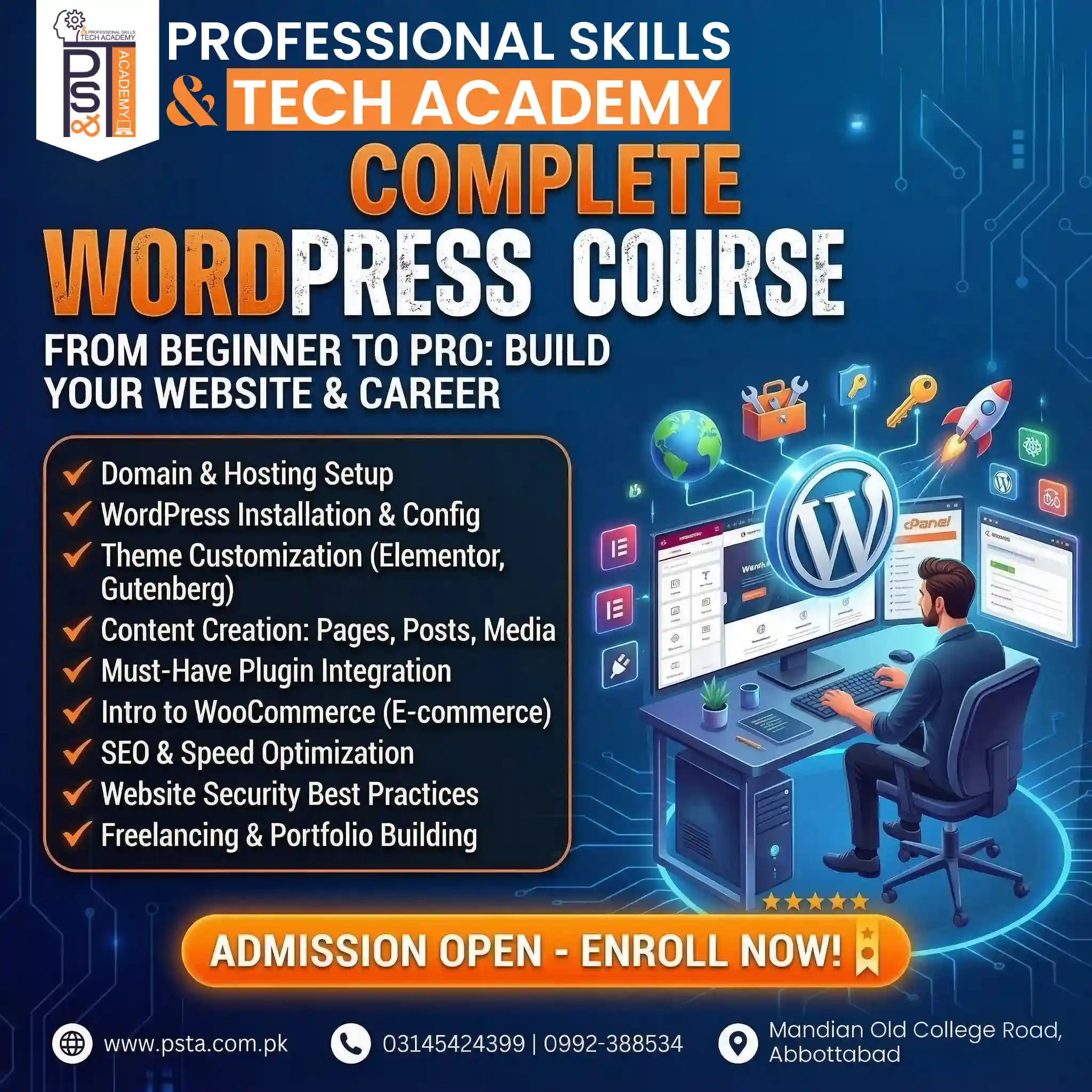
PSTA's Complete WordPress Website Development Course takes 12 weeks and assumes no prior experience. Its course page currently lists a fee of Rs. 22,000, down from Rs. 25,000. Modules cover domain and hosting, installation, theme customization with Elementor and Gutenberg, plugins, WooCommerce, SEO and speed, security, and freelancing with a portfolio.
That course prepares you for most WordPress interview questions in the basics, themes, security and WooCommerce sections above. It does not require coding, so if your target job lists PHP, hooks and custom plugins, plan a second step into the six-month full-stack development program. Classes meet at our Mandian campus in Abbottabad (Old College Road, facing FIMS College), and the same batch can be joined live online from any city. A new batch opens each month.
See all options on the courses page, or use the admission form when you are ready. Questions about timings can go to our team on WhatsApp at +92 314 5424399.
Answer Three Questions Out Loud Tonight
Pick questions 6, 10 and 17 from these WordPress interview questions. Answer each one out loud in under a minute, without notes, and record it on your phone. Play it back and mark where you hesitated. Those gaps are your study plan for tomorrow, and fixing them before the interview matters more than reading another list.
Frequently asked questions
Do I need to know PHP for a fresher WordPress job?
It depends on the title. Site builder and page-builder roles focus on Elementor, Gutenberg and WooCommerce setup, so basic PHP is a bonus. Developer roles that mention custom themes, plugins, hooks or shortcodes expect you to read and write PHP. Check the job ad, and if it names hooks or filters, prepare code-level answers.
How long should my answer to each interview question be?
Aim for 30 to 60 seconds per answer. Give the definition in one sentence, add one example from a site you built, and stop. Long answers often wander into topics you know less well. If the interviewer wants more depth, they will ask a follow-up, which gives you another chance to show practical experience.
Should I bring a portfolio to a WordPress interview?
Yes. Bring two or three live links or localhost demos you can open quickly. A child theme on GitHub, a small plugin with one action and one filter, and a demo shop with variable products cover most technical questions. Be ready to explain what you built yourself and what came from a theme or plugin.
Which WordPress version should I mention in an interview?
Mention the current major release and one or two of its changes. Version 7.1 was released on August 19, 2026, and W3Techs reports that version 7 runs on most WordPress sites. Knowing recent features, such as responsive styling controls and the Tabs block, signals that you keep your skills current.
What practical tasks do WordPress interviews include?
Common tasks include fixing a layout in a child theme, adding a custom post type, creating a product with variations in WooCommerce, or finding why a plugin breaks a page. Some companies send a take-home task instead. Practice on a local XAMPP install so you can work quickly without depending on internet speed.
Is a WordPress certificate enough to get hired?
A certificate helps you pass the first screening, but hiring decisions usually rest on what you can show and explain. Pair any certificate with live work, a short case study of one client or practice site, and clear answers about security and speed. That combination is far more convincing than a certificate alone.
How do I answer a question I do not know?
Say so briefly, then explain how you would find the answer, such as checking the developer handbook or testing on a staging site. If you can reason part of the way, think out loud. Interviewers usually value honest problem solving more than a confident guess that turns out to be wrong.
Sources & references
- WordPress Requirements wordpress.org
- Template Hierarchy (Theme Handbook) developer.wordpress.org
- Main Stylesheet style.css (Theme Handbook) developer.wordpress.org
- Hooks (Plugin Handbook) developer.wordpress.org
- Actions (Plugin Handbook) developer.wordpress.org
- get_posts() Function Reference developer.wordpress.org
- Nonces (Security Handbook) developer.wordpress.org
- Usage Statistics of WordPress (W3Techs) w3techs.com
Last reviewed & updated on by Umar Qureshi. Written by the PSTA team in Abbottabad, Pakistan.

Umar Qureshi
Complete WordPress Website Development Course: Beginner to Pro
Turn this guide into a career: hands-on training with real projects, online across Pakistan or on-campus in Abbottabad · 12 Weeks.
Comments
No comments yet — ask a question or share your experience.