Quick answer
Two-factor authentication adds a second check after your password, such as a code, prompt or passkey. Microsoft research found MFA cut account compromise risk by 99.22%. SMS codes beat nothing, authenticator apps are better, and passkeys or security keys are strongest because fake websites cannot use them. Always save backup codes.
Key takeaways
- • Any two-factor authentication is far better than a password alone.
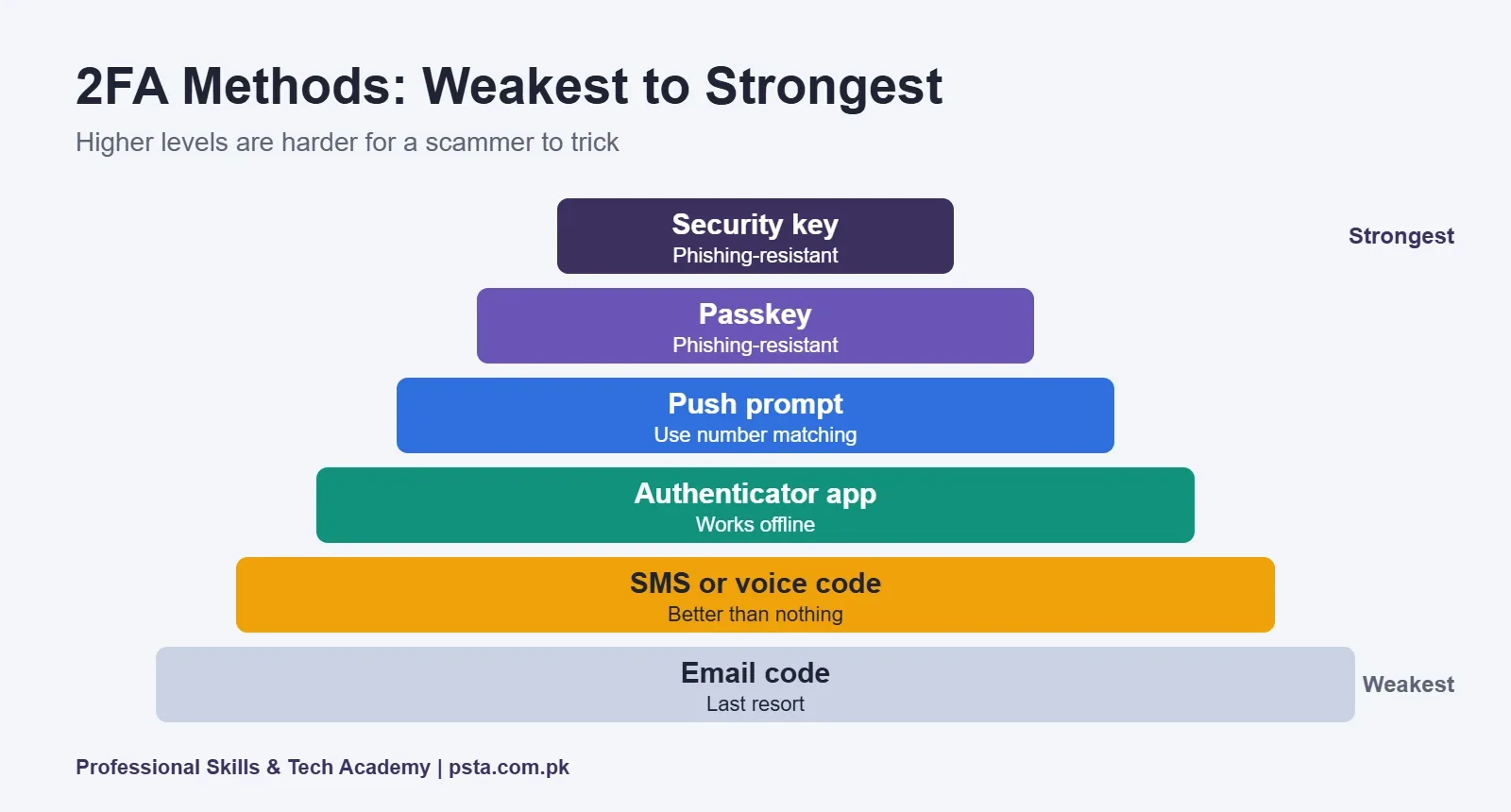
- • Ranked weakest to strongest: email code, SMS, authenticator app, push prompt, passkey, security key.
- • Passkeys and security keys resist phishing because they only work on the real site.
- • Turn on WhatsApp two-step verification so a stolen SMS code is not enough.
- • Save backup codes on paper and register a second method.
Table of contents 18 sections
- What Is Two-Factor Authentication?
- Does 2FA Actually Stop Hackers?
- Six Two-Factor Authentication Methods Ranked
- 6. Email Codes
- 5. SMS and Voice Codes
- 4. Authenticator App Codes
- 3. Push Prompts
- 2. Passkeys
- 1. Hardware Security Keys
- Two-Factor Authentication Methods Compared
- How to Turn On 2-Step Verification in Gmail
- How to Turn On WhatsApp Two-Step Verification
- Don't Skip Backup Codes and Recovery Options
- Mistakes That Undo Two-Factor Authentication
- Two-Factor Authentication for Freelancers and Small Businesses
- Which Accounts Should You Protect First?
- Turning Account Security Into a Career
- Ten Minutes Tonight: Lock Down Two Accounts
Here is an example of how most account takeovers in Pakistan start. A caller says he is from a courier company and needs "the code we just sent" to confirm your parcel. You read out six digits, and within a minute someone else is logged into your WhatsApp. The Pakistan Telecommunication Authority has warned about exactly this courier trick. Two-factor authentication is the setting that stops one stolen code or password from handing over your account.
Not every kind of two-factor authentication is equally strong, though. This guide ranks six methods from weakest to strongest so you know which one to pick for each account. You'll learn:
- What two-factor authentication is and why it matters more than a long password
- The six common methods, ranked by how hard they are to trick
- How to turn on 2-step verification in Gmail and WhatsApp
- Why backup codes are the step most people skip, and regret
- Where these skills lead if you want a career in security
What Is Two-Factor Authentication?
Two-factor authentication means a service asks for two different kinds of proof before letting you in. The US Cybersecurity and Infrastructure Security Agency (CISA) describes the factor types as something you know, something you have and something you are.
Your password is something you know. Your phone or a security key is something you have. Your fingerprint is something you are. When a login needs two of these, a stolen password alone stops being enough.
You'll also see the terms multi-factor authentication (MFA) and 2-step verification. For everyday users they mean the same idea: a second check after your password.
Does 2FA Actually Stop Hackers?
Yes, two-factor authentication stops most account takeovers by a wide margin. A 2023 study by Microsoft researchers of Azure Active Directory accounts showing suspicious activity found that MFA reduced the risk of compromise by 99.22%. For accounts whose passwords had already leaked, the reduction was still 98.56%.
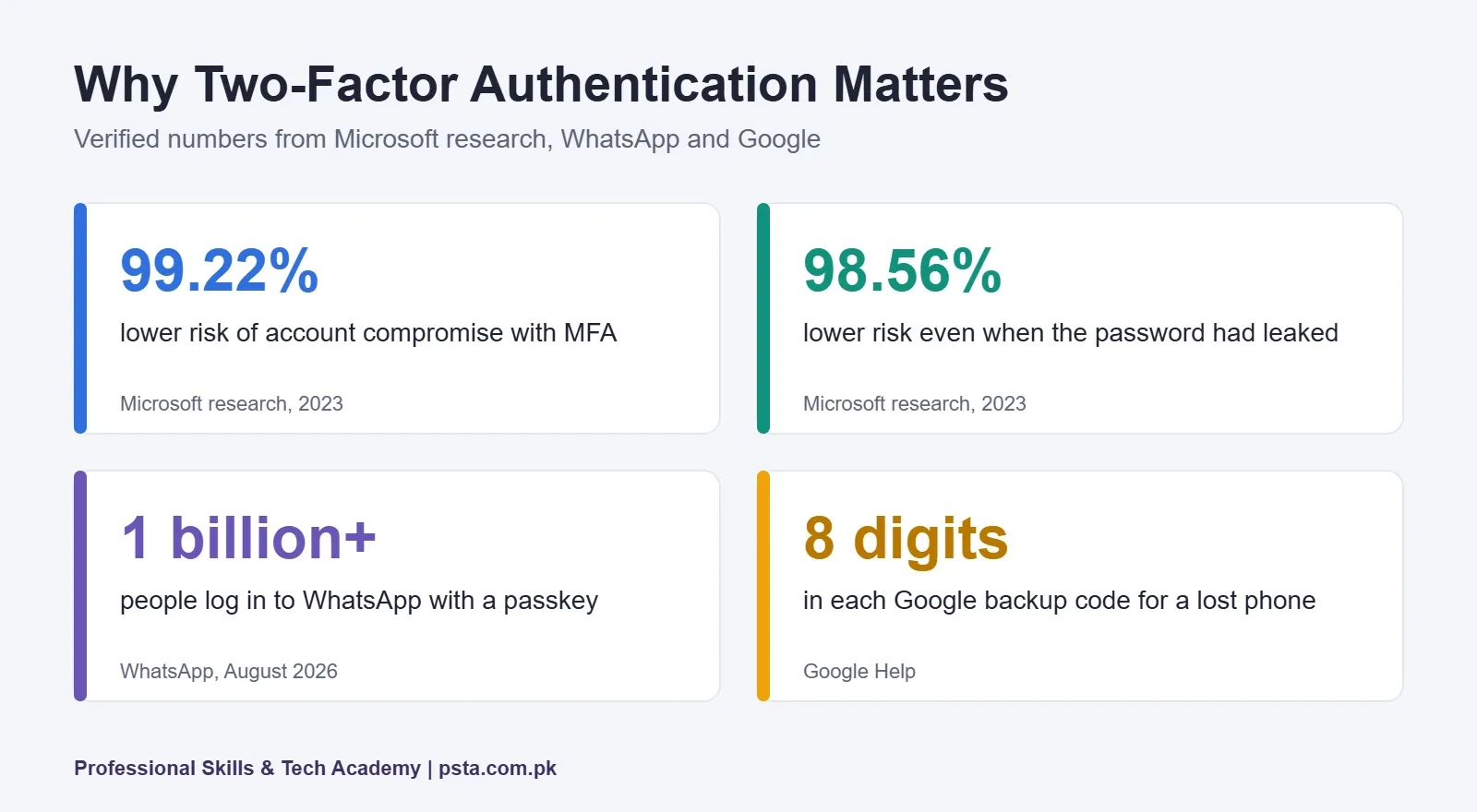
CISA makes the same point in plainer words: any MFA is better than no MFA. That matters because many people delay turning it on while they wait to buy a security key or learn the "best" method. Start with what you have today, then upgrade.
Six Two-Factor Authentication Methods Ranked
Each method below adds protection over a password alone. The difference is how easily an attacker can trick you, or your mobile network, into handing over the second factor.
6. Email Codes
A code sent to your email is only as safe as the email account itself. If the same password protects both, one leak opens both doors. Use it only when a service offers nothing else.
5. SMS and Voice Codes
This is the most common option in Pakistan because almost everyone has a SIM. Google's 2-Step Verification help page notes that text and voice codes are more vulnerable to phone-number attacks. The two big risks are you reading the code out to a scammer, and a criminal getting a duplicate SIM issued in your name.
4. Authenticator App Codes
Apps like Google Authenticator create a fresh code every 30 seconds on your phone. Google points out that these codes work even without internet or mobile service, which helps during network outages. A fake website can still trick you into typing the code, so stay alert.
3. Push Prompts
Here your signed-in phone shows a "Is it you trying to sign in?" message and you tap Yes or No. Google recommends this option for most users. The weakness is fatigue: if you tap Yes without reading, a criminal can get through. CISA suggests number matching, where you type a number shown on screen, to reduce this risk.
2. Passkeys
A passkey lets you sign in with your fingerprint, face or phone screen lock, and it only works on the real website it was made for. WhatsApp reported in August 2026 that more than 1 billion people now use a passkey to log in.
1. Hardware Security Keys
A small physical key that you plug in or tap against your phone. CISA names FIDO/WebAuthn, the standard behind security keys and passkeys, as the only widely available phishing-resistant authentication. If a scammer sends you to a fake login page, the key simply refuses to work there.
Two-Factor Authentication Methods Compared
Use this table to choose quickly. "Phishing-resistant" means a fake website cannot collect a working second factor from you.
| Method | Needs | Works offline? | Phishing-resistant? | Best for |
|---|---|---|---|---|
| Email code | Email access | No | No | Last resort only |
| SMS or voice code | Active SIM | Needs mobile signal | No | Better than nothing |
| Authenticator app | Smartphone | Yes | No | Most personal accounts |
| Push prompt | Signed-in phone | No | Partly, with number matching | Google and Microsoft accounts |
| Passkey | Phone or laptop with screen lock | Yes, on the device | Yes | Email, WhatsApp, main accounts |
| Security key | Physical key | Yes | Yes | Admins, business owners, freelancers handling payments |
How to Turn On 2-Step Verification in Gmail
Your Gmail account usually controls password resets for everything else, so protect it first. Google lists these steps:
- Open your Google Account at myaccount.google.com.
- Select Security & sign-in.
- Under "How you sign in to Google," choose Turn on 2-Step Verification.
- Follow the on-screen steps, then add a passkey or authenticator app as your main method.
- Generate backup codes and store them somewhere safe and offline.
Work or university accounts may be controlled by an administrator, so ask your IT team if the option is missing.
How to Turn On WhatsApp Two-Step Verification
WhatsApp's own version of 2FA is a PIN that it asks for whenever your number is registered on a new phone. A courier scammer who gets your SMS code still cannot finish the takeover without it.
- Open WhatsApp and go to Settings, then Account.
- Tap Two-step verification, then Turn on or Enable.
- Create your PIN and confirm it.
- Add an email address so you can reset the PIN if you forget it.
These steps follow Malwarebytes' setup guide. WhatsApp's August 2026 update also lets this PIN be a longer password with letters and special characters, which is worth using. While you're in Account settings, add a passkey too. Lost access already? Follow our WhatsApp account recovery steps before doing anything else.
Don't Skip Backup Codes and Recovery Options
Two-factor authentication protects you from strangers, but it can also lock you out if you lose your phone. Google's backup codes are 8-digit, one-time codes made for exactly this situation.
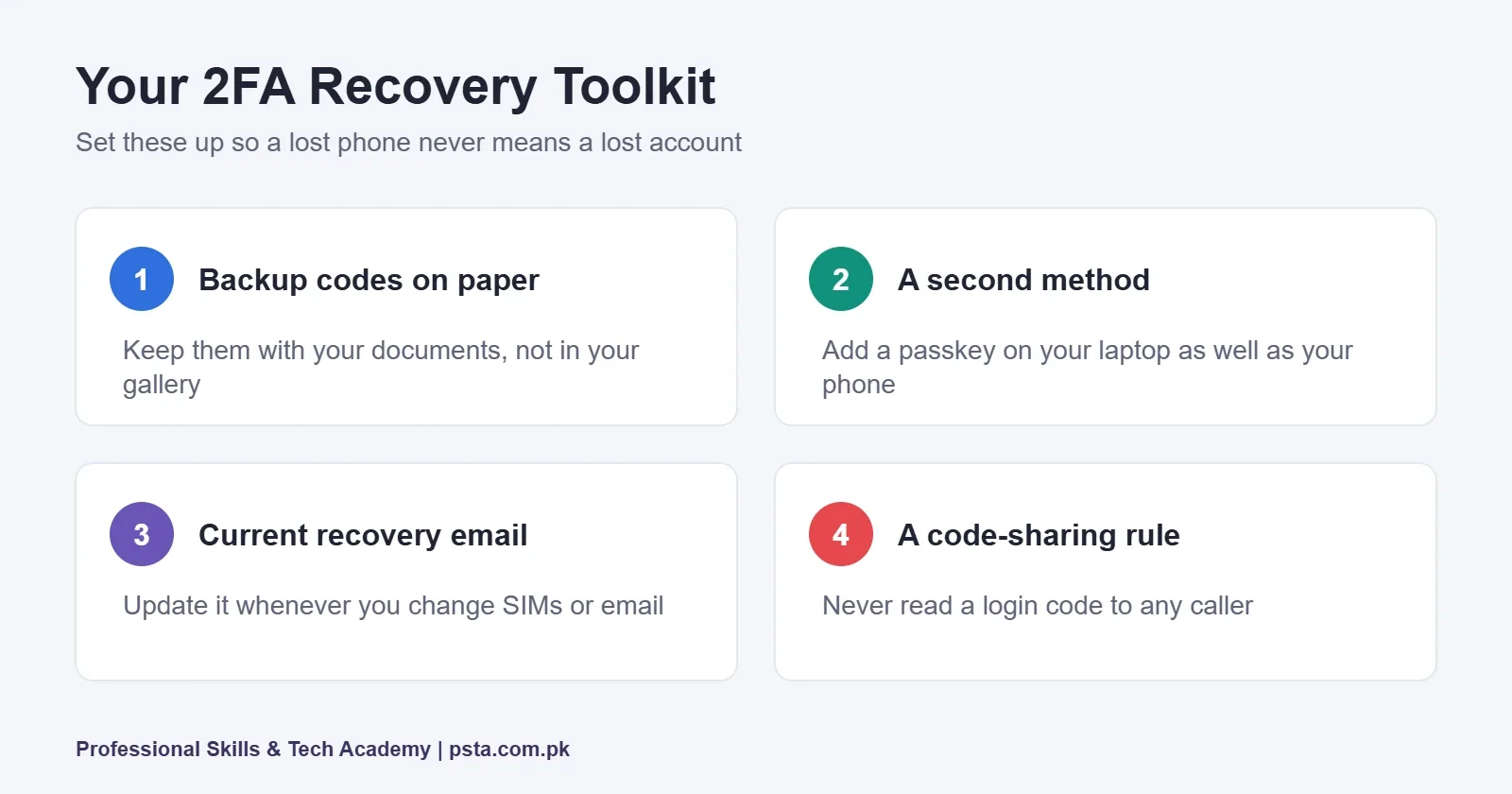
- Print or write down backup codes and keep them with your important documents, not in your phone's gallery.
- Add a second method, such as a passkey on your laptop as well as your phone.
- Keep your recovery email and number current, especially if you change SIMs.
- Never share a code with anyone, including callers who say they are from a bank, courier or PTA. PTA's own advice is never to share CNIC numbers, passwords or OTPs.
Mistakes That Undo Two-Factor Authentication
Turning on two-factor authentication is step one. These habits quietly cancel out the protection, and we see them often when students review their own accounts in class.
- Reading codes aloud to callers. No genuine bank, courier or telecom company needs your login code. A code is meant for a screen, not a phone call.
- Approving prompts you didn't start. If a sign-in prompt appears when you aren't logging in, tap No and change your password.
- Keeping backup codes in the same phone. If the phone is lost or stolen, the backup is gone with it.
- Protecting the account but not the email behind it. A Facebook page with 2FA is still at risk if its recovery email has none.
- Using one password everywhere. 2FA buys time after a leak, but a unique password for each important account keeps the first factor strong too.
Two-Factor Authentication for Freelancers and Small Businesses
If clients pay you through online platforms or your shop runs on social media, a takeover costs more than embarrassment. It can freeze payments or let a stranger message your customers.
Three practical rules help here. First, give every staff member their own login instead of sharing one password, so each person can have their own second factor. Second, register at least two methods on business-critical accounts, for example a passkey on the owner's phone and a security key kept in the office. Third, write down who holds which recovery option, so a lost phone doesn't become a lost business account.
For a Facebook or Instagram page, protect every admin's personal account, not just the page. Attackers usually reach a page through the weakest admin.
Which Accounts Should You Protect First?
Start your two-factor authentication rollout with the accounts that can reset or pay for other accounts. For most people in Pakistan, that order looks like this:
- Your main email, because it resets almost everything else.
- WhatsApp, because scammers use hijacked accounts to ask your contacts for money.
- Freelancing and payment accounts such as Upwork, Fiverr and Payoneer.
- Social media pages that you or your business depends on.
- Cloud storage holding your CNIC copies, degrees or client files.
If you suspect your phone itself is compromised, fix that first. Our checklist on signs your phone is hacked helps you decide. And if you're unsure whether a login link is real before you enter any code, use our link safety checks first.
Turning Account Security Into a Career
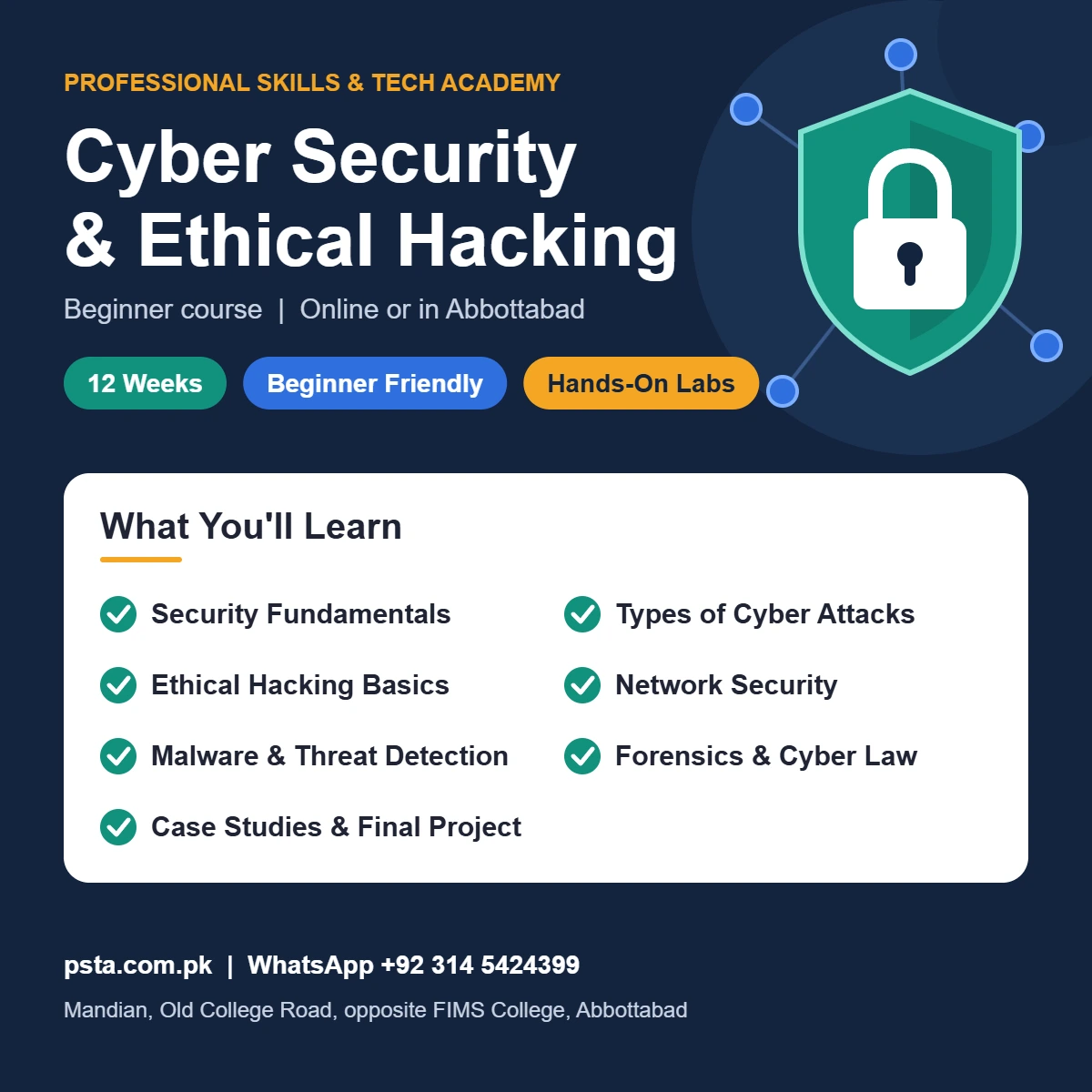
Setting up 2FA is a user skill. Designing it for a company, explaining phishing-resistant login to managers and investigating takeovers are professional skills, and they sit at the heart of PSTA's Cyber Security Course for Beginners.
The course page lists 12 weeks at beginner level, with no prior security experience needed. Labs cover recognizing phishing and social engineering, configuring firewalls and VPNs, running vulnerability scans and investigating an incident. The current fee is Rs. 45,000 (listed regular fee Rs. 60,000), with study on campus in Abbottabad or live online from anywhere in Pakistan. The page also presents it as a base for CompTIA Security+.
Students who later want hands-on penetration testing can move to the Advanced Ethical Hacking course. Our overview of cyber security certifications for beginners shows where each fits, and the full list is on the courses page.
Ten Minutes Tonight: Lock Down Two Accounts
Pick your main email and WhatsApp. Turn on 2-step verification in Gmail, add a passkey, save your backup codes on paper, then set a WhatsApp two-step PIN with a recovery email. That's ten minutes for the two accounts scammers target most. If you'd like to study account security properly, you can apply for the next cyber security batch or ask PSTA about timings on WhatsApp at +92 314 5424399.
Frequently asked questions
What is the difference between 2FA and MFA?
Two-factor authentication uses exactly two kinds of proof, such as a password plus a phone code. Multi-factor authentication means two or more. For personal accounts the terms are used almost interchangeably, and Google calls its version 2-Step Verification. What matters is that a stolen password alone is no longer enough to log in.
Is SMS two-factor authentication safe?
SMS codes are much safer than a password alone, but they are the weakest common option. Scammers can trick you into reading a code aloud, and Google notes text codes are more vulnerable to phone-number attacks. Use an authenticator app, passkey or security key for important accounts, and keep SMS only as a backup.
What happens if I lose my phone with 2FA turned on?
You can still sign in if you prepared. Use the backup codes you saved, a second registered method such as a passkey on your laptop, or your recovery email. Without any of these, account recovery can take days. That is why backup codes on paper are part of setting up 2FA properly.
Do I need to buy a security key?
No. Most people get strong protection from a passkey on their phone or an authenticator app, which cost nothing. A hardware key makes sense for business owners, page admins and freelancers who handle client payments, because it is the most phishing-resistant option and keeps working even if a phone is lost.
How do I know if a 2FA prompt is fake?
If you receive a sign-in prompt or code that you did not request, someone may already have your password. Do not approve it. Tap No, change the password immediately and review recent sign-in activity. A genuine company never phones you to ask for a code it just sent.
Does WhatsApp two-step verification stop hacking?
It blocks the most common takeover in Pakistan, where a scammer tricks you into sharing the SMS registration code. Without your two-step PIN, they cannot finish registering your number on their phone. Add a recovery email, use a longer PIN or password, and consider adding a passkey too.
Sources & references
- CISA: More than a Password (MFA) cisa.gov
- Microsoft researchers: How effective is MFA at deterring cyberattacks? (arXiv) arxiv.org
- Google Account Help: Turn on 2-Step Verification support.google.com
- WhatsApp Blog: One billion people protected with passkeys blog.whatsapp.com
- Malwarebytes: Set up two-step verification on WhatsApp malwarebytes.com
- Samaa: PTA warns users against WhatsApp hacking adminpanel.samaa.tv
Last reviewed & updated on by Umar Qureshi. Written by the PSTA team in Abbottabad, Pakistan.

Umar Qureshi
Cyber Security & Ethical Hacking Course in Abbottabad - PSTA
Turn this guide into a career: hands-on training with real projects, online across Pakistan or on-campus in Abbottabad · 12 Weeks.
Comments
No comments yet — ask a question or share your experience.