Quick answer
Add utm_source, utm_medium and utm_campaign to every campaign link so GA4 credits the right post, ad or message. Write values in lowercase with one separator, use mediums GA4 recognizes such as social, paid-social, email and cpc, keep internal links untagged, and compare results under Acquisition, Traffic acquisition.
Key takeaways
- • Always use utm_source, utm_medium and utm_campaign together; Google calls these the three to include every time.
- • Tag values are case sensitive, so pick lowercase and one separator before building any link.
- • Use mediums GA4 already maps to channels, such as social, paid-social, cpc and email, or traffic falls into Unassigned.
- • In Meta Ads Manager, dynamic values like {{campaign.name}} and {{ad.name}} tag every ad without manual typing.
- • Never tag links between your own pages; tags are only for traffic arriving from outside.
- • Read results in Acquisition, Traffic acquisition using Session campaign and Session source/medium.
Table of contents 12 sections
- What Are UTM Parameters, in Plain Terms?
- The Five UTM Parameters You'll Actually Use
- Meet the Example Shop: One Winter Sale, Five Channels
- Building the Five Campaign Links Step by Step
- Which utm_medium Should You Choose?
- How Do You Tag Meta Ads Without Typing Every Link?
- Naming Rules That Keep Your UTM Parameters Clean
- Where UTM Parameters Don't Belong
- Reading the Results in GA4
- Why UTM Tracking Matters for Pakistani Businesses
- Where UTM Tracking Shows Up in PSTA's Digital Marketing Course
- Ten Minutes Now: Tag the Link in Your Instagram Bio
UTM parameters are short tags you add to the end of a link so Google Analytics 4 can report exactly which post, ad, email or flyer sent each visitor. That matters more every year: DataReportal counted 79.9 million social media user identities in Pakistan in October 2025, and without tags most of that traffic arrives in your reports as a vague lump.
This guide follows one example shop through a single sale, link by link. You will see:
- what each of the five common tags records, and which three Google says you should always use
- how to tag an Instagram bio, a Meta ad, a WhatsApp broadcast, an email and a printed QR code
- which
utm_mediumvalues put your traffic into the right GA4 channel, and which send it to "Unassigned" - a naming routine that keeps reports readable months later
- where to find the results in GA4 and how to act on them
What Are UTM Parameters, in Plain Terms?
A normal link tells the browser where to go. A link with UTM parameters also carries a note for your analytics. Everything after the question mark is that note, written as pairs of names and values joined by &.
Here is one built from Google's own sale example:
https://www.example.com/?utm_source=summer-mailer&utm_medium=email&utm_campaign=summer-sale
The visitor still lands on the same page. GA4 reads the three tags, files the session under source summer-mailer, medium email and campaign summer-sale, then drops the note. Your customer never has to do anything differently.
Without tags, GA4 guesses from the referrer, which often goes missing. Links opened inside apps, PDFs and many messaging tools can arrive with no referrer at all, so a real campaign visit gets counted as "Direct." That's the gap UTM parameters close.
The Five UTM Parameters You'll Actually Use
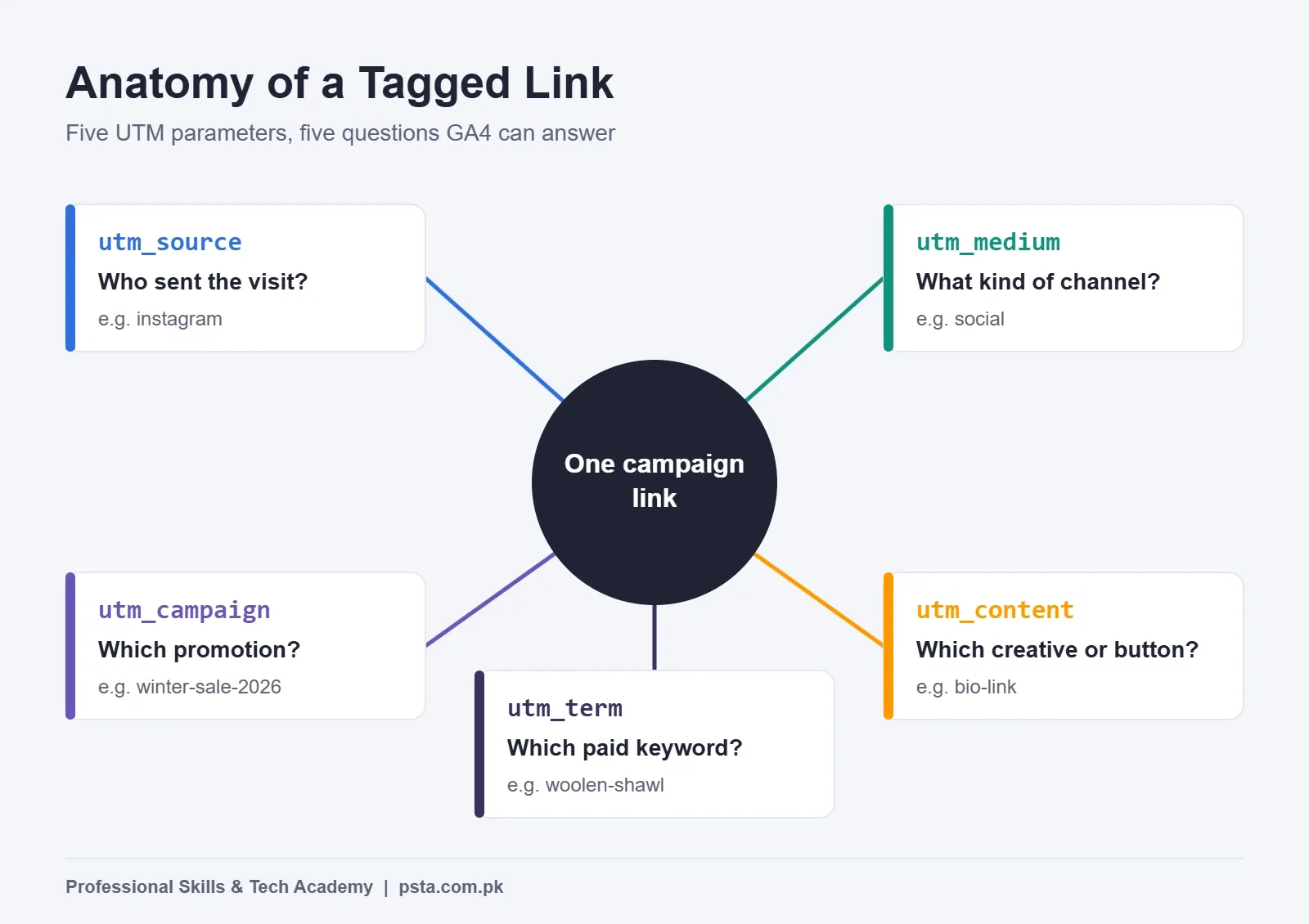
Google's URL builder help page lists nine parameters. In day-to-day work for a small business, five carry almost all the value. Google says you should always include source, medium and campaign together.
| Parameter | What It Answers | Example Value | Use It? |
|---|---|---|---|
utm_source |
Which site, app or sender brought the visit | instagram, newsletter, flyer | Always |
utm_medium |
What type of channel it was | social, email, paid-social | Always |
utm_campaign |
Which promotion or product push | winter-sale-2026 | Always |
utm_content |
Which creative or button inside the same campaign | bio-link, video-ad | When you test two versions |
utm_term |
The paid keyword | woolen-shawl | Mainly for search ads |
Two more are worth knowing. Google strongly recommends utm_id (a campaign ID) and utm_source_platform (the platform that directed the traffic) when they apply. Two others, utm_creative_format and utm_marketing_tactic, are accepted in links, but the same page says GA4 doesn't currently report them. Skip those for now.
Meet the Example Shop: One Winter Sale, Five Channels
To keep this practical, picture a small shawl and knitwear shop in Abbottabad. It's an invented example, but the setup is common: a WordPress or Shopify site with GA4 installed, an Instagram account, a modest Meta ad budget, a customer list on WhatsApp, an email list of past buyers, and printed flyers at the counter.
The owner plans a two-week winter sale and wants one answer at the end: which channel actually sent buyers to the sale page? Every channel will point to the same page, yourshop.pk/winter-sale. Only the tags change.
Before building any link, the shop writes down three fixed choices:
- Campaign name:
winter-sale-2026 - Separator: hyphens only, never spaces or underscores
- Case: lowercase only
That small decision saves hours later. Google states plainly that tag values are case sensitive, so Instagram and instagram become two separate rows in your report.
Building the Five Campaign Links Step by Step
You can type tags by hand, but Google's free Campaign URL Builder removes typing errors. Paste the page address, fill the boxes, and copy the finished link. Here is the order the example shop follows.
- Instagram bio. Source
instagram, mediumsocial, campaignwinter-sale-2026, contentbio-link. Paste the result into the profile's website field. - Meta ad. Source
facebook, mediumpaid-social, same campaign, content set per ad (more on automating this below). - WhatsApp broadcast. Source
whatsapp, mediumsocial, contentbroadcast-day1. Paste the full tagged link into the message rather than a bare home page address. - Email to past buyers. Source
newsletter, mediumemail, contenttop-buttonfor the header button andfooter-linkfor the bottom link. - Printed flyer. Source
flyer, mediumqr, contentcounter-flyer. Turn the tagged link into a QR code and test-scan it before printing 500 copies. - Record everything. Paste every finished link into one shared sheet with the date, channel and person responsible.
- Click each link once. Open it in a private browser window and confirm the page loads with the tags still attached.
The finished Instagram link looks like this:
https://yourshop.pk/winter-sale?utm_source=instagram&utm_medium=social&utm_campaign=winter-sale-2026&utm_content=bio-link
It's long, and that's fine for a bio or a button. If you need a short version for a flyer caption, use a link shortener that keeps the full tagged address as its destination, then test it.
| Channel | utm_source | utm_medium | utm_content | Likely GA4 Channel |
|---|---|---|---|---|
| Instagram bio | social | bio-link | Organic Social | |
| Meta ad | paid-social | ad name | Paid Social | |
| WhatsApp broadcast | social | broadcast-day1 | Organic Social | |
| newsletter | top-button | |||
| Printed flyer | flyer | qr | counter-flyer | Unassigned (by design) |
Which utm_medium Should You Choose?
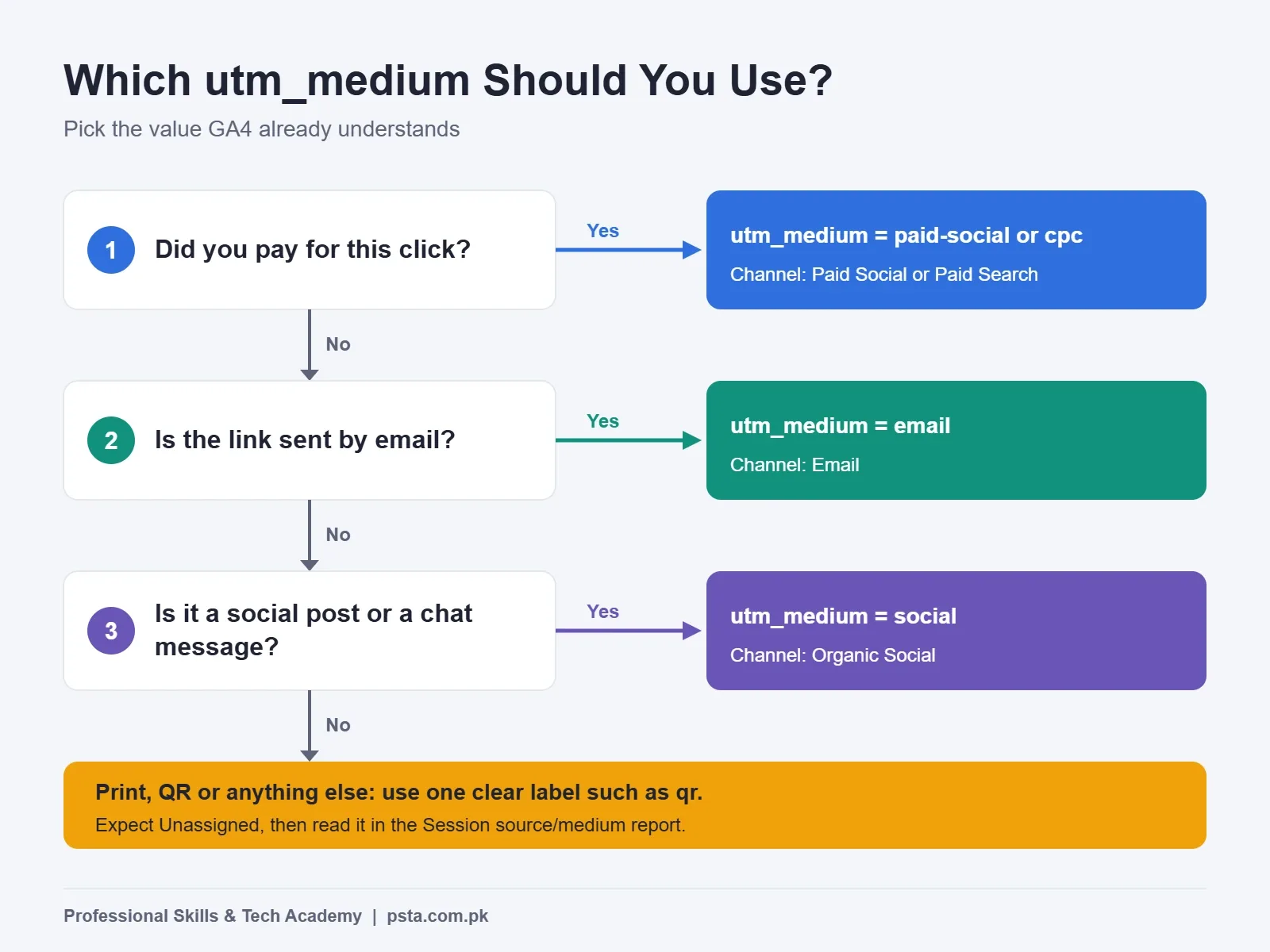
This is where most beginners lose data. GA4 sorts sessions into channels such as Organic Social or Email using fixed rules, and those rules look mainly at the medium. Google's default channel group article spells them out:
- Organic Social: the source is on Google's list of social sites, or the medium is one of
social,social-network,social-media,sm. - Paid Social: the source is a recognized social site and the medium matches the paid pattern, which covers anything containing "cp" (like
cpc),ppc,retargeting, or anything starting with "paid." - Email: the source or medium is
email(or e-mail, e_mail). - SMS: the source or medium is exactly
sms. - Display: the medium is
display,banner,expandable,interstitialorcpm. - Referral: the medium is
referral,apporlink.
When nothing matches, Google files the session as Unassigned. So a made-up medium such as utm_medium=whatsapp or utm_medium=story doesn't break tracking, but it does push the visit out of the channel you expected. That's why the example shop uses social for WhatsApp rather than inventing a new word.
For search ads the logic is the same. Google's guidance on traffic source dimensions lists google as the source and cpc as the medium for Google Ads, so a hand-tagged search ad belongs in Paid Search rather than a channel you invent.
The flyer is the honest exception. No default rule covers print, so qr lands in Unassigned. The shop accepts that on purpose, because the Session source/medium report still shows flyer / qr as its own clean row.
How Do You Tag Meta Ads Without Typing Every Link?
Typing UTM parameters by hand for every ad gets messy fast. Meta Ads Manager has a "Build a URL parameter" option for this, and it's where Meta ads URL parameters are set. Jon Loomer's walkthrough notes there are two places to find it: under the website URL field when you build a new ad, and in the Tracking section when you promote an existing post. He also points out it isn't available for every objective.
Instead of fixed text, you can insert dynamic values that Meta fills in at click time. Mixed Analytics lists the syntax, including {{campaign.name}}, {{adset.name}}, {{ad.name}}, {{placement}} and {{site_source_name}}. A setup that suits the example shop:
utm_source=facebook&utm_medium=paid-social&utm_campaign={{campaign.name}}&utm_content={{ad.name}}
Three cautions from experience. First, name your Meta campaigns in the same lowercase, hyphenated style, because the campaign name is copied straight into GA4. Second, test one live click and check GA4's realtime view, since dynamic values have not always filled in reliably. Third, if you use {{site_source_name}} as the source, it returns short codes rather than full names, so confirm how those codes appear in your channel report before relying on them.
If you also run Google Ads, keep auto-tagging switched on. Google's traffic source documentation recommends adding UTM parameters as a fallback for cases where the click ID can't be used, rather than replacing auto-tagging.
Naming Rules That Keep Your UTM Parameters Clean
Tags are only useful if the same thing is always written the same way. After a few months, sloppy naming produces reports with "Facebook," "facebook," "fb" and "FB-ads" as four separate sources. Nobody can add them up with confidence.
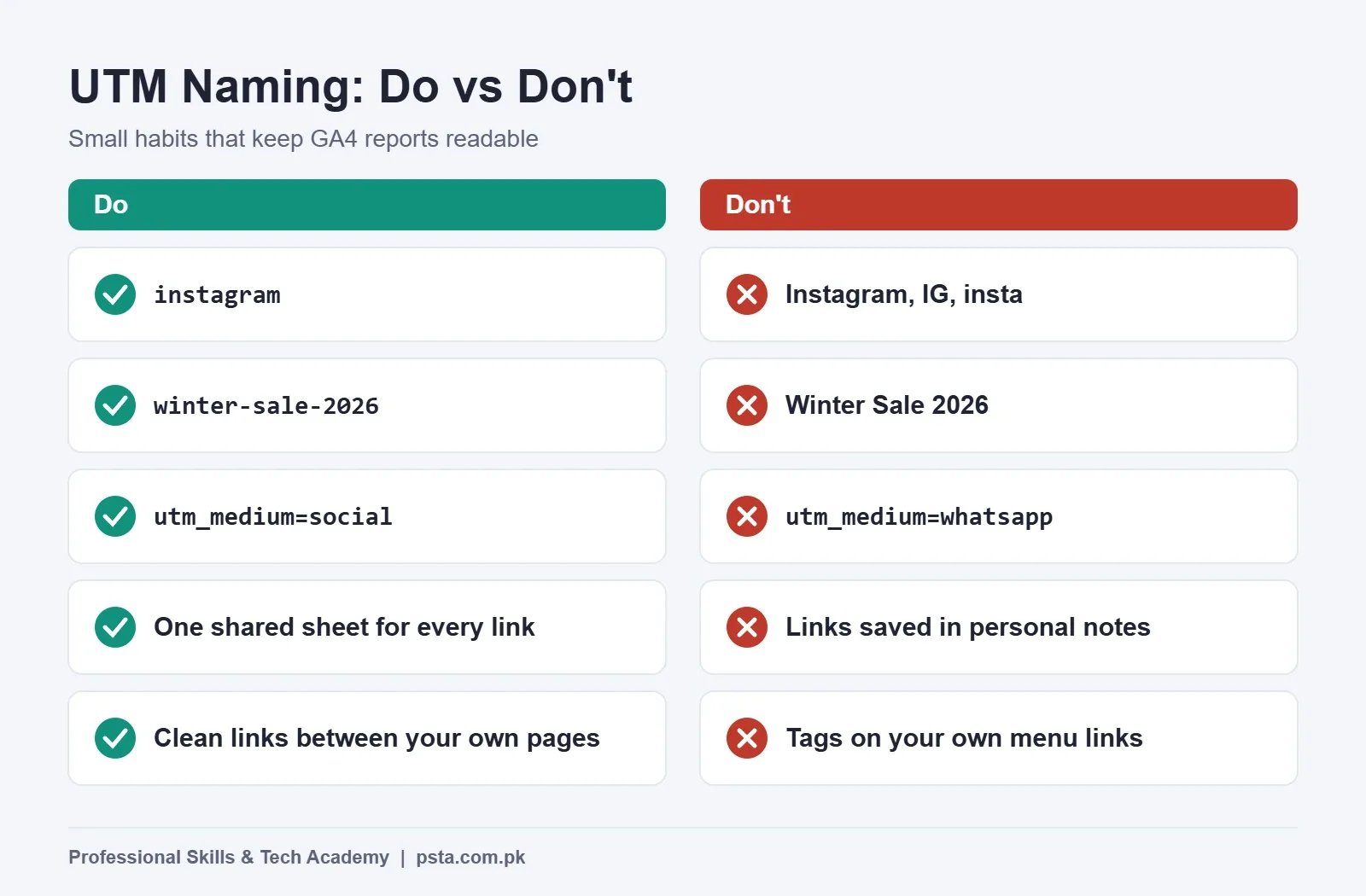
Use these house rules from day one as your UTM naming convention:
- Lowercase every value. Google recommends lowercase as standard practice.
- Pick one separator. Google's help page treats
SpringSaleandSpring_Saleas two different campaigns. - Never use spaces. They get encoded into
%20and are easy to mistype. - Keep the campaign name identical across every channel in one promotion.
- Put the channel in source and medium, and the creative in content, never all three in the campaign name.
- Keep one shared sheet as the only place new links are created.
Where UTM Parameters Don't Belong
UTM parameters describe how someone arrived from outside your site. Using them in the wrong place does more harm than good.
- Links between your own pages. A tag on a menu link or blog link overwrites the source details GA4 uses for later actions, so a buyer who came from Google search can end up credited to your own menu. Leave internal links clean.
- Organic search results. You can't tag the link Google shows in search, and you don't need to. GA4 recognizes search engines on its own.
- Links that don't lead to your site. A
wa.mechat link opens WhatsApp, not your website, so GA4 never sees the tags. Track those conversations inside WhatsApp Business instead, or send people to a tagged landing page first. - Every single post. Tag links that belong to a campaign or that you want to compare. Tagging everything without a plan just creates noise.
Reading the Results in GA4
Once the sale is running, open Reports, then Acquisition, then Traffic acquisition. Google's help page names the dimensions to use there: Session source/medium, Session medium, Session source and Session campaign.
- Change the table's main dimension to Session campaign and find
winter-sale-2026. - Add Session source/medium as a secondary dimension to split the campaign by channel.
- Compare sessions, engaged sessions and key events (such as purchases or form submits) for each row.
- For creative tests, type "ad content" into the dimension picker to find the field that holds your
utm_contentvalues, then compare the two versions.
Two details often confuse students. UTM values don't appear in the "Landing page + query string" dimension; Google says they're kept in Page location instead. And if you leave a tag out, GA4 shows (not set) for it. Seeing (not set) under campaign usually means someone shared an untagged link.
Then decide something. If the flyer brought 40 visits and two orders while the boosted post brought 400 visits and no orders, that's a budget conversation, not a reporting exercise. If you're new to GA4 itself, start with our guide on how to set up Google Analytics 4, and use Google Tag Manager to track purchases and form submits as key events.
Why UTM Tracking Matters for Pakistani Businesses
Local businesses here spread their effort across many platforms at once. DataReportal's 2026 Pakistan report puts Facebook's ad reach at 52.9 million users and Instagram's at 22.4 million in late 2025, alongside 117 million internet users at the end of that year. A shop splitting a small budget across those audiences needs proof of what works, and Meta's own dashboard only reports on Meta.
UTM parameters give you one neutral scoreboard, and they cost nothing to add. The same GA4 report compares a paid ad, an unpaid WhatsApp message and a printed flyer side by side. For freelancers, that report is also strong evidence when a client asks what their money bought. Pair it with a working Meta Pixel setup and you can check Meta's numbers against your own.
Where UTM Tracking Shows Up in PSTA's Digital Marketing Course
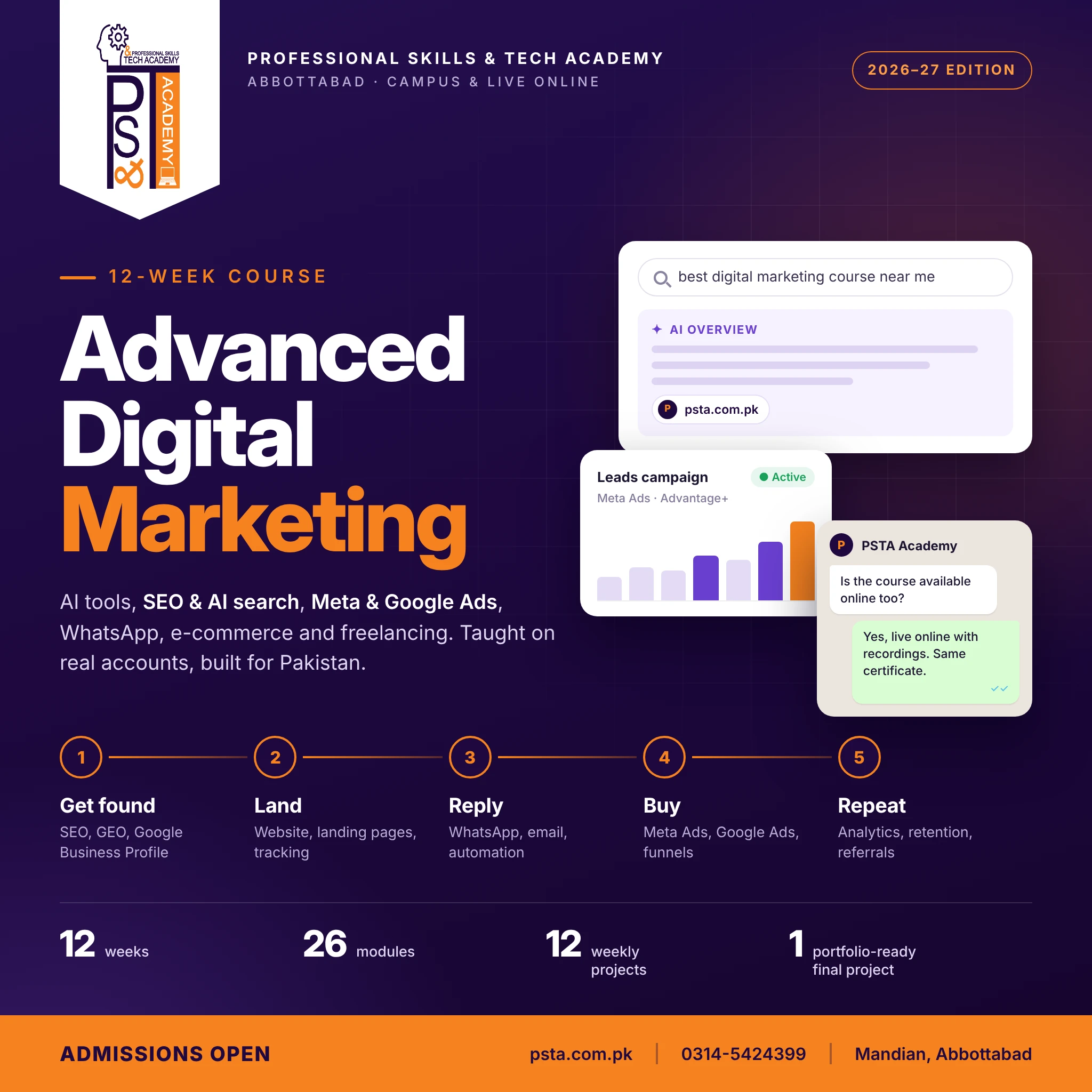
In PSTA's Advanced Digital Marketing Course, tracking isn't a side topic. In week 3 you hand in a live landing page with tracking, and week 11 covers WhatsApp, email marketing and GA4 analytics, ending with an automated flow and a KPI dashboard. Adding UTM parameters to every campaign link is the habit that connects those two weeks.
- Length and structure: 12 weeks across 26 modules, and every module closes with a hands-on task
- Fee: Rs. 30,000 now instead of the usual Rs. 35,000, with a 2-installment option
- Study mode: sit in class at the Abbottabad campus, attend the same lessons live from any city, or combine the two
- Trainer: Umar Qureshi, Digital Marketer and Senior Graphic Designer
If your main work is running ads for clients, PSTA's SMM and Meta Ads course spends more class time on campaign builds. You can compare both on the full course list. Seat booking steps sit on the admission page. Questions about batch timings can go to WhatsApp at +92 314 5424399.
Ten Minutes Now: Tag the Link in Your Instagram Bio
Don't wait for a big campaign. Open the Campaign URL Builder, paste your website address, and set source instagram, medium social, campaign profile and content bio-link. Put the result in your bio today. In two weeks, check Traffic acquisition and you'll know, for the first time, exactly how many visits your profile sends.
Frequently asked questions
Are UTM parameters case sensitive in GA4?
Yes. Google's help page says tag values are case sensitive, so utm_source=Instagram and utm_source=instagram show up as two separate sources in your reports. The simplest fix is a team rule: lowercase every value and use one separator, such as hyphens, for every link you create. Fixing old links later is much harder than starting clean.
What is the difference between utm_source and utm_medium?
Source names who sent the visit, such as instagram, newsletter or flyer. Medium names the type of channel, such as social, email or paid-social. GA4 relies mostly on the medium to place a session in a channel like Organic Social or Email, so a clear, standard medium matters more than a clever source name.
Why does my campaign show (not set) in Google Analytics 4?
Google says missing UTM parameters produce (not set) values. In practice, it usually means someone shared a link without utm_campaign, or a redirect removed the tags before the page loaded. Open the link in a private window, check that the address bar still shows every tag, and compare it with the sheet where your team stores approved links.
Can I put UTM parameters on a WhatsApp chat link?
Tags only help when the link opens a page on your website that runs GA4. A wa.me chat link opens WhatsApp itself, so GA4 never sees it. If you share a link inside a WhatsApp message or broadcast, point it at a tagged page on your site, such as a sale page, using source whatsapp and medium social.
Do I still need UTM tags if Google Ads auto-tagging is on?
Keep auto-tagging switched on for Google Ads. Google's documentation on traffic source dimensions recommends adding UTM parameters as well, as a fallback for cases where the click ID can't be used, for example when consent settings block it. If you tag search ads by hand, Google lists google as the source and cpc as the medium.
Which utm_medium should I use for Facebook and Instagram ads?
Use a medium that matches GA4's paid pattern, such as paid-social or cpc, together with a source GA4 recognizes as a social site, such as facebook or instagram. That combination lets the default channel rules place the visit in Paid Social. A made-up medium like fb-ads falls into Unassigned and has to be sorted by hand.
Where do I see UTM results in GA4?
Open Reports, then Acquisition, then Traffic acquisition. Switch the main dimension to Session campaign to find your promotion, then add Session source/medium as a secondary dimension to split it by channel. Compare sessions, engaged sessions and key events like purchases for each row, and give each campaign at least a week before judging it.
Sources & references
- URL builders: Collect campaign data with custom URLs (Google Analytics Help) support.google.com
- [GA4] Default channel group (Google Analytics Help) support.google.com
- [GA4] How traffic source dimensions are updated (Google Analytics Help) support.google.com
- Campaign URL Builder (Google Analytics Demos & Tools) ga-dev-tools.web.app
- Digital 2026: Pakistan (DataReportal) datareportal.com
- How to Use URL Parameters for Facebook Ads Tracking (Jon Loomer) jonloomer.com
- Facebook Ads dynamic URL parameters for Google Analytics (Mixed Analytics) mixedanalytics.com
Last reviewed & updated on by Umar Qureshi. Written by the PSTA team in Abbottabad, Pakistan.

Umar Qureshi
Advanced Digital Marketing Course in Pakistan and Abbottabad
Turn this guide into a career: hands-on training with real projects, online across Pakistan or on-campus in Abbottabad · 12 Weeks.
Comments
No comments yet — ask a question or share your experience.