Quick answer
Start with small browser projects that each teach one skill: a bill splitter and countdown timer for events, then a quiz, homework tracker and expense tracker for rendering and localStorage, then a weather app, product filter and typing test for fetch, delegation and timing. Host them free on GitHub Pages.
Key takeaways
- • Build in order: events first, then data and storage, then APIs and timing.
- • localStorage keeps strings only, so save arrays with JSON.stringify and read them back with JSON.parse.
- • fetch() does not reject on a 404, so check response.ok before reading the body.
- • Open-Meteo's weather API needs no key and is free for non-commercial use up to 10,000 calls a day.
- • Three polished, deployed projects with READMEs beat eight unfinished ones.
Table of contents 20 sections
- Why Build Projects Instead of Watching More Tutorials?
- What Should You Know Before Your First Project?
- How These 8 Projects Are Ordered
- Level 1: Two Small Builds That Teach Events
- 1. Bill Splitter for a Group Dinner
- 2. Exam Countdown Timer
- Level 2: Three Builds That Store and Render Data
- 3. MCQ Quiz App
- 4. Homework Tracker That Remembers
- 5. Expense Tracker in Rupees
- Level 3: Three Builds That Talk to the Outside World
- 6. City Weather App
- 7. Shop Product Filter
- 8. Typing Speed Test
- JavaScript Projects for Beginners: An 8-Week Build Plan
- How Do You Make a Project Portfolio-Ready?
- Where Can You Host These Projects for Free?
- Mistakes That Slow Beginners Down
- Building These Projects With Guidance at PSTA
- Pick Project One and Ship It by Sunday
"Which JavaScript project should I build first?" It's the question we hear most often in the second week of every JavaScript batch, usually right after a student finishes a long tutorial and realizes they can't write a single page on their own. The honest answer is that the best JavaScript projects for beginners are small, finishable browser apps built in a deliberate order, where each one adds one new skill to the last.
This guide gives you that order: eight projects, grouped into three levels, with the exact browser features each one teaches and a weekly plan to finish them all. Every project uses plain HTML, CSS and JavaScript, so you don't need a framework, a paid API or a powerful laptop.
Here's what you'll take away:
- Eight project ideas with Pakistani examples, from a bill splitter to a weather app
- Which DOM and JavaScript skill each project forces you to practice
- An eight-week schedule you can follow alongside college or a job
- A checklist that turns a practice project into a portfolio piece
- Free places to host your work and the mistakes that waste the most time
Why Build Projects Instead of Watching More Tutorials?
Tutorials show you finished thinking. Projects make you do the thinking yourself, and that's the part employers and clients pay for. When you follow a video, the instructor has already decided which element to select, which event to listen for and what to do when the input is empty. On your own, you have to make every one of those decisions, and you'll get several wrong before you get them right.
JavaScript is also worth this effort because it's everywhere you'll work. In the Stack Overflow 2025 Developer Survey, 66% of all respondents said they had used JavaScript in the past year, more than any other language. Among people learning to code, 62.8% reported using it. Whether you later move to React, Node.js or WordPress development, the browser skills from these projects carry over.
What Should You Know Before Your First Project?
You don't need to be an expert. You do need a few basics, or the first project will feel like guesswork:
- HTML structure: forms, inputs, buttons, lists and the id and class attributes.
- Enough CSS to lay out a card and show or hide an element with a class.
- Core JavaScript: variables, if statements, loops, functions and arrays. If
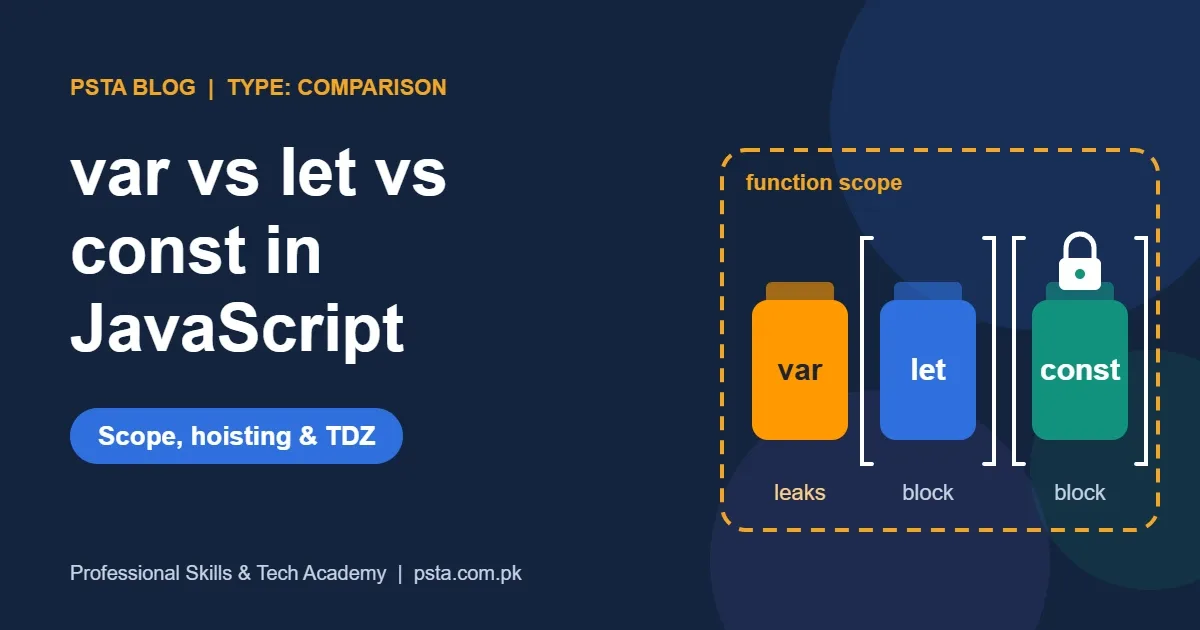
letandconststill confuse you, read our guide to var vs let vs const first. - A code editor and a browser. VS Code and Chrome or Edge are enough. Learn to open the browser's developer tools with F12 and read the Console tab.
That last point matters more than it sounds. Most beginner bugs show up as a red message in the Console. Students who read that message fix problems in minutes; students who ignore it can stay stuck for an evening.
How These 8 Projects Are Ordered
Good JavaScript projects for beginners build on each other, so each level here adds one big idea. Level 1 is about reacting to the user: reading an input, listening for a click and writing a result to the page. Level 2 adds data: keeping a list in an array, drawing it on the screen and saving it so it survives a page refresh. Level 3 adds the outside world: fetching data from an API, filtering larger lists and measuring time precisely.
Don't skip ahead, even if the later JavaScript projects for beginners look more exciting. A weather app built before you understand rendering a list usually turns into copied code you can't explain in an interview.
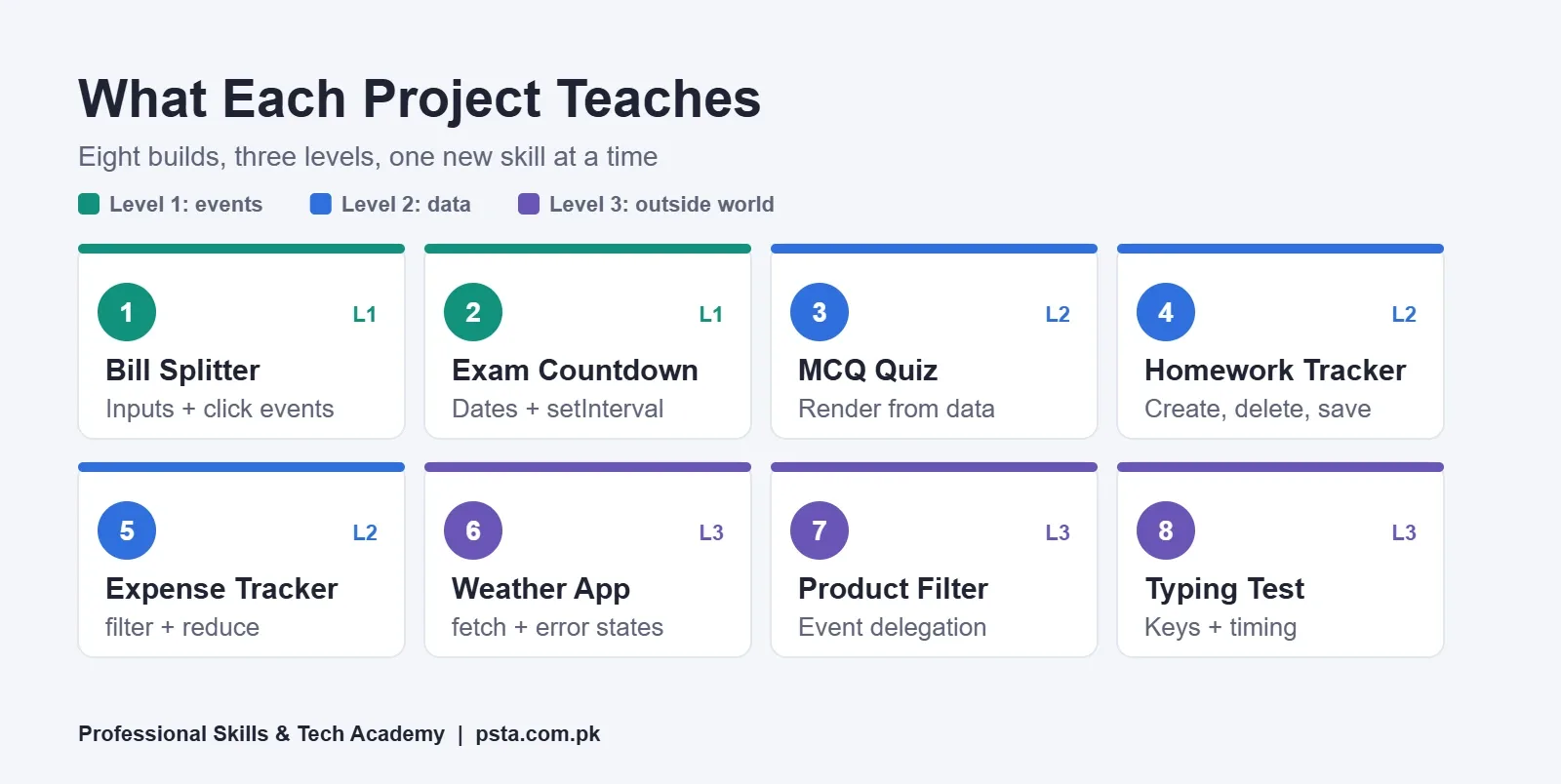
| # | Project | Level | Main Skills You Practice | Suggested Time |
|---|---|---|---|---|
| 1 | Bill Splitter | 1 | Inputs, click events, number formatting | 2 to 3 evenings |
| 2 | Exam Countdown Timer | 1 | Date objects, setInterval, updating text | 2 to 3 evenings |
| 3 | MCQ Quiz App | 2 | Arrays of objects, rendering, scoring | 1 week |
| 4 | Homework Tracker | 2 | Creating and deleting elements, localStorage | 1 week |
| 5 | Expense Tracker in Rs. | 2 | Form submit, reduce, filtering, saving objects | 1 week |
| 6 | City Weather App | 3 | fetch, async/await, loading and error states | 1 week |
| 7 | Shop Product Filter | 3 | Search, sort, event delegation | 1 week |
| 8 | Typing Speed Test | 3 | Keyboard events, timing, accuracy math | 1 week |
The suggested times are what we plan for a student who studies about two hours a day. Take longer if your schedule is tight. A finished project counts for more than a fast one.
Level 1: Two Small Builds That Teach Events
1. Bill Splitter for a Group Dinner
Four friends eat at a restaurant in Abbottabad and the bill is Rs. 4,850 with a service charge. Your page takes the total, the number of people and an optional tip percentage, then shows each person's share. It sounds tiny, but it covers the core loop of every interface: read values, convert them with Number(), calculate, and write the answer back.
Add one detail that makes it feel local: format the result as rupees. Intl.NumberFormat supports a currency style, so new Intl.NumberFormat('en-PK', { style: 'currency', currency: 'PKR' }) adds the rupee prefix and comma grouping for you. Then handle the awkward cases: zero people, a blank total, or someone typing letters.
2. Exam Countdown Timer
Pick a real date, such as your board exam or an entry test, and show the days, hours, minutes and seconds left. You'll create a Date object, subtract it from the current time, and break the milliseconds into units. A setInterval call updates the display every second.
The lesson here is that time code is easy to get slightly wrong. Test what happens when the countdown reaches zero, and stop the interval with clearInterval instead of letting it show negative numbers.
Level 2: Three Builds That Store and Render Data
3. MCQ Quiz App
Store 10 multiple-choice questions as an array of objects, each with the question text, four options and the correct answer. Show one question at a time, record the user's choice, move to the next one and display a score at the end.
This is the project where "rendering" finally clicks. Instead of writing HTML by hand, you build it from data. Once that works, adding a 20th question means adding one object, not editing the page. A good stretch goal is a review screen that lists every wrong answer next to the correct one.
4. Homework Tracker That Remembers
The classic to-do list, aimed at something you actually need. Add tasks with a subject and a due date, tick them off, delete them, and keep everything after the browser closes. You'll practice createElement, append and remove, and you'll meet browser storage for the first time.
According to MDN's localStorage reference, stored data has no expiration time and keys and values are kept as strings. That second fact catches almost every beginner. To save an array of tasks, convert it with JSON.stringify(tasks) before setItem, and turn it back with JSON.parse after getItem.
5. Expense Tracker in Rupees
Track daily spending: fuel, mobile load, food, books. Each entry has an amount, a category and a date. Show a running total, a total per category, and a filter for the current month. You'll use the form's submit event, preventDefault(), and array methods such as filter and reduce. Our guide to JavaScript array methods groups the ones you'll need by job.
This project looks good in a portfolio because it solves a problem a non-programmer understands immediately. Keep the interface clean and make the totals easy to read on a phone.
Level 3: Three Builds That Talk to the Outside World
6. City Weather App
Let the user choose a city, such as Abbottabad, Lahore or Karachi, and show the current temperature and a short forecast. You don't need to pay for data. Open-Meteo says its API needs no key or sign-up, and non-commercial use is free up to 10,000 calls a day. You pass a latitude and longitude, and it returns JSON.
The real lesson is error handling. As MDN's Fetch API guide explains, a 404 reply still counts as a fulfilled promise for fetch(); the promise is rejected only for failures such as a dropped network connection. So check response.ok before reading the body, show a "Loading" message while you wait, and show a friendly error when something fails. If async and await are new to you, read JavaScript async await explained first.
7. Shop Product Filter
Imagine a small clothing shop with 30 products stored in a JavaScript array: name, category, price and size. Build a page with a search box, category buttons and a price sort. The list should update as the user types.
Here you'll practice event delegation. Rather than attaching a listener to every button, attach one to their container and check which button was clicked. The addEventListener reference on MDN shows the idea with a single listener on a table: a click anywhere inside bubbles up to that handler. It keeps your code shorter and works for items you add later.
8. Typing Speed Test
Show a paragraph, start a timer on the first keystroke, compare each typed character with the original and highlight mistakes as they happen. At the end, calculate words per minute and accuracy. You'll handle input or keydown events, wrap each character in a span to color it, and measure elapsed time.
It's a satisfying final project because every part of the previous seven appears again: events, rendering, timing, state and edge cases such as backspace and pasted text. If you're also applying for office jobs, read what WPM job ads in Pakistan ask for to see why the number is worth tracking.
JavaScript Projects for Beginners: An 8-Week Build Plan
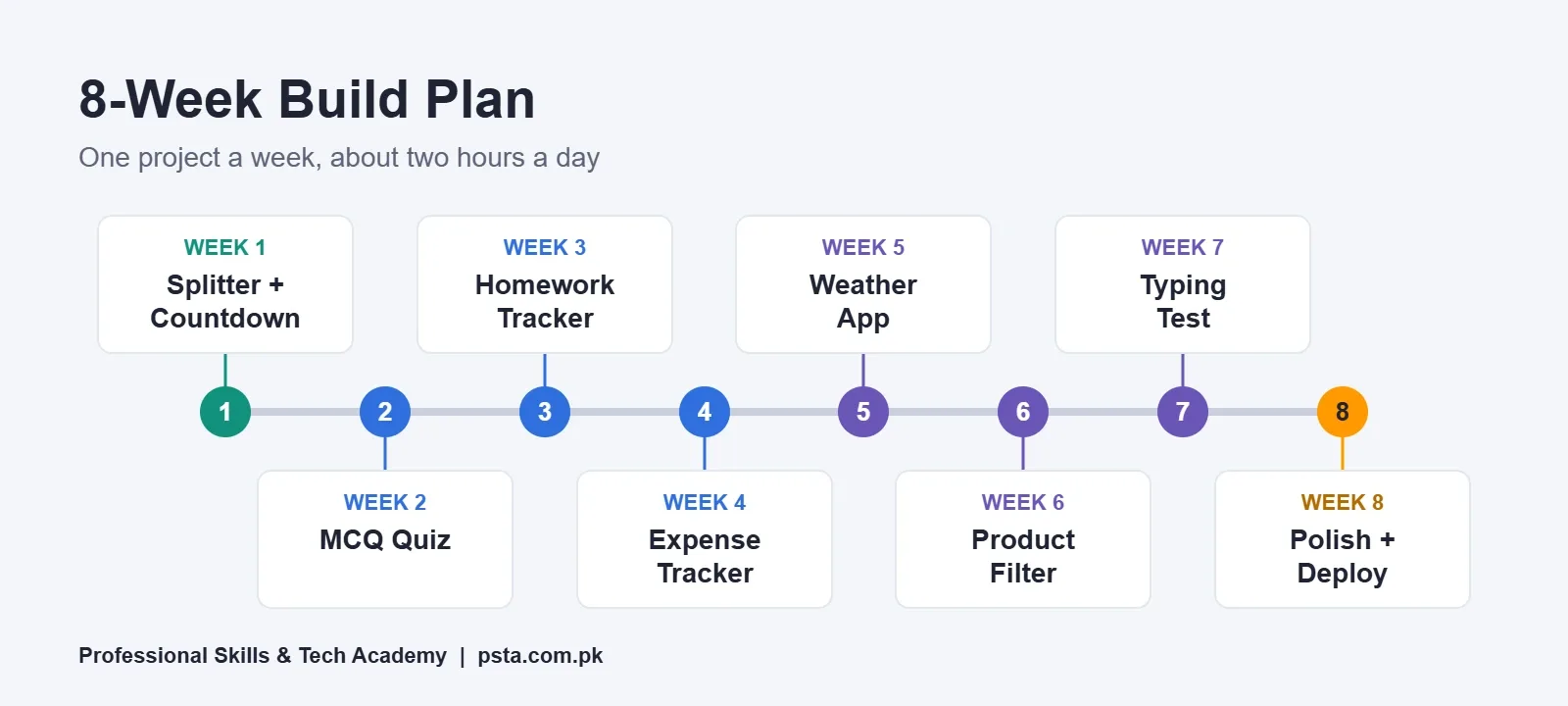
If you like structure, follow this schedule. It assumes one project per week, with the two Level 1 projects sharing the first week and the final week split between the typing test and deployment.
- Week 1: Bill splitter and exam countdown. Get comfortable selecting elements and reading the Console.
- Week 2: MCQ quiz. Write the questions as data first, then build the screens.
- Week 3: Homework tracker. Add saving only after adding and deleting work correctly.
- Week 4: Expense tracker. Spend a day on the mobile layout.
- Week 5: Weather app. Test it with your Wi-Fi switched off to see your error message.
- Week 6: Product filter. Combine search, category and sort so they work together.
- Week 7: Typing speed test. Handle backspace and decide how you count errors.
- Week 8: Polish and publish. Write the README files, deploy, and share the links.
Use Git from the first day, even if you're the only person working on the code. A history of small commits shows how you think, and it saves you when a change breaks something. Our list of Git commands for beginners covers the handful you'll use every week.
How Do You Make a Project Portfolio-Ready?
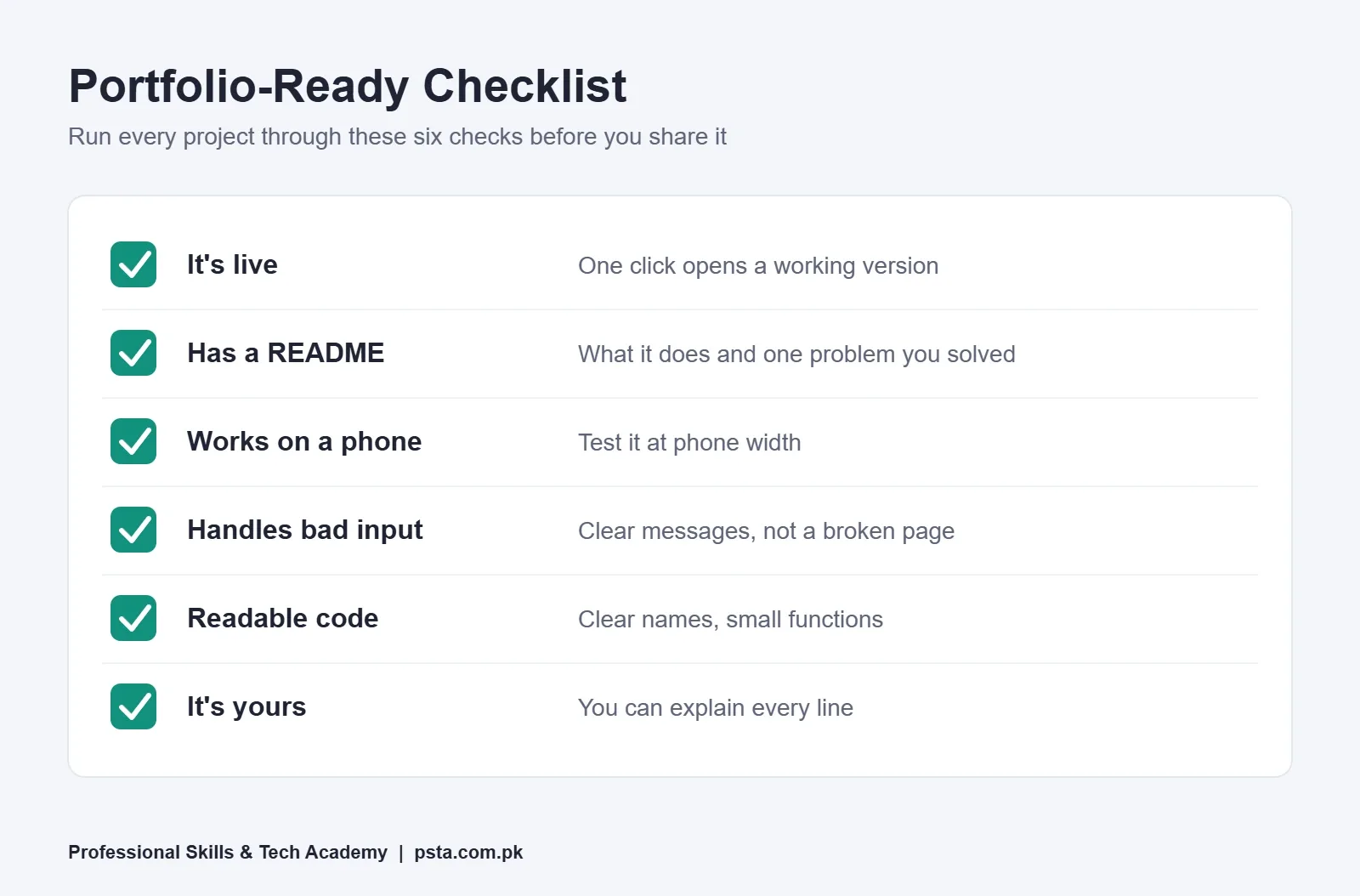
A project that works on your laptop is practice. A project that a stranger can open, understand and try in under a minute is a portfolio piece. Before you share a link with a client or employer, go through these checks:
- It's live. One click opens a working version, with no download needed.
- It has a README. Two or three lines on what it does, which features it uses, and one problem you solved.
- It works on a phone. Test it at phone width, because many people open links on their phones.
- It handles bad input. Empty fields, wrong numbers and failed requests show a clear message instead of breaking.
- The code is readable. Clear variable names, small functions and no leftover
console.loglines. - It's yours. You can explain every line, and it has at least one feature the tutorial didn't have.
Three polished JavaScript projects for beginners beat eight half-finished ones. If time is short, take the expense tracker, the weather app and the typing test through this checklist first.
Where Can You Host These Projects for Free?
All eight JavaScript projects for beginners in this guide are static sites: HTML, CSS and JavaScript files with no server of your own. That makes hosting simple and free. GitHub Pages is the natural choice because your code already lives on GitHub. Its documented limits are generous for this kind of work: a published site may be as large as 1 GB, monthly bandwidth has a soft cap of 100 GB, and public repositories on GitHub Free can use it.
If you'd like to compare other options, our review of free web hosting for students looks at seven platforms side by side.
Mistakes That Slow Beginners Down
- Running the script before the HTML exists. If
querySelectorreturnsnull, put your script tag at the end of the body or add thedeferattribute. - Forgetting that inputs give you text. "500" plus "300" becomes "500300". Convert with
Number()before doing math. - Saving objects directly to localStorage. You'll get "[object Object]". Stringify first.
- Trusting fetch to report every error. Check
response.ok, as covered in the weather project. - Copying the whole project from a video. Watch once, close it, then build from memory and look things up as needed.
- Starting with React too early. Frameworks hide the DOM work these projects teach. Once you've finished them, our list of React projects for beginners is a sensible next step.
Building These Projects With Guidance at PSTA
You can complete every one of these JavaScript projects for beginners on your own. Some learners prefer a teacher who reviews their code and points out the bug they've been staring at for an hour. That's how our JavaScript Programming Course: Beginner to React is run.
The course is 12 weeks long and starts at beginner level. Its modules move from variables, functions and arrays to DOM selection, forms and event listeners, then promises, the Fetch API and modern ES6+ features, before an introduction to React. The last modules focus on building real projects and deploying a portfolio on GitHub. The course page currently lists the fee as Rs. 24,000, reduced from Rs. 28,000.
Classes run three ways: in person at our Abbottabad campus in Mandian (Old College Road, across from FIMS College); live online for students elsewhere in Pakistan; or a hybrid of both. Two courses continue where this one stops: Advanced React.js Mastery and Full-Stack Web Development With AI Tools.
Browse the full course list to compare fees, or fill in the form on our admission page when you're ready. For batch timings, send a message on WhatsApp to +92 314 5424399.
Pick Project One and Ship It by Sunday
Open your editor tonight and create three files: index.html, style.css and script.js. Build the bill splitter, make it handle a blank input, and push it to GitHub. A small, finished project this week will teach you more than another week of watching someone else type.
Frequently asked questions
Do I need to know HTML and CSS before building JavaScript projects?
Yes, at a basic level. You should be able to build a form, a list and a simple card layout, and add or remove a CSS class. You don't need advanced CSS. Many students pick up layout details as they go, because each project gives them a specific reason to fix something on the page.
How many projects should a beginner JavaScript portfolio have?
Three to five finished, deployed projects are enough to start applying for internships or small freelance jobs. Quality matters more than count. Each one should have a live link, a short README, work at phone width and handle bad input without breaking. Choose projects that show different skills, such as storage, APIs and events.
Should I use React for these beginner projects?
Not yet. React handles much of the DOM work for you, which hides exactly what these projects are meant to teach. Build them in plain JavaScript first. Once you can create, update and delete elements yourself, React becomes much easier to learn, because you'll understand the problem it solves.
Is it okay to follow a YouTube tutorial to build a project?
It's fine to watch one to see how a project could work. The learning happens when you close the video and rebuild it yourself, looking up only the parts where you're stuck. Then add at least one feature the tutorial didn't include, so the final version is something you can fully explain.
Can I build these projects on an old laptop?
Yes. All eight run in a normal browser and need only a text editor such as VS Code. There's no build step, database or heavy software involved. If your laptop runs Chrome or Edge comfortably, it can handle every project in this list, including the weather app, which only makes small API requests.
Do I have to pay for hosting or an API?
No. All eight projects are static sites, so GitHub Pages can host them for free from a public repository. The weather app can use Open-Meteo, which says it needs no API key and is free for non-commercial use up to 10,000 calls a day. Read each service's terms before any commercial use.
How long does it take to finish all eight projects?
If you study around two hours a day, the eight-week plan in this guide is a realistic target, with roughly one project per week. Some students need longer, especially for the weather app and the typing test. Finishing each project properly matters more than keeping to the schedule.
Sources & references
- Stack Overflow 2025 Developer Survey: Technology survey.stackoverflow.co
- MDN: Window localStorage property developer.mozilla.org
- MDN: Using the Fetch API developer.mozilla.org
- MDN: EventTarget addEventListener() developer.mozilla.org
- MDN: Intl.NumberFormat developer.mozilla.org
- Open-Meteo: Free Weather API open-meteo.com
- GitHub Docs: GitHub Pages limits docs.github.com
Last reviewed & updated on by Umar Qureshi. Written by the PSTA team in Abbottabad, Pakistan.

Umar Qureshi
JavaScript Programming Course in Abbottabad: Beginner to React
Turn this guide into a career: hands-on training with real projects, online across Pakistan or on-campus in Abbottabad · 12 Weeks.
Comments
No comments yet — ask a question or share your experience.